
1. Introduction
Thank you for choosing the Retevis B3S Portable Walkie Talkie. This device is designed for reliable and clear two-way communication, featuring an LCD screen, emergency alarm, and hands-free operation. This manual provides essential information for the safe and efficient use of your walkie talkie. Please read it thoroughly before operation and retain it for future reference.
2. Product Overview
The Retevis B3S is a compact and lightweight two-way radio, ideal for various outdoor activities and family trips. It features an LCD screen for easy information display and a robust design.
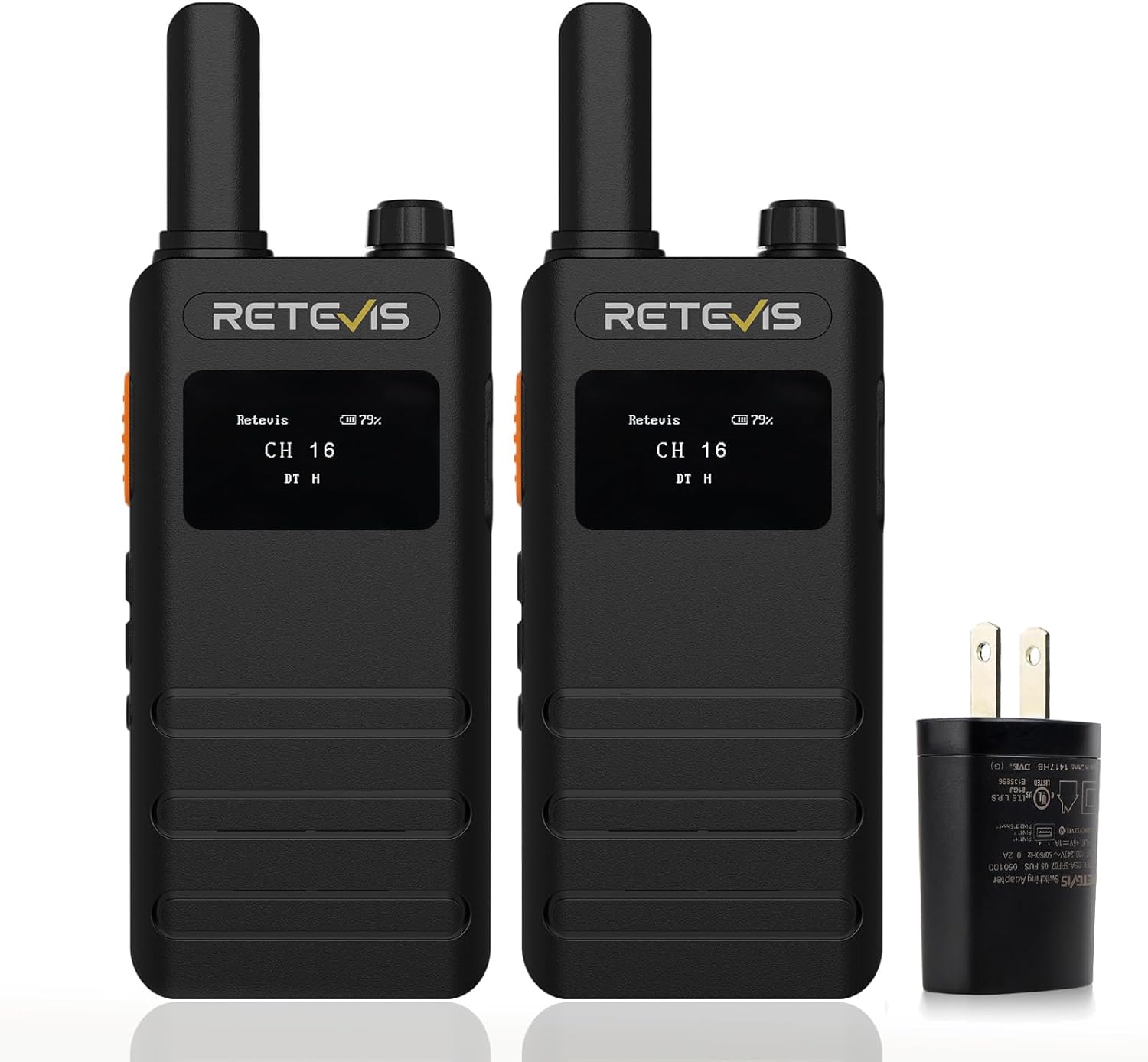
Figure 1: Main view of the Retevis B3S Walkie Talkie.
2.1 Key Features
- LCD Screen: Displays battery status, channel information, and function operations.
- License-Free Operation: Ready to use out of the box with strong compatibility with other Retevis FRS two-way radios on the same CTCSS/DCS.
- Ultra-Thin Design: Lightweight and compact (0.59 inches thick, 0.23 pounds), resembling a mobile phone for easy portability.
- Long Battery Life: Equipped with a 1620mAh rechargeable battery, supporting 18 to 24 hours of continuous use.
- USB-C Charging: Convenient 2-in-1 charging cable allows simultaneous charging of two walkie talkies.
- VOX Function: 1-10 level Voice Operated Exchange for hands-free communication without pressing the PTT button.
- Key Lock Function: Prevents accidental changes to settings, useful for children and the elderly.
- Emergency Alarm: Remote and local emergency alarm functions for safety.
- Headphone Compatibility: Compatible with 1-pin 3.5 mm headphones.
2.2 Controls and Ports

Figure 2: LCD Display for battery and channel status.
- LCD Screen: Front-facing display for visual feedback.
- PTT Button: Push-to-Talk button on the side for transmitting voice.
- Channel Selector: Rotary knob on top to change communication channels.
- Volume Control: Buttons to adjust speaker volume.
- USB-C Charging Port: Located on the side, protected by a rubber flap.
- 3.5mm Headphone Jack: Located on the side, protected by a rubber flap, for external audio accessories.
- Emergency Alarm Button: Dedicated button for activating the emergency alarm.
- Key Lock Button: To prevent accidental changes to settings.

Figure 3: Detailed view of buttons and controls.
3. Package Contents
The Retevis B3S Walkie Talkie package typically includes:
- 2 x Retevis B3S Walkie Talkies (with 1620 mAh Li-ion battery included)
- 1 x English User Manual
- 1 x USB-C Charging Cable (2-in-1)
- 1 x Charger Adapter
- 2 x Belt Clips

Figure 4: All items included in the Retevis B3S package.
4. Setup
4.1 Initial Charging
- Connect the USB-C charging cable to the charging port on the side of each walkie talkie.
- Plug the charger adapter into a power outlet.
- Charge the walkie talkies fully before first use. The LCD screen will indicate charging status.

Figure 5: USB-C 2-in-1 charging for two units.
4.2 Attaching the Belt Clip
- Align the belt clip with the designated slots on the back of the walkie talkie.
- Slide the clip down until it locks securely into place.

Figure 6: Attaching the belt clip to the walkie talkie.
5. Operating Instructions
5.1 Power On/Off
Rotate the power/volume knob clockwise to turn on the walkie talkie. Rotate counter-clockwise until a click is heard to turn it off.
5.2 Channel Selection
Use the channel selector knob on the top of the device to choose your desired communication channel. Ensure all radios in your group are set to the same channel.
5.3 Adjusting Volume
Rotate the power/volume knob to adjust the listening volume. The LCD screen will show the current volume level.
5.4 Transmitting and Receiving
- To transmit, press and hold the PTT (Push-to-Talk) button on the side of the walkie talkie. Speak clearly into the microphone.
- Release the PTT button to receive messages.

Figure 7: The PTT (Push-to-Talk) button.
5.5 VOX (Voice Operated Exchange) Function
The VOX function allows for hands-free transmission. When activated, the radio will transmit automatically when it detects your voice, without needing to press the PTT button.

Figure 8: Hands-free communication with VOX.
5.6 Emergency Alarm
To activate the emergency alarm, long-press the designated emergency alarm button. This will emit a loud alert to signal for help.

Figure 9: Activating the emergency alarm.
5.7 Key Lock Function
Activate the key lock function to prevent accidental changes to your settings. This is particularly useful when carrying the radio or when used by children.

Figure 10: Key lock function for preventing accidental changes.
6. Charging and Battery Life
The Retevis B3S features a 1620mAh Li-ion battery, providing extended usage time. The 2-in-1 USB-C charging cable allows for convenient charging of both units simultaneously.

Figure 11: 1620mAh battery for long-lasting use.
A full charge typically provides 18 to 24 hours of continuous use and up to 49 hours of standby time.
7. Maintenance
7.1 Cleaning
Wipe the radio's surface with a soft, damp cloth. Do not use harsh chemicals or abrasive cleaners. Ensure the charging port and headphone jack covers are properly sealed to prevent dust and moisture ingress.
7.2 Storage
When not in use for extended periods, store the walkie talkie in a cool, dry place. It is recommended to fully charge the battery before storage and recharge it every three months to maintain battery health.
8. Troubleshooting
| Problem | Possible Cause | Solution |
|---|---|---|
| No power | Battery is depleted. | Charge the battery fully. |
| Cannot transmit or receive | Different channels or CTCSS/DCS codes. | Ensure all radios are on the same channel and CTCSS/DCS settings. |
| Weak signal or static | Out of range or obstructions. | Move closer to the other radio or to an open area. |
| VOX not working | VOX sensitivity too low or not activated. | Adjust VOX sensitivity or activate the function in the menu. |
9. Specifications
| Feature | Detail |
|---|---|
| Brand | Retevis |
| Model | B3S |
| Tuner Technology | FRS |
| Battery Capacity | 1620mAh Lithium Ion |
| Battery Life (Average) | 18-24 Hours (continuous use) |
| Charging Method | USB-C (2-in-1 cable) |
| Special Features | LCD screen, Portable, Emergency alarm, VOX, Key lock |
| Compatible Devices | Retevis FRS two-way radios, 1-pin 3.5 mm headphones |
| Dimensions | 21.2 x 18.5 x 5.3 cm (Parcel) |
| Weight | 430 g (Parcel) |
10. Safety Information
- Do not disassemble or modify the device.
- Keep the device away from extreme temperatures, direct sunlight, and moisture.
- Use only the provided charging cable and adapter.
- Avoid prolonged exposure to loud volumes to prevent hearing damage.
- Dispose of batteries according to local regulations.
11. Warranty and Support
For warranty information and technical support, please refer to the official Retevis website or contact your retailer. Keep your purchase receipt as proof of purchase.
Contact: Visit the Retevis Store on Amazon
12. Product Video Overview
This video provides a general overview of the product's features and functionality, demonstrating its design and ease of use.


