
1. Introduction
This manual provides detailed instructions for the installation, operation, and maintenance of your STRONG Mini Powerline Kit Triple Pack AV600. This kit allows you to extend your internet connection to any room in your home using your existing electrical wiring, providing a stable and fast wired network connection.

Image 1.1: The STRONG Mini Powerline Kit Triple Pack AV600, showing the product packaging and the three compact powerline adapters included in the kit.
2. Package Contents
Please verify that all items are present in your package:
- Three (3) STRONG Mini Powerline Adapters
- One (1) Ethernet Cable
- Quick Installation Guide (this document)
3. Product Features
The STRONG Mini Powerline Kit Triple Pack AV600 offers the following key features:
- AV600 Standard Compatibility: Compatible with the Homeplug AV standard, supporting data transfer rates up to 600Mbps, suitable for HD streaming and online gaming.
- Extended Coverage: Provides network coverage up to 300 meters (984 feet) over residential electrical circuits, ensuring performance through walls and floors.
- Ethernet Port: Each adapter includes one Ethernet port for connecting wired devices such as computers, smart TVs, or game consoles.
- Compact Design: Small and discreet form factor allows for unobtrusive placement.
- Plug & Play: Requires zero setup for immediate use.
- Power Saving: Automatically enters standby mode when not in use, reducing power consumption by up to 85%.
- Enhanced Security: Features 128-bit AES Powerline Encryption for secure network communication and data protection.

Image 3.1: A STRONG Mini Powerline Adapter showcasing its compact dimensions (75mm x 63mm x 45mm), designed to be space-saving and discreet when plugged into a wall outlet.

Image 3.2: A close-up of the STRONG Mini Powerline Adapter with an Ethernet cable plugged into its port, illustrating its capability for fast wired connections up to 100Mbps.

Image 3.3: An illustration depicting a STRONG Powerline Adapter within a home environment, highlighting its 128-bit AES encryption for enhanced network security and data protection.
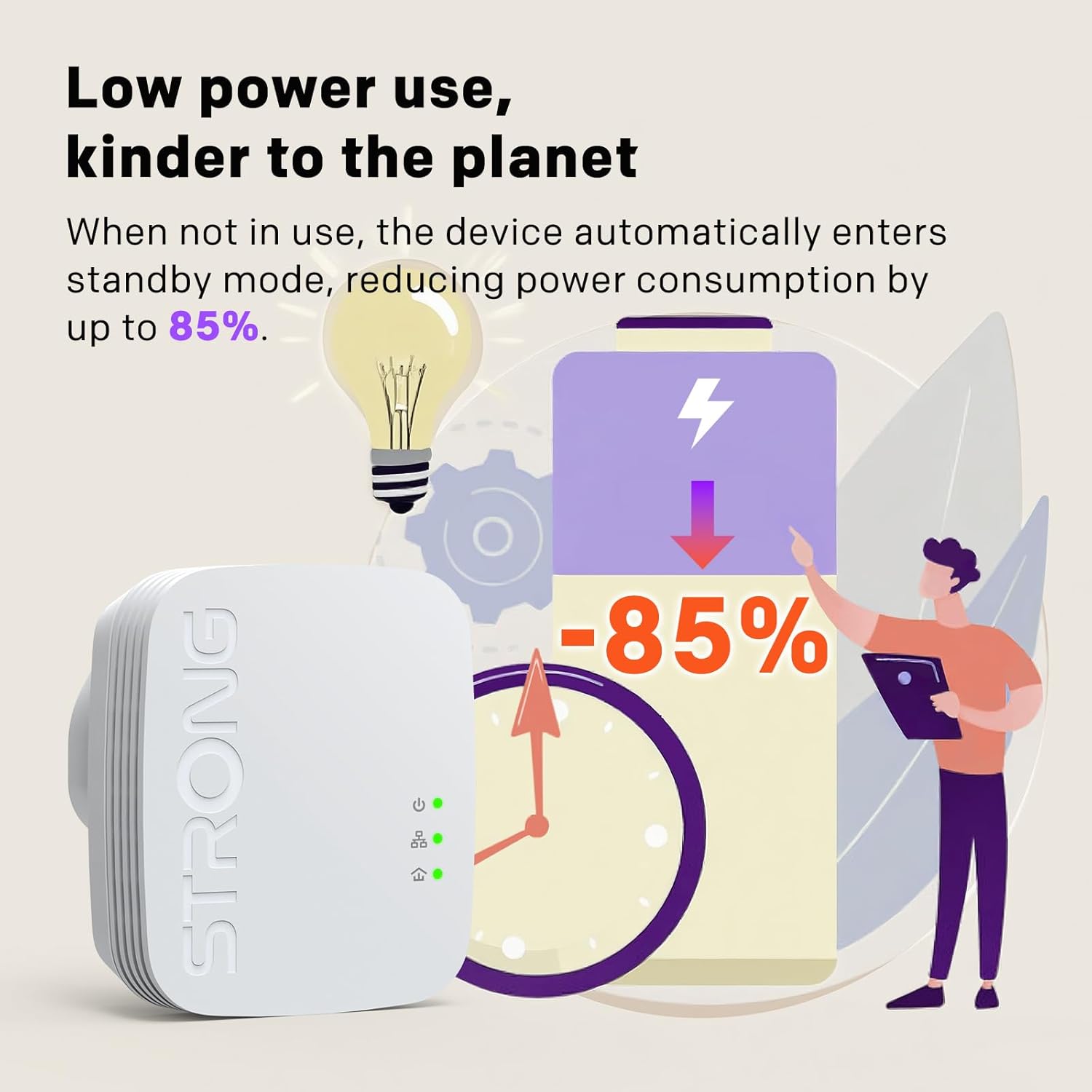
Image 3.4: A visual representation of the power-saving feature of the STRONG Powerline Adapter, showing that it reduces power consumption by up to 85% when not actively in use.
4. Setup Guide
The STRONG Mini Powerline Kit is designed for simple Plug & Play installation. Follow these steps to set up your powerline network:
- Connect the First Adapter: Plug one Powerline Adapter into a wall outlet near your internet router. Connect it to your router using an Ethernet cable.
- Connect the Second Adapter: Plug a second Powerline Adapter into a wall outlet in the room where you want to extend your network.
- Connect Your Device: Connect your computer, smart TV, game console, or other wired device to the second Powerline Adapter using an Ethernet cable.
- Pairing (if necessary): The adapters should automatically pair. If they do not, press the 'Pair' button on the first adapter, then within two minutes, press the 'Pair' button on the second adapter. The Powerline LED indicator should turn solid, indicating a successful connection. Repeat for the third adapter if needed.

Image 4.1: A three-step visual guide demonstrating the simple Plug & Play installation process for the Powerline Kit, showing connection to a router, then to a device in another room.
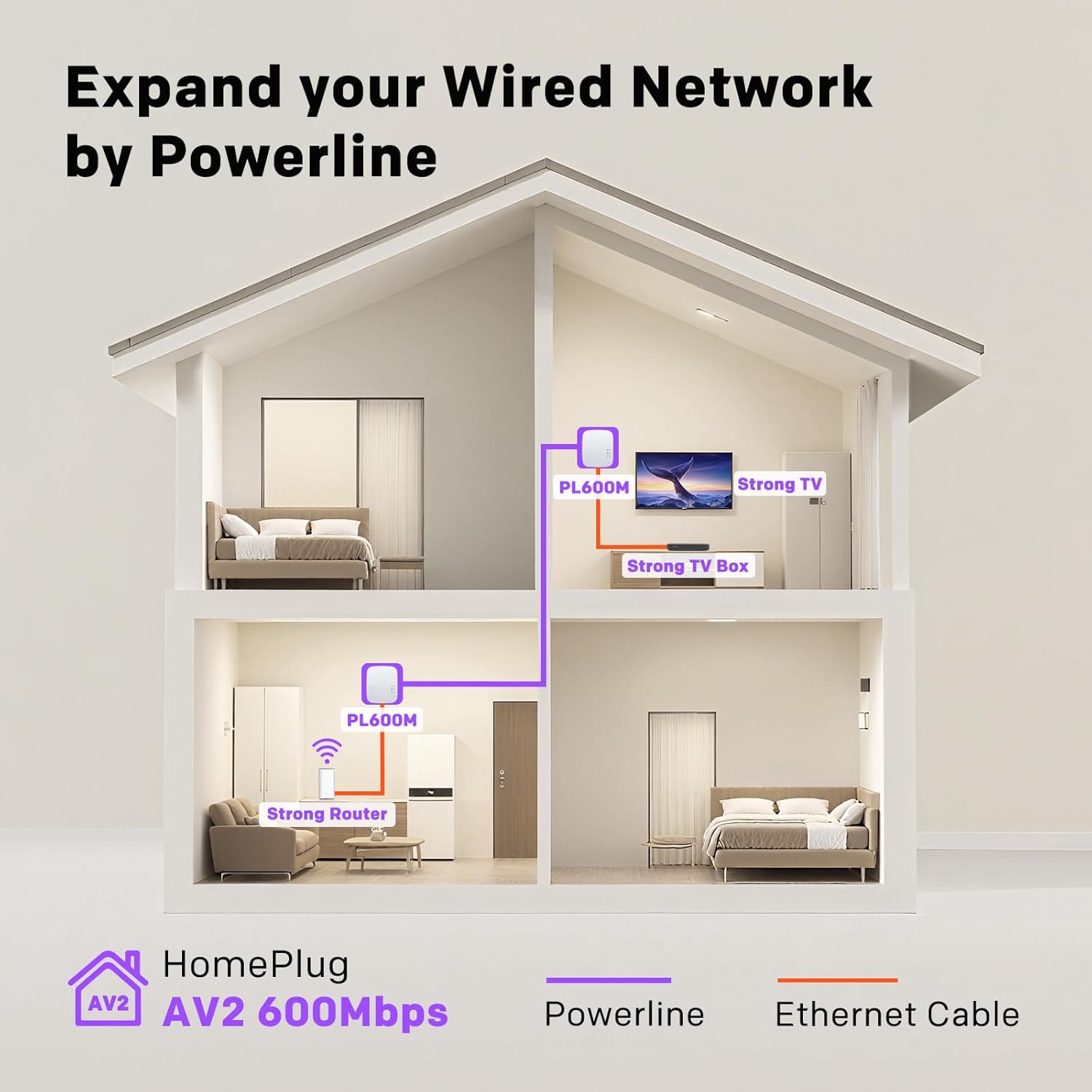
Image 4.2: An illustration of a house demonstrating how Powerline adapters (PL600M) utilize existing electrical wiring to expand a wired network from a router to devices like a TV in different rooms.
5. Operating Instructions
Once installed, your Powerline network operates automatically. The adapters create a secure network connection over your home's electrical wiring. Any device connected via Ethernet to a Powerline Adapter will have internet access, provided the adapter is paired with another adapter connected to your router.
LED Indicators:
- Power LED: Indicates the power status of the adapter.
- Powerline LED: Indicates the status of the Powerline connection. A solid light typically means a successful connection.
- Ethernet LED: Indicates the status of the Ethernet connection to your device.
For optimal performance, plug Powerline Adapters directly into wall outlets. Avoid power strips, surge protectors, or extension cords, as these can interfere with the Powerline signal.
6. Maintenance
To ensure the longevity and optimal performance of your Powerline Kit:
- Keep the adapters clean and free from dust. Use a soft, dry cloth for cleaning.
- Ensure adequate ventilation around the adapters. Do not cover them or place them in enclosed spaces.
- Avoid exposing the adapters to extreme temperatures or humidity.
- As noted in the features, the adapters automatically enter a low-power standby mode when not in use, contributing to energy efficiency.
7. Troubleshooting
If you encounter issues with your STRONG Mini Powerline Kit, consider the following:
- No Powerline Connection (Powerline LED off/blinking):
- Ensure both adapters are plugged directly into wall outlets, not power strips or extension cords.
- Verify that the electrical circuits are on the same phase within your home. Powerline adapters typically do not work across different electrical phases.
- Try re-pairing the devices by pressing the 'Pair' button on each adapter within two minutes of each other.
- Slow Speed:
- Powerline speeds can be affected by electrical interference from other appliances (e.g., refrigerators, washing machines). Try plugging the adapters into different outlets.
- The maximum theoretical speed of 600Mbps is rarely achieved in real-world conditions due to electrical noise and wiring quality. Actual speeds will vary.
- Ensure your Ethernet cables are in good condition and properly connected.
- No Internet Access:
- Check if your router has an active internet connection.
- Ensure the Powerline Adapter connected to the router is properly linked (Powerline LED solid).
- Verify the Ethernet connection between your device and the Powerline Adapter (Ethernet LED solid).
8. Specifications
| Feature | Detail |
|---|---|
| Brand | Strong |
| Model | AV600 Mini Powerline Kit Triple Pack |
| Hardware Interface | Ethernet |
| Compatible Devices | Desktop, Laptop, Printer, Game Console |
| Data Link Protocol | Ethernet |
| Data Transfer Rate | 600 Megabits Per Second (theoretical) |
| Item Weight | 0.59 Kilograms (1.3 pounds) |
| Package Dimensions | 10 x 7.36 x 3.23 inches |
| ASIN | B0D77Y7G51 |
| Date First Available | June 16, 2024 |
9. Warranty and Support
The STRONG Mini Powerline Kit Triple Pack AV600 typically comes with a 4-year warranty, as indicated on the product packaging. Please refer to the specific warranty terms provided with your purchase for full details.
For technical support, troubleshooting assistance, or warranty claims, please visit the official Strong website or contact their customer service department. Contact information can usually be found on the product packaging or the manufacturer's website.


