
1. Introduction
This manual provides essential information for setting up, operating, and maintaining your vivo V29 Pro 5G smartphone. Please read it carefully to ensure proper use and to maximize the device's capabilities.
The vivo V29 Pro 5G is an ultra-slim smartphone featuring a 3D curved AMOLED display. It is designed for comfortable handling and offers advanced camera capabilities, including a 2X Pro Portrait lens with a Sony IMX 663 Sensor and a 50 MP group selfie camera. The device is powered by a 4 nm MediaTek Dimensity 8200 chipset and a 4600 mAh battery with 80 W flash charge support.

Figure 1: Front and back view of the vivo V29 Pro 5G smartphone, highlighting its sleek design and camera system.
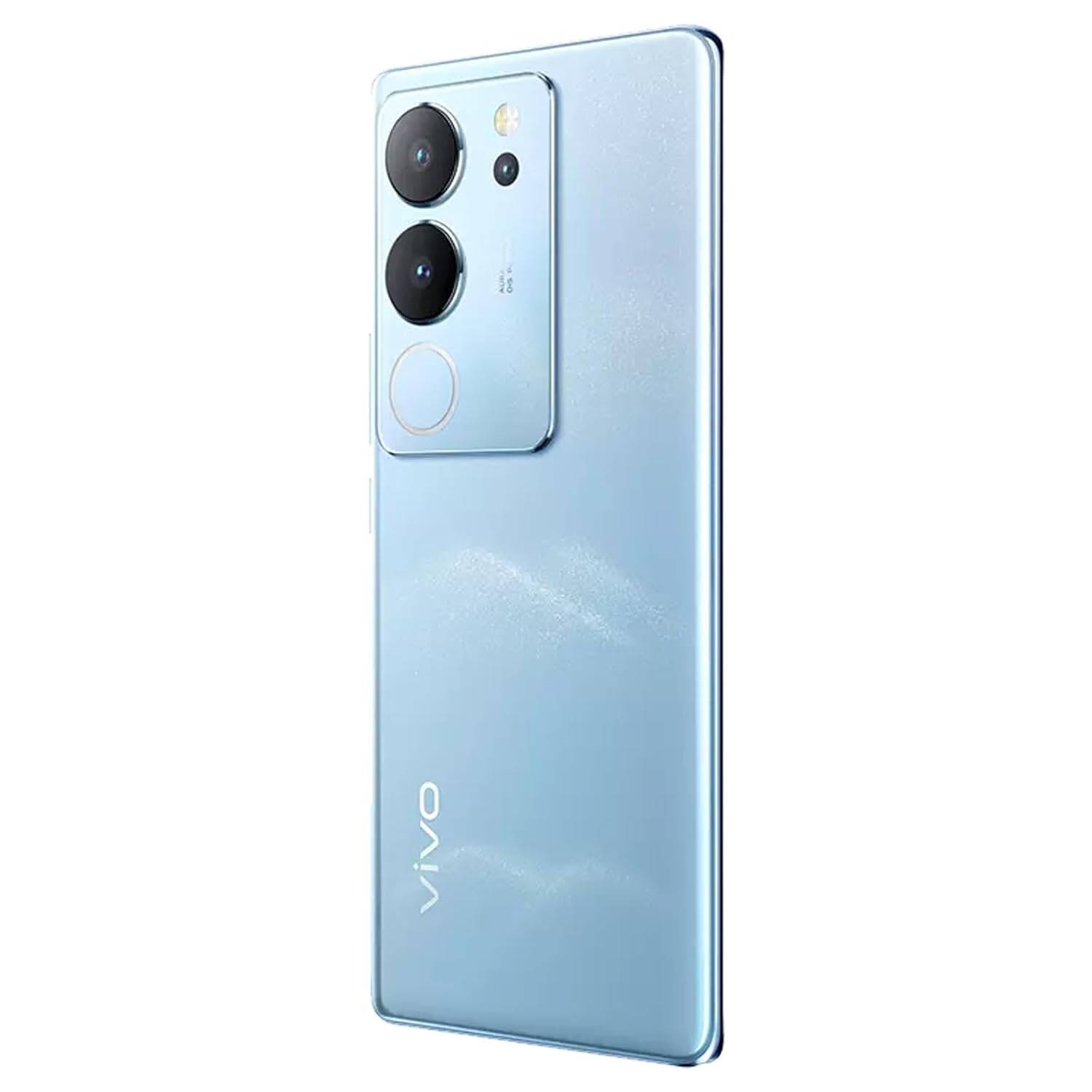
Figure 2: Rear view of the vivo V29 Pro 5G, displaying the camera array and the device's blue finish.
2. What's in the Box
Upon unboxing your vivo V29 Pro 5G, verify that the following items are included:
- 1 Unit vivo V29 Pro 5G Smartphone
Note: Charger and data cable are not included and must be purchased separately.
3. Setup
3.1 Device Layout
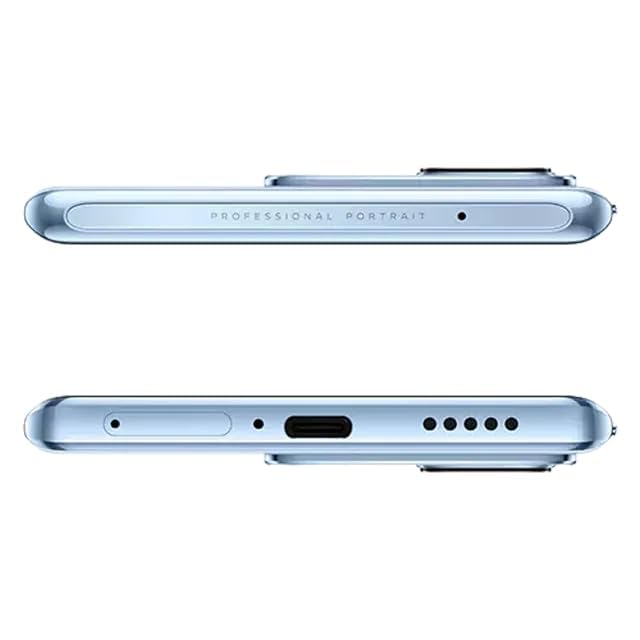
Figure 3: Top and bottom edges of the vivo V29 Pro 5G, illustrating the USB-C port, speaker grille, and microphone.
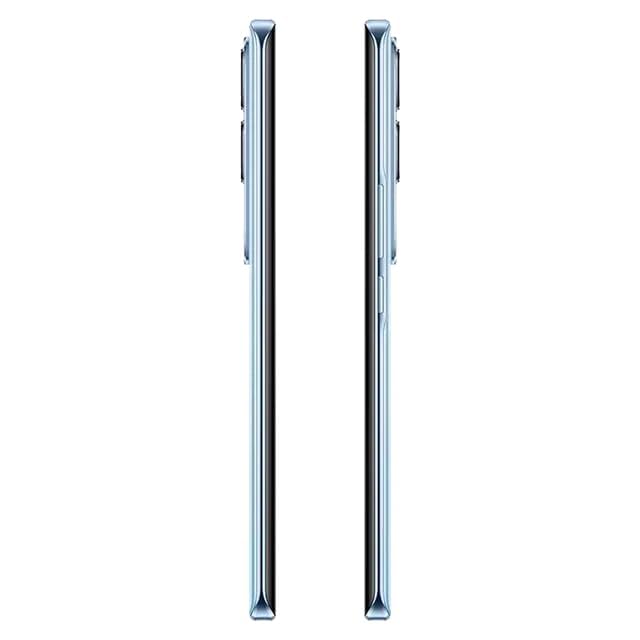
Figure 4: Side view of the vivo V29 Pro 5G, indicating the placement of the power button and volume rocker.
3.2 Inserting SIM Card
- Locate the SIM card tray on the side of your device.
- Insert the SIM ejector tool into the small hole next to the tray and press firmly until the tray pops out.
- Place your Nano-SIM card(s) into the tray with the gold contacts facing down. Ensure proper orientation.
- Gently push the tray back into the slot until it is flush with the device.
3.3 Initial Power On and Setup
- Press and hold the Power button (located on the side) until the vivo logo appears.
- Follow the on-screen instructions to select your language, connect to a Wi-Fi network, and set up your Google account.
- You will be guided through setting up security features like fingerprint unlock or face recognition.
3.4 Charging the Device
Connect a compatible USB Type-C cable (not included) to the charging port at the bottom of the phone and to a compatible power adapter (not included). The vivo V29 Pro 5G supports 80W flash charging. Ensure you use a charger that supports this technology for optimal charging speed.
4. Operating Your Device
4.1 Display and Navigation
The device features a 17.22 cm (6.78 inch) Full HD+ AMOLED 3D curved display. Navigate using touch gestures: swipe, tap, pinch-to-zoom. The Android operating system provides an intuitive interface for apps and settings.
4.2 Camera Features
The vivo V29 Pro 5G is equipped with a versatile camera system:
- Rear Camera: 50MP main sensor, 12MP 2X Pro Portrait lens with Sony IMX 663 Sensor, and an 8MP sensor.
- Front Camera: 50MP for high-resolution selfies and group photos.
- Aura Light: Enhances low-light photography with intelligent lighting.
- Portrait Mode: Utilizes the 2X Pro Portrait lens for professional-grade portraits with background blur.

Figure 5: Exploded view diagram of the Sony Professional Portrait Camera, detailing the IMX663 sensor and 12MP portrait lens.

Figure 6: Visual summary of key features: Ultra Slim 3D Curved Display, Smart Aura Light for night portraits, Sony Professional Portrait Camera, and 50MP Eye AF Group Selfie Camera.
4.3 Performance
The device is powered by a 4 nm MediaTek Dimensity 8200 processor and comes with 12 GB of RAM, ensuring smooth multitasking and efficient performance for demanding applications and games.

Figure 7: Close-up of the MediaTek Dimensity 8200 4nm Flagship Processor, illustrating its advanced architecture.
4.4 Battery Management
The 4600 mAh battery provides extended usage. To optimize battery life:
- Adjust screen brightness.
- Close unused applications running in the background.
- Utilize power-saving modes when necessary.
5. Maintenance
5.1 Cleaning Your Device
Use a soft, lint-free cloth to clean the screen and body of your phone. Avoid using harsh chemicals or abrasive materials that could damage the display or finish.
5.2 Software Updates
Regularly check for and install system updates to ensure your device has the latest features, security patches, and performance improvements. You can usually find this option in the device's settings under 'System' or 'Software Update'.
5.3 Battery Care
To prolong battery lifespan, avoid extreme temperatures and do not leave the device fully charged or fully discharged for extended periods.
5.4 Storage Management
Periodically review and delete unnecessary files, apps, and media to free up storage space and maintain optimal device performance. The device comes with 256 GB of internal storage.
6. Troubleshooting
6.1 Device Not Turning On
- Ensure the battery is charged. Connect the device to a power source for at least 15 minutes.
- Press and hold the Power button for 10-15 seconds to perform a forced restart.
6.2 Charging Issues
- Verify that the charging cable and adapter are working correctly and are compatible with the device.
- Check the charging port for any debris or damage.
6.3 Network Connectivity Problems
- Restart the device.
- Check if the SIM card is properly inserted.
- Go to Settings > Network & internet and ensure mobile data or Wi-Fi is enabled.
- Reset network settings if issues persist.
6.4 Camera Malfunction
- Restart the camera application.
- Clear the cache and data of the camera app in Settings > Apps.
- Ensure there are no physical obstructions on the camera lenses.
6.5 Factory Reset
If severe issues persist, you may consider performing a factory reset. This will erase all data on your device, so ensure you back up important information first. Navigate to Settings > System > Reset options > Erase all data (factory reset).
7. Specifications
| Feature | Detail |
|---|---|
| Model Number | V29Pro |
| Operating System | Android |
| RAM | 12 GB |
| Internal Storage | 256 GB (not explicitly listed in specs, but in title) |
| Processor | Dimensity 8200 |
| Display | 17.22 cm (6.78 inch) Full HD+ AMOLED |
| Resolution | 1080 x 2340 |
| Rear Camera | 50MP + 12MP + 8MP |
| Front Camera | 50MP |
| Battery Capacity | 4600 Milliamp Hours (mAh) |
| Wireless Communication | Cellular, Wi-Fi |
| GPS | GLONASS |
| Product Dimensions | 16.5 x 7.5 x 0.8 cm |
| Item Weight | 280 g |
| Manufacturer | Vivo Mobiles India Private Limited |
8. Warranty and Support
For warranty information and customer support, please refer to the warranty card included with your product or visit the official vivo India website. You can also contact vivo customer service for assistance with product inquiries, technical support, or service requests.
Keep your purchase receipt as proof of purchase for warranty claims.


