
Introduction
This manual provides essential information for the proper setup, operation, maintenance, and troubleshooting of the zesendz 170M2615 PIC18F4320-I PT electronic component. The PIC18F4320-I PT is a high-performance microcontroller designed for various embedded applications. Please read this manual thoroughly before using the component to ensure safe and efficient operation.
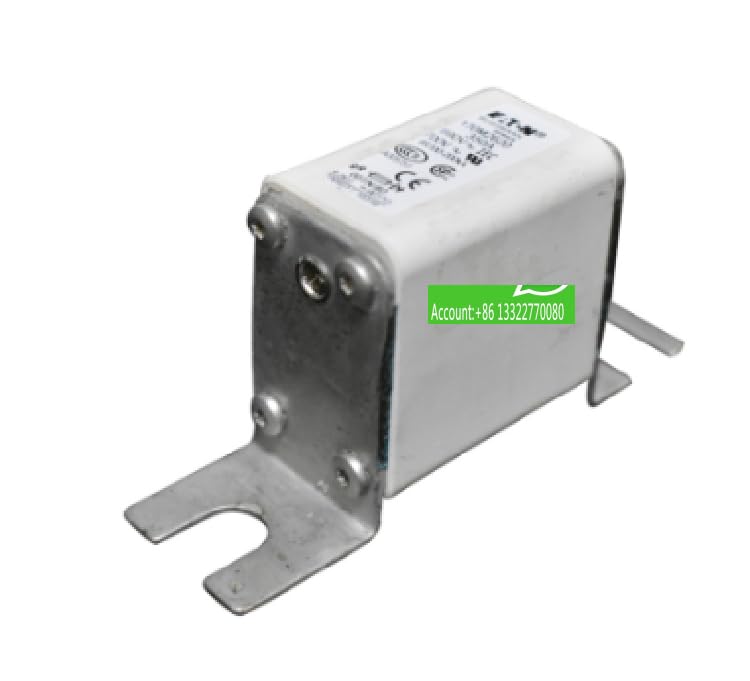
Image: The zesendz 170M2615 PIC18F4320-I PT electronic component, typically a microcontroller in a PT package, showing its pins and markings.
Setup
- Electrostatic Discharge (ESD) Precautions: Electronic components are sensitive to static electricity. Always handle the PIC18F4320-I PT in an ESD-safe environment. Use an anti-static wrist strap and mat. Avoid touching the pins directly.
- Inspection: Before installation, visually inspect the component for any physical damage, bent pins, or contamination. Do not use damaged components.
- Mounting: Carefully insert the component into its designated socket or solder it onto the printed circuit board (PCB) according to the circuit design. Ensure correct pin orientation (e.g., pin 1 indicator).
- Power Supply: Connect the appropriate power supply (VCC and GND) as specified in the PIC18F4320-I PT datasheet. Ensure the voltage and current ratings are within the component's operating limits.
- Programming Interface: Connect the necessary programming tools (e.g., ICSP programmer) to the designated programming pins (PGC, PGD, MCLR, VDD, VSS) for firmware loading.
Operating
The operation of the PIC18F4320-I PT microcontroller is primarily determined by the firmware programmed onto it and the external circuitry it is integrated with. This section provides general guidelines.
- Firmware Programming: Load your application-specific firmware onto the microcontroller using a compatible programmer and integrated development environment (IDE). Refer to the Microchip PIC18F4320 datasheet and programming specifications for detailed instructions.
- Power On: Once the component is correctly installed and programmed, apply power to the circuit. The microcontroller will execute the loaded firmware.
- Monitoring: Observe the behavior of the circuit and the component. Use debugging tools or test points to verify expected functionality.
- Environmental Conditions: Ensure the operating environment (temperature, humidity) remains within the specified ranges for the PIC18F4320-I PT to prevent malfunction or damage.
Maintenance
The PIC18F4320-I PT is a robust electronic component, but proper care ensures its longevity and reliable performance.
- Storage: Store unused components in their original anti-static packaging in a cool, dry, and dust-free environment. Avoid exposure to direct sunlight or extreme temperatures.
- Cleaning: If necessary, gently clean the component's exterior with a soft, dry, anti-static brush or a lint-free cloth. Avoid using liquids or abrasive materials. Ensure the component is powered off and disconnected before cleaning.
- Regular Inspection: Periodically inspect installed components for signs of overheating, corrosion, or physical damage. Address any issues promptly.
Troubleshooting
If you encounter issues with your PIC18F4320-I PT, consider the following troubleshooting steps:
-
No Power/No Response:
- Verify that the power supply is correctly connected and providing the specified voltage and current.
- Check for any short circuits on the PCB.
- Ensure the component is correctly seated in its socket or properly soldered.
-
Programming Errors:
- Confirm that the programming tool is correctly connected to the PIC18F4320-I PT.
- Ensure the programming software is configured for the correct device and programmer.
- Check for proper power to the target circuit during programming.
- Consult the programmer's documentation and the PIC18F4320 datasheet for specific programming requirements.
-
Unexpected Behavior:
- Review your firmware code for logical errors.
- Check external circuit connections for correctness.
- Verify that external components (e.g., resistors, capacitors) are of the correct values and properly installed.
Specifications
| Feature | Detail |
|---|---|
| Manufacturer | zesendz |
| Model Number | PIC18F4320-I PT |
| ASIN | B0D77JLDL9 |
| Material | Copper (referring to internal components/leads) |
| UPC | 764965121322 |
| Date First Available | June 16, 2024 |
Note: For detailed electrical characteristics, pin configurations, and programming specifications, please refer to the official Microchip PIC18F4320 datasheet.
Warranty Information
Specific warranty details for the zesendz 170M2615 PIC18F4320-I PT electronic component are typically provided by the seller or manufacturer at the time of purchase. Please retain your proof of purchase. For warranty claims or inquiries, contact the original point of sale or the manufacturer directly.
Support
For technical assistance, further documentation, or support regarding the zesendz 170M2615 PIC18F4320-I PT, please reach out to the manufacturer, zesendz, or your authorized distributor. When contacting support, please have your model number (PIC18F4320-I PT) and purchase details readily available.