
Fender 2311600000
Fender Mustang Micro Plus Headphone Amplifier User Manual
Your portable solution for silent practice and tone exploration.
1. Overview
The Fender Mustang Micro Plus is a compact, portable headphone amplifier designed for guitarists. It offers a wide range of amplifier and effect models, an integrated tuner, and Bluetooth audio streaming, allowing for silent practice and versatile tone shaping anywhere.
Key Features
- 25 Amp Models: A diverse selection of clean and high-gain tones.
- 25 Effect Models: With parameter modify control for extensive sound customization.
- Integrated Display: For easy navigation and setting adjustments.
- Onboard Tuner: Conveniently tune your instrument directly from the device.
- 100 Preset Slots: Store and recall your favorite custom tones.
- Bluetooth Audio Streaming: Jam along to music or backing tracks wirelessly.
- Rechargeable Battery: Provides over 4 hours of continuous play time.
- 270° Rotating Input Plug: Ensures compatibility with virtually all electric guitars and basses.
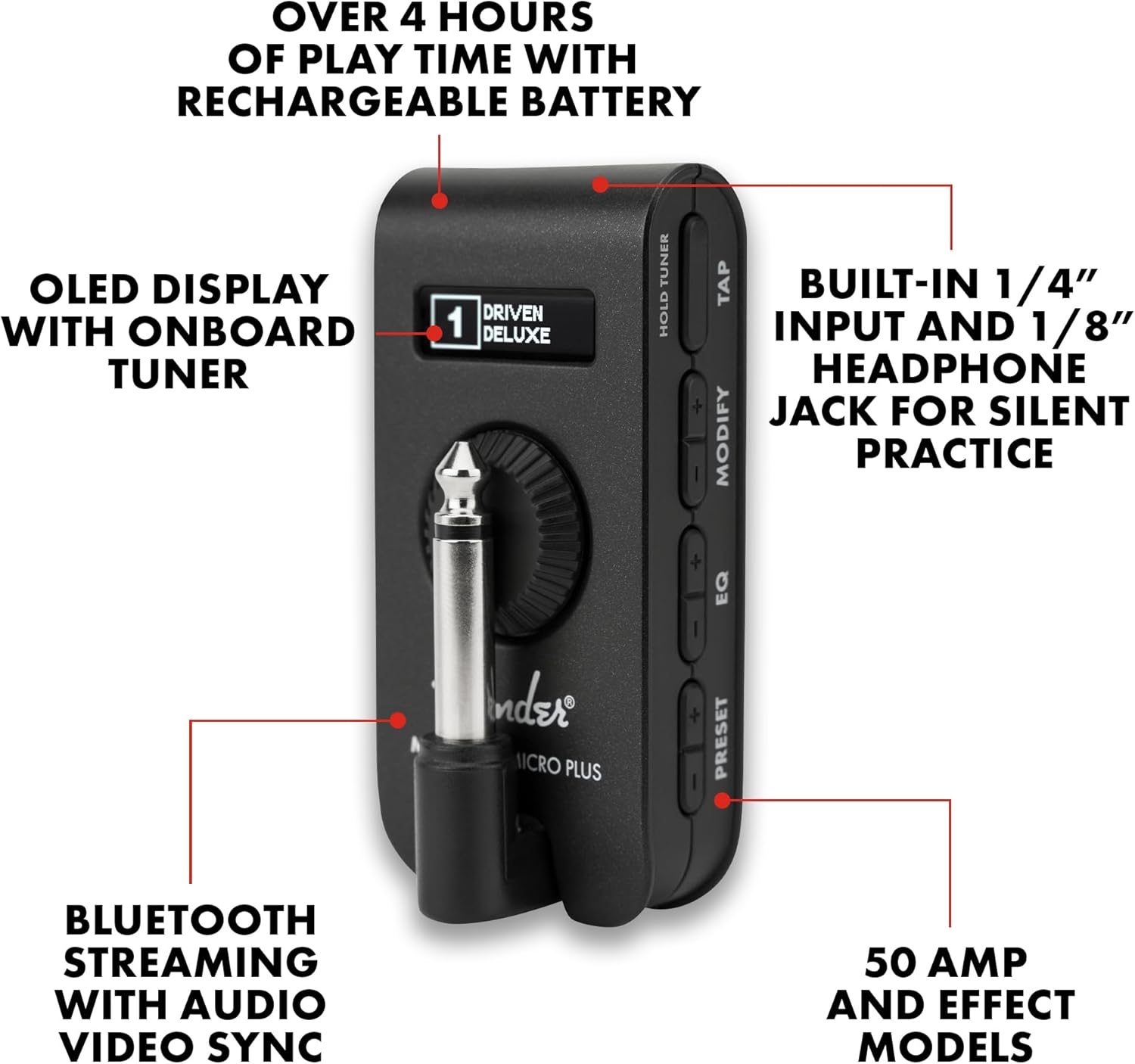
The Fender Mustang Micro Plus highlighting its key features including the OLED display, headphone jack, and Bluetooth connectivity.
What's in the Box
- Mustang Micro Plus Headphone Amplifier
- USB-C Charging Cable
- Owner's Manual (this document)
2. Setup
2.1 Charging the Device
Before first use, fully charge your Mustang Micro Plus. Connect the supplied USB-C cable to the device's USB-C port and the other end to a compatible USB power adapter (not included) or a computer's USB port. The charging indicator light will show charging status.
2.2 Connecting to Your Guitar
The Mustang Micro Plus features a 270° rotating 1/4-inch input plug. Gently rotate the plug to align with your guitar's output jack and insert it firmly. Ensure a secure connection for optimal performance.

The Mustang Micro Plus easily plugs into your guitar's output jack.
2.3 Connecting Headphones
Plug your headphones or earbuds into the 3.5mm headphone jack on the Mustang Micro Plus. This allows for silent practice without disturbing others.

Enjoy silent practice by connecting your headphones directly to the device.
3. Operating Instructions
3.1 Power On/Off
To power on the Mustang Micro Plus, slide the ON/OFF switch to the 'ON' position. The integrated display will illuminate. To power off, slide the switch to 'OFF'.
3.2 Navigating Amps and Effects
Use the dedicated buttons to navigate through the 25 amp models and 25 effect models. The integrated display shows the currently selected amp and effect. The large rotary knob controls the master volume.
- AMP +/-: Selects different amplifier models.
- EQ +/-: Adjusts the equalization settings.
- EFFECTS +/-: Cycles through available effect types.
- MODIFY +/-: Adjusts parameters of the selected effect.
- TAP: Used for tap tempo for time-based effects.

The integrated display and control buttons allow for easy tone shaping.
3.3 Bluetooth Audio Streaming
To stream audio from your mobile device or computer, activate Bluetooth on your source device and select "Mustang Micro Plus" from the list of available devices. You can then play along to your favorite songs or backing tracks through your headphones.
3.4 Using the Fender Tone App
Enhance your experience by connecting to the Fender Tone App (available for iOS and Android). The app allows you to create and modify tones, save your settings, and download or share presets. This provides deeper control over the amplifier and effect parameters.
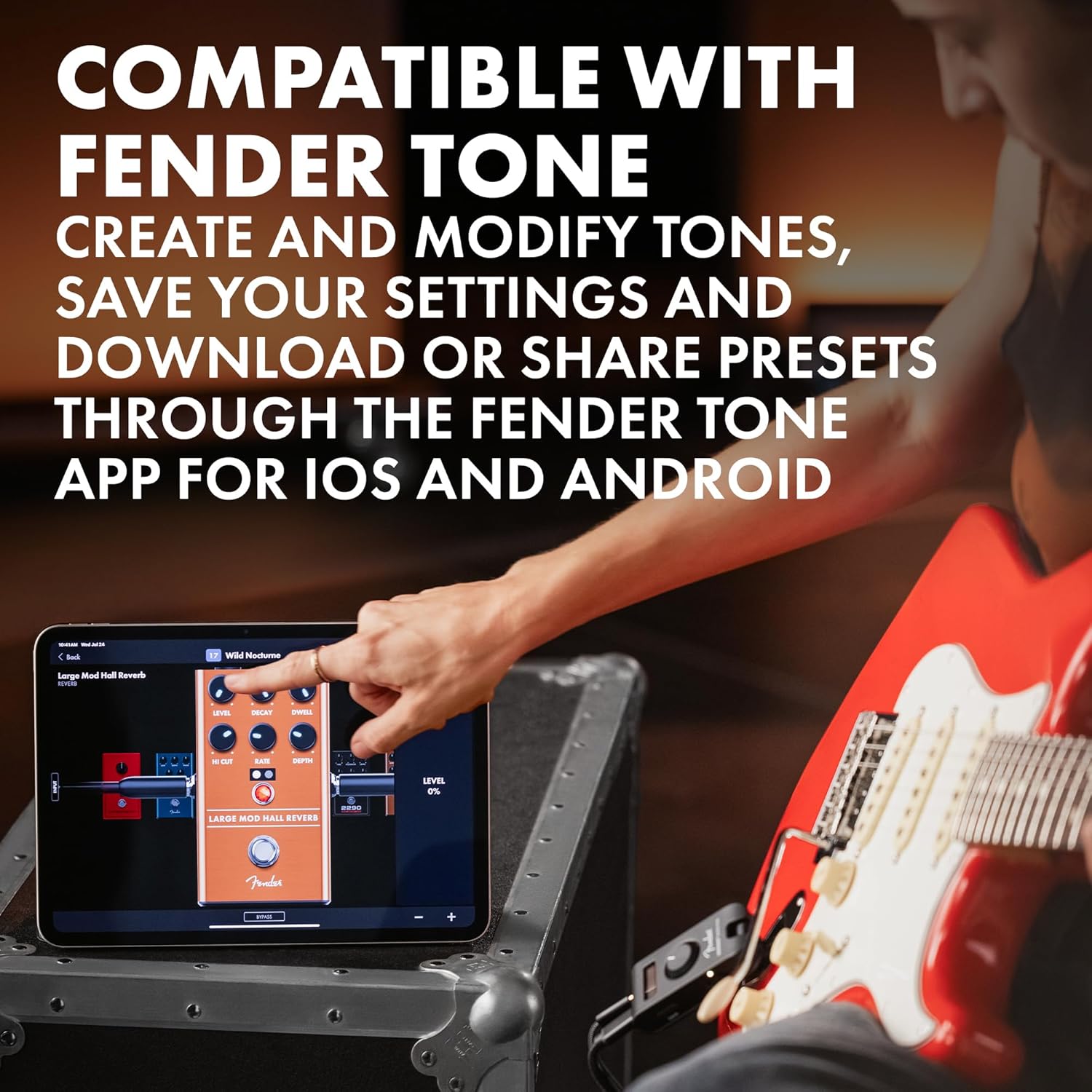
The Fender Tone App provides extensive customization options for your tones.
3.5 Onboard Tuner
To activate the onboard tuner, press and hold the 'TAP' button. The display will show the note being played and indicate if it is sharp, flat, or in tune. Release the button to exit tuner mode.
3.6 Saving Presets
The Mustang Micro Plus has 100 editable preset slots. Once you've created a tone you like, you can save it to a preset slot for quick recall. Refer to the Fender Tone App for detailed instructions on managing and saving presets.
3.7 Official Product Video
Watch this official demo video for the Fender Mustang Micro Plus Headphone Amp to see its features in action.
4. Maintenance
4.1 Cleaning
To clean the device, use a soft, dry cloth. Avoid using abrasive cleaners, solvents, or waxes, as these can damage the finish and internal components. Do not expose the device to excessive moisture.
4.2 Battery Care
The Mustang Micro Plus contains a rechargeable lithium-ion battery. For optimal battery life, avoid fully discharging the battery frequently. If storing the device for an extended period, ensure it is charged to approximately 50% and recharge every few months.
5. Troubleshooting
| Problem | Possible Cause | Solution |
|---|---|---|
| No sound from headphones. | Device is off, volume is too low, headphones not fully plugged in, or guitar not connected properly. | Ensure device is ON, increase volume, check headphone and guitar connections. |
| Bluetooth connection issues. | Device not in pairing mode, out of range, or interference. | Ensure Bluetooth is enabled on both devices. Move closer to the audio source. Restart both devices. |
| Device not charging. | Faulty USB cable or power adapter, or dirty USB-C port. | Try a different USB-C cable and power adapter. Clean the USB-C port gently. |
| Fender Tone App not connecting. | Bluetooth not enabled, app outdated, or device firmware needs update. | Ensure Bluetooth is on. Update the app to the latest version. Check Fender's website for firmware updates. |
6. Specifications
| Attribute | Detail |
|---|---|
| Model Number | 2311600000 |
| Item Weight | 7 ounces |
| Product Dimensions | 3.15 x 1.5 x 1.21 inches |
| Connector Type | 3.5mm Jack (Headphone), 1/4-inch (Instrument) |
| Power Source | Battery Powered |
| Color | Black |
7. Warranty Information
The Fender Mustang Micro Plus comes with a 2-Year Limited Warranty. Fender warrants this amplifier to be free from defects in materials and workmanship for two (2) years from the original purchase date. Please retain your proof of purchase for warranty claims.
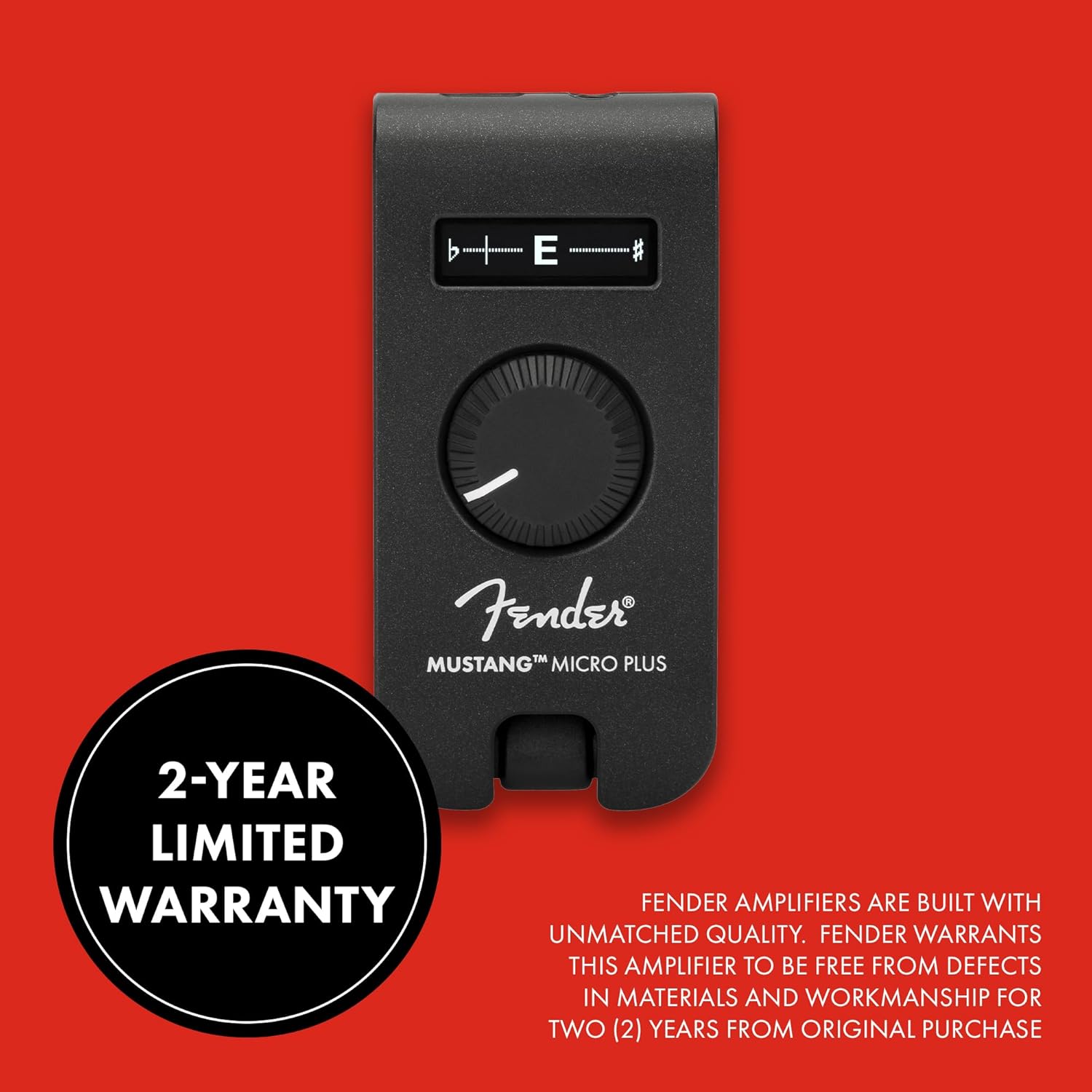
Fender provides a 2-year limited warranty for the Mustang Micro Plus.
8. Support
For further assistance, technical support, or to register your product, please visit the official Fender support website:
You can also find additional resources, FAQs, and community forums on the Fender website.
Related documents2311600000


Ask a question about this manual
Ask about setup, troubleshooting, compatibility, parts, safety, or missing instructions. Manuals+ will review the question and use this page’s manual context to help answer it.