1. Introduction
Thank you for choosing the Damix M10 Wireless Headset. This manual provides essential information for the safe and efficient use of your new device. The M10 headset features Bluetooth V5.3 connectivity, a digital battery indicator, and touch controls for an enhanced audio experience.
2. Safety Information
- Do not expose the device to extreme temperatures or direct sunlight.
- Avoid dropping or subjecting the headset to strong impacts.
- Keep the device away from water and liquids, despite its waterproof rating, to prevent damage.
- Do not attempt to disassemble or repair the headset yourself. Contact support if issues arise.
- Listen at moderate volume levels to prevent hearing damage.
3. Package Contents
Please check the package for the following items:
- Damix M10 Wireless Earbuds (Left and Right)
- Wireless Charging Case with Digital Indicator
- Charging Cable
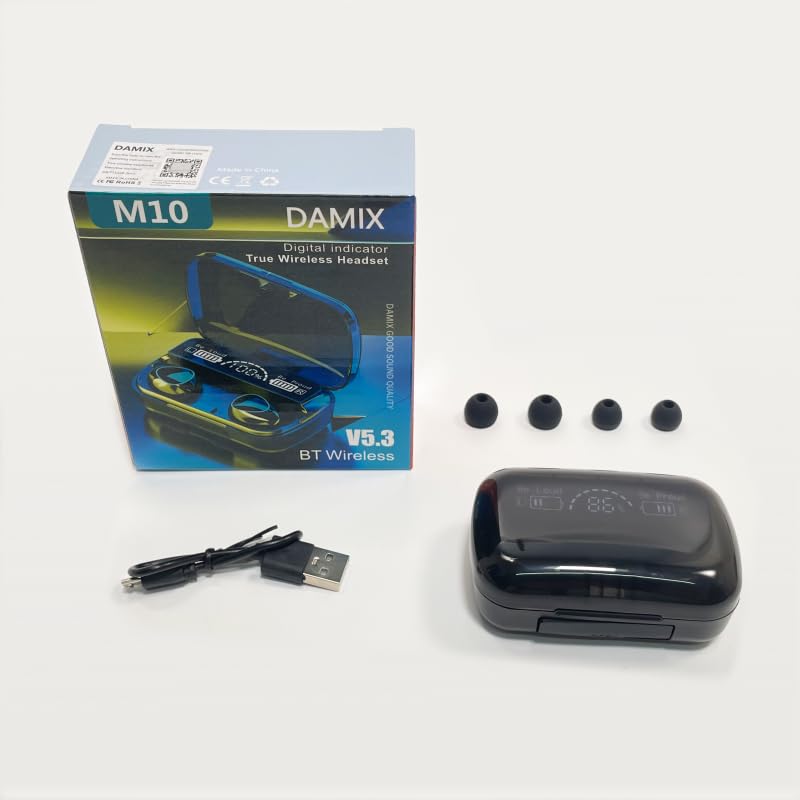
Image showing the Damix M10 wireless headset packaging, including the charging case, earbuds, and charging cable.
4. Product Overview
The Damix M10 Wireless Headset consists of two earbuds and a portable charging case. The charging case features a digital display that indicates the battery percentage of the case and the charging status of each earbud.
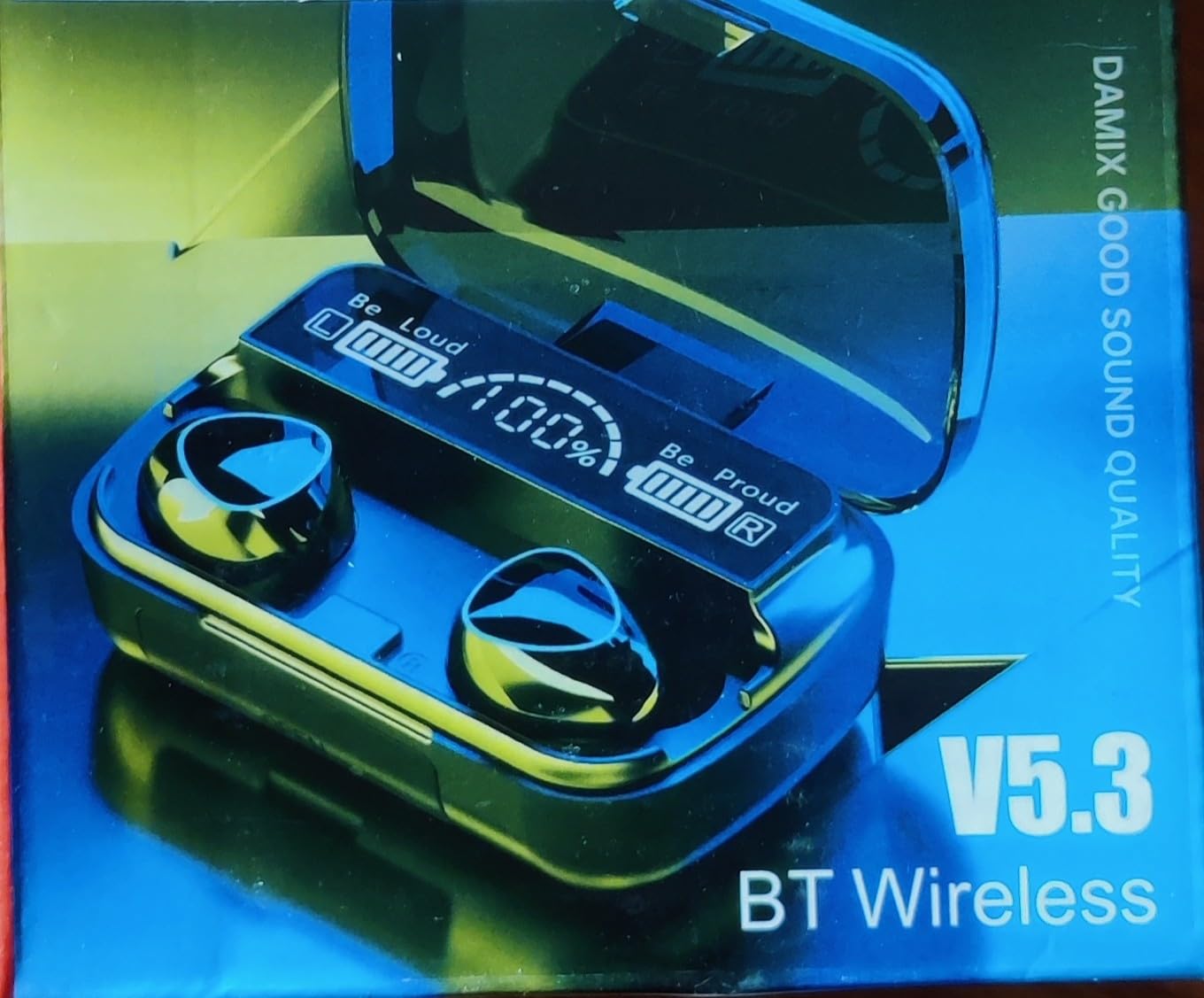
Image showing the Damix M10 wireless headset charging case open, revealing the two earbuds and the digital display indicating battery percentage and individual earbud charge levels.
5. Charging the Headset
5.1 Initial Charge
Before first use, fully charge the charging case and earbuds. Connect the provided charging cable to the charging port on the case and a USB power source. The digital indicator will show the charging progress.
5.2 Charging the Case and Earbuds
- Place the earbuds into the charging case. They will begin charging automatically.
- The digital display on the case will show the battery percentage of the case and individual charging icons for each earbud.
- A full charge for the case takes approximately 2 hours.
- The earbuds provide about 5 hours of music play time on a single charge. The case holds additional charges for extended use.
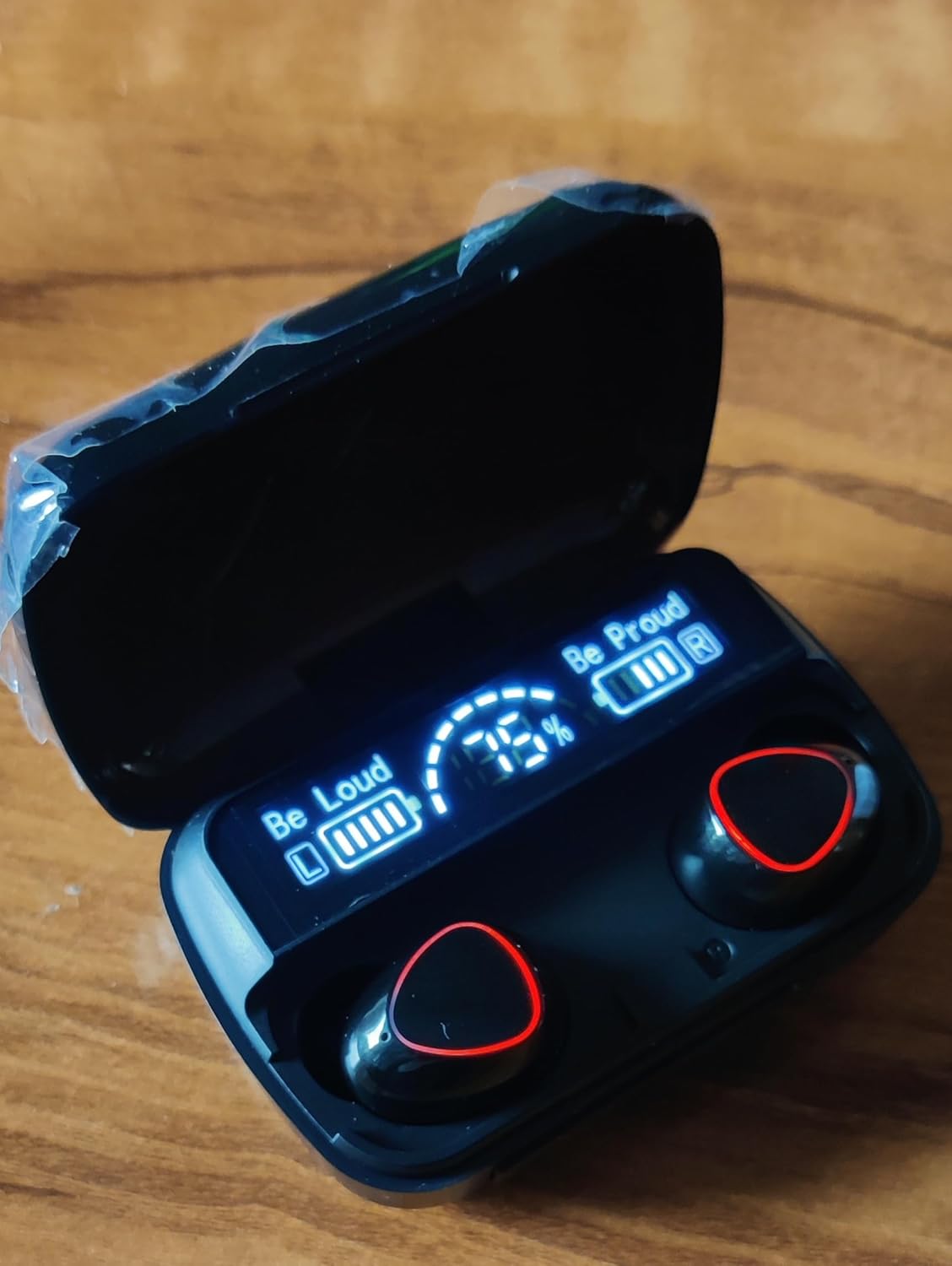
Image of the Damix M10 wireless headset charging case displaying '75%' battery level, with the earbuds inside.
6. Pairing with a Device
6.1 First-Time Pairing
- Ensure the charging case is charged and open the lid. The earbuds will automatically power on and enter pairing mode.
- On your device (smartphone, tablet, etc.), enable Bluetooth.
- Search for available Bluetooth devices and select "Damix M10" (or similar name) from the list.
- Once connected, you will hear a confirmation tone, and the earbuds will be ready for use.
6.2 Reconnecting
After initial pairing, the earbuds will automatically connect to the last paired device when removed from the charging case and Bluetooth is enabled on your device.
The wireless transmission distance is approximately 10 meters (33 feet).
7. Operating Instructions
The Damix M10 headset features touch controls for various functions.
7.1 Power On/Off
- Power On: Open the charging case, or long-press the touch area on both earbuds for a few seconds.
- Power Off: Place the earbuds back into the charging case and close the lid, or long-press the touch area on both earbuds for a few seconds.
7.2 Music Control
- Play/Pause: Single tap on either earbud.
- Next Track: Double tap on the right earbud.
- Previous Track: Double tap on the left earbud.
7.3 Call Management
- Answer/End Call: Single tap on either earbud during an incoming call or active call.
- Reject Call: Long press on either earbud during an incoming call.
7.4 Voice Assistant
- Activate Voice Assistant: Triple tap on either earbud (functionality may vary by device).
8. Maintenance
8.1 Cleaning
- Wipe the earbuds and charging case with a soft, dry, lint-free cloth.
- Do not use abrasive cleaners, alcohol, or chemical solvents.
- Ensure charging contacts are clean and free of debris.
8.2 Storage
- Store the headset in its charging case when not in use to protect it and keep it charged.
- Store in a cool, dry place away from direct sunlight and extreme temperatures.
9. Troubleshooting
9.1 Earbuds Not Pairing with Device
- Ensure Bluetooth is enabled on your device.
- Make sure the earbuds are charged and out of the charging case.
- Turn off Bluetooth on your device and turn it back on.
- Forget/delete "Damix M10" from your device's Bluetooth list and try pairing again.
- Restart your device.
9.2 No Sound from Earbuds
- Check the volume level on both your device and the earbuds.
- Ensure the earbuds are properly connected to your device.
- Try playing audio from a different application or source.
9.3 Charging Case Not Charging
- Verify the charging cable is securely connected to both the case and the power source.
- Try using a different charging cable or power adapter.
- Ensure the charging port on the case is clean and free of debris.
10. Specifications
| Feature | Specification |
|---|---|
| Model Name | M10 |
| Wireless Version | V5.3 |
| Wireless Profiles | A2DP/HFP/HSP/AVRCP |
| Transmission Distance | 10 meters |
| Charging Time | Approximately 2 hours |
| Standby Time | 280 hours |
| Music Play Time | Approximately 5 hours |
| Output | 5V=1A |
| Control Method | Touch |
| Water Resistance Level | Waterproof |
| Noise Control Features | Active Noise Cancellation |
| Item Weight | 107 grams |
| Material | Plastic |
11. Warranty and Support
The Damix M10 Wireless Headset comes with a 6-month warranty from the date of purchase. This warranty covers manufacturing defects under normal use.
For technical support, warranty claims, or any inquiries, please contact the manufacturer:
- Manufacturer: Siruxing co.ltd.shenzen
- Email: Siruxingtechnology@gmail.com


