
Important Safety Information
Please read all instructions carefully before operating your Acekool Portable Air Conditioner. Keep this manual for future reference. Failure to follow these instructions may result in electric shock, fire, or personal injury.
- Always connect the unit to a grounded power outlet with the correct voltage.
- Do not operate the unit with a damaged power cord or plug.
- Do not block the air inlets or outlets. Ensure proper ventilation.
- Do not insert objects into the air vents.
- Keep the unit away from flammable materials and heat sources.
- Unplug the unit before cleaning or performing any maintenance.
- This appliance is not intended for use by persons (including children) with reduced physical, sensory or mental capabilities, or lack of experience and knowledge, unless they have been given supervision or instruction concerning use of the appliance by a person responsible for their safety.
Product Overview
The Acekool 8000 BTU Portable Air Conditioner is a versatile 3-in-1 unit designed to provide cooling, dehumidification, and fan functions for rooms up to 350 sq. ft.
Key Features:
- Fast Cooling Efficiency: 8,000 BTU cooling capacity for rooms up to 350 sq. ft.
- 3-in-1 Multi-function Mode: Offers Cooling, Dehumidifier (45 pints/day), and Fan (300m³/h airflow, 2 speeds) modes.
- User-Friendly Design: Includes a remote control, LED display, 24-hour timer, and sleep mode.
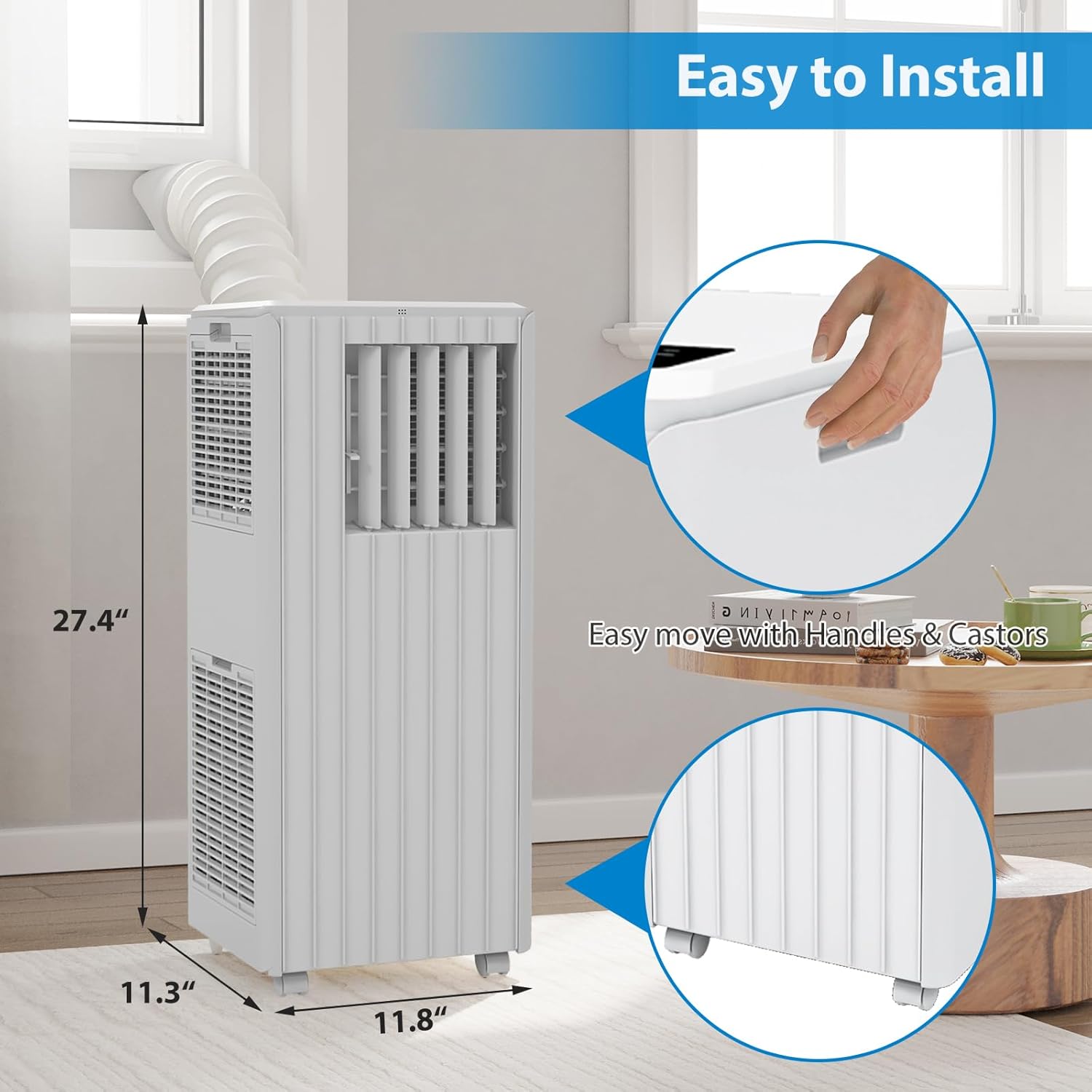
- Portable and Convenient: Lightweight, freestanding design with roll caster wheels and a built-in carrying handle for easy movement.
- Quiet Operation: Operates at approximately 51dB, suitable for quiet environments.
Unit Components:
Familiarize yourself with the main parts of your portable air conditioner.


Setup and Installation
Proper installation is crucial for the efficient operation of your portable air conditioner.
Unpacking:
- Carefully remove the unit and all accessories from the packaging.
- Check for any shipping damage. Contact customer support if any damage is found.
- Retain the packaging for future storage or transport.
Placement:
- Place the unit on a flat, stable surface.
- Ensure there is at least 20 inches (50 cm) of space around the unit for proper airflow.
- Position the unit near a window for exhaust hose installation.
Window Kit Installation:
- Assemble the window sealing plate kit according to your window type (sliding or casement).
- Extend the exhaust hose and attach one end to the exhaust outlet on the back of the AC unit.
- Attach the other end of the exhaust hose to the adapter on the window sealing plate.
- Securely fit the window sealing plate into the window opening, ensuring a tight seal to prevent hot air from entering the room.
Operating Instructions
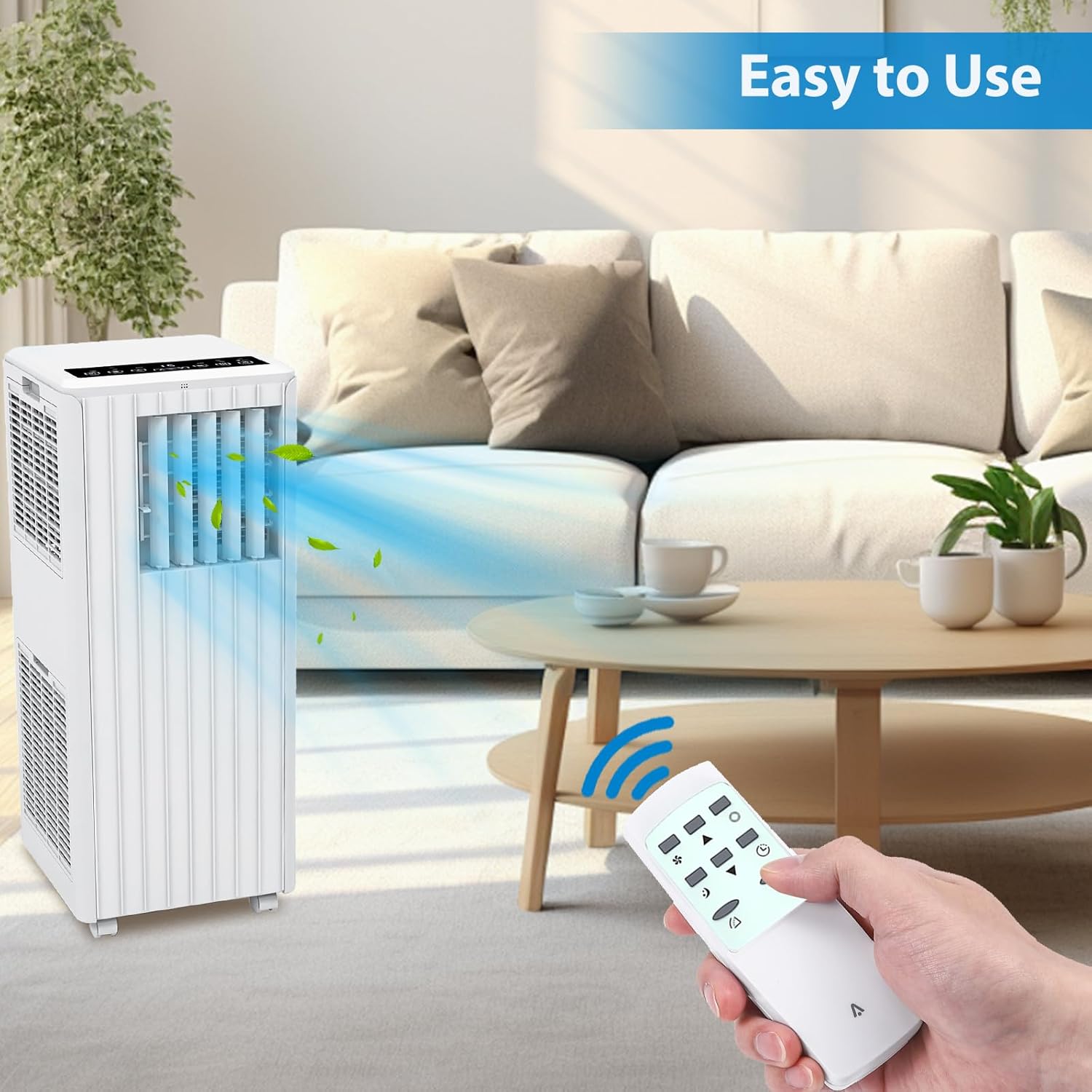
Your Acekool Portable Air Conditioner can be operated using the control panel on the unit or the included remote control.
Control Panel:

Remote Control:
Basic Operation:
- Power On/Off: Press the POWER button to turn the unit on or off.
- Mode Selection: Press the MODE button to cycle through Cool, Dry (Dehumidify), and Fan modes.
- Temperature Adjustment (Cool Mode): Use the UP/DOWN arrows to set your desired temperature.
- Fan Speed: Press the SPEED button to select High or Low fan speed.
- Timer Function: Press the TIMER button to set an auto-on or auto-off time (1-24 hours).
- Sleep Mode: Press the SLEEP button for quieter operation and gradual temperature adjustment during sleep.
- Swing Function: Press the SWING button to activate or deactivate the automatic louver swing for wider air distribution.

Maintenance
Regular maintenance ensures optimal performance and extends the lifespan of your air conditioner.
Filter Cleaning:
- The air filter should be cleaned every two weeks or more frequently depending on usage and air quality.
- Unplug the unit before cleaning.
- Remove the filter from the back or side of the unit.
- Wash the filter with warm, soapy water. Rinse thoroughly and allow it to air dry completely before reinserting.
Water Drainage:
- In Dehumidifier mode, water will collect in the internal reservoir. The unit will stop operating when the reservoir is full.
- To drain, place a shallow pan or bucket under the drain port at the bottom rear of the unit.
- Remove the drain plug to allow water to flow out. Replace the plug securely once drained.
- For continuous drainage, connect a drain hose (not included) to the drain port and direct it to a floor drain.
Storage:
- Before storing, drain all accumulated water from the unit.
- Clean the air filter.
- Unplug the power cord and wrap it neatly.
- Store the unit in a cool, dry place, preferably in its original packaging.
Troubleshooting
Refer to this section for common issues and their solutions. If the problem persists, contact customer support.
| Problem | Possible Cause | Solution |
|---|---|---|
| Unit does not turn on | No power; Power cord not plugged in; Circuit breaker tripped | Check power outlet; Ensure plug is fully inserted; Reset circuit breaker |
| Unit does not cool effectively | Air filter dirty; Exhaust hose not properly installed; Room too large; Doors/windows open | Clean air filter; Ensure exhaust hose is sealed; Close doors/windows; Check room size suitability |
| Water leakage | Drain plug loose; Unit not level; Internal reservoir full (Dehumidifier mode) | Tighten drain plug; Place unit on a level surface; Drain water from reservoir |
| Noisy operation | Unit not level; Obstruction in fan; Filter dirty | Ensure unit is level; Check for obstructions; Clean air filter |
Specifications
Detailed technical specifications for the Acekool Portable Air Conditioner.
- Brand: Acekool
- Model Number: BM73qZAAwo7WKtl-Lz1IbwZ3X
- UPC: 198723112558
- Cooling Power: 8000 British Thermal Units (BTU)
- Coverage Area: Up to 350 Square Feet
- Dehumidifier Capacity: 45 Pints per day
- Airflow: 300m³/h
- Noise Level: 51 Decibels
- Product Dimensions (D x W x H): 12.99" x 12.91" x 34.45"
- Item Weight: 49.6 Pounds
- Voltage: 115V
- Refrigerant: R 410A
- Filter Type: Pre-Filter or Activated Carbon Filter
- Control Method: Remote Control, On-unit Panel
- Special Feature: 4 Way Swing
Warranty and Support
Limited Warranty:
This Acekool Portable Air Conditioner comes with a limited warranty. Please refer to the warranty card included in your product packaging for specific terms and conditions, including coverage duration and limitations. Keep your purchase receipt as proof of purchase.
Customer Support:
For technical assistance, troubleshooting beyond this manual, or warranty claims, please contact Acekool customer support. Contact information can typically be found on the product packaging, the official Acekool website, or your purchase documentation.


