
DARAN NEOZL
DARAN Portable Power Station NEOZL 600W 288Wh User Manual
Model: NEOZL
1. Introduction
Thank you for choosing the DARAN Portable Power Station NEOZL. This device provides a reliable and versatile power source for various applications, including outdoor camping, home emergencies, and off-grid power needs. Featuring a 288Wh LiFePO4 battery and a 600W (1200W Peak) pure sine wave AC output, it is designed for efficiency and safety. Please read this manual thoroughly before use to ensure proper operation and to maximize the lifespan of your power station.

Image 1.1: DARAN Portable Power Station NEOZL with included accessories.
2. Important Safety Instructions
To reduce the risk of injury, electric shock, fire, or damage to the device, always follow these basic safety precautions:
- Do not disassemble, repair, or modify the unit.
- Do not expose the unit to fire or high temperatures (above 60°C/140°F).
- Do not use or store the unit in bathrooms or areas exposed to water or rain.
- Do not use or store the unit near heat sources such as stoves, heaters, or direct sunlight.
- Use only the provided or approved charging cables and adapters.
- Keep the unit away from children and pets.
- Ensure proper ventilation during use and charging to prevent overheating.
- Avoid dropping, impacting, or subjecting the unit to strong vibrations.
- In case of fire, use a dry powder fire extinguisher.
3. Product Overview
The DARAN Portable Power Station NEOZL features a user-friendly design with multiple input and output ports to meet diverse power requirements.
3.1 Components and Ports

Image 3.1: Front panel of the power station.
- Input Port: For charging the power station via AC adapter, solar panel, or car charger.
- DC ON/OFF Button: Activates/deactivates DC output ports.
- USB-C Port: One Type-C port for fast charging compatible devices.
- USB-A Ports: Two USB-A ports for charging various USB devices.
- AC ON/OFF Button: Activates/deactivates AC output outlets.
- AC Outlets: Two 600W pure sine wave AC outlets (1200W peak).
- Car Socket: One 12V car socket for compatible devices.
- LED Light Button: Controls the built-in LED light (steady, dim, SOS modes).
- Digital Display: Shows battery percentage, output status (AC/USB/DC/LED), temperature monitor, and warning indicators.

Image 3.2: Detailed view of the LED screen display.
4. Setup
4.1 Initial Charging
Before first use, fully charge the power station using the provided AC charging cable. This ensures optimal battery performance and extends its lifespan.
- Connect the AC charging cable to the input port on the power station.
- Plug the other end of the AC charging cable into a standard wall outlet.
- The digital display will show the charging status and battery percentage.
4.2 Powering On/Off
To power on the unit, press and hold the main power button. The digital display will illuminate. To power off, press and hold the main power button again until the display turns off.
5. Operating Instructions
5.1 Using AC Outlets
The power station provides two AC outlets for devices requiring standard wall power.
- Press the AC ON/OFF button to activate the AC output. The AC icon will appear on the display.
- Plug your AC device into one of the AC outlets. Ensure the device's power consumption does not exceed 600W (1200W peak).
- When finished, press the AC ON/OFF button again to turn off the AC output.
5.2 Using DC and USB Ports
The power station includes a car socket, USB-C, and USB-A ports for various DC-powered and USB-chargeable devices.
- Press the DC ON/OFF button to activate the DC and USB outputs. The DC and USB icons will appear on the display.
- Connect your devices to the appropriate ports (Car Socket, USB-C, or USB-A).
- When finished, press the DC ON/OFF button again to turn off these outputs.
5.3 LED Light Operation
The built-in LED light offers multiple modes for illumination in various situations.
- Press the LED Light Button once for steady bright light.
- Press again for a dimmer light mode.
- Press a third time for SOS flashing mode.
- Press a fourth time to turn off the LED light.
Video 5.1: Demonstrates the power station's features, including port types and LED light modes.
6. Charging the Power Station
The power station can be recharged via AC wall outlet, solar panel, or car charger.
6.1 AC Wall Charging
Use the included AC charging cable for fast recharging.
- Connect the AC charging cable to the input port and a wall outlet.
- The unit can reach 80% charge in approximately 2 hours.

Image 6.1: Power station charging via AC wall outlet.
6.2 Solar Charging
The power station supports up to 100W solar panel input (solar panel and cables not included).
- Connect a compatible solar panel (not included) to the input port.
- Position the solar panel in direct sunlight for optimal charging.
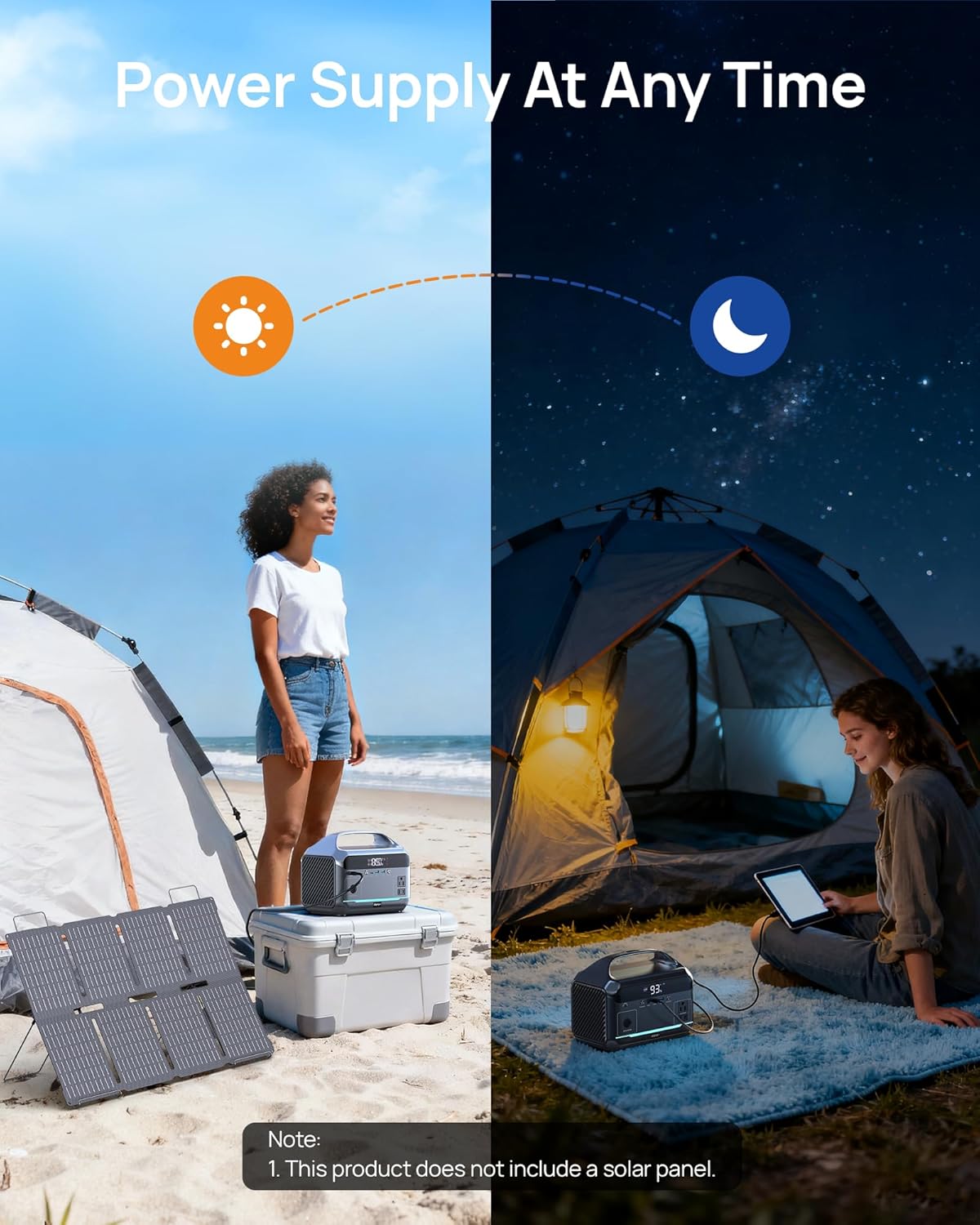
Image 6.2: Power station connected to a solar panel for charging.
6.3 Car Charging
Recharge the power station using a car charger (not included).
- Connect a compatible car charging cable (not included) to the input port and your vehicle's 12V outlet.
7. Battery Information
The DARAN Portable Power Station NEOZL is equipped with a LiFePO4 (Lithium Iron Phosphate) battery, known for its safety and longevity.
- Capacity: 288Wh (90,000mAh).
- Lifespan: Approximately 3500+ charge cycles, offering up to 10 years of use.
- Safety Features: High safety, fireproof, puncture-resistant, thermal runaway-resistant.
- BMS Protection: Integrated Battery Management System (BMS) provides temperature control and overload protection.
- No Memory Effect: Charge and use at any time without degrading battery performance.

Image 7.1: LiFePO4 battery safety and longevity features.
8. Usage Examples
The 288Wh capacity and 600W output allow for powering a wide range of devices. Usage times are approximate and depend on the device's actual power consumption.
8.1 Estimated Run Times (288Wh capacity)
- CPAP Machine (30W): Approximately 8 hours (288Wh * 0.85 / 30W).
- Mini Fridge (100W): Approximately 2.4 hours (288Wh * 0.85 / 100W).
- Laptop (60W): Approximately 4.1 hours.
- Audio (40W): Approximately 6.1 hours.
- DJ Controller (100W): Approximately 2.4 hours.
- Guitar (30W): Approximately 8.2 hours.
- Microphones (20W): Approximately 12.2 hours.
- LED Lights (3W): Approximately 81.6 hours.
- Phone (10Wh): Up to 24.4 charges.
- WiFi (10W): Approximately 24.5 hours.
- Projector (70W): Approximately 3.5 hours.
- Lamp (40W): Approximately 6.1 hours.
- Camera (16Wh): Up to 15.3 charges.
- Mini Fan (30W): Approximately 8.2 hours.
- Juicer (200W): Approximately 1.2 hours.
Note: Product usage time calculation formula: Power supply capacity / appliance power x 0.85 = usage time.
Video 8.1: Demonstrates the power station's use with CPAP medical devices.
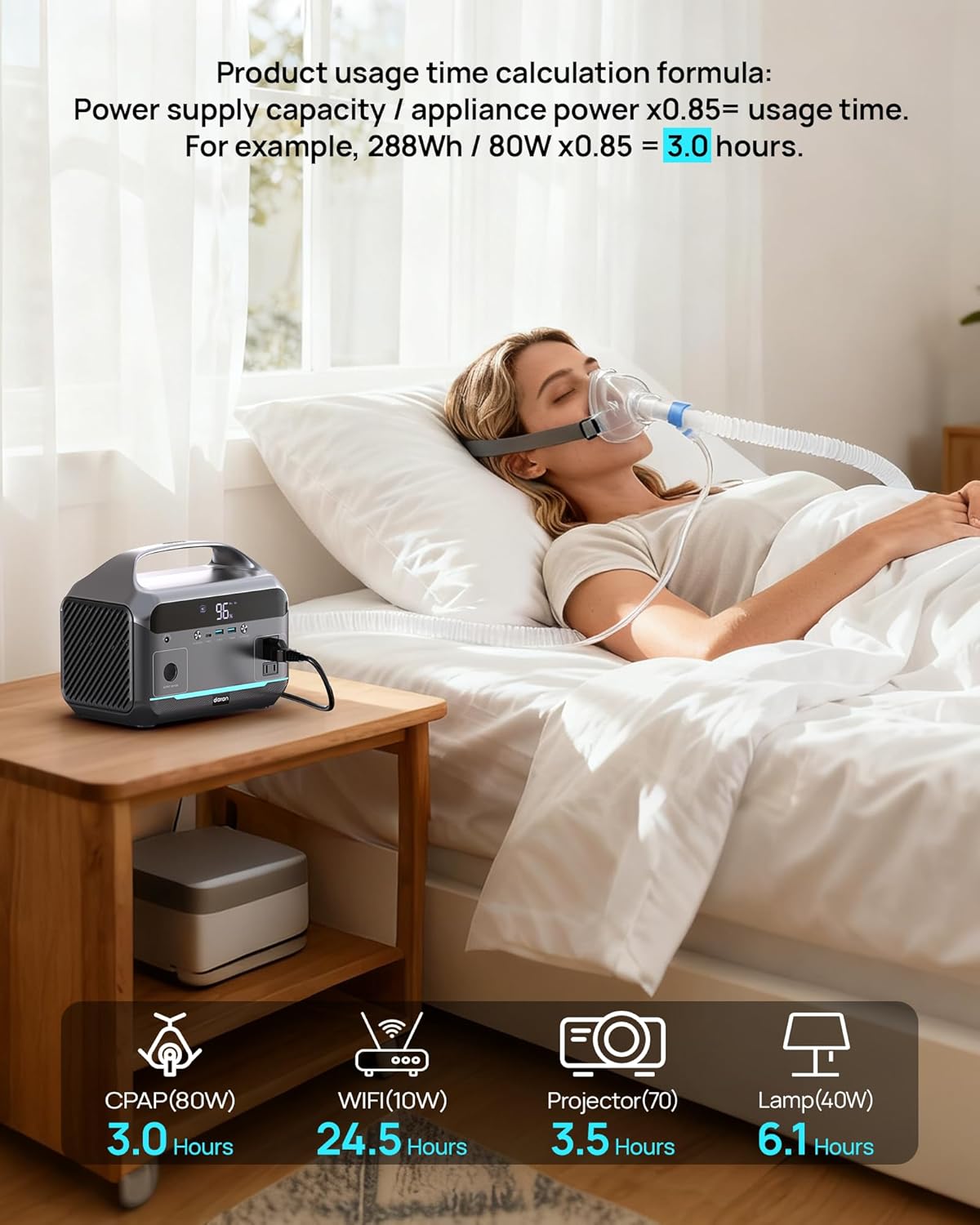
Image 8.2: Powering a CPAP machine for extended use.

Image 8.3: Powering multiple devices simultaneously.
9. Specifications
| Feature | Specification |
|---|---|
| Brand | DARAN |
| Model Name | NEOZL |
| Capacity | 288Wh (90,000mAh) |
| AC Output | 600W (1200W Peak) |
| USB-C Output | 100W |
| USB-A Output | 18W (2 ports) |
| Car Socket Output | 120W |
| AC Input (Charging) | 130W |
| Solar Input | 80W (Max) |
| Battery Type | LiFePO4 (Lithium-Phosphate) |
| Dimensions | 10.08 x 6.57 x 8.19 inches |
| Item Weight | 8.7 pounds |
| Special Feature | NEOZL 288Wh(90,000mAh) 600W |

Image 9.1: Key specifications and dimensions.
10. Maintenance
10.1 General Care
- Keep the power station clean and dry. Wipe with a soft, dry cloth.
- Avoid exposing the unit to extreme temperatures, direct sunlight, or high humidity.
- Ensure ventilation openings are clear of dust and debris.
10.2 Storage
- If storing the unit for an extended period, charge it to approximately 50-80% every 3-6 months to maintain battery health.
- Store in a cool, dry place away from flammable materials and corrosive substances.
11. Troubleshooting
If you encounter issues with your power station, refer to the following common problems and solutions:
| Problem | Possible Cause | Solution |
|---|---|---|
| Unit does not power on | Battery is completely drained. | Connect to AC power and charge for at least 30 minutes. |
| AC output not working | AC output not activated; device exceeds 600W. | Press AC ON/OFF button; check device wattage. |
| DC/USB output not working | DC output not activated. | Press DC ON/OFF button. |
| Unit is not charging | Charging cable not properly connected; faulty adapter/cable. | Ensure secure connections; try a different outlet or cable. |
| Overload warning on display | Connected device exceeds power station's output limit. | Disconnect the device; restart the power station. |
12. Warranty and Customer Support
The DARAN Portable Power Station NEOZL comes with a 1-year customer service warranty. If you have any questions about the product, require technical assistance, or need to claim warranty service, please contact our customer service team. We are committed to responding to your inquiries within 24 hours to ensure a satisfactory experience.
Please refer to the contact information provided on the product packaging or the official DARAN website for the most up-to-date support channels.
Related documentsNEOZL


Ask a question about this manual
Ask about setup, troubleshooting, compatibility, parts, safety, or missing instructions. Manuals+ will review the question and use this page’s manual context to help answer it.