
1. Product Overview
The Xiaomi Pocket Power Bank is a compact and portable charging solution featuring a 10000mAh high-density lithium polymer battery. It supports 22.5W fast charging with Power Delivery (PD) and Quick Charge 3.0, and includes a built-in USB-C cable for convenience. This power bank allows simultaneous charging of up to three devices via its integrated cable, USB-C port, and USB-A port. It is designed with 12-layer safety protection for reliable operation.

Figure 1: Xiaomi Pocket Power Bank (Maroon) with built-in USB-C cable.
Key Features:
- High-Speed 22.5W Fast Charging: Supports both Power Delivery (PD) and Quick Charge 3.0 for rapid charging of devices and quick power bank recharge.
- Integrated USB-C Cable: A built-in USB-C cable eliminates the need for carrying extra wires.
- Triple Output Ports: Charge up to three devices simultaneously using the built-in cable, USB-C port, and USB-A port.
- 10000mAh Capacity: Provides multiple charges for smartphones and other devices.
- 12-Layer Safety Protection: Comprehensive safeguards against overcharging, overheating, short-circuits, and more.
- Low-Power Mode: Designed for safely charging small devices like earbuds and smartwatches.
- Compact Design: Portable and lightweight, fitting easily into pockets or bags.
- Durable Built-in Cable: Tested for 5,000 bend cycles.
2. Setup and Initial Use
2.1 Charging the Power Bank
Before first use, fully charge your Xiaomi Pocket Power Bank.
- Connect a compatible USB-C charger (not included) to the power bank's USB-C input port.
- Alternatively, use the built-in USB-C cable to connect to a USB-C power adapter.
- The LED indicators will illuminate to show the charging progress. All four LEDs will be solid when fully charged.
A full recharge takes approximately 3.5 hours with a 22.5W fast charger.

Figure 2: Power Bank Ports (USB-C input/output, USB-A output).
2.2 Checking Battery Level
Press the power button once to check the remaining battery level indicated by the four LED lights.
- 4 LEDs: 75-100% charge
- 3 LEDs: 50-75% charge
- 2 LEDs: 25-50% charge
- 1 LED: 0-25% charge
3. Operating Instructions
3.1 Charging Devices
The power bank offers multiple ways to charge your devices:
- Using the Built-in USB-C Cable: Extend the integrated USB-C cable and connect it directly to your USB-C compatible device.
- Using the USB-C Port: Connect your device's USB-C to USB-C cable to the power bank's USB-C port.
- Using the USB-A Port: Connect your device's USB-A to [device connector] cable to the power bank's USB-A port.
The power bank automatically detects the connected device and begins charging. It supports simultaneous charging of up to three devices.

Figure 3: Charging a device using the built-in USB-C cable.
3.2 Low-Power Mode for Small Devices
To charge low-current devices such as Bluetooth earbuds, smartwatches, or fitness bands, activate the low-power charging mode.
- Double-tap the power button on the side of the power bank.
- The LED indicators will show a specific pattern (e.g., blinking) to confirm low-power mode is active.
- Connect your low-current device.
- To exit low-power mode, double-tap the power button again or disconnect the device.
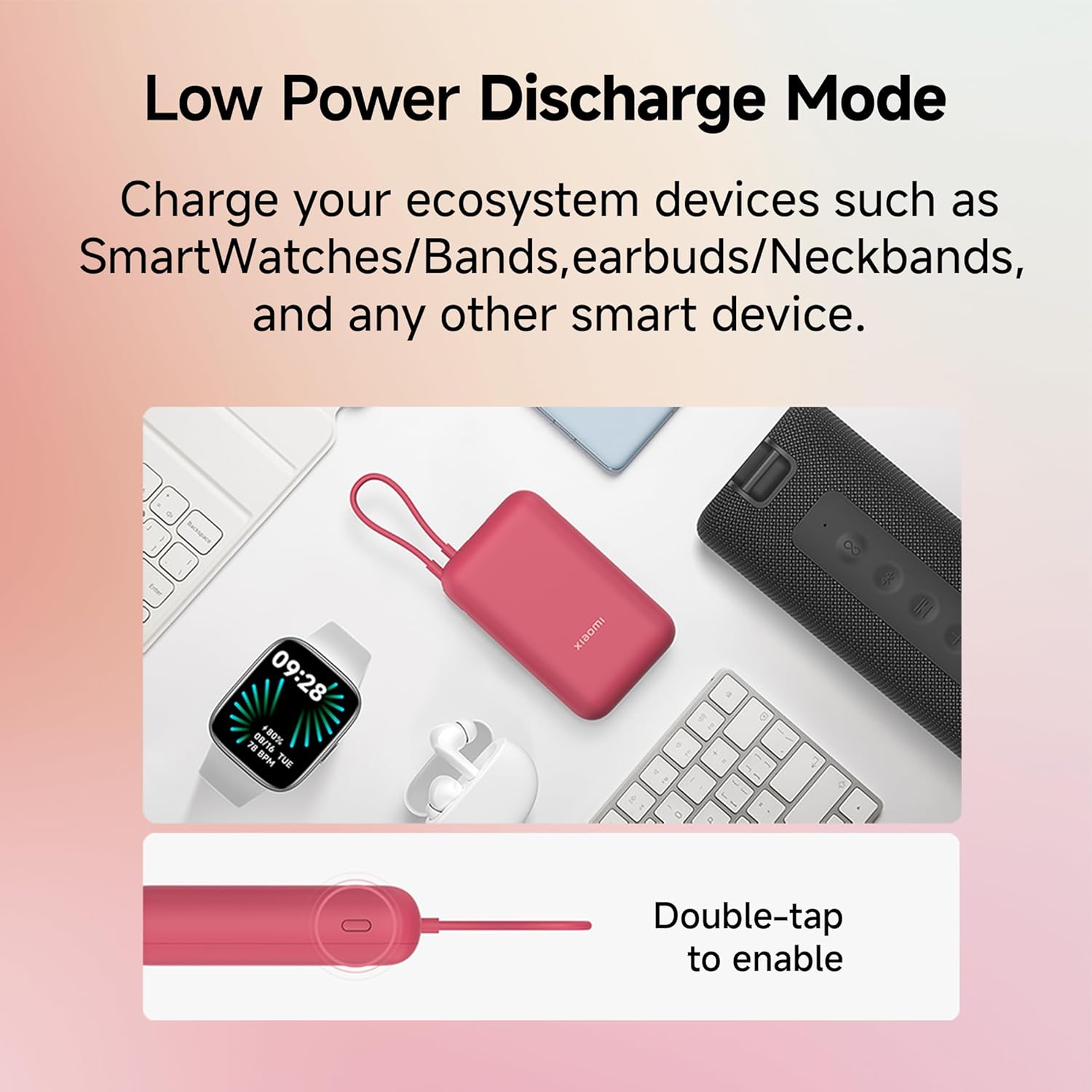
Figure 4: Activating Low-Power Discharge Mode.
4. Maintenance and Care
Proper care ensures the longevity and optimal performance of your Xiaomi Pocket Power Bank.
- Storage: Store the power bank in a cool, dry place away from direct sunlight and extreme temperatures.
- Cleaning: Use a soft, dry cloth to clean the exterior. Do not use harsh chemicals or abrasive materials.
- Avoid Physical Damage: Protect the power bank from drops, impacts, and excessive pressure.
- Water Exposure: Keep the power bank away from water and high humidity. It is not waterproof.
- Battery Longevity: The power bank is designed to retain 80% of its capacity after 300 charge/discharge cycles. For best battery health, avoid completely draining the battery frequently.
- Cable Care: The built-in cable is durable (5,000 bend cycles), but avoid excessive bending or pulling at sharp angles.
5. Troubleshooting
If you encounter issues with your power bank, refer to the following common problems and solutions:
| Problem | Possible Cause | Solution |
|---|---|---|
| Power bank not charging devices. | Low battery, incorrect cable, device not compatible, low-power mode not activated for small devices. |
|
| Power bank not recharging. | Faulty charging cable/adapter, power bank port issue. |
|
| Slow charging. | Non-fast charging cable/adapter, multiple devices charging simultaneously, device not supporting fast charge. |
|
| Power bank gets warm during use. | Normal operation during high-speed charging, or environmental factors. | Slight warming is normal. If it becomes excessively hot, disconnect all devices and allow it to cool down. Ensure proper ventilation. The power bank has 12-layer safety protection against overheating.  Figure 5: 12-Layer Safety Protection. |
If problems persist, please contact customer support.
6. Specifications
| Model Name | Xiaomi Pocket Power Bank 10000mAh 22.5W Fast Charging|Inbuilt Cable |
| Model Number | P15ZM |
| Battery Capacity | 10000 Milliamp Hours (mAh) |
| Charging Power | 22.5W (Input & Output) |
| Connector Type | USB Type A, USB Type C (Built-in cable and port) |
| Number of Ports | 3 (1x Built-in USB-C, 1x USB-C, 1x USB-A) |
| Output Current | 4.5 Amps (Max) |
| Battery Charge Time | Approx. 3.5 Hours (with 22.5W charger) |
| Compatible Devices | Smartphones, Tablets, Smartwatches, Earbuds, Fitness Bands, Speakers |
| Dimensions (L x W x Thickness) | 10.5L x 6.5W x 2.7Th Centimeters |
| Weight | 230 Grams |
| Battery Cell Type | Lithium Ion |
| Country of Origin | India |
7. Warranty and Support
7.1 Manufacturer's Warranty
The Xiaomi Pocket Power Bank comes with a 1-year manufacturer's warranty from the date of purchase. This warranty covers manufacturing defects and issues arising from normal use. Please retain your proof of purchase for warranty claims.
For detailed warranty terms and conditions, please refer to the official Xiaomi website or contact customer support.
7.2 Customer Support
For any assistance, technical support, or warranty inquiries, please contact Xiaomi Customer Service:
- Phone No: 1800 103 6286 (Available from 9 AM to 9 PM)
- Email: Service.in@xiaomi.com
- Manufacturer/Importer Address: Xiaomi Technology India Pvt Ltd, Ground Floor, AKR Infinity, SY, No 113, Krishna Reddy Industrial area, 7th Mile, Hosur Road, Bangalore 560068, Karnataka, India.


