1. Product Overview
The Coleshome 71 Inch Computer Desk with USB Ports is designed to provide a spacious and functional workspace for various activities, including office work, studying, gaming, and creative projects. It features a large desktop surface and integrated power outlets with USB and Type-C charging ports for convenient device charging.

Image: The Coleshome 71 Inch Computer Desk provides ample space for multiple monitors and accessories in a home office environment.
2. Setup and Assembly
This desk is designed for quick and straightforward assembly. All necessary tools and hardware are included in the package. Please follow the instructions carefully to ensure proper setup.
2.1 Unpacking and Component Check
Carefully unpack all components and verify against the parts list provided in your package. Ensure no parts are missing or damaged before proceeding.
2.2 Assembly Steps
Assembly typically takes approximately 30 minutes. Refer to the visual guide below and the detailed instructions in your package for step-by-step guidance.

Image: Visual guide for quick assembly of the desk components.
2.3 Assembly Video Guide
For a visual walkthrough of the assembly process and product features, please refer to the official seller video below:
Video: Official product overview and assembly highlights for the Coleshome 71 Inch Computer Desk with USB Ports.
3. Operating Instructions
The Coleshome 71 Inch Computer Desk is designed for versatile use and includes integrated power features for convenience.
3.1 Utilizing the Integrated Power Outlets
The desk is equipped with 3 AC power outlets, 1 USB charging port, and 1 Type-C charging port. These are recessed into the desktop for easy access and to keep your workspace tidy.
- AC Outlets: 3 outlets (125V/12A) for standard electronic devices.
- USB Port: 1 USB-A charging port (5V-2A) for smartphones, tablets, and other USB-powered devices.
- Type-C Port: 1 Type-C charging port (5V-2A) for modern devices requiring USB-C connectivity.
The power strip can be installed on either the left or right side of the desk during assembly to suit your preference.

Image: Integrated power outlets and charging ports for convenient device power.
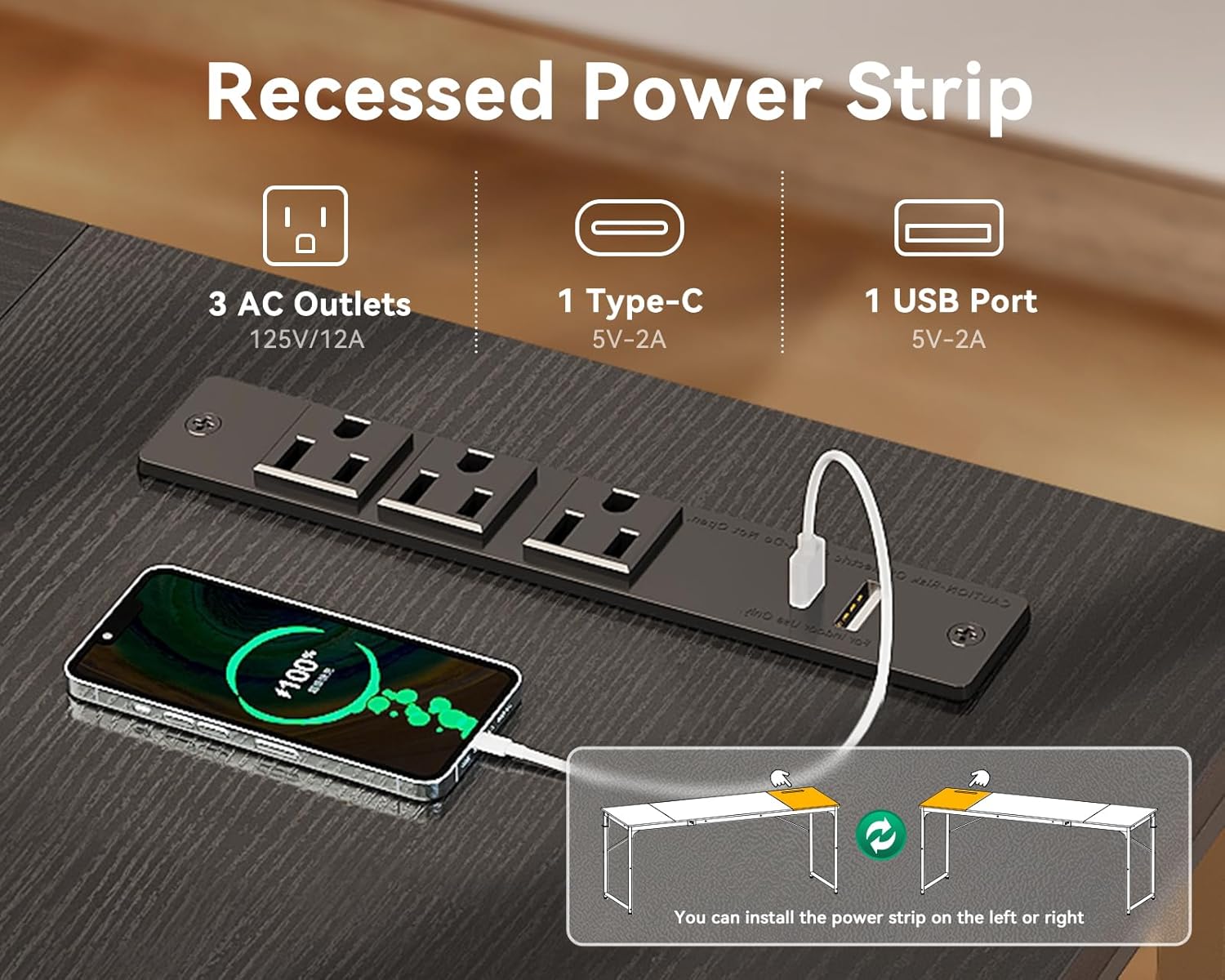
Image: Devices charging directly from the desk's built-in power strip.
3.2 General Use
The large desktop provides ample space for multiple monitors, laptops, keyboards, and other office or gaming equipment. The sturdy metal frame ensures stability for all your items.
Video: Demonstration of the large computer desk with power outlets in various settings.
4. Maintenance
To ensure the longevity and appearance of your Coleshome computer desk, follow these simple maintenance guidelines:
- Cleaning: Wipe the desktop surface and metal frame with a soft, damp cloth. Avoid abrasive cleaners or harsh chemicals that may damage the finish.
- Spills: Immediately wipe up any spills to prevent staining or damage to the engineered wood surface.
- Heat Protection: Use coasters or protective pads under hot items to prevent heat marks.
- Weight Distribution: Distribute weight evenly across the desktop to maintain stability and prevent stress on the frame.
5. Troubleshooting
If you encounter any issues with your desk, please refer to the following common solutions:
- Wobbling: Ensure all screws are tightened securely. Check the adjustable feet pads on the bottom of the legs and adjust them to stabilize the desk on uneven floors.
- Power Outlets Not Working: Verify that the desk's main power cord is securely plugged into a functional wall outlet. Check for any tripped circuit breakers.
- Missing Parts: If any parts were missing upon delivery, please contact customer support immediately for assistance.
6. Specifications
| Feature | Detail |
|---|---|
| Brand | Coleshome |
| Model Number | c489682e-487a-4d57-8925-c25fd9183c8e |
| Product Dimensions (D x W x H) | 23.6"D x 70.9"W x 29"H |
| Color | Black |
| Top Material Type | Engineered Wood |
| Base Material | Metal (Feet Pad) |
| Special Feature | Built-In USB Outlet, Built-in Type-C Port, Headphone Hook |
| Power Outlets | 3 AC Outlets (125V/12A) |
| USB Charging Port | 1 USB-A (5V-2A) |
| Type-C Charging Port | 1 Type-C (5V-2A) |
| Assembly Required | Yes |
| Includes All Assembly Tools | Yes |
7. Warranty and Support
Coleshome offers a 1-year warranty for this product. In case your desk arrives damaged, has missing parts, or is scratched, please contact our professional customer support team. We are committed to resolving any issues within 24 hours, offering fast refunds or replacements for quality problems.
For further assistance, please visit the Coleshome Store on Amazon or refer to the contact information provided in your product packaging.


