
1. Important Safety Instructions
Please read all instructions carefully before using this treadmill. Keep this manual for future reference. Failure to follow these instructions may result in injury or damage to the product.
- Always place the treadmill on a solid, level surface with at least 2 meters (6.5 feet) of clear space behind it and 0.5 meters (1.6 feet) on each side.
- Keep children and pets away from the treadmill during operation.
- Wear appropriate athletic footwear and clothing. Do not operate the treadmill barefoot or in loose clothing.
- Use the magnetic safety key at all times. Attach the clip to your clothing. In case of an emergency, the key will detach, and the treadmill will stop.
- Do not use the treadmill if it has a damaged cord or plug, if it is not working properly, or if it has been dropped or damaged.
- Unplug the treadmill from the power outlet when not in use, before cleaning, and before performing any maintenance.
- Do not attempt to service the treadmill yourself. Contact qualified service personnel for repairs.
- This treadmill is designed for indoor use only. Do not expose it to water or excessive humidity.
2. Product Overview
The LABGREY T1 is a versatile 2-in-1 folding treadmill designed for both walking and running. It features a powerful 2.5 HP motor, adjustable speeds from 1 to 12 km/h, and a dual shock absorption system for joint protection. Its foldable design allows for convenient storage, making it ideal for home or office use. The treadmill connects to popular fitness apps like Zwift, Kinomap, and FitShow via Bluetooth for interactive workouts.
Key Features:
- 2-in-1 Design: Functions as an under-desk walking pad (1-6 km/h) and a traditional treadmill (6-12 km/h).
- Bluetooth Connectivity: Compatible with Zwift, Kinomap, and FitShow apps for enhanced training.
- Powerful Motor: 2.5 HP motor for stable and quiet operation.
- Adjustable Speed: Range from 1 km/h to 12 km/h.
- Advanced Running Belt: 5-layer anti-slip rubber belt (44 x 110 cm) with 8 additional shock-absorbing cushions.
- LED Display: Shows real-time data including speed, distance, time, and calories burned.
- Remote Control: For convenient speed adjustment in walking mode.
- Foldable & Portable: Easy folding mechanism and built-in transport wheels for compact storage.
- High Weight Capacity: Supports users up to 135 kg.

Image 2.1: The LABGREY T1 treadmill showcasing its 2-in-1 functionality, usable as an under-desk walking pad or a traditional running treadmill.
3. Setup Instructions
3.1 Unpacking
- Carefully remove the treadmill from its packaging.
- Place the treadmill on a flat, stable surface.
- Remove all packing materials and inspect the treadmill for any damage. If any damage is found, do not use the product and contact customer support.
3.2 Assembly (No Assembly Required)
The LABGREY T1 treadmill comes pre-assembled. Simply unpack it and prepare it for use.
3.3 Folding and Unfolding
The treadmill features a one-step folding mechanism for compact storage. To unfold, lift the handle until it locks into place for running mode. To fold, release the locking mechanism and lower the handle for walking pad mode or storage.
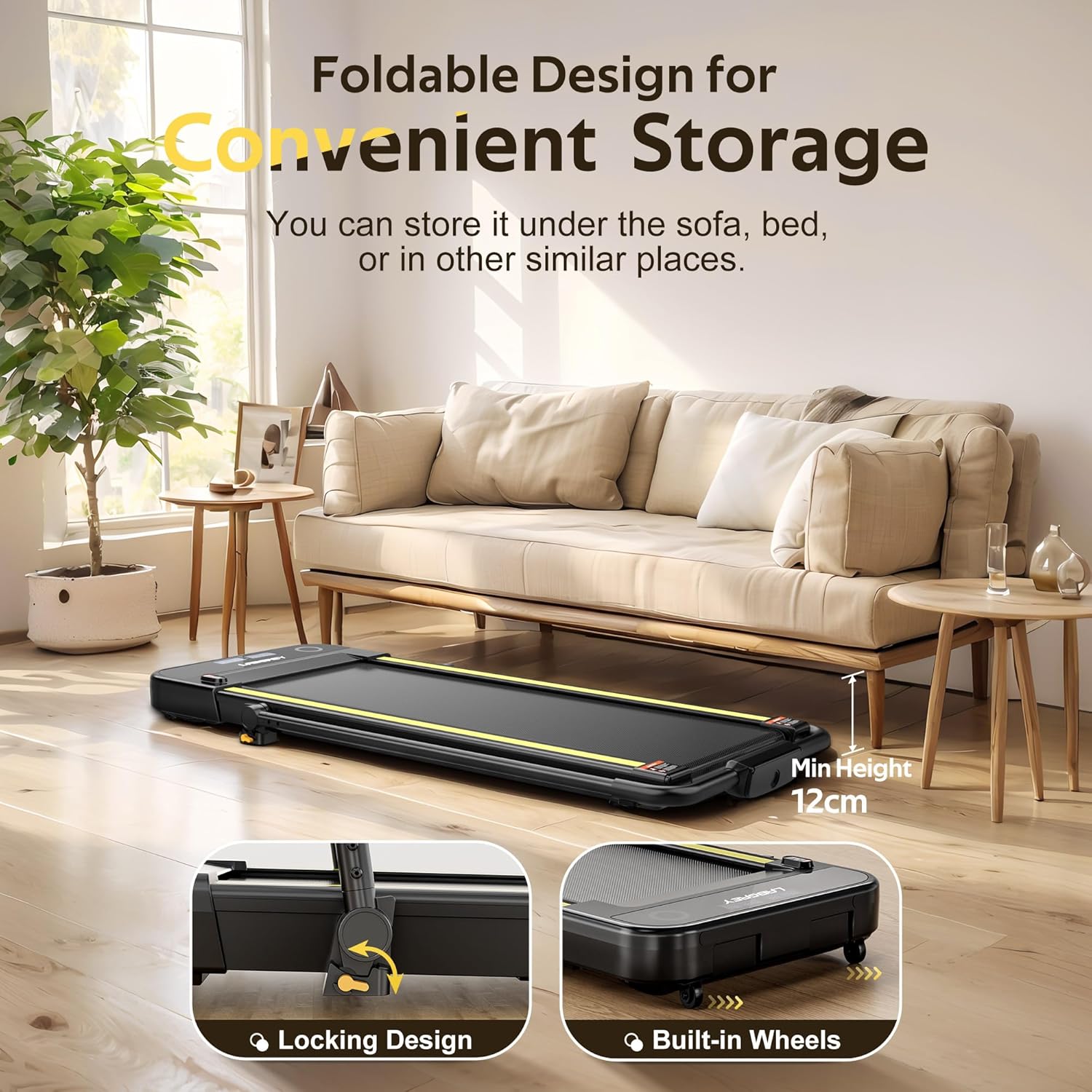
Image 3.1: The treadmill in its folded state, demonstrating its compact storage capability under furniture, with a minimum height of 12 cm.
4. Operating Instructions
4.1 Power On/Off
- Plug the power cord into a grounded electrical outlet.
- Flip the main power switch (usually located at the front of the treadmill) to the 'ON' position.
- The LED display will illuminate.
- To turn off, flip the main power switch to 'OFF' and unplug the unit.
4.2 Using the Safety Key
Before starting any workout, ensure the magnetic safety key is properly placed on the console and the clip is attached to your clothing. If the safety key is removed during operation, the treadmill will immediately stop for safety.

Image 4.1: Illustration of the magnetic safety key and the emergency stop button, crucial safety features during treadmill operation.
4.3 Operating Modes and Speed Control
The treadmill offers two operating modes:
- Walking Mode (Under-Desk): When the handle is folded down, the treadmill operates as a walking pad with speeds from 1 to 6 km/h. Control speed using the provided remote control.
- Running Mode (Traditional): When the handle is raised and locked, the treadmill functions as a traditional running machine with speeds from 6 to 12 km/h. Control speed using the vertical buttons on the console.

Image 4.2: The LED display showing speed, calories, time, and distance, along with the remote control for adjusting settings.
4.4 LED Display Functions
The integrated LED display provides real-time workout data:
- Speed: Current speed in km/h.
- Distance: Total distance covered during the workout.
- Time: Duration of the workout.
- Calories: Estimated calories burned.
4.5 Bluetooth App Connection
Enhance your workout experience by connecting your treadmill to compatible fitness apps:
- Download the desired app (Zwift, Kinomap, or FitShow) from your device's app store.
- Ensure Bluetooth is enabled on your smartphone or tablet.
- Power on the treadmill.
- Open the fitness app and follow the in-app instructions to search for and connect to your LABGREY treadmill.
- Once connected, you can enjoy interactive training sessions and track your progress.
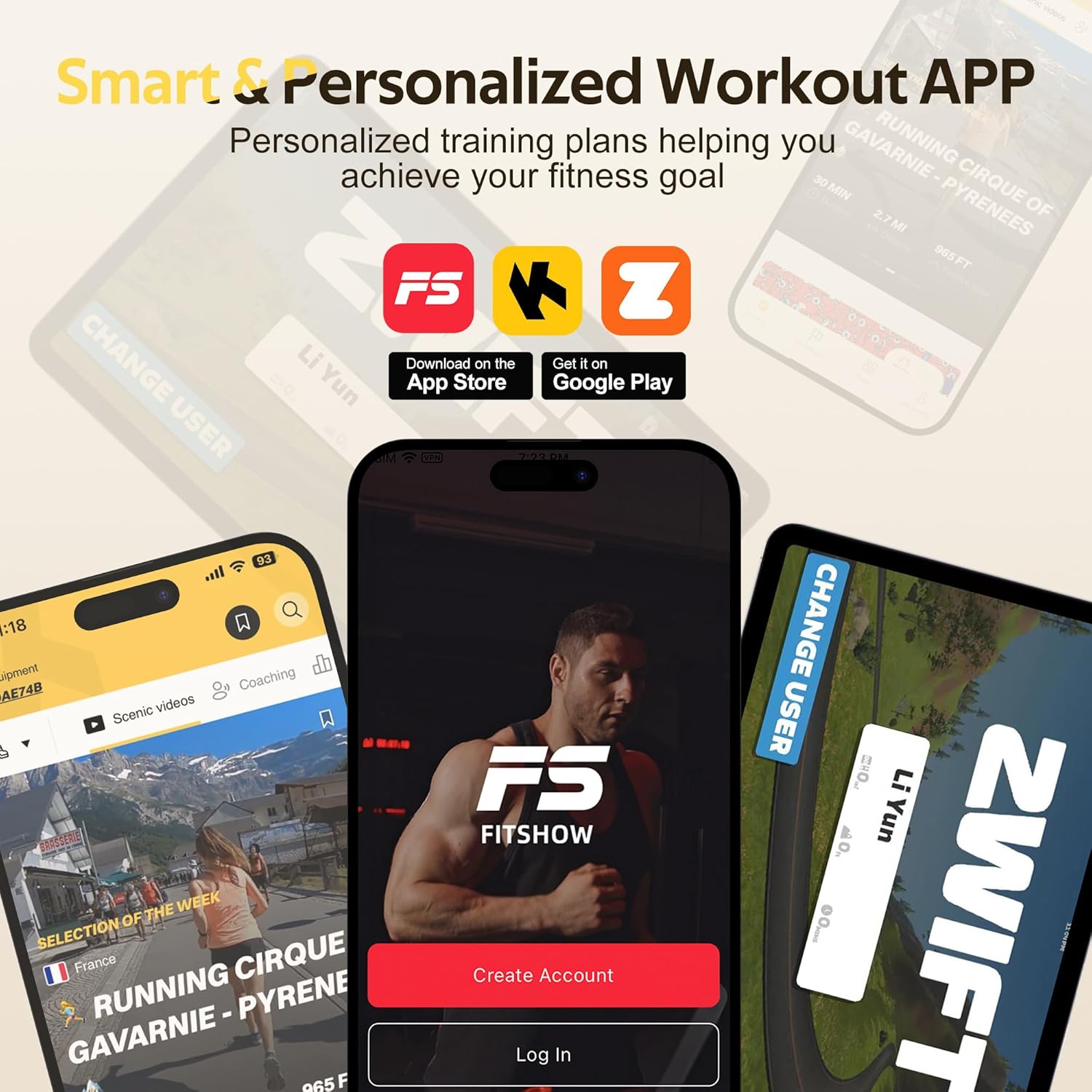
Image 4.3: Examples of the FitShow, Kinomap, and Zwift applications, demonstrating the treadmill's Bluetooth connectivity for personalized workouts.
5. Maintenance
Regular maintenance ensures the longevity and optimal performance of your treadmill.
5.1 Cleaning
- Always unplug the treadmill before cleaning.
- Wipe down the console and exterior surfaces with a soft, damp cloth. Avoid using abrasive cleaners or solvents.
- Periodically vacuum under the treadmill to prevent dust and debris buildup.
5.2 Running Belt Lubrication
The running belt requires periodic lubrication to reduce friction and extend its lifespan. The LABGREY T1 features a convenient lubrication hole.
- Turn off and unplug the treadmill.
- Locate the lubrication hole on the side of the treadmill (refer to Image 5.1).
- Apply a small amount of silicone lubricant (typically provided with the treadmill) into the hole.
- Plug in the treadmill and run it at a low speed (e.g., 3 km/h) for 2-3 minutes to distribute the lubricant evenly.
- Lubricate every 3-6 months, or after approximately 100 hours of use, depending on usage frequency.
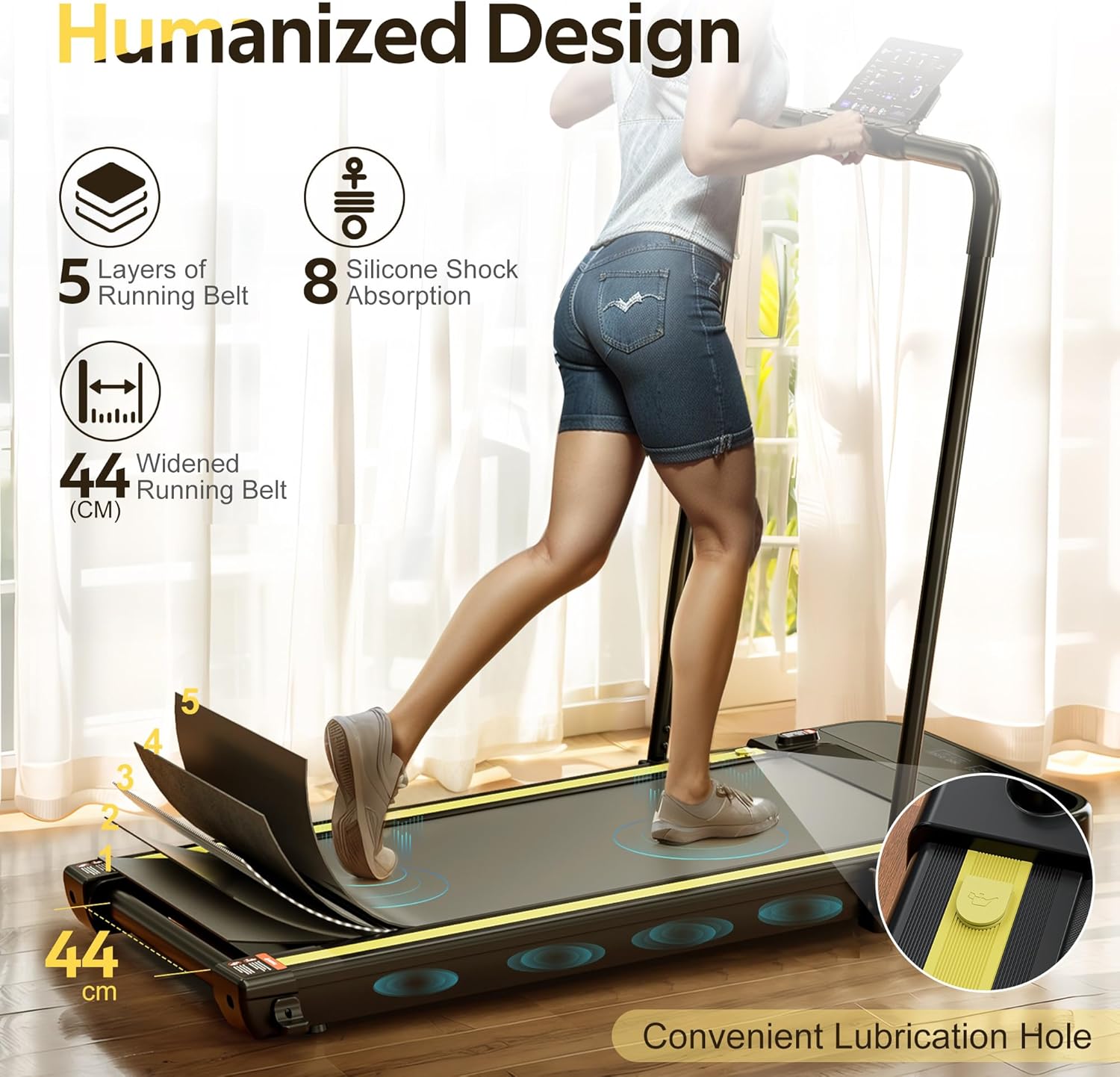
Image 5.1: Close-up view highlighting the convenient lubrication hole for easy maintenance of the running belt.
5.3 Running Belt Adjustment
If the running belt starts to slip or move off-center, it may need adjustment.
- Centering the Belt: If the belt drifts to one side, use the provided Allen wrench to turn the corresponding rear roller bolt a quarter turn clockwise. Run the treadmill for a minute and check. Repeat until the belt is centered. If it drifts to the other side, turn the opposite bolt clockwise.
- Tensioning the Belt: If the belt slips during use, turn both rear roller bolts a quarter turn clockwise. Run the treadmill and test. Repeat until the belt no longer slips. Do not overtighten.
6. Troubleshooting
Here are solutions to common issues you might encounter:
| Problem | Possible Cause | Solution |
|---|---|---|
| Treadmill does not power on. | Power cord unplugged, main switch off, circuit breaker tripped. | Ensure power cord is securely plugged in. Check main power switch is ON. Reset household circuit breaker if necessary. |
| Treadmill stops suddenly during use. | Safety key removed, motor overheating. | Ensure safety key is properly placed. Allow treadmill to cool down for 10-15 minutes if motor overheated. |
| Running belt slips. | Belt tension too loose. | Adjust belt tension as described in Section 5.3. |
| Running belt drifts to one side. | Belt off-center. | Adjust belt centering as described in Section 5.3. |
| Unusual noise from treadmill. | Lack of lubrication, loose parts, foreign object. | Lubricate the running belt (Section 5.2). Check for loose bolts and tighten. Inspect for any foreign objects under the belt. |
| Bluetooth app connection issues. | Bluetooth off, app not updated, interference. | Ensure Bluetooth is enabled on your device. Update the app to the latest version. Restart both the treadmill and your device. Try connecting in a different location to avoid interference. |
If you encounter a problem not listed here or if the issue persists after attempting these solutions, please contact LABGREY customer support.
7. Specifications
Detailed technical specifications for the LABGREY T1 2-in-1 Folding Treadmill.
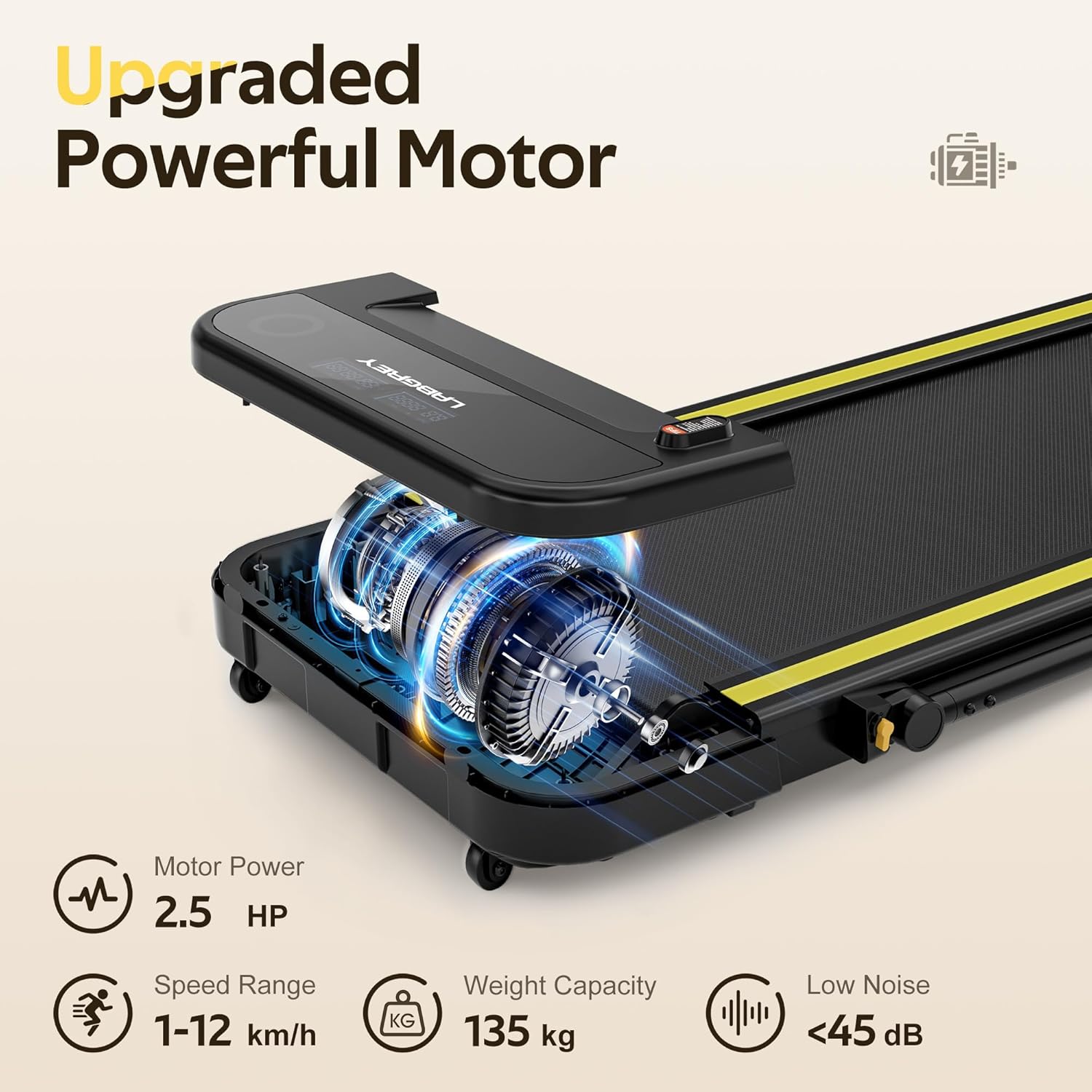
Image 7.1: Visual representation of the treadmill's powerful 2.5 HP motor, speed range, weight capacity, and low noise operation.
| Feature | Specification |
|---|---|
| Model Number | T1 |
| Brand | LABGREY |
| Motor Power | 2.5 HP (Horsepower) |
| Speed Range | 1 - 12 km/h |
| Walking Belt Dimensions | 44 x 110 cm |
| Maximum Weight Capacity | 135 kg |
| Display Type | LED |
| Frame Material | Alloy Steel |
| Product Dimensions (L x W x H) | 135 x 59 x 109 cm |
| Folded Height | 12 cm |
| Product Weight | 27.5 kg |
| Special Features | Bluetooth connectivity (FitShow, Kinomap, Zwift), Dual Shock Absorption, Remote Control |
| Power Source | Corded Electric |
8. Warranty and Support
For warranty information, please refer to the warranty card included with your product or contact the retailer where you purchased the treadmill. For technical support, spare parts, or any other inquiries, please contact LABGREY customer service through their official website or the contact information provided with your purchase.


