
1. Introduction
This manual provides comprehensive instructions for the installation, operation, and maintenance of your ZHXINSD 5MP Wireless Home Security Camera System. This system includes a 12.5-inch monitor, four PTZ cameras, and a 4K 10-channel NVR with a 1TB hard drive, designed to provide reliable surveillance for your home or business.
2. What's in the Box
Verify that all components are present in the package:
- 4x 5MP WiFi PTZ Cameras
- 1x 1TB Surveillance HDD Pre-installed
- 1x All-in-One WIFI 12.5 LCD Monitor (OTA to latest version to get 10CH)
- 1x DC 12V 2A Power Supply for Monitor
- 4x DC 12V 1A Power Supply for Cameras
- 1x USB Mouse
- 1x User Manual
- 4x Easy-mounting Brackets
- 1x 3ft Ethernet Cable
Video: What's in the Box
This video demonstrates the unboxing of the security camera system, showing all included components such as the monitor, cameras, power supplies, USB mouse, and other accessories.
3. Setup
3.1 Initial Connection
Connect the monitor's power supply and turn it on. Then, connect the power supplies to each camera. The system is designed for plug-and-play functionality, and cameras should automatically connect to the monitor.
Video: Auto Pair the System
This video illustrates the simple process of connecting the monitor and cameras to power, demonstrating how the system automatically pairs for immediate use.
3.2 Camera Installation
The cameras can be installed in various locations, including ceilings and walls. Use the provided easy-mounting brackets and screws for secure installation. Ensure the camera has a clear line of sight to the desired surveillance area.
Video: Two Ways of Camera Mount
This video demonstrates how to install the cameras on both ceilings and walls using the provided mounting brackets and screws.
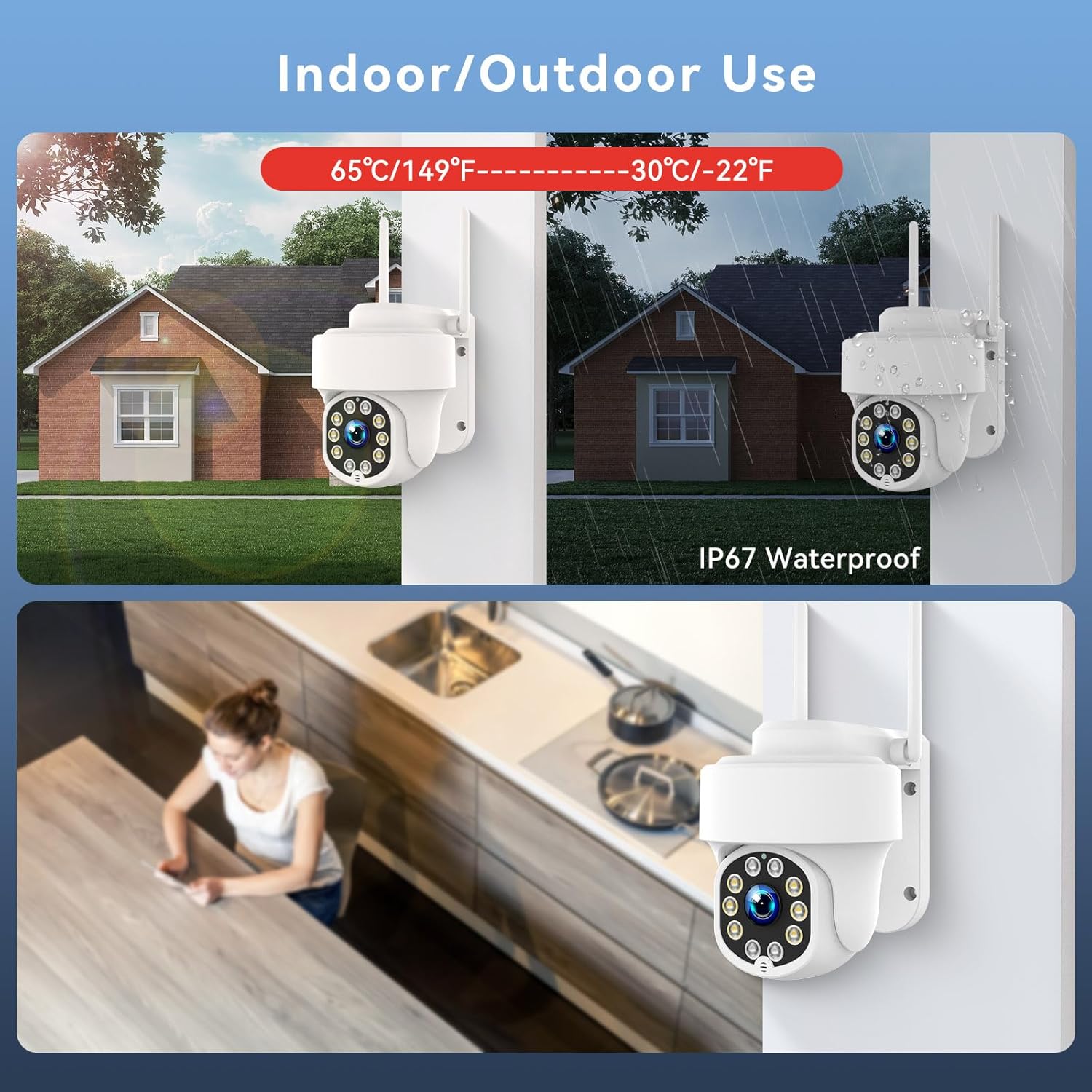
This image illustrates the versatility of the camera for both indoor and outdoor use, highlighting its IP67 waterproof rating and ability to withstand extreme temperatures.
4. Operation
4.1 Monitor Interface and Camera Control
Navigate the 12.5-inch LCD monitor interface using the included USB mouse. The PTZ (Pan-Tilt-Zoom) cameras offer a 355° pan and 140° tilt, allowing for a wide viewing angle and reduced blind spots. You can control camera movement and zoom directly from the monitor or via the mobile app.

This image demonstrates the pan and tilt capabilities of the PTZ security camera, showing its 355° horizontal and 140° vertical movement for comprehensive coverage.
4.2 Night Vision
The cameras feature 5MP UHD pixel resolution and full-color night vision, enabled by infrared LEDs and an automatic IR cut filter. This allows for clear, detailed images in low-light conditions up to 65 feet.

This image compares standard night vision with 5MP color night vision, illustrating the enhanced clarity and detail provided by the system in dark environments.
4.3 Recording and Storage
The system provides 24/7 uninterrupted recording to the pre-installed 1TB hard drive, which can be expanded up to 6TB. When the storage is full, old recordings are automatically overwritten. Cloud storage is also available as an optional service (7-day free trial included).

This image displays the 10-channel monitor with a visual representation of the built-in 1TB HDD and the expandability to 10 channels, emphasizing no monthly fees for local storage.
4.4 Motion Detection and Alerts
Utilize the human/vehicle detection function and customized area detection to receive accurate notifications. When motion is detected, you will receive instant app push notifications and motion video clips, minimizing false alarms.

This image illustrates the smart detection capabilities, showing how the system identifies human and vehicle movement and sends instant alerts via siren, app push, or email.
4.5 Two-Way Audio
The cameras are equipped with a built-in high-quality microphone and speaker, enabling two-way audio communication. You can interact with visitors or deter intruders directly through the mobile app or the LCD monitor.

This image depicts the two-way audio feature, showing a parent communicating with a child through the camera system, alongside the humanoid tracking capability.
4.6 Remote Access
Access your security system remotely from anywhere using your mobile device or computer client. The system can function without an internet connection for local viewing on the monitor, but an internet connection is required for remote access.

This image shows the system's auto-pairing feature and its support for remote viewing on various devices, including smartphones and computers.
5. Maintenance
5.1 Hard Drive Management
The 1TB HDD automatically overwrites the oldest recordings when full. Regularly back up important footage to external storage if needed. The system supports up to 6TB HDD for extended recording capacity.
5.2 Weather Resistance
The cameras are IP67 waterproof, designed to withstand various outdoor weather conditions, including rain and extreme temperatures (-22°F to 149°F). Periodically clean the camera lenses to ensure clear image quality.