
1. Introduction
Welcome to the user manual for your new Jiawu Fisheye Camera. This manual provides detailed instructions for the setup, operation, and maintenance of your camera. This 2-megapixel indoor security camera offers a 360° panoramic view, smart human detection, two-way audio, and infrared night vision, making it an ideal solution for monitoring your home or office.
Please read this manual thoroughly before using the product to ensure proper installation and optimal performance. Keep this manual for future reference.
2. Safety Information
- This camera is designed for indoor use only. Do not expose it to rain, moisture, or extreme environmental conditions.
- Use only the provided power adapter (5V/2A) to prevent damage to the device and ensure safety.
- Ensure the camera is installed in a stable location to prevent it from falling.
- Operating temperature range: -10°C to 60°C (14°F to 140°F). Humidity less than 90%.
- Do not attempt to disassemble or modify the camera. This will void the warranty and may cause damage.
- Keep the camera away from strong magnetic fields or sources of interference.
3. Package Contents
Please check the package contents upon opening to ensure all items are present:
- 1 x Jiawu Fisheye Camera
- 1 x USB Cable
- 1 x Mounting Base
- 2 x Screws
- 2 x Rubber Stoppers
- 1 x Clip
- 1 x Power Adapter (US Plug)
- 1 x Instruction Manual
4. Product Overview
The Jiawu Fisheye Camera is designed for comprehensive indoor surveillance with its 360° panoramic lens. Below are key features and components.

Figure 4.1: Top view of the Jiawu Fisheye Camera, showing the central lens and speaker/microphone grille.

Figure 4.2: Diagram illustrating key features such as infrared night vision, alarm push, video playback, easy installation, phone control, voice intercom, and wireless Wi-Fi.

Figure 4.3: Bottom view of the camera, showing the mounting plate and ventilation slots.

Figure 4.4: Side view of the camera, highlighting the USB power input and TF card slot.
5. Setup
5.1. Installation
The camera supports various mounting options including ceiling, wall, or desk placement. Use the provided mounting base, screws, and rubber stoppers for secure installation.
- Desk Mount: Simply place the camera on a flat, stable surface.
- Ceiling/Wall Mount:
- Choose a suitable location for optimal viewing.
- Attach the mounting base to the desired surface using the screws and rubber stoppers.
- Securely attach the camera to the mounting base.
5.2. Power Connection
Connect the provided USB cable to the camera's power input and the other end to the power adapter. Plug the power adapter into a standard AC110-240V outlet. The camera will power on automatically.
5.3. TF Card Installation (Optional)
For local video storage and loop recording, install a TF (microSD) card (8GB-64GB, not included).
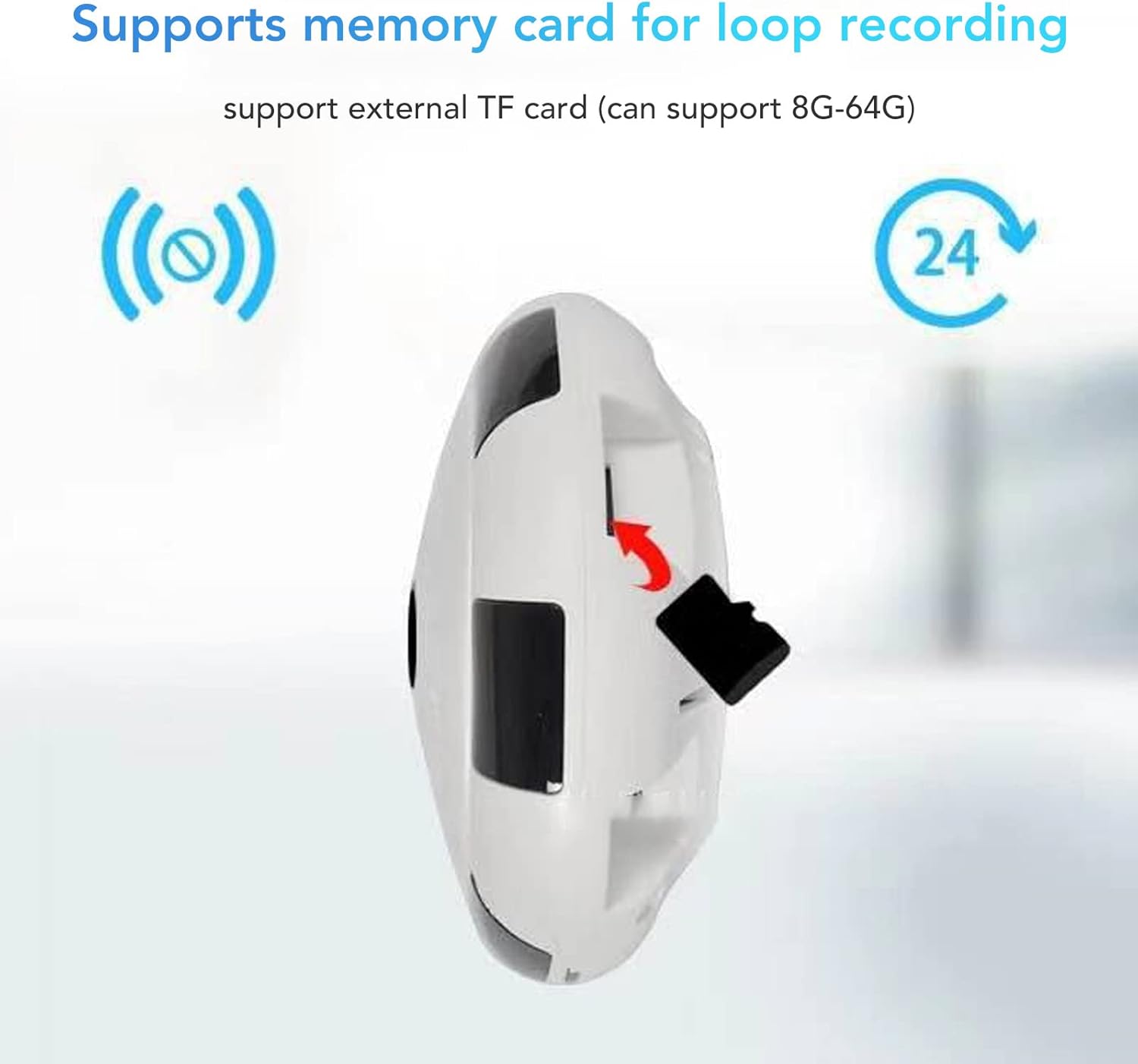
Figure 5.1: Illustration of inserting a TF card into the camera's designated slot.
- Locate the TF card slot on the side of the camera (refer to Figure 4.4).
- Gently insert the TF card into the slot until it clicks into place.
- To remove, push the card in again until it springs out.
5.4. App Installation and Wi-Fi Connection
The camera operates with the V380 Pro application. Download and install the V380 Pro app from your smartphone's app store (Android/iOS).

Figure 5.2: Diagram showing the camera's wireless Wi-Fi connection to a router for remote access and monitoring.
- Open the V380 Pro app and create an account or log in.
- Follow the in-app instructions to add a new device. This typically involves scanning a QR code on the camera or selecting the camera model from a list.
- Connect the camera to your home or office Wi-Fi network (2.4GHz only). Ensure your phone is connected to the same Wi-Fi network during the setup process.
- Once connected, the camera will be accessible through the app for live viewing and configuration.
6. Operating Instructions
Once your Jiawu Fisheye Camera is set up and connected to the V380 Pro app, you can utilize its various features.
6.1. Live View and Panoramic Display
The camera provides a 360° panoramic view, eliminating blind spots. The V380 Pro app allows you to switch between multiple panoramic display views (e.g., fisheye, cylinder, 4-screen split) to suit your monitoring needs.

Figure 6.1: Screenshot showing various panoramic display modes available in the app, including fisheye and split-screen views.
6.2. Video Recording
The camera supports continuous loop recording to an installed TF card (8GB-64GB). You can access recorded footage directly through the V380 Pro app.
6.3. Two-Way Audio
Utilize the built-in microphone and speaker for two-way communication. This allows you to listen in on the camera's environment and speak through the camera from your smartphone.
6.4. Infrared Night Vision
Equipped with powerful infrared LEDs, the camera provides clear black-and-white video footage in low-light conditions or complete darkness, with an effective range of up to 10 meters.
6.5. Motion Detection and Alarm
The camera features smart human detection. When a mobile object or human figure is detected, the camera will automatically push an alarm message to your smartphone in real-time, allowing for immediate awareness of potential security events.
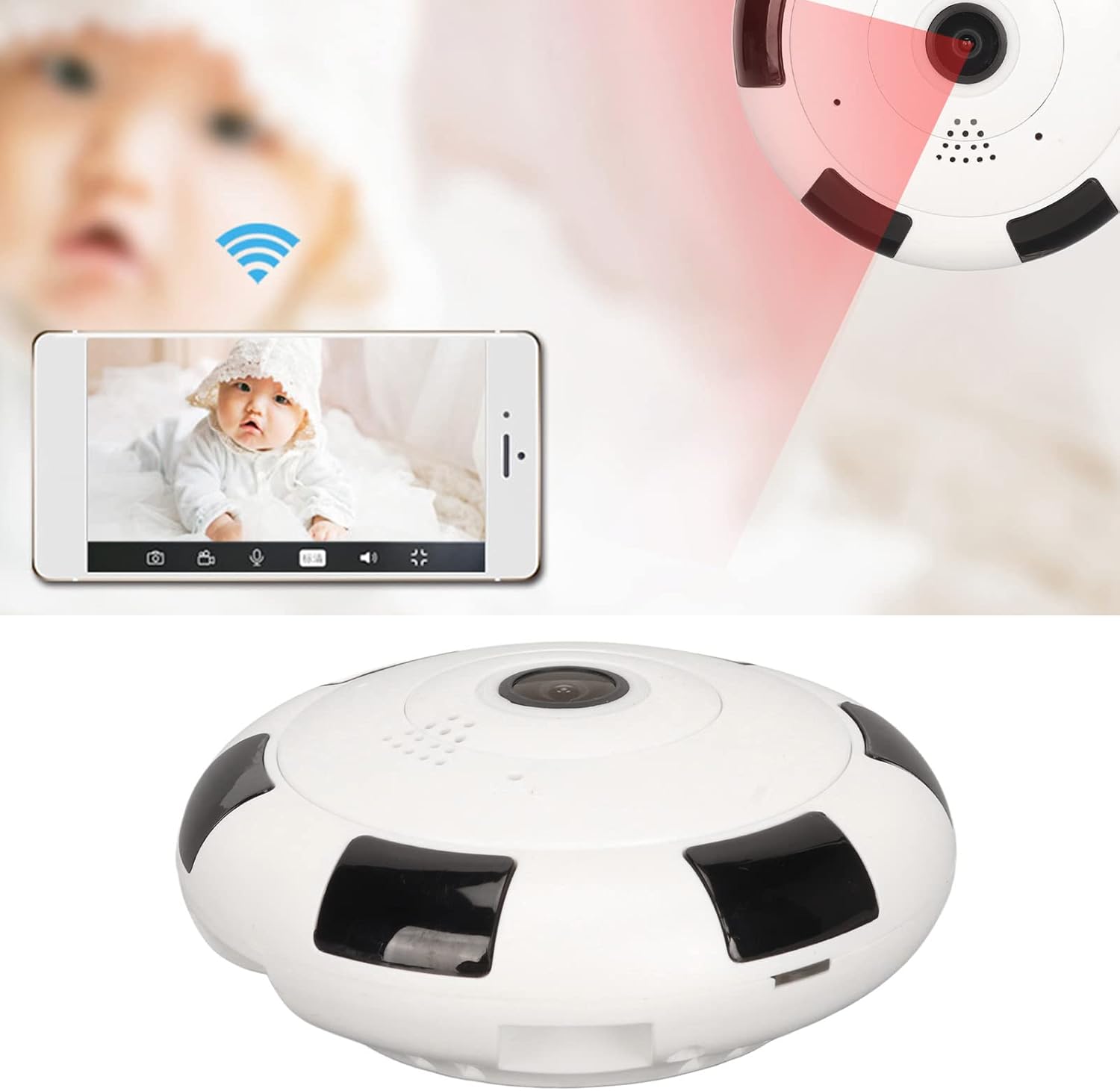
Figure 6.2: Illustration of the camera detecting motion and sending an alert to a smartphone.
6.6. Remote Access and Phone Control
Through the V380 Pro app, you can remotely access the camera's live feed, review recordings, and adjust settings from anywhere with an internet connection.

Figure 6.3: Example of using the smartphone app to monitor a baby with the Jiawu Fisheye Camera.
7. Maintenance
To ensure the longevity and optimal performance of your Jiawu Fisheye Camera, follow these maintenance guidelines:
- Cleaning: Gently wipe the camera lens and body with a soft, dry cloth. Do not use harsh chemicals, solvents, or abrasive cleaners.
- Environmental Conditions: Keep the camera within the specified operating temperature (-10°C to 60°C) and humidity (less than 90%) ranges. Avoid direct sunlight, excessive heat, and moisture.
- Firmware Updates: Periodically check the V380 Pro app for available firmware updates to ensure your camera has the latest features and security enhancements.
- TF Card Management: If using a TF card for recording, regularly back up important footage and consider formatting the card periodically through the app to maintain performance.
8. Troubleshooting
If you encounter issues with your Jiawu Fisheye Camera, refer to the following common problems and solutions:
| Problem | Possible Cause | Solution |
|---|---|---|
| Camera not powering on | Power adapter not connected; faulty power outlet; damaged cable. | Ensure power adapter is securely connected. Try a different power outlet. Check USB cable for damage. |
| Unable to connect to Wi-Fi | Incorrect Wi-Fi password; camera too far from router; 5GHz Wi-Fi network; network interference. | Verify Wi-Fi password. Move camera closer to router. Ensure you are connecting to a 2.4GHz network. Reduce interference from other devices. |
| No video recording | No TF card installed; TF card full or faulty; recording settings incorrect. | Install a compatible TF card (8G-64G). Check TF card status in the app. Format the TF card if necessary. Verify recording settings. |
| Poor image quality | Dirty lens; insufficient lighting; network bandwidth issues. | Clean the camera lens. Ensure adequate lighting or verify night vision is active. Check your internet connection speed. |
| Motion detection not working | Motion detection disabled; sensitivity too low; incorrect detection zone. | Enable motion detection in the app. Adjust sensitivity settings. Configure detection zones as needed. |
If the problem persists after trying these solutions, please contact Jiawu customer support for further assistance.
9. Specifications
Detailed technical specifications for the Jiawu Fisheye Camera (Model: Jiawu47icqarwsx-12):
| Feature | Detail |
|---|---|
| Image Sensor | Two megapixels high performance low light sensors |
| Lens | HD Fisheye Lens |
| Field of View | Panoramic 360° |
| Image Size | 980P |
| Resolution | 1920x1080 (2MP) |
| Video Compression | H.264+ |
| Audio Compression | G.711a |
| Local Storage | External TF card (8G-64G supported) |
| Day/Night Mode | IR-CUT Infrared |
| IR Irradiation Distance | 10 meters |
| Operating Temperature | -10°C to 60°C (14°F to 140°F) |
| Operating Humidity | Less than 90% |
| Product Dimensions | Approx. 90x90x40mm (3.54x3.54x1.57in) |
| Power Supply | 5V/2A |
| Power Consumption | 3W |
| Plug Type | AC110-240V (US Plug) |
| Wireless Technology | Wi-Fi (2.4GHz) |
| Connectivity Protocol | Ethernet (for initial setup/alternative connection) |
| Mounting Type | Ceiling, Wall, Desk Mount |
| Alert Type | Motion Only |
| Compatible App | V380 Pro |
| Item Weight | 6 ounces |
10. Warranty and Support
For warranty information, please refer to the documentation provided at the time of purchase or contact your retailer. Specific warranty terms may vary by region and seller.
For technical support, troubleshooting assistance, or inquiries regarding your Jiawu Fisheye Camera, please contact Jiawu customer service through the contact information provided with your product or on the official Jiawu website.