
Introduction
This manual provides detailed instructions for the installation, operation, and maintenance of your Herdio 4-Channel Bluetooth 5.0 Amplifier Receiver. Please read this manual thoroughly before using the product to ensure proper function and longevity.
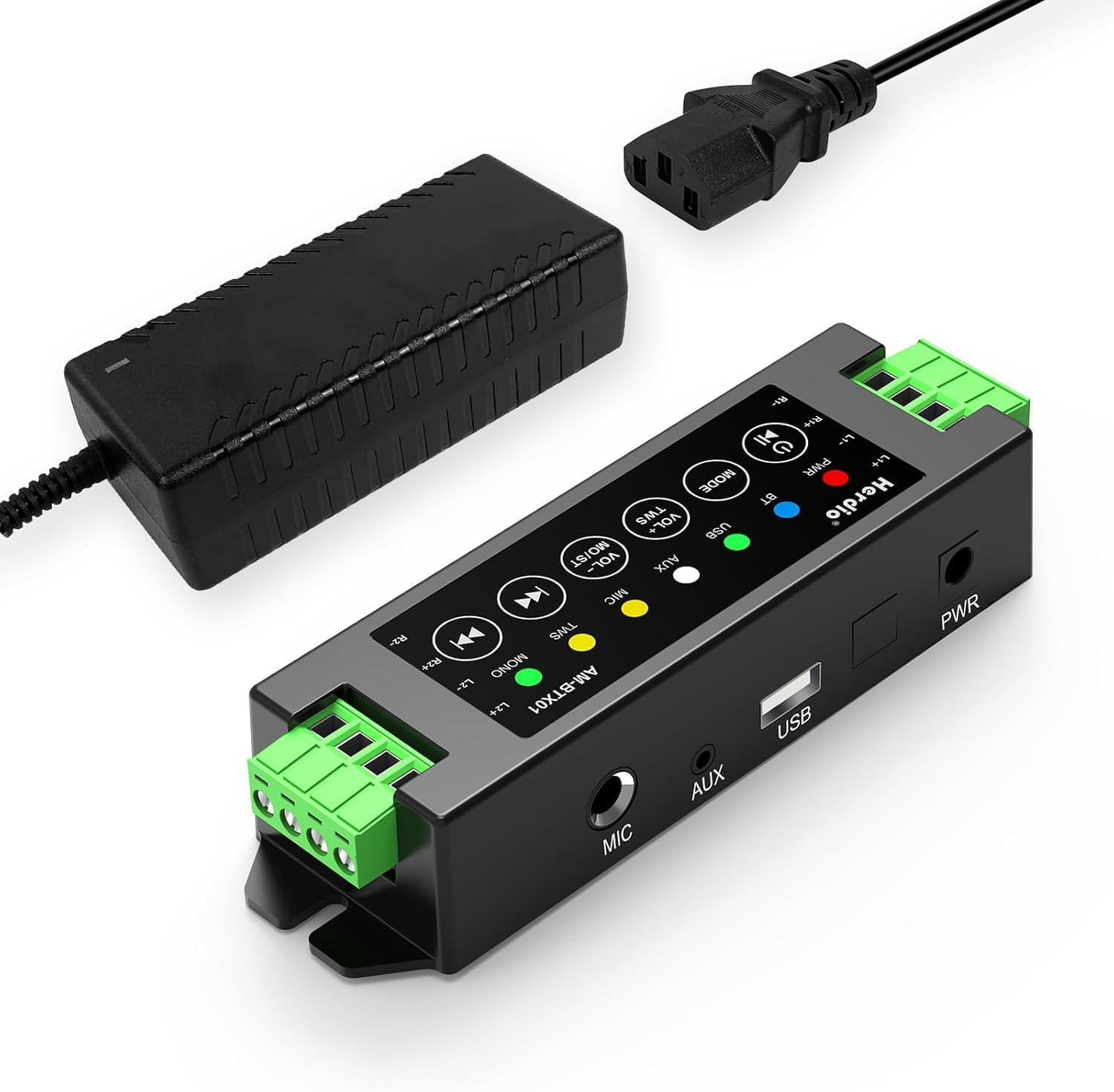
Image: The Herdio 4-Channel Bluetooth Amplifier Receiver, shown with its power supply unit. This compact amplifier is designed for various audio setups.
Package Contents
Verify that all items listed below are included in your package:
- 1 x Herdio 4-Channel Amplifier
- 1 x 24V5A AC-DC Power Supply
- 2 x Screws for Mounting
- 1 x Screwdriver for Mounting
- 1 x User Manual

Image: A visual representation of the items included in the package: the amplifier, power supply, screwdriver, screws, and user manual.
Specifications
| Brand | Herdio |
| Model Number | HE-68-24V5A-DE |
| Mounting Type | Wall Mount |
| Power Source | Corded Electric (24V5A AC-DC Power Supply) |
| Connector Type | USB |
| Material | Acrylonitrile Butadiene Styrene (ABS) |
| Number of Channels | 4 |
| Audio Input | USB, MIC, AUX, TWS (True Wireless Stereo) |
| Product Dimensions (L x W x H) | 1.18 x 6.3 x 1.96 inches |
| Item Weight | 1.17 pounds |
| Connectivity Technology | Bluetooth 5.0 |
| Color | Black |
| Compatible Devices | Computers, Home Theatre, CD Players, PC, Laptops, Phone |
| Power Output | 200W (40W per channel) |
| Minimum Load Resistance | 4 Ohm |

Image: Diagram illustrating the amplifier's specifications, including Bluetooth version 5.0, dynamic mic input, stereo Class-D amp type, and 4 Ohm minimum load resistance, alongside a basic connection setup.
Setup and Installation
1. Speaker Connection
The amplifier supports up to four passive speakers. Ensure proper polarity when connecting speaker wires.
- Identify the positive (+) and negative (-) terminals on your speakers and on the amplifier.
- Using the provided screwdriver, loosen the terminal screws on the amplifier.
- Insert the positive wire from a speaker into the corresponding positive terminal (L1+, R1+, L2+, R2+) on the amplifier.
- Insert the negative wire from the same speaker into the corresponding negative terminal (L1-, R1-, L2-, R2-) on the amplifier.
- Tighten the terminal screws to secure the wires.
- Repeat for all four speakers.

Image: A clear diagram illustrating the connection of four passive speakers to the amplifier, highlighting positive and negative terminals for correct wiring.

Image: A close-up view demonstrating the use of the provided screwdriver to connect speaker wires into the amplifier's green terminal blocks.
2. Power Connection
Connect the provided 24V5A AC-DC power supply to the amplifier's power input port, then plug the power supply into a standard electrical outlet.

Image: A hand connecting the power adapter's barrel jack into the power input port of the Herdio amplifier.
3. Input Source Connection (Optional)
The amplifier supports multiple input methods:
- AUX Input: Connect devices like CD players or PCs using a 3.5mm audio cable to the AUX port.
- USB Input: Connect a USB drive for audio playback.
- MIC Input: Connect a microphone to the MIC port for voice input.

Image: The amplifier displaying its various input options: AUX, USB, and MIC, with corresponding cables connected to illustrate usage.
4. Mounting (Optional)
The amplifier can be wall-mounted using the provided screws. Ensure the mounting location is suitable and consider cable lengths.

Image: Two examples of the amplifier mounted on a wall, one showing a close-up of the unit and another showing it integrated into a living room setting.
Important: Estimate the distance to speakers and power outlet before installation. This amplifier is not waterproof; avoid installation in uncovered or wet areas.
Operating Instructions

Image: A detailed diagram of the amplifier's control panel, labeling each button and its corresponding function for easy operation.
1. Power On/Off
- Power On/Off: Long press the Power/Play/Pause button.
- Play/Pause: Short press the Power/Play/Pause button during playback.
2. Mode Selection
- Switch Mode: Short press the MODE button to cycle through Bluetooth (BT), USB, AUX, and MIC input modes.
- Reset: Long press the MODE button to reset the amplifier.
3. Volume Control
- Increase Volume: Short press the VOL+ / MO/ST button.
- Decrease Volume: Short press the VOL- / TWS button.
- Volume can also be adjusted from the connected source device (e.g., phone, PC).
4. Bluetooth Pairing
When in Bluetooth mode, the amplifier will automatically enter pairing mode. Search for "Herdio" or similar on your device's Bluetooth settings and connect.
- Bluetooth Reset: To forget automatic Bluetooth connections, long press the Power/Play/Pause button. You will need to manually reconnect your device afterward.
5. TWS (True Wireless Stereo) Function
The TWS function allows two Herdio amplifiers of the same model to connect wirelessly, enabling up to eight passive speakers to play music simultaneously for a wider soundstage.
- Activate TWS: Press and hold the VOL- / TWS button on both amplifiers to initiate TWS pairing.
- Deactivate TWS: Press the VOL- / TWS button again to disconnect the TWS link.

Image: An illustration demonstrating the TWS feature, where two amplifiers are wirelessly linked to provide synchronized audio across multiple rooms or a larger area.
6. Track Navigation
- Previous Song: Short press the Previous Track button. Long press to fast backward.
- Next Song: Short press the Next Track button. Long press to fast forward.
7. Stereo/Mono Switch
- Switch Stereo/Mono: Long press the VOL+ / MO/ST button to toggle between stereo and mono output.
Maintenance
- Keep the amplifier in a dry, well-ventilated area.
- Avoid exposing the unit to direct sunlight, extreme temperatures, or high humidity.
- Clean the exterior with a soft, dry cloth. Do not use liquid cleaners or solvents.
- Ensure all connections are secure and free from dust or debris.
Troubleshooting
| Problem | Possible Cause | Solution |
|---|---|---|
| No power | Power supply not connected or faulty. | Ensure the power supply is securely connected to both the amplifier and a working power outlet. Check if the power adapter is functional. |
| No sound output | Incorrect input mode, speaker wires loose, volume too low, or source device issue. |
|
| Bluetooth not connecting | Amplifier not in Bluetooth mode, device too far, or previous pairing conflict. |
|
| Sound distortion or static | Poor signal quality, speaker impedance mismatch, or interference. |
|
| TWS function not working | Incorrect TWS pairing procedure or amplifiers are not the same model. |
|
Warranty and Support
Herdio provides a one-year after-sales warranty for this product. We also offer lifelong product pre-sales and after-sales consulting services.
If you have any questions or encounter issues with your product, please contact us. We aim to reply within 24 hours. For product malfunctions within the one-year warranty period, free after-sales service will be provided.
For support, please visit the Herdio Store on Amazon or contact the seller directly through your Amazon order history.

