
1. Introduction
Thank you for choosing the GreenSweep Pickup Pro Max Garden Sweeper. This manual provides essential information for the safe assembly, operation, and maintenance of your new manual lawn sweeper. Please read these instructions carefully before use and retain them for future reference.
The GreenSweep Pickup Pro Max is designed to efficiently collect leaves and grass clippings from various outdoor surfaces. Its manual push-and-go design requires no motor or electricity, offering a simple and effective solution for yard cleanup.

Figure 1.1: The GreenSweep Pickup Pro Max Garden Sweeper, a manual push sweeper designed for collecting leaves and grass clippings.
2. Safety Information
Always prioritize safety when operating any garden equipment. Failure to follow these safety guidelines may result in injury or damage to the product.
- Read and understand all instructions before operating the sweeper.
- Keep children and pets away from the operating area.
- Wear appropriate footwear and clothing.
- Do not operate the sweeper on excessively steep slopes or uneven terrain where stability may be compromised.
- Ensure all parts are securely fastened before each use.
- Do not attempt to pick up heavy debris, large branches, wet leaves, pet waste, fruits, nuts, or stones, as this can damage the sweeper and reduce its effectiveness.
- Store the sweeper in a dry, secure location away from extreme temperatures.
3. Package Contents
Verify that all components are present and undamaged upon unpacking. If any parts are missing or damaged, contact GreenSweep customer support.
- Sweeper Main Unit (with brushes and wheels)
- Collection Hopper Bag
- Handle Assembly (multiple sections)
- Mounting Hardware (bolts, wing nuts, etc.)
4. Assembly and Setup
The GreenSweep Pickup Pro Max is designed for straightforward assembly. Typically, assembly involves attaching the handle sections and the collection hopper bag to the main sweeper unit. Refer to the included assembly diagram for detailed steps.
- Attach Handle Sections: Connect the various handle sections using the provided bolts and wing nuts. Ensure all connections are tight and secure.
- Install Collection Hopper Bag: Securely attach the collection hopper bag to the designated frame on the sweeper unit. The bag features a durable non-woven material and an easy-to-handle metal frame for convenient emptying.
- Adjust Handle Height: The handle is foam-padded and adjustable for user comfort and ergonomic operation. Adjust to a comfortable height before use.
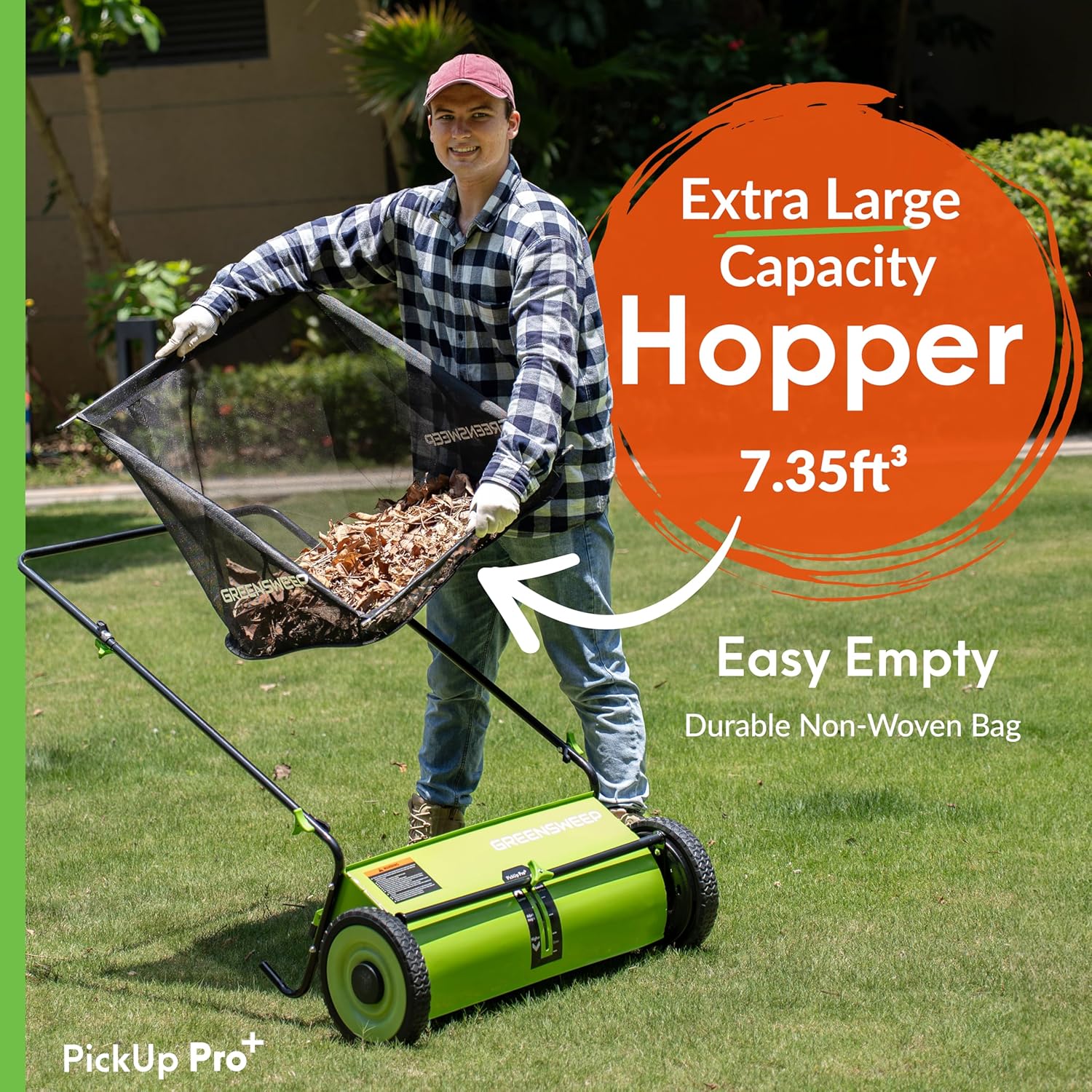
Figure 4.1: The extra-large capacity hopper bag, designed for efficient collection and easy emptying.
5. Operating Instructions
5.1. Brush Height Adjustment
The sweeper features a tool-free, single-point axle adjustment for brush height. Correct brush height is crucial for effective sweeping.
- Lowest Setting: Use for short lawns or smooth surfaces like driveways and patios.
- Highest Setting: Use for longer grass or uneven lawn surfaces.

Figure 5.1: Adjusting the brush height using the tool-free mechanism for optimal performance on different surfaces.
5.2. Sweeping Procedure
The GreenSweep Pickup Pro Max operates on a simple 'Push and Go' principle. As you push the sweeper forward, the wheels drive the multi-surface bristled rotating brush, which sweeps debris into the collection hopper.
- Prepare the Area: Ensure the area to be swept is free of large, heavy objects that could damage the sweeper.
- Adjust Height: Set the brush height according to the surface and debris type.
- Begin Sweeping: Push the sweeper at a steady, comfortable pace. Overlap your passes slightly to ensure complete coverage.
- Monitor Hopper: Periodically check the collection hopper. Empty it before it becomes completely full to maintain sweeping efficiency.

Figure 5.2: Demonstrating the 'Push & Go' operation, where the brush spins as the user walks forward.

Figure 5.3: The sweeper is suitable for multi-surface sweeping on paths, drives, and lawns.

Figure 5.4: The sweeper effectively gathers leaves and lawn clippings quickly and easily.
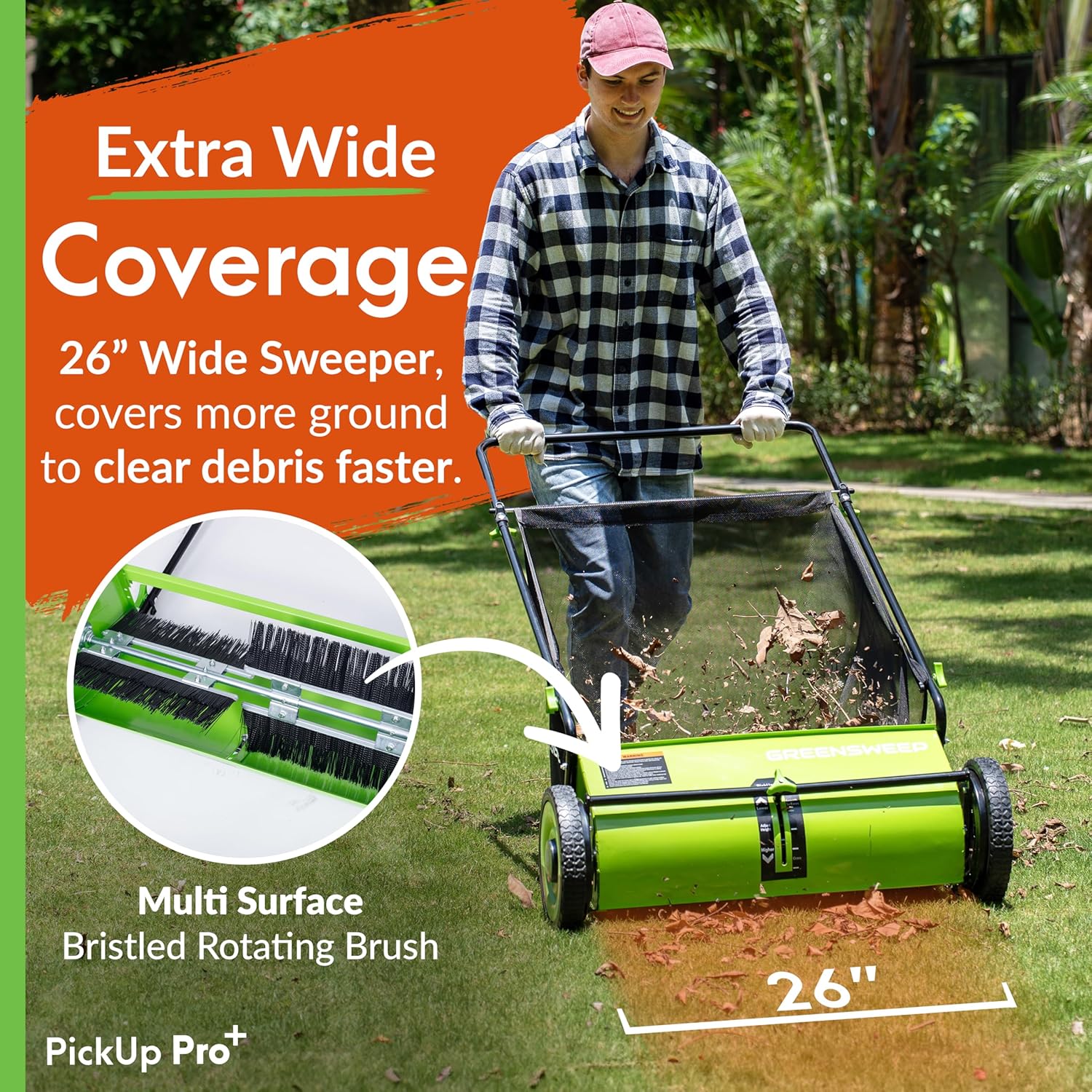
Figure 5.5: The 26-inch wide sweeper provides extra-wide coverage to clear debris faster.
5.3. Limitations
For optimal performance and product longevity, please note the following limitations:
- Not suitable for collecting heavy debris, large branches, or excessive amounts of small, heavy items (e.g., tree berries, pine needles, mulch).
- Not designed for use on rough terrain or excessively uneven ground. Operating on such surfaces may reduce effectiveness and cause damage.
- Ineffective on wet leaves or wet ground.
- Not intended for picking up pet waste, fruits, nuts, or stones.
6. Maintenance
Regular maintenance ensures the longevity and efficient operation of your GreenSweep sweeper.
- Emptying the Hopper: Empty the collection bag frequently. The bag's metal frame facilitates easy removal and emptying.
- Cleaning Brushes: After each use, inspect the rotating brushes for tangled debris (e.g., long grass, string). Remove any obstructions to maintain sweeping effectiveness.
- General Cleaning: Wipe down the sweeper's exterior with a damp cloth. Avoid using harsh chemicals.
- Storage: Store the sweeper in a dry, covered area. The handle is designed for convenient wall hanging, saving floor space.
7. Troubleshooting
If you encounter issues with your GreenSweep Pickup Pro Max, refer to the following common solutions:
| Problem | Possible Cause | Solution |
|---|---|---|
| Sweeper not picking up debris effectively |
|
|
| Sweeper is difficult to push or wheels get stuck |
|
|
If the problem persists after attempting these solutions, please contact GreenSweep customer support.
8. Specifications
| Feature | Detail |
|---|---|
| Brand | GreenSweep |
| Model Number | GS-PP2 |
| Power Source | Manual |
| Material | Polypropylene |
| Color | Green |
| Item Weight | 26.5 Pounds |
| Cutting Width | 26 Inches |
| Product Dimensions | 26"D x 35"W x 44"H |
9. Warranty and Support
For warranty information, product support, or to purchase replacement parts, please contact GreenSweep customer service. Refer to your purchase documentation for specific warranty terms and contact details.
You can also visit the official GreenSweep store for additional resources and product information: GreenSweep Store