
1. Introduction
This manual provides essential instructions for the safe and efficient operation of your DMSIDN m922 Automatic Floor Sweeper Robot. Please read this manual thoroughly before using the product and retain it for future reference.
The DMSIDN m922 is a versatile 2-in-1 robot vacuum cleaner designed for both dry sweeping and wet mopping. It features automatic navigation, low noise operation, and a humidification spray function to enhance cleaning performance on various floor types.
2. Package Contents
Verify that all items are present in the package:
- 1 x Mopping Machine (DMSIDN m922 Robot)
- 1 x Dry Wipe
- 1 x Wet Wipe
- 1 x USB Charging Cable
- 1 x Water Refilling Bottle

Image: All components included in the DMSIDN m922 package, including the robot, dry and wet wipes, USB charging cable, and water refilling bottle.
3. Product Overview
Familiarize yourself with the main components of your DMSIDN m922 robot.

Image: Top view of the DMSIDN m922 Automatic Floor Sweeper Robot, showing the main body and the attached blue mopping pad.
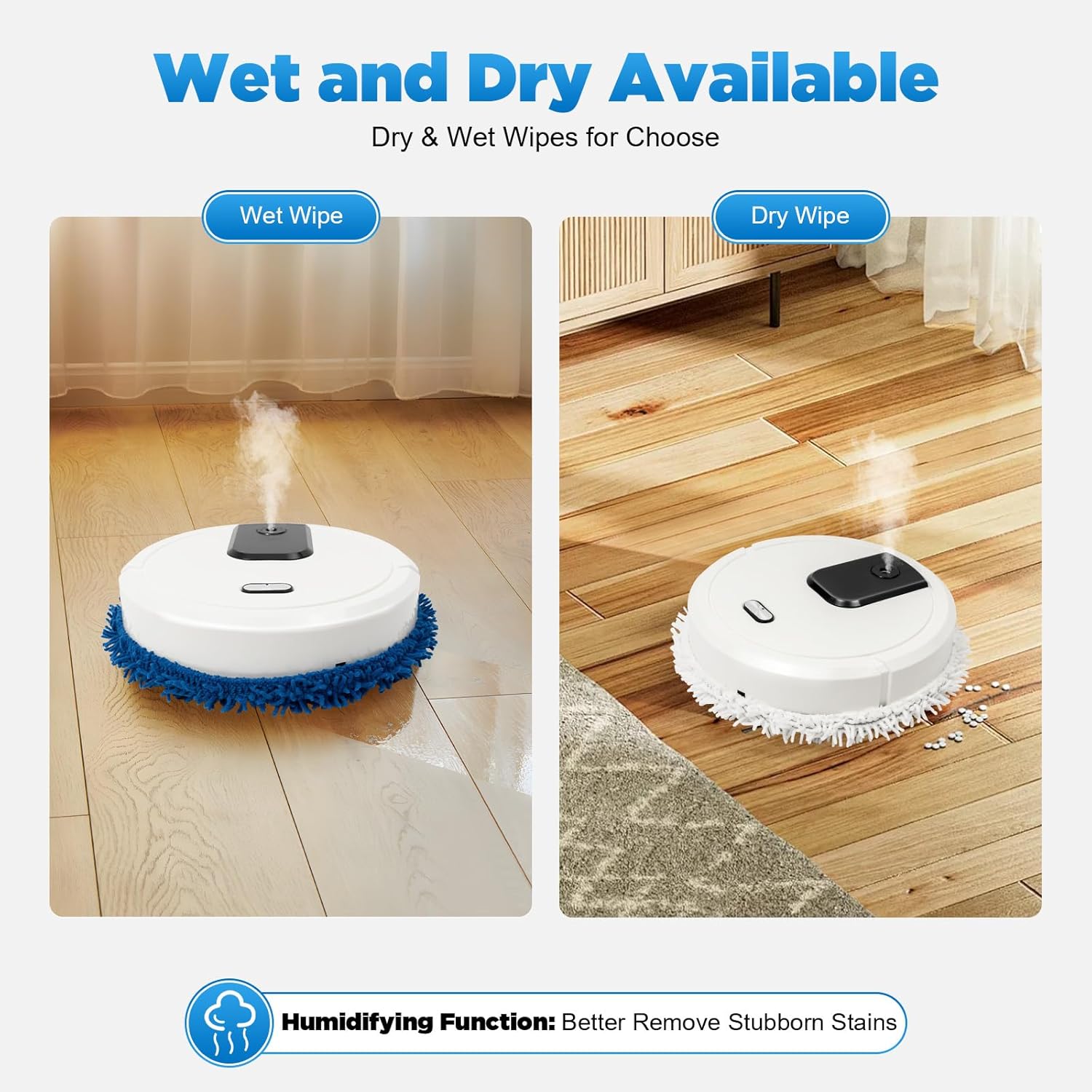
Image: Close-up view highlighting key features such as smooth edges for safety, the water refilling bottle, and purple lights for ambiance.
Key Features:
- Automatic Cleaning: The robot navigates and cleans automatically, turning when obstructed.
- Low Noise Operation: Designed to clean without significant disturbance.
- 2-in-1 Functionality: Supports both dry sweeping and wet mopping.
- Humidification Spray: Sprays mist while mopping to humidify the air and assist with cleaning.
- Purple Lights: Integrated purple lights activate during operation.
- Versatile Floor Compatibility: Suitable for wood, marble, ceramic tiles, and other hard floor surfaces.
4. Setup
4.1 Initial Charging
- Before first use, fully charge the robot. Connect the provided USB charging cable to the robot's charging port and a suitable USB power adapter (not included).
- Charging time is approximately 4 hours. The robot has a 1500 mAh battery.
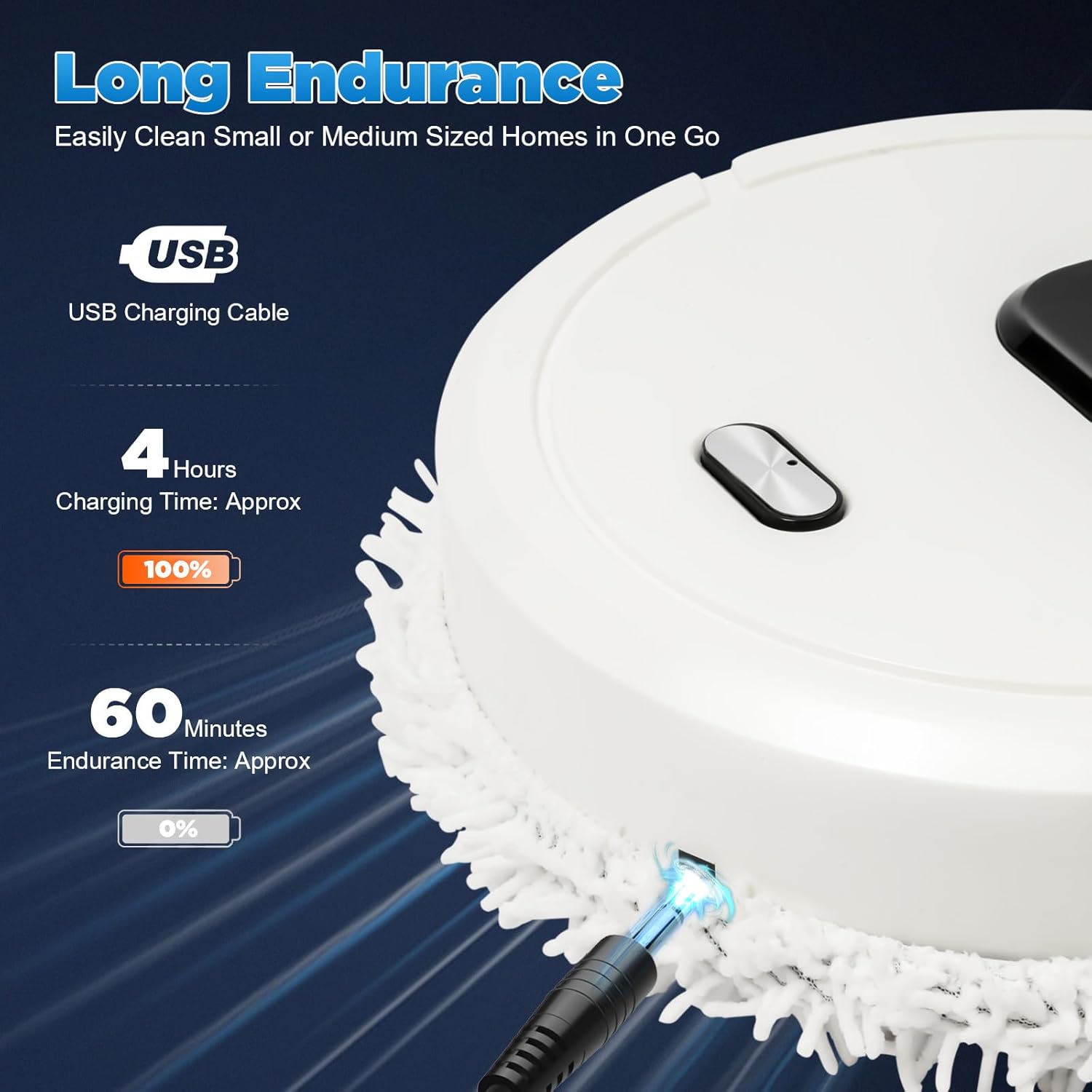
Image: The DMSIDN m922 robot connected to a USB charging cable, indicating its charging capability and battery endurance.
4.2 Attaching Wipes
- Choose either the dry wipe or the wet wipe based on your cleaning needs.
- Attach the chosen wipe to the bottom of the robot. Ensure it is securely fastened.
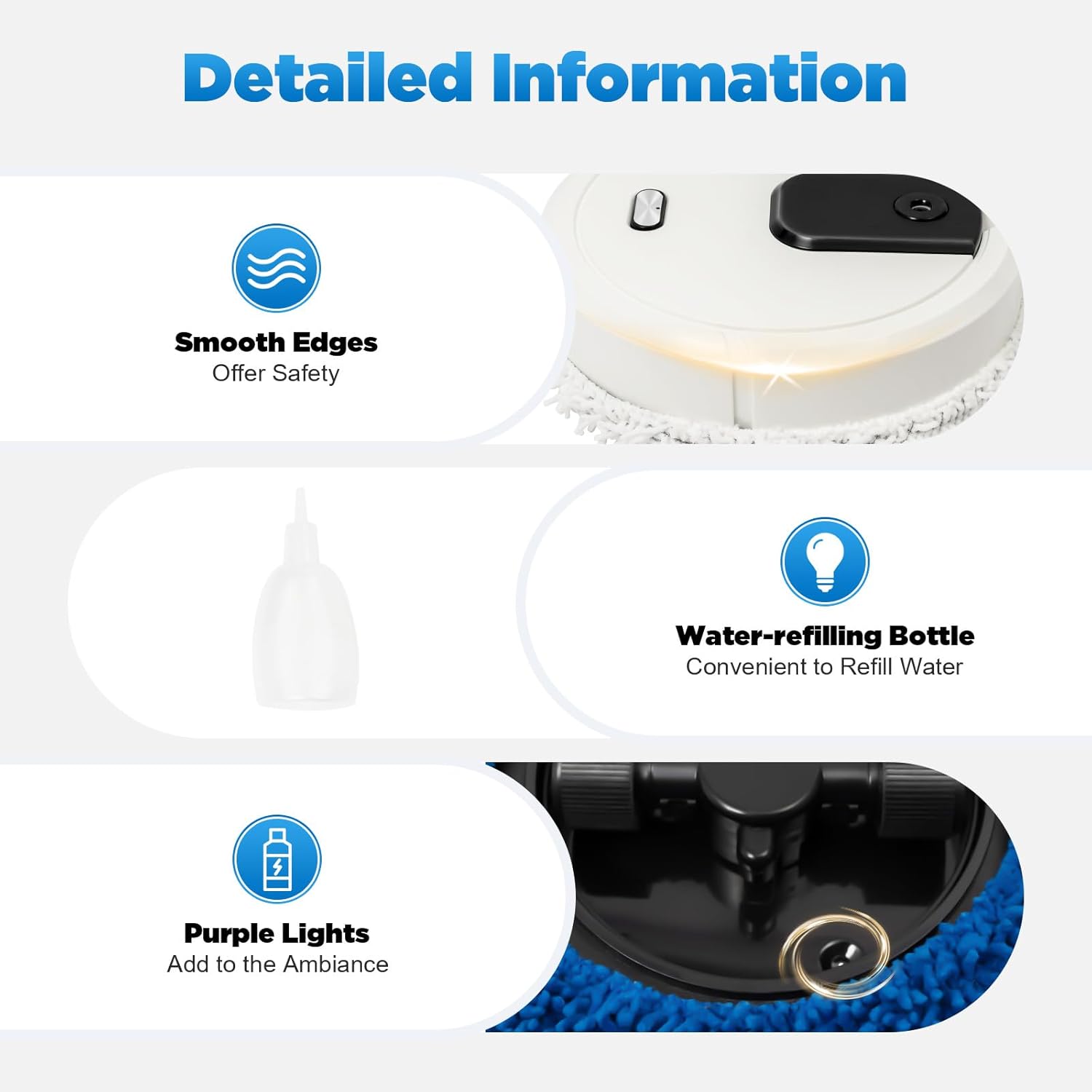
Image: The DMSIDN m922 robot demonstrating its wet mopping function with spray and its dry sweeping function with a dry wipe.
4.3 Filling the Water Tank (for Wet Mopping)
- If using the wet mopping function with spray, use the provided water refilling bottle to add water to the robot's internal tank.
- Do not overfill.
5. Operating Instructions
The robot operates with a simple four-gear switch mechanism:
- Tap once: Activates the mopping function (without spray).
- Double tap: Activates both the mopping function and the spray humidification function.
- Three taps: Turns off the mopping function but keeps the spray humidification function active.
- Four taps: Turns off the mopping machine completely.
Once activated, the robot will automatically clean, navigating around obstacles. Its working noise is approximately 60dB.
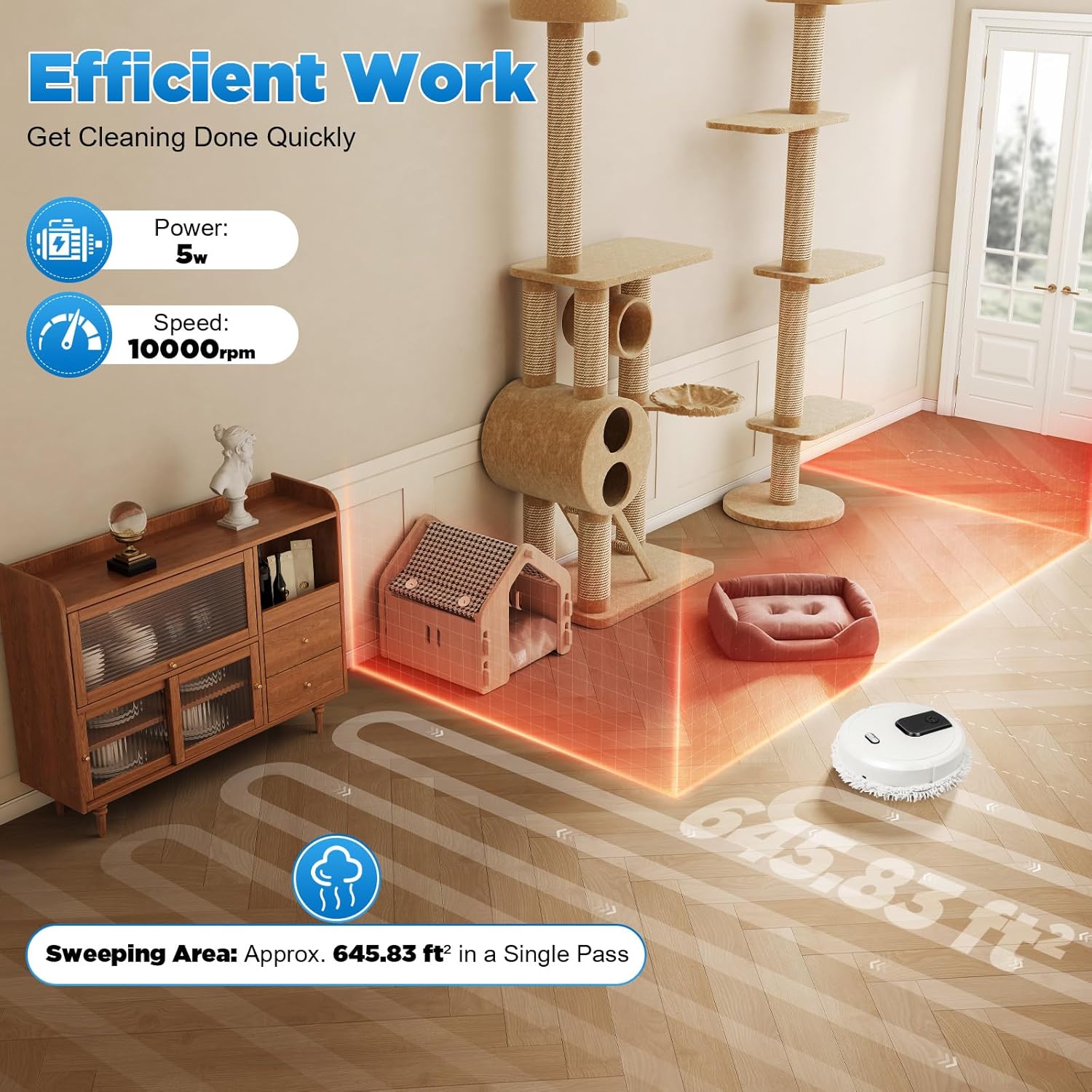
Image: The DMSIDN m922 robot cleaning a hard floor in a living room, illustrating its efficient work and automatic navigation.

Image: An illustration of the DMSIDN m922 robot's underside, highlighting its high-speed rotating wiping disc and 360-degree full-surround wipe design for thorough cleaning.
6. Maintenance
6.1 Cleaning Wipes
After each use, remove and clean the dry or wet wipe. Wipes can be hand-washed and air-dried for reuse.
6.2 Water Tank
Empty any remaining water from the tank after wet mopping to prevent stagnation. Clean the tank periodically with clean water.
6.3 Robot Exterior
Wipe the exterior of the robot with a soft, dry cloth to remove dust and debris.
7. Specifications
| Brand | DMSIDN |
| Model Name | Automatic Floor Sweeper Robot |
| Model Number | m922 |
| Product Dimensions | 25cm x 25cm x 6.5cm (9.84"L x 9.84"W x 2.56"H) |
| Weight | 730g |
| Material | ABS plastic |
| Color | White |
| Power Source | Battery Powered |
| Battery Capacity | 1500 mAh |
| Working Voltage | 3.7V |
| Charging Type | USB charging |
| Charging Time | Approximately 4 hours |
| Life Time (Operating) | Approximately 30 minutes |
| Working Noise | About 60dB |
| Cleaning Mode | Automatic, Mopping and Spraying |
| Navigation | Steering obstructed (turns when blocked) |
| Filter Type | Cloth |
| Surface Recommendation | Hard floors (wood, marble, ceramic tiles) |

Image: Side view of the DMSIDN m922 robot illustrating its compact dimensions of 25cm (9.84 inches) in diameter and 6.5cm (2.56 inches) in height.
8. Troubleshooting
If you encounter issues with your DMSIDN m922 robot, consider the following common solutions:
- Robot not turning on: Ensure the battery is fully charged. Connect the USB charging cable and allow it to charge for 4 hours.
- Robot not moving or getting stuck: Clear any obstacles from its path. Ensure the wheels are free from debris. The robot is designed to turn when obstructed.
- Mopping function not working: Check if the wipe is properly attached. Ensure the correct operating mode is selected (tap once or double tap).
- Spray function not working: Ensure the water tank is filled. Check if the correct operating mode is selected (double tap or three taps).
- Poor cleaning performance: Clean or replace the wipes. Ensure the floor surface is suitable for the robot.
For persistent issues, please refer to the support information provided with your purchase.
9. Warranty and Support
For information regarding warranty coverage, technical support, or replacement parts, please refer to the documentation included with your product or contact DMSIDN customer service through your retailer.