
BUGANI M172BC
BUGANI Loud Bluetooth Speaker User Manual
Model: M172BC
Introduction
Thank you for choosing the BUGANI Loud Bluetooth Speaker. This portable wireless speaker delivers 80W of powerful sound with punchy bass, vibrant LED lights, and an impressive 15-hour playtime. Designed for both indoor and outdoor use, it features IPX5 waterproofing and versatile connectivity options including Bluetooth 5.3, AUX, TF Card, USB, and Microphone input. This manual provides detailed instructions to help you get the most out of your speaker.

The BUGANI speaker boasts an IPX5 waterproof rating, making it suitable for use in various environments, including near water.
Safety Information
- Do not expose the speaker to extreme temperatures or direct sunlight for prolonged periods.
- Keep the speaker away from water and liquids, despite its IPX5 rating, to prevent damage to internal components.
- Do not disassemble, repair, or modify the speaker yourself. Contact qualified service personnel for assistance.
- Use only the provided charging cable and adapter to avoid damage to the battery.
- Avoid listening at excessively high volumes for extended periods to prevent hearing damage.
- Keep out of reach of children.
What's in the Box
Please check the package contents to ensure all items are present:
- BUGANI Loud Bluetooth Speaker 80W x 1
- USB-C Charging Cable x 1
- Audio Cable x 1
- User Manual x 1
Product Overview
Speaker Components
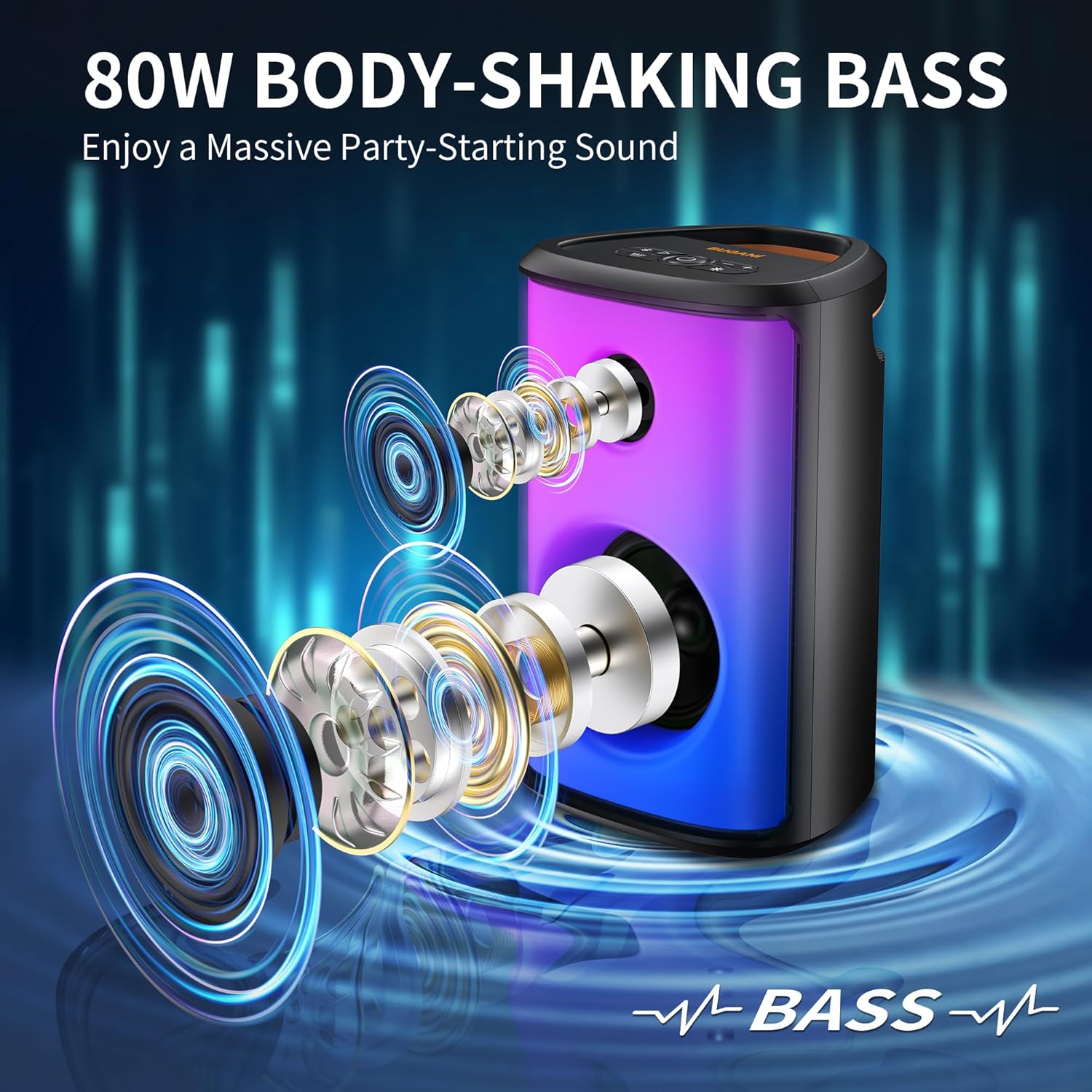
The BUGANI speaker features a 2-inch tweeter and a 5.25-inch subwoofer, engineered to deliver 80W of loud, clear sound with deep bass.

The speaker features 6 full-panel LED party lighting effects that sync to the music, offering a dynamic visual experience with various color options.
Control Panel

The top panel includes intuitive controls for various functions:
- Pairing/Disconnect Button: Initiates Bluetooth pairing or disconnects current device.
- Pause/Play Button: Controls audio playback.
- Volume + Button: Increases volume.
- Volume - Button: Decreases volume.
- Power On/Off Button: Turns the speaker on or off.
- Bass Boost Button: Enhances bass output.
- Light Mode Button: Cycles through different LED lighting effects.

The rear panel provides various connectivity ports:
- MIC IN: For connecting an external microphone.
- AUX IN: For connecting devices via a 3.5mm audio cable.
- USB: For USB drive playback.
- RESET: Pin-hole for resetting the device.
- USB-C: For charging the speaker.
Setup
Charging the Speaker
Before first use, fully charge the speaker. Connect the provided USB-C charging cable to the USB-C port on the speaker and the other end to a compatible USB power adapter (not included). The speaker takes approximately 2 hours to fully charge.

The speaker offers up to 15 hours of playtime at 50% volume (lights off) or 6 hours at 80% volume (lights on) on a single charge.
Powering On/Off
Press and hold the Power On/Off button on the control panel to turn the speaker on or off.
Operating Instructions
Bluetooth Pairing
- Turn on the BUGANI speaker. It will automatically enter Bluetooth pairing mode, indicated by a flashing LED light.
- On your device (smartphone, tablet, etc.), enable Bluetooth and search for available devices.
- Select "BUGANI M172BC" from the list of devices.
- Once connected, the speaker will emit a confirmation sound, and the LED light will stop flashing.
- The speaker has a Bluetooth range of up to 10 meters (33 feet).

The speaker utilizes advanced Bluetooth 5.3 technology for a fast and stable wireless connection.
True Wireless Stereo (TWS) Pairing
You can pair two BUGANI M172BC speakers together for a 160W stereo surround sound experience.
- Ensure both BUGANI M172BC speakers are powered on and not connected to any other Bluetooth device.
- On one of the speakers (this will be the primary speaker), press and hold the Pairing/Disconnect button until you hear a prompt indicating TWS pairing mode.
- The two speakers will automatically connect to each other. Once connected, you will hear a confirmation sound.
- Now, connect your device to the primary speaker via Bluetooth as described in the "Bluetooth Pairing" section.

Experience enhanced audio by pairing two BUGANI speakers for a true wireless stereo setup, doubling the sound output.
Using AUX, TF Card, and USB Inputs
- AUX Input: Connect an audio device using the provided 3.5mm audio cable to the AUX IN port. The speaker will automatically switch to AUX mode.
- TF Card/USB Playback: Insert a Micro SD card or USB drive into the respective port. The speaker will automatically detect and play audio files from the storage device.
- Microphone Input: Connect a microphone to the MIC IN port for karaoke or public speaking.
Controlling LED Lights
Press the Light Mode button on the control panel to cycle through the 6 different full-panel party lighting effects. Press it repeatedly to find your preferred light mode or to turn the lights off.
Bass Boost Function
Press the Bass Boost button on the control panel to activate or deactivate the enhanced bass mode. This feature provides a deeper and more powerful bass response.
Maintenance
- Cleaning: Use a soft, dry cloth to wipe the surface of the speaker. Do not use abrasive cleaners or solvents.
- Storage: When not in use for extended periods, store the speaker in a cool, dry place away from direct sunlight and extreme temperatures.
- Battery Care: To prolong battery life, avoid fully discharging the battery frequently. Charge the speaker regularly, even if not in use.
- Water Resistance: While IPX5 rated, avoid submerging the speaker in water. Ensure port covers are securely closed when near water.
Troubleshooting
| Problem | Possible Cause | Solution |
|---|---|---|
| Speaker does not turn on. | Battery is depleted. | Charge the speaker using the provided USB-C cable. |
| Cannot pair via Bluetooth. | Speaker is not in pairing mode; device Bluetooth is off; speaker is too far from device. | Ensure speaker is in pairing mode (flashing LED). Turn on Bluetooth on your device. Move speaker closer to your device (within 10 meters). |
| No sound. | Volume is too low; incorrect input mode; device is paused. | Increase speaker and device volume. Check if the correct input mode (Bluetooth, AUX, USB) is selected. Ensure playback is not paused on your device. |
| TWS pairing fails. | Speakers are already connected to other devices; speakers are too far apart. | Disconnect both speakers from any Bluetooth devices. Ensure they are close to each other during TWS pairing. |
| Lights are not working. | Light mode is off or set to a static mode. | Press the Light Mode button to cycle through effects or turn them on. |
Specifications
| Brand | BUGANI |
| Model Name | M172BC |
| Speaker Type | Subwoofer |
| Speaker Maximum Output Power | 80 Watts |
| Subwoofer Diameter | 5.25 Inches |
| Tweeter Diameter | 2 Inches |
| Connectivity Technology | Bluetooth 5.3, AUX, USB, Micro SD Card |
| Bluetooth Range | 10 Meters (33 feet) |
| Battery Life | Up to 15 Hours (50% volume, lights off) |
| Charging Time | 2 Hours (via USB-C) |
| Water Resistance Level | IPX5 (Water Resistant) |
| Product Dimensions | 9"D x 8"W x 14.5"H |
| Item Weight | 7.39 pounds |
| Material | Metal, Acrylonitrile Butadiene Styrene (ABS) |
| Audio Output Mode | Stereo |
| Signal-to-Noise Ratio | 85 dB |
Warranty and Support
The BUGANI Loud Bluetooth Speaker comes with a limited warranty. Please refer to the warranty card included in your package for specific terms and conditions. For technical support, troubleshooting assistance, or warranty claims, please contact BUGANI customer service through their official website or the retailer where you purchased the product.
For more information, visit the official BUGANI Store: BUGANI Store on Amazon
Ask a question about this manual
Ask about setup, troubleshooting, compatibility, parts, safety, or missing instructions. Manuals+ will review the question and use this page’s manual context to help answer it.