
1. Introduction
Thank you for choosing the HOUSBAY Sound Machine with Alarm Clock. This versatile device combines a sound machine, alarm clock, 10W wireless charger, dual Bluetooth speakers, and a night light, designed to enhance your sleep environment and daily routine. Please read this manual carefully to ensure proper use and optimal performance.
2. Package Contents
- HOUSBAY Sound Machine with Alarm Clock (TS3P)
- Power Adapter
- User Manual
3. Product Overview and Controls
Familiarize yourself with the device's layout and control buttons for easy operation.

Figure 3.1: Top and Front View of HOUSBAY Sound Machine with Controls. This image displays the device from the top and front, highlighting the wireless charging pad, digital time display, and various control buttons for functions like Bluetooth, snooze, music, alarm settings, and light controls.
Back Panel Controls
The back panel houses additional controls and ports:
- Volume Control Dial: Adjusts the sound output level.
- USB 2A Output: For charging other devices via USB cable.
- DC IN Port: Connect the power adapter here.
- Display Dimmer Dial: Adjusts the brightness of the time display.
- Night Light Brightness Button: Controls the intensity of the night light.
4. Initial Setup
- Connect Power: Plug the provided power adapter into the DC IN port on the back of the sound machine, then plug the adapter into a wall outlet.
- Activate Battery: If applicable, remove any battery tab from the back of the unit to activate the internal battery backup for time settings during power outages.
- Power On: The device should power on automatically. If not, press the power button (usually integrated with the snooze/light button on top).
5. Operating Your HOUSBAY Sound Machine
5.1 Setting the Clock
To set the current time:
- Press and hold the 'Clock' button (often indicated by a clock icon) on the top panel until the time display flashes.
- Use the 'Previous' and 'Next' buttons (left/right arrows) to adjust the hours and minutes.
- Press the 'Clock' button again to confirm each setting (hours, minutes, AM/PM or 12/24 hour format).
5.2 Setting the Alarm
To set an alarm:
- Press and hold the 'Alarm' button (bell icon) on the top panel until the alarm time display flashes.
- Use the 'Previous' and 'Next' buttons to adjust the desired alarm hour and minute.
- Press the 'Alarm' button to confirm the time.
- Next, select your desired alarm sound from the available options. The device offers 5 alarm sounds, including:
- Beep
- Bird chirping
- Piano
- Ocean
- Brook
- Press the 'Alarm' button again to confirm the sound selection. The alarm icon will appear on the display, indicating it is set.
5.3 Using the Sound Machine
The device features 21 soothing sound tracks to aid in relaxation and sleep. To activate and select sounds:
- Press the 'Music' button (note icon) to cycle through the available sound tracks.
- Adjust the volume using the volume control dial on the back panel.
- The sound options include:
- White noise (5 types)
- Fan sounds (3 types)
- Nature sounds (10 types, e.g., ocean wave, thunder rain, campfire, summer night)
- Lullaby
- Meditation

Figure 5.3.1: Sound Options. This image shows the device with the 'Ocean Wave' sound option displayed, set against a calming beach backdrop, illustrating the nature sound variety.

Figure 5.3.2: 21 Sound Tracks. An illustration of the 21 available sound tracks, categorized into white noise, fan sounds, and various nature and calming sounds, emphasizing the diverse audio options for relaxation.
5.4 Night Light Function
The device features 10 gentle night light modes with adjustable brightness. To use the night light:
- Press the 'Light' button (sun icon) on the top panel to turn the night light on/off and cycle through the 10 modes.
- Use the Night Light Brightness button on the back panel to adjust the light intensity (15 levels).
- To turn off the night light completely, cycle through all modes or press and hold the 'Light' button.
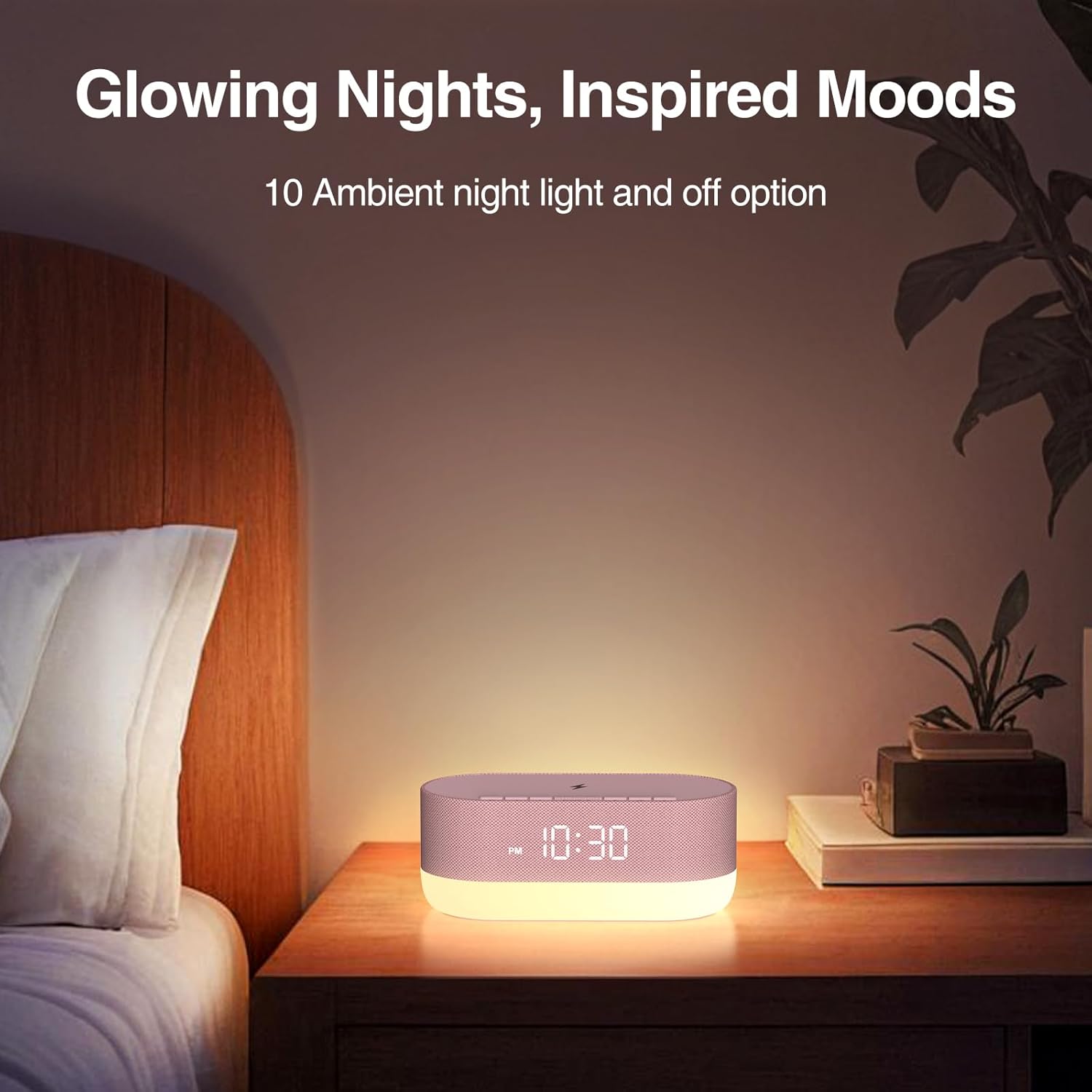
Figure 5.4.1: Night Light in Use. The sound machine illuminates a bedroom with a soft glow, demonstrating its function as a night light on a bedside table.

Figure 5.4.2: 10 Night Light Modes. This image illustrates the different color and intensity options for the night light, showcasing the customizable ambiance it provides.
5.5 Bluetooth Speaker Mode
The dual Bluetooth speakers provide high-fidelity audio. To pair your device:
- Press the 'BT' button on the top panel to enter Bluetooth pairing mode. The Bluetooth indicator on the display will flash.
- On your smartphone or other Bluetooth-enabled device, search for 'HOUSBAY TS3P' (or similar) in the Bluetooth settings and select it to pair.
- Once paired, the Bluetooth indicator will stop flashing and remain solid. You can now play audio from your device through the sound machine.

Figure 5.5.1: Dual Bluetooth Speakers. A graphic representation of the dual speaker system, emphasizing its capability to deliver stereo sound.
5.6 Wireless Charging
The top surface of the sound machine features a 10W wireless charging pad. To charge your compatible device:
- Place your Qi-compatible smartphone directly on the charging pad, aligning it with the charging symbol.
- The charging indicator on the display will illuminate to confirm charging has begun.
- Ensure no foreign objects (like metal plates or magnetic cards) are between your phone and the charging pad, as this may interfere with charging.
Compatible Devices:
- iPhone: iPhone 8 and newer (e.g., iPhone 8, 8 Plus, X, XR, XS, XS Max, 11, 11 Pro, 11 Pro Max, SE (2nd gen), 12 series, 13 series, 14 series, 15 series, 16 series, 17 series).
- Samsung: Galaxy S Series (S6 and newer), Galaxy Note Series (Note 5 and newer), Galaxy Z Series (Fold and newer), Selected Galaxy A Series (A50, A70, A80, A90 5G, A51 5G, A71 5G), Selected Galaxy M Series (M31s, M51).
- Other Brands: Google Pixel 3 and newer, LG (USA model only: G7 ThinQ, V30, V35, V40, V50, V60), Sony Xp.

Figure 5.6.1: Wireless Charging in Action. A smartphone is placed on top of the sound machine, showing the wireless charging feature in use.

Figure 5.6.2: 10W Wireless Charger. This image highlights the 10W wireless charging feature, showing a phone being charged on the device's top surface.
6. Product Demonstrations
Watch these official seller videos for visual demonstrations of the HOUSBAY Sound Machine's features and functionality.
Video 6.1: The Perfect Bedside Alarm Clock (So Many Features). This video provides a detailed overview of the alarm clock's various features, including time display, dimming options, night light colors, alarm settings, sound choices, and wireless charging capabilities.
Video 6.2: Everything You Need To Know - Watch Before Buying! A comprehensive demonstration covering the sound machine's features, including sound options, Bluetooth connectivity, and the wireless charging function, offering practical insights into its daily use.
Video 6.3: HOW IS IT? Sound machine alarm clock DEMO + REVIEW. This video showcases the sound machine's unboxing, setup process, time and alarm setting, sound options, Bluetooth pairing, and the dimmable display, providing a full user experience perspective.
Video 6.4: All in one sound machine on a budget!! great gift idea! A quick demonstration of the sound machine's features, including its sound quality, Bluetooth connectivity, night light options, and wireless charging, highlighting its value and versatility.
Video 6.5: Has many cool features. More than just an alarm clock. This video focuses on the various functionalities beyond a standard alarm clock, such as the adjustable light settings, sound options, and wireless charging, showcasing its multi-purpose design.
Video 6.6: This thing is awesome! A brief but enthusiastic overview of the sound machine, highlighting its key features like sound quality, Bluetooth, night light, and wireless charging, emphasizing user satisfaction.
7. Troubleshooting Guide
If you encounter any issues with your HOUSBAY Sound Machine, please refer to the following common problems and solutions:
| Problem | Possible Cause | Solution |
|---|---|---|
| Wireless charging not working or intermittent. | Phone not aligned correctly; phone case too thick; foreign objects on pad; device not powered. | Ensure phone is centered on the charging pad. Remove thick phone cases or metal objects. Verify the device is plugged in and powered on. Try unplugging and replugging the device. |
| Clock loses time or displays incorrect time. | Power interruption; battery backup not active or depleted. | Ensure the device is continuously powered. If it has a battery backup, check if the battery tab was removed or if the battery needs replacement (if applicable). Reset the time manually. |
| Display is too bright or too dim at night. | Display brightness setting needs adjustment. | Use the Display Dimmer dial on the back panel to adjust the brightness to your preference. |
| Night light does not turn off completely. | Still in a low brightness mode. | Press the 'Light' button repeatedly to cycle through all modes until it turns off, or press and hold the 'Light' button to switch it off. |
| Alarm light turns on with audio, cannot disable light. | Integrated alarm feature. | The alarm light is designed to activate with the audio. You can adjust the night light brightness to a lower setting to minimize light output during the alarm. |
8. Product Specifications
| Feature | Detail |
|---|---|
| Product Dimensions | 7.67 x 3.7 x 3 inches |
| Weight | 1.68 Pounds |
| Power Source | Battery Powered (with AC adapter) |
| Connector Type | USB |
| Sound Tracks | 21 (including white noise, fan, nature sounds) |
| Alarm Sounds | 5 |
| Night Light Modes | 10 (with 15 brightness levels) |
| Wireless Charging Output | 10W |
| Material Type | Plastic |
| Manufacturer | HOUSBAY |
| Model Number | TS3P |
9. Important Safety Instructions
To ensure safe operation and prevent damage, please adhere to the following guidelines:
- For indoor use only. Do not use near water or in damp areas.
- Do not open the device; risk of electric shock.
- Not a toy; keep out of reach of children.
- Prolonged use at high volume may cause damage to hearing.
- Unplug from the outlet when not in use or during electrical storms.
- Ensure proper ventilation around the device.
10. Warranty and Customer Support
HOUSBAY products are manufactured to the highest quality standards. For any questions, concerns, or warranty inquiries, please contact HOUSBAY customer support through the retailer's platform or the official HOUSBAY website. Please retain your proof of purchase for warranty claims.


