Product Overview
The Tera EV Type 2 11 KW Electric Vehicle Charger is a home charging station designed for electric vehicles (EV) and plug-in hybrid electric vehicles (PHEV). It features a Wallbox design with a cable holder and a three-phase charging cable with a CEE 16 A 5-pin plug, measuring 6.5 meters in length.
Key features include:
- Integrated protection against electrical fault currents, including DC 6 mA and external Type A automatic protection switch, enhancing system safety and reducing risk of electric shock or fire.
- Manual reservation function via two touch buttons on the screen, allowing adjustment of current intensity and reservation time.
- Robust and efficient design with a reinforced cable supporting a maximum current of 16 A.
- Certified according to CE and TÜV standards, ensuring high safety.
- Cable composed of over 99.5% copper for excellent conductivity, fast charging, waterproof properties, and minimal heat generation.
- Adaptive charging power to prevent overloads and protect the vehicle battery.
- Space-saving cable support for organized charging area.
- User-friendly design with LED indicators for charging status and error signals.
- IP54 waterproof rating, suitable for all weather conditions, and resistant to temperatures from -30 °C to 50 °C.
Package Contents

Image: The package contents of the Tera EV Charger, including the charger unit, user manual, mounting plate, screw set, and cable hook.
The Tera EV Charger package includes the following items:
- 1 x Tera A04 11 kW 16 A EV Charger with 6.5m CEE Plug
- 1 x Type 2 Charging Connector
- 1 x Mounting Template
- 1 x Set of Mounting Screws
- 1 x Cable Holder
- 1 x User Manual (in German and English)
Setup and Installation
The Tera EV Charger is designed for easy installation. Follow these steps for proper setup:
- Choose a Location: Select a suitable location for mounting the Wallbox, preferably near your vehicle's parking spot and a compatible power outlet (CEE 16A 5-pin). Ensure the location is protected from direct impact and allows for proper cable management. The unit has an IP54 rating, making it suitable for outdoor use.
- Mount the Wallbox: Use the provided mounting template to mark the drilling points on the wall. Drill the holes and secure the mounting plate using the included screws. Attach the EV charger unit to the mounting plate.
- Connect to Power: Plug the CEE 16A 5-pin charging cable into a compatible power source. Ensure the power source meets the charger's requirements (400V, 16A).
- Install Cable Holder: Mount the cable holder near the charger to neatly store the charging cable when not in use. This helps keep the charging area tidy and prevents cable damage.
- Initial Check: Once installed, the LED indicators on the charger will provide feedback on its status.

Image: The Tera EV charger unit, showing the Type 2 connector, CEE 16A 5-pin plug, and the included cable holder, illustrating the components for setup.
Operating Instructions
The Tera EV Charger features a user-friendly interface for managing your charging sessions.
- Initiate Charging: Connect the Type 2 charging connector to your electric vehicle's charging port. The charger will automatically detect the connection.
- Start Charging: Charging typically begins automatically once connected. The integrated LED indicators will show the charging status.
- Adjust Current (Optional): Use the touch buttons on the screen to adjust the charging current. You can set the current intensity from 8 A to 16 A to suit your needs or vehicle's requirements.
- Schedule Charging (Optional): The charger supports manual reservation. Use the touch buttons to set a reservation time from 1 hour to 12 hours. This allows you to schedule charging sessions for off-peak hours or when convenient.
- Monitor Charging: The display on the charger provides real-time information, and the LED indicators offer a clear visual of the operational status.
- End Charging: Disconnect the Type 2 connector from your vehicle once charging is complete or when you wish to stop.

Image: A close-up of the Tera EV charger's touch screen, demonstrating the options for current adjustment (8A, 10A, 12A, 16A) and schedule charging (1-12 hours).
Note on Charging Speed:

Image: A graphic illustrating the speed of 11kW fast charging, showing it is 3 times faster than a standard plug, with a comparison graph of kilometers per hour charged.
With a maximum power of 11 kW, maximum current of 16 A, and maximum voltage of 400 V, the Tera A04 EV charging station is designed to charge vehicles significantly faster than conventional charging methods.
Maintenance and Care
To ensure the longevity and optimal performance of your Tera EV Charger, follow these maintenance guidelines:
- Regular Cleaning: Periodically wipe down the exterior of the charger and the cable with a soft, damp cloth. Avoid using harsh chemicals or abrasive materials that could damage the surface.
- Cable Inspection: Regularly inspect the charging cable and connectors for any signs of wear, damage, or fraying. If any damage is observed, discontinue use and contact support.
- Environmental Protection: The charger has an IP54 waterproof and dustproof rating, allowing for worry-free use in various weather conditions. However, avoid submerging the unit in water.
- Temperature Range: The unit is designed to operate reliably in temperatures ranging from -30 °C to 50 °C. Ensure it is not exposed to extreme temperatures outside this range for prolonged periods.
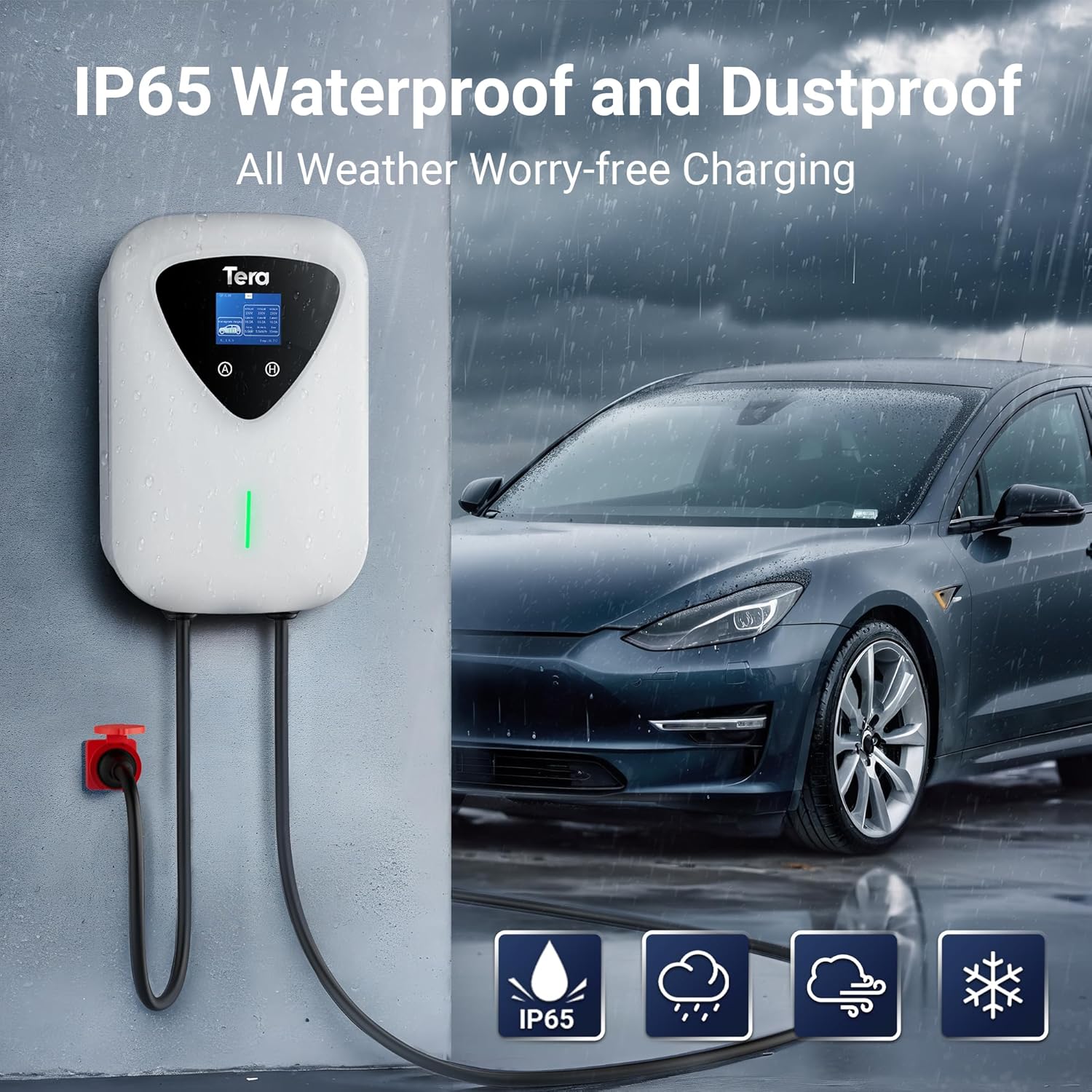
Image: The Tera EV charger installed outdoors in rainy conditions, highlighting its IP65 waterproof and dustproof capabilities for all-weather use.
Troubleshooting
If you encounter issues with your Tera EV Charger, refer to the following common problems and solutions:
- No Power/No Indicator Lights:
- Check the power connection to the CEE 16A 5-pin plug.
- Ensure the circuit breaker supplying power to the charger is not tripped.
- Charging Not Initiating:
- Ensure the Type 2 connector is securely plugged into the vehicle's charging port.
- Check if the vehicle's charging system is active and ready to receive power.
- Verify that no error codes are displayed on the charger's screen.
- Error Indication:
- The integrated LED indicators will signal potential errors. Consult the user manual for specific error code interpretations.
- The charger has built-in protections (Overvoltage, Undervoltage, Overload, Overtemperature, Ground, Earth Leakage, Short Circuit Protection). If an error occurs, these protections may have been activated.
- The charger can adapt charging power to avoid overloads and protect the battery. If an overload is detected, it may temporarily stop charging.
- Slow Charging:
- Check the current intensity setting on the charger's screen. Ensure it is set to the desired level (up to 16 A).
- Verify that your vehicle supports the 11 kW charging rate.
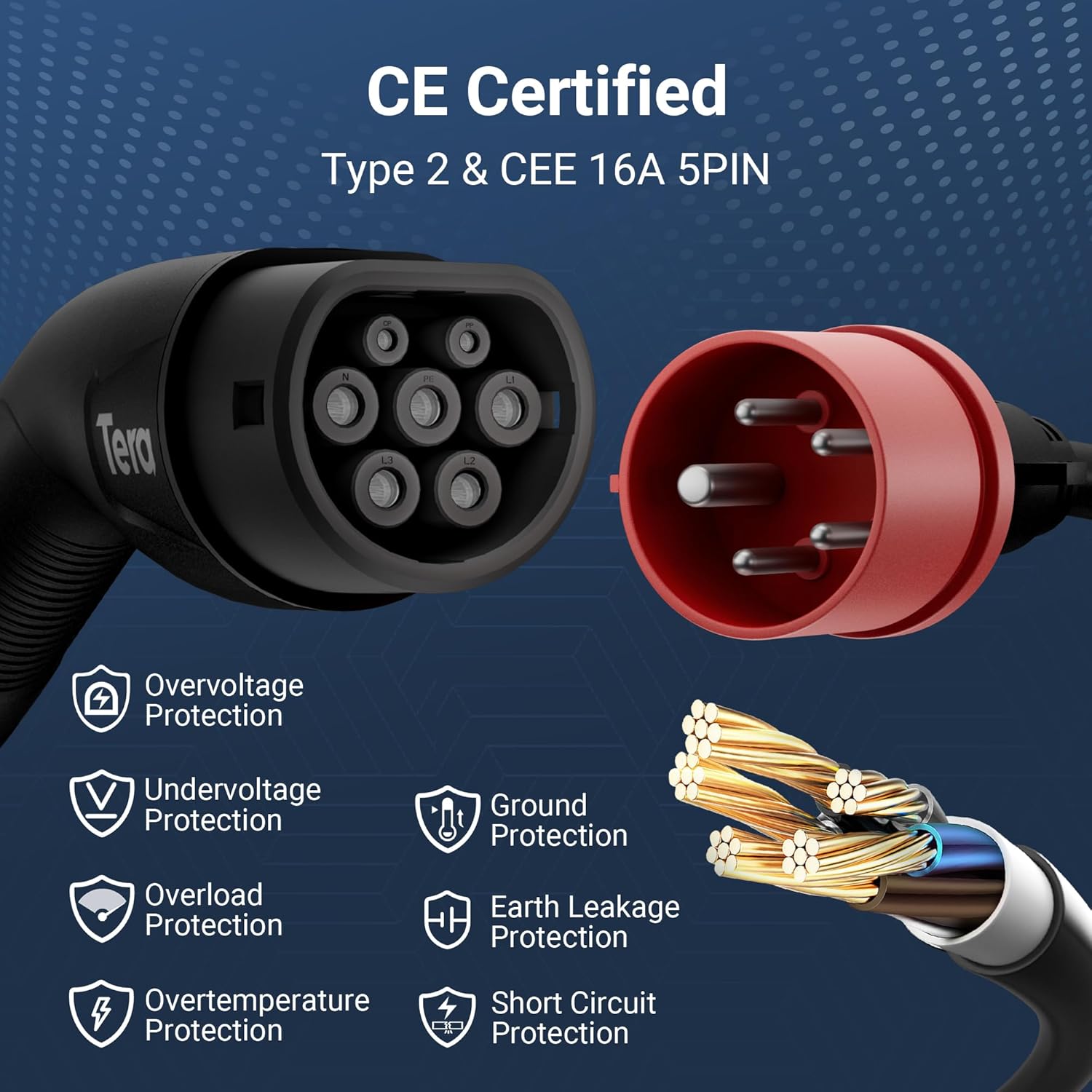
Image: A visual representation of the Tera EV charger's safety features, including CE certification, Type 2 and CEE 16A 5PIN compatibility, and icons for Overvoltage, Undervoltage, Overload, Overtemperature, Ground, Earth Leakage, and Short Circuit Protection.
If the problem persists after attempting these solutions, please contact customer support.
Specifications
| Feature | Specification |
|---|---|
| Brand | Tera |
| Model Number | TE-A04-WT |
| Product Dimensions | 30D x 9W x 15H cm |
| Input Voltage | 400 Volts |
| Output Voltage | 400 Volts |
| Current Rating | 16 A |
| Maximum Power | 11 kW |
| Cable Length | 6.5 meters |
| Connector Type | Type 2 (Vehicle), CEE 16A 5-pin (Power Source) |
| Waterproof Rating | IP54 |
| Operating Temperature | -30 °C to 50 °C |
| Certifications | CE, TÜV |
| Date First Available | July 29, 2024 |
Warranty and Support
All product certificates are included with your Tera EV Charger, ensuring compliance and quality.
For any assistance, questions, or troubleshooting beyond the scope of this manual, please do not hesitate to contact Tera customer support. Refer to the contact information provided in the included user manual or visit the official Tera website for support details.


