
Introduction
This manual provides detailed instructions for the safe and efficient use of your BENKS ArmorGo MP15 5000mAh Magnetic Portable Charger. Please read this manual thoroughly before operating the device and retain it for future reference.
The BENKS ArmorGo MP15 is a compact and lightweight magnetic power bank designed for convenient wireless and wired charging of compatible devices. It features a durable aramid fiber texture and N54 powerful magnets for secure attachment.
What's in the Box
Verify that all items are present in the package:
- 1x BENKS ArmorGo MP15 Magnetic Portable Charger (5000mAh)
- 1x USB-A to USB-C Charging Cable
- 1x User Manual
Product Overview
The BENKS ArmorGo MP15 is engineered for portability and performance. Key features include:
- Durable Construction: Crafted with 600D aramid fiber for enhanced durability and a premium tactile experience.
- Efficient Charging: Incorporates cool metal material for effective heat dissipation, supporting safe and fast charging.
- Secure Magnetic Attachment: Equipped with N54 magnets for a strong and precise connection to compatible devices, ensuring stable wireless charging.
- Ultra-Compact Design: With a slim profile of 0.34 inches and a weight of 4.3 ounces, it is designed for easy portability.

Image: The BENKS ArmorGo Power Bank, highlighting its durable yet lightweight design.

Image: Detail of the 600D Aramid Fiber material, emphasizing its unyielding durability.
Setup
Initial Charging of the Power Bank
- Connect the provided USB-A to USB-C charging cable to the USB-C port on the BENKS ArmorGo MP15.
- Plug the USB-A end of the cable into a compatible USB power adapter (not included).
- The LED indicators on the power bank will illuminate to show the charging status. Allow the power bank to fully charge before first use.

Image: Illustration demonstrating both wireless and wired charging capabilities of the power bank.
Operating Instructions
Charging Your Device Wirelessly (Magnetic)
- Ensure your device is compatible with magnetic wireless charging (e.g., iPhone 12 series and newer).
- Align the BENKS ArmorGo MP15 with the back of your compatible device. The N54 magnets will securely attach the power bank.
- Wireless charging will begin automatically. The power bank supports a maximum wireless output of 15W.

Image: The BENKS ArmorGo power bank magnetically attached to an iPhone, held in a user's hand.

Image: A visual representation of the precise magnetic alignment for optimal wireless charging.
Charging Your Device via USB-C Cable (Wired)
- Connect one end of a USB-C charging cable (the included cable or another compatible cable) to the USB-C port on the BENKS ArmorGo MP15.
- Connect the other end of the cable to your device's charging port.
- Wired charging will commence. The power bank supports a maximum wired output of 22.5W.

Image: Demonstrates versatile power solutions, including both wireless and wired charging options.
LED Indicator Status
The LED lights on the power bank indicate the remaining battery level and charging status:
- Solid LEDs: Indicate remaining battery capacity.
- Flashing LEDs: Indicate the power bank is currently charging.
- All LEDs off: Power bank is fully discharged or not in use.
Maintenance
- Cleaning: Use a soft, dry cloth to clean the surface of the power bank. Avoid liquid cleaners or abrasive materials.
- Storage: Store the power bank in a cool, dry place away from direct sunlight and extreme temperatures.
- Battery Care: To prolong battery life, fully charge the power bank at least once every three months if not in regular use.
- Avoid Damage: Do not drop, disassemble, or attempt to repair the device yourself.
Troubleshooting
- Power bank is not charging:
- Ensure the charging cable is securely connected to both the power bank and the power adapter. Verify the power adapter is functioning correctly and connected to a live power outlet.
- Device is not charging from the power bank:
- For wireless charging, ensure your device is compatible and properly aligned with the power bank. Remove any thick cases that might interfere with magnetic or wireless charging. For wired charging, ensure the cable is securely connected to both the power bank and your device. Check if the power bank has sufficient charge.
- Slow charging speed:
- Ensure you are using a compatible fast-charging adapter for the power bank and a compatible cable for your device. Wireless charging speeds can vary based on device compatibility and environmental factors.
- Power bank becomes warm during use:
- It is normal for the power bank to generate some heat during charging or discharging. If the device becomes excessively hot to the touch, disconnect it immediately and allow it to cool down. Ensure proper ventilation and avoid charging in confined spaces. If overheating persists, discontinue use and contact customer support.
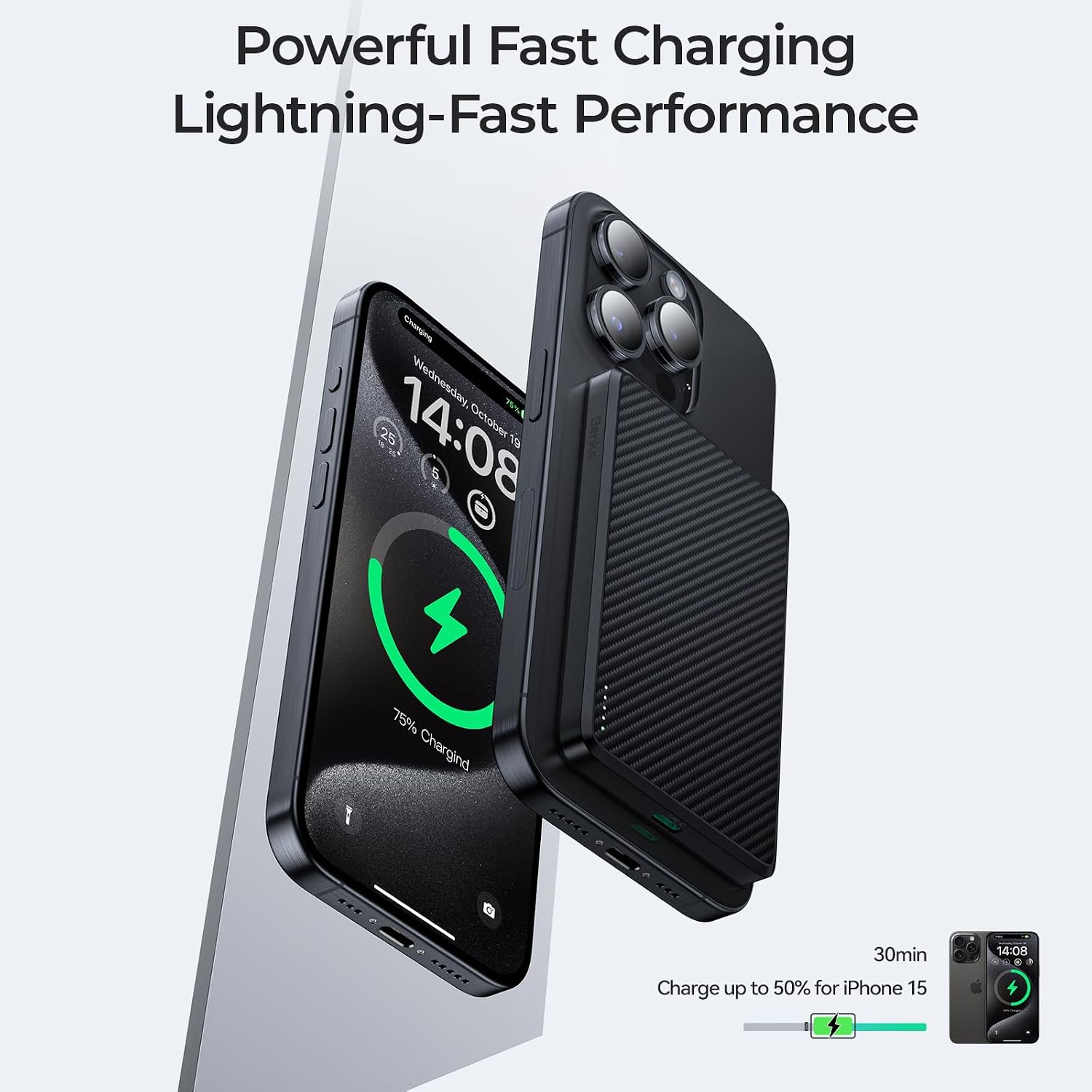
Image: A visual representation of fast charging in progress, showing a device charging rapidly.
Specifications
| Feature | Detail |
|---|---|
| Model Number | MP15 |
| Battery Capacity | 5000 mAh |
| Rated Capacity | 3000 mAh (5V/2A) |
| Product Dimensions | 0.34 x 2.59 x 4 inches |
| Item Weight | 3.92 ounces |
| Materials | ABS + Aluminum alloy + Aramid Fiber + Magnets |
| Wireless Charging Output | Up to 15W |
| Wired Charging Output | Up to 22.5W |
| Connector Type | USB Type C |

Image: A comprehensive table outlining the technical specifications of the power bank.
Safety Information
Please observe the following safety precautions:
- Do not expose the power bank to water, moisture, or extreme temperatures.
- Avoid dropping, puncturing, or disassembling the device.
- Keep out of reach of children.
- Do not use if the power bank is damaged or swollen.
- Dispose of the power bank responsibly according to local regulations.
Warranty and Support
Your BENKS ArmorGo MP15 Magnetic Portable Charger comes with a 12-month warranty from the date of purchase.
For customer support, technical assistance, or warranty claims, please contact BENKS customer service:
- Email: vip-service@benks.com
- Online Support: Visit the official BENKS website or Amazon store page for additional resources.
BENKS is dedicated to ensuring your satisfaction and offers hassle-free returns or replacements for any issues encountered.
