
WEWARM HT1159N
WEWARM Infrared 1500W Space Heater HT1159N User Manual
Model: HT1159N
1. Important Safety Instructions
Please read all instructions carefully before using this heater. Failure to follow these instructions may result in fire, electric shock, or injury.
- Always plug heaters directly into a wall outlet/receptacle. Never use with an extension cord or relocatable power tap (outlet/power strip).
- This heater is hot when in use. To avoid burns, do not let bare skin touch hot surfaces.
- Extreme caution is necessary when any heater is used by or near children or invalids and whenever the heater is left operating and unattended.
- Do not operate any heater with a damaged cord or plug or after the heater malfunctions, has been dropped or damaged in any manner.
- Do not use outdoors. This heater is intended for indoor use only.
- To disconnect heater, turn controls to OFF, then remove plug from outlet.
- Do not insert or allow foreign objects to enter any ventilation or exhaust opening as this may cause an electric shock or fire, or damage the heater.
- To prevent a possible fire, do not block air intakes or exhaust in any manner. Do not use on soft surfaces, like a bed, where openings may become blocked.
- This heater has overheat protection and tip-over safety shutoff mechanisms. If the heater overheats or tips over, it will automatically shut off.
- The exterior cabinet is designed to be cool-touch, but caution is still advised.
- Engage the child safety lock when children or pets are present.
2. Product Overview
The WEWARM Infrared 1500W Space Heater HT1159N is designed to provide efficient and consistent heating for indoor spaces. It features multiple heat settings, safety mechanisms, and convenient controls.

Image 2.1: Front view of the WEWARM Infrared Space Heater HT1159N with its remote control.
Key Features:
- 3 Heat Settings: Choose between 750W (Low), 1500W (High), and ECO mode for optimal comfort and energy efficiency.
- Infrared Quartz Elements: Equipped with four infrared quartz elements for rapid and consistent heat distribution.
- Safety Protections: Includes overheat protection, tip-over safety shutoff, cool-touch exterior, and a child safety lock.
- Programmable Timer: A 12-hour timer allows for automatic shut-off at a desired time.
- Convenient Controls: Features a thermostat control system and an included remote control for easy adjustments.
- Mobility: Integrated wheels allow for effortless movement between rooms.
- Compact Design: Can be used as a standalone heater or positioned as a bedside table.

Image 2.2: Visual summary of the heater's main features and benefits.
3. Setup
The WEWARM Infrared Space Heater HT1159N requires minimal setup before first use.
Unpacking and Placement:
- Carefully remove the heater from its packaging. Retain packaging for future storage.
- Place the heater on a firm, level surface. Ensure there are no obstructions within 3 feet (0.9 meters) of the front, top, and sides of the heater.
- Ensure the heater is placed in a location where it cannot be easily tipped over.
- Verify that the power cord is not pinched or damaged.
Power Connection:
- Plug the power cord directly into a 110-Volt, 15-Amp grounded wall outlet. Do not use an extension cord or power strip.
4. Operating Instructions
The heater can be operated using the control panel on the unit or the included remote control.

Image 4.1: Remote control functionality for convenient operation.
Control Panel and Remote Functions:
- Power Button (U): Press to turn the heater ON or OFF.
- Temperature Adjustment (+ / -): Use these buttons to increase or decrease the desired temperature. The temperature range is 50°F to 96°F.
- Mode Button (M): Cycle through the heat settings: High (1500W), Low (750W), and ECO mode.
- Timer Button (T): Press to set the automatic shut-off timer from 1 to 12 hours. Each press increases the timer by one hour.
- Child Lock Button (Lock icon): Press and hold to activate or deactivate the child lock, preventing accidental changes to settings.

Image 4.2: Illustration of the three heat settings: High (1500W), ECO (constant 68°F), and Low (750W).
ECO Mode:
In ECO mode, the heater automatically adjusts its power consumption to maintain a constant temperature of 68°F (20°C), optimizing energy use while providing warmth.
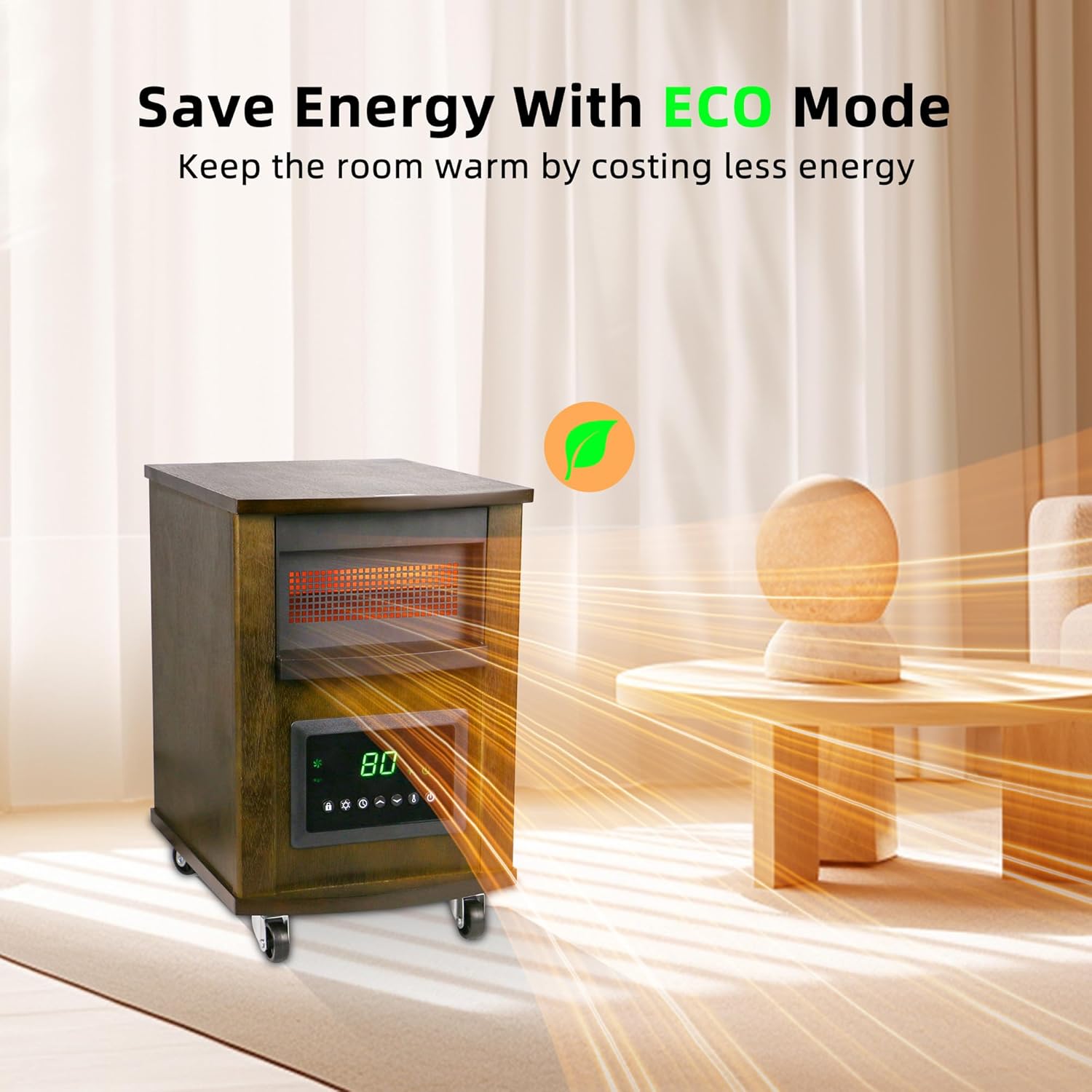
Image 4.3: The heater operating in ECO mode, designed for energy efficiency.
Timer Function:
The 12-hour programmable timer allows you to set the heater to turn off automatically after a specified duration. This is useful for ensuring the heater does not run unnecessarily.

Image 4.4: The 12-hour programmable timer feature.
5. Maintenance
Regular maintenance ensures the longevity and efficient operation of your WEWARM heater.
Cleaning:
- Always unplug the heater and allow it to cool completely before cleaning.
- Use a soft, damp cloth to wipe the exterior surfaces of the heater. Do not use abrasive cleaners or solvents.
- Gently vacuum the air intake and exhaust grilles to remove dust and lint. Do not immerse the heater in water.
Storage:
- When not in use, store the heater in a cool, dry place.
- It is recommended to store the heater in its original packaging to protect it from dust and damage.
6. Troubleshooting
If you experience issues with your heater, refer to the following common problems and solutions:
| Problem | Possible Cause | Solution |
|---|---|---|
| Heater does not turn on. | No power, power cord not plugged in, main power switch off, child lock engaged, tip-over switch activated, overheat protection activated. | Ensure heater is plugged into a live outlet. Check if the main power switch is ON. Deactivate child lock. Place heater on a flat, stable surface. Allow heater to cool down if overheat protection was triggered. |
| Heater blows cold air. | Temperature setting is too low, ECO mode is active and room temperature is above 68°F. | Increase the desired temperature setting. If in ECO mode, switch to High or Low heat setting if you desire a warmer room than 68°F. |
| Heater makes unusual noises. | Dust buildup, loose components. | Unplug and clean the heater, especially the fan and grilles. If noise persists, discontinue use and contact customer support. |
| Remote control not working. | Dead batteries, obstruction between remote and heater. | Replace remote control batteries. Ensure there is a clear line of sight between the remote and the heater's sensor. |
If the problem persists after attempting these solutions, please contact WEWARM customer support.
7. Specifications
| Feature | Detail |
|---|---|
| Brand | WEWARM |
| Model Number | HT1159N |
| Special Features | Adjustable Temperature, Overheat Protection, Remote Control, Tip-Over Protection, Wheels |
| Form Factor | Cabinet |
| Indoor/Outdoor Usage | Indoor |
| Product Dimensions | 13.11"D x 10.59"W x 14.92"H |
| Recommended Uses | Office, Bedroom, Dining Room, Home Office, Kids Room, Study Room |
| Mounting Type | Tabletop Mount |
| Burner Type | Radiant |
| Fuel Type | Electric |
| Number of Speeds | 3 (High, Low, ECO) |
| Voltage | 110 Volts |
| Amperage | 15 Amps |
| Min Temperature Setting | 50 Degrees Fahrenheit |
| Max Temperature Setting | 96 Degrees Fahrenheit |
| Item Weight | 15.54 pounds |

Image 7.1: Physical dimensions and weight of the heater.
8. Warranty and Support
For warranty information or technical support, please contact WEWARM customer service. Keep your purchase receipt as proof of purchase.
- Brand: WEWARM
- Model: HT1159N
- For assistance, please refer to the contact information provided with your product packaging or visit the official WEWARM website.
Related documentsHT1159N


Ask a question about this manual
Ask about setup, troubleshooting, compatibility, parts, safety, or missing instructions. Manuals+ will review the question and use this page’s manual context to help answer it.