
Introduction
The Voistek USB Dual Ear Headset is designed for clear and balanced audio communication, ideal for professional and personal use. Featuring a noise-canceling microphone and versatile connectivity options, it ensures high-quality sound for calls, online meetings, and multimedia. Its lightweight design and adjustable features provide comfort for extended wear.
Key features include:
- Clear & Balanced Sound: Equipped with 30mm audio drivers for natural sound.
- 330° Rotatable Noise-Canceling Mic: Flexible microphone with noise reduction for crisp voice clarity.
- Lightweight All-Day Comfort: Soft ear cushions and adjustable headband for extended wear.
- 3-in-1 Universal Connectivity: Includes USB-C, USB-A, and 3.5mm jack for broad compatibility.
- Work-Ready Versatility: Perfect for online meetings, virtual classes, customer support, and teleconferencing.
What's in the Box
Your Voistek USB Dual Ear Headset package includes the following items:
- Headset
- User Manual
- USB/USB-C Adapter
Video: Unboxing and overview of the Voistek USB Headset for PC Laptop, demonstrating included components and initial setup.
Setup & Connectivity
Follow these steps to set up and connect your Voistek USB Dual Ear Headset:
- Wearing the Headset: Adjust the headband for a comfortable fit. The microphone boom can be rotated 330° to be worn on either the left or right ear. Position the microphone approximately 2cm (3/4") from your mouth for optimal voice pickup.
- Connecting to your Device: The headset offers multiple connectivity options:
- 3.5mm Jack: Connect the 3.5mm plug directly to your smartphone, tablet, or PC with a single 3.5mm headset port.
- USB-A: Use the included USB-A adapter to connect to a computer's USB port.
- USB-C: Use the included USB-C adapter to connect to a device's USB-C port.
- Plug and Play: The headset is designed for plug-and-play functionality with Windows, macOS, and Android systems, requiring no additional driver installation.
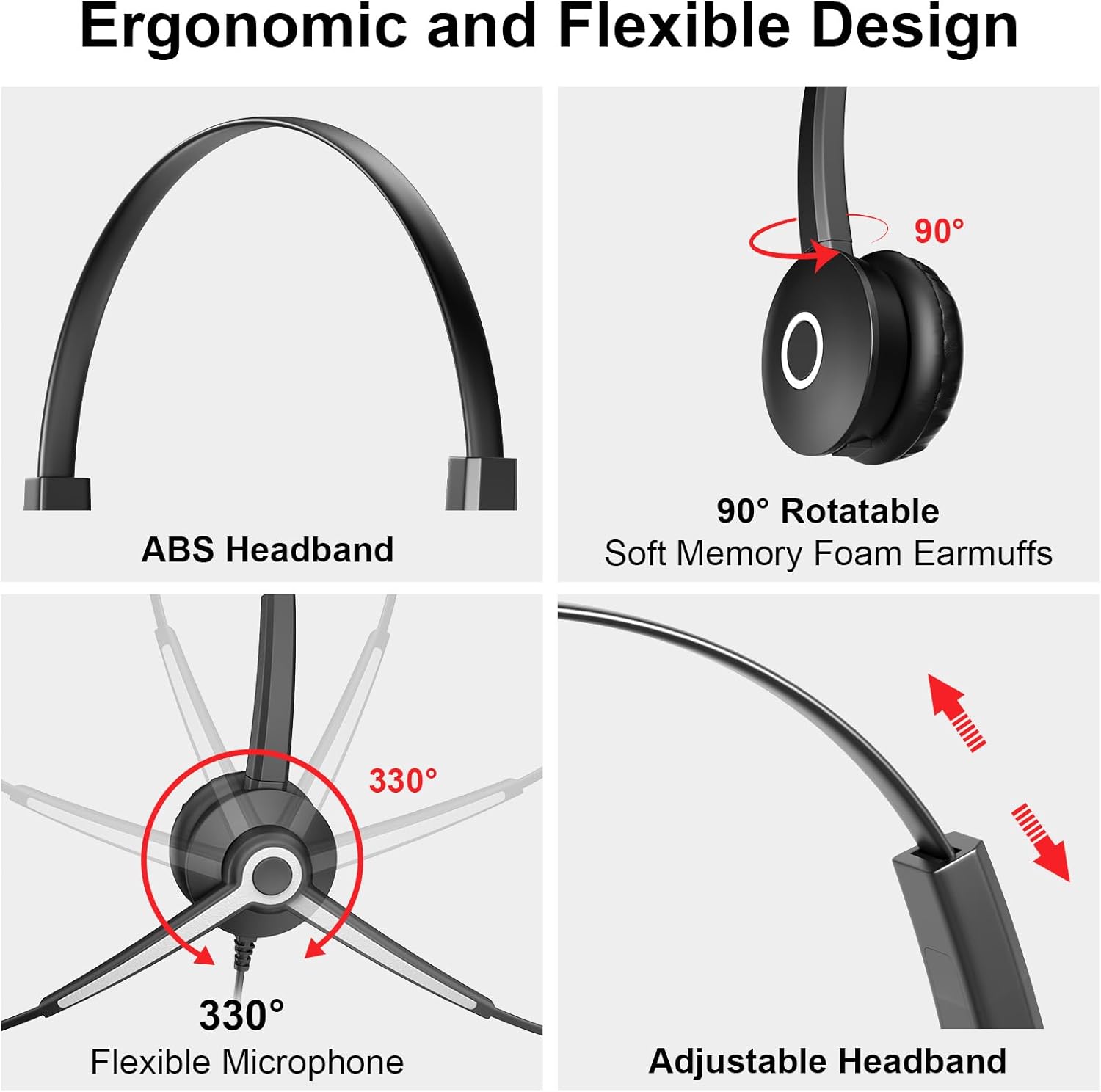
Image: This image illustrates the ergonomic and flexible design of the Voistek headset, highlighting the adjustable ABS headband, 90° rotatable soft memory foam earmuffs, and the 330° flexible microphone for optimal positioning.

Image: This image shows the Voistek USB headset connected to a laptop, emphasizing its plug-and-play compatibility with various operating systems like Windows and Mac, making it easy to use for different devices.
Operating Instructions
The in-line control unit provides convenient access to essential functions:
- Volume Control: Use the '+' and '-' buttons to adjust the listening volume.
- Speaker Mute: Press the speaker mute button to silence audio output.
- Microphone Mute: Press the microphone mute button to disable the microphone. A red light indicates that the microphone is muted.

Image: This image details the easy button controls on the in-line remote, showing buttons for mute (speaker), volume up (+), volume down (-), microphone mute, and a mic mute active light, along with the USB plug.
Maintenance
To ensure the longevity and optimal performance of your headset:
- Clean the ear cushions and microphone foam regularly with a soft, dry cloth.
- Avoid exposing the headset to extreme temperatures, humidity, or direct sunlight.
- Store the headset in a clean, dry place when not in use.
- Do not attempt to disassemble or repair the headset yourself, as this may void the warranty.
Troubleshooting
If you encounter issues with your headset, try the following solutions:
- No Sound/Microphone Not Working:
- Ensure the headset is securely connected to the correct port (USB, USB-C, or 3.5mm).
- Check the volume levels on both the in-line control unit and your device.
- Verify that the speaker and microphone mute functions are not activated.
- Test the headset with a different device to rule out device-specific issues.
- Poor Sound Quality:
- Ensure the microphone is positioned correctly, about 2cm from your mouth.
- Check for any physical damage to the cables or connectors.
- Adjust the microphone boom to avoid picking up excessive background noise.
Specifications
| Feature | Detail |
|---|---|
| Model Name | Dual Ear |
| Connectivity Technology | Wired |
| Headphones Jack | 3.5 mm; USB; USB-C |
| Noise Control | Passive Noise Cancellation |
| Frequency Response | 20 KHz |
| Sensitivity | 117 dB |
| Impedance | 32 Ohms |
| Audio Driver Size | 30 Millimeters |
| Material | Acrylonitrile Butadiene Styrene (ABS), Aluminum, Faux Leather |
| Item Weight | 6.7 ounces |
| Product Dimensions | 5.12 x 1.97 x 6.3 inches |
Warranty & Support
Voistek products are designed for reliability and performance. For warranty information or technical support, please refer to the contact details provided in the packaging or visit the official Voistek website. Keep your purchase receipt as proof of purchase for any warranty claims.