
iKF iKF Alive
iKF Alive Wireless Noise-Cancelling Neckband Earphones User Manual
Model: iKF Alive
1. Product Overview
The iKF Alive Wireless Noise-Cancelling Neckband Earphones offer an immersive audio experience with advanced features. Designed for comfort and durability, these earphones are suitable for daily use, sports, and gaming.
- Active Noise Cancellation: Up to -49dB noise reduction for undisturbed listening.
- Magnetic Neckband Design: Prevents loss and offers convenient storage.
- IPX5 Waterproof: Resistant to sweat and rain, ideal for workouts.
- Extended Playtime: Up to 20 hours of playback (16 hours with ANC).
- HiFi Stereo Sound: Equipped with 13mm composite speakers for superior audio quality.
- Low Latency Mode: Ensures seamless audio synchronization for gaming and videos.
- Multipoint Connection: Connects to two devices simultaneously for easy switching.

Figure 1: iKF Alive Wireless Noise-Cancelling Neckband Earphones.
2. What's in the Box
Please check the package contents upon unboxing:
- iKF Alive Earphones x 1
- USB Charging Cable x 1
- User Manual x 1
3. Setup
3.1 Charging the Earphones
Before first use, fully charge the earphones. A full charge takes approximately 1.5 hours.
- Connect the provided USB charging cable to the charging port on the neckband and a power source.
- The LED indicator will show charging status.
- Once fully charged, the earphones provide up to 20 hours of playtime (16 hours with Active Noise Cancellation enabled).

Figure 2: Battery life and charging indication.
3.2 Bluetooth Pairing
The iKF Alive earphones use Bluetooth 5.4 for stable connectivity.
- Ensure the earphones are charged and powered off.
- Press and hold the multi-function button until the LED indicator flashes blue and red, indicating pairing mode.
- On your device (smartphone, tablet, etc.), enable Bluetooth and search for available devices.
- Select "iKF Alive" from the list of devices to connect.
- Once connected, the LED indicator will turn solid blue.
3.3 Multipoint Connection
The earphones support connecting to two devices simultaneously.
- Pair the earphones with the first device as described above.
- Disable Bluetooth on the first device.
- Put the earphones back into pairing mode and connect to the second device.
- Re-enable Bluetooth on the first device. The earphones should automatically connect to both devices.

Figure 3: Multipoint connection via the iKF App.
4. Operating Instructions
4.1 Basic Controls
The earphones feature a 3-button control panel on the neckband for easy management of music and calls.
- Power On/Off: Press and hold the multi-function button.
- Play/Pause: Single press the multi-function button.
- Volume Up/Down: Press the '+' or '-' buttons.
- Next/Previous Track: Long press the '+' or '-' buttons.
- Answer/End Call: Single press the multi-function button.
- Reject Call: Long press the multi-function button.
- Activate Voice Assistant: Double press the multi-function button.
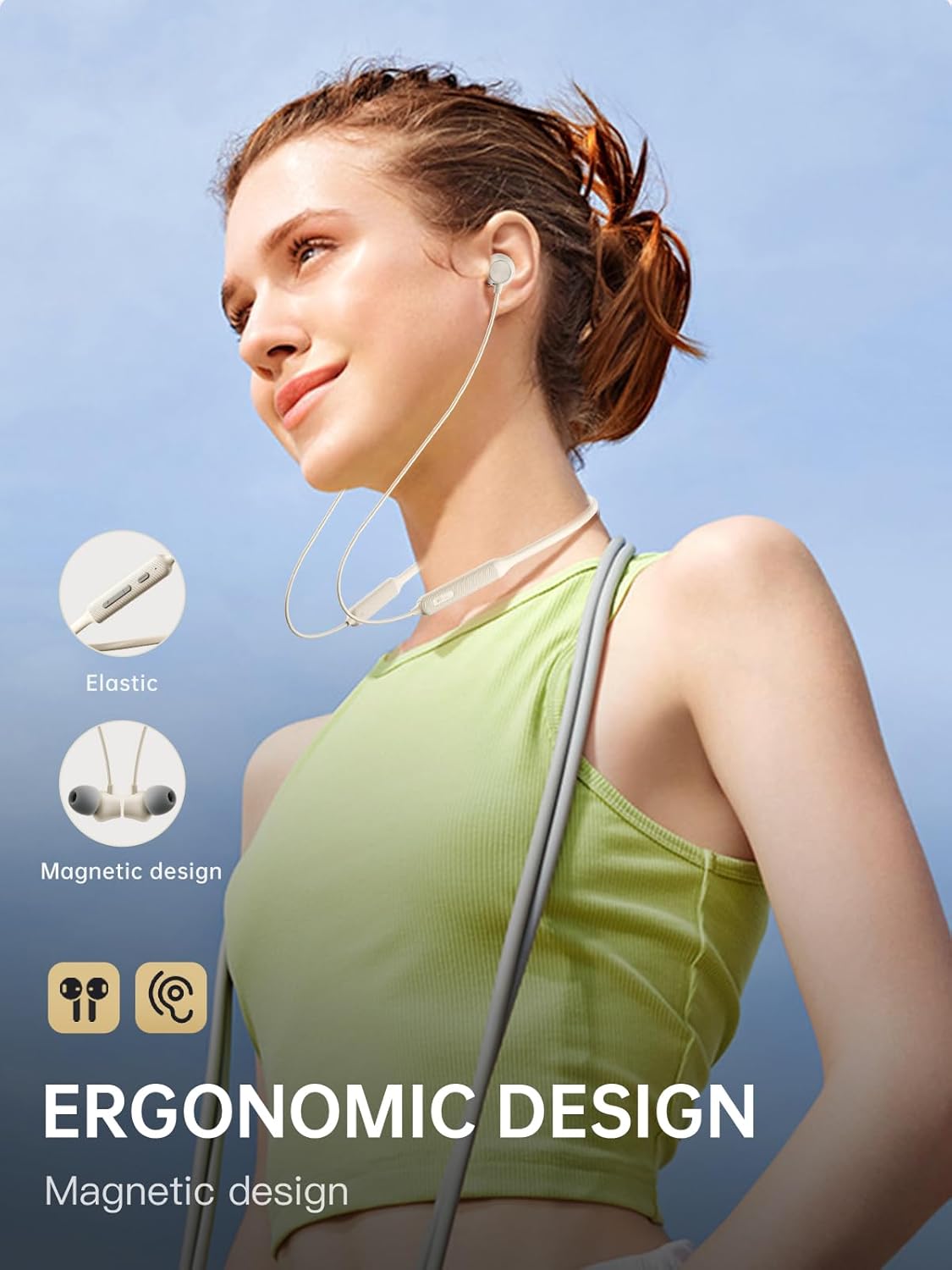
Figure 4: Ergonomic design and magnetic earbud feature.
4.2 Active Noise Cancellation (ANC)
The iKF Alive earphones feature up to -49dB Active Noise Cancellation to minimize ambient noise.
- Toggle ANC: Use the dedicated ANC button on the neckband or control via the iKF App.
- The iKF App allows for three adjustable noise reduction gears to suit different environments.

Figure 5: Active Noise Cancellation in action.
4.3 HiFi Stereo Sound and Low Latency
Experience high-fidelity audio and seamless synchronization.
- The 13mm composite speakers deliver rich, detailed HiFi stereo sound.
- Activate the low latency mode (38ms) for gaming and video streaming to ensure audio and visuals are perfectly synchronized.

Figure 6: Internal structure of the 13mm HiFi speaker driver.
4.4 iKF App Control
Enhance your experience with the iKF App, available for both Android and iOS devices.
- Customize noise cancellation levels.
- Access headphone positioning features.
- Manage in-ear detection settings.
- Configure sleep mode and custom touch controls.
5. Maintenance
5.1 Water Resistance
The iKF Alive earphones are IPX5 waterproof, providing protection against sweat and light rain.
- Avoid submerging the earphones in water.
- Ensure the charging port cover is securely closed to prevent water ingress.
- Wipe off any sweat or moisture after use with a soft, dry cloth.

Figure 7: Designed for sports with IPX5 water resistance.
5.2 Cleaning and Storage
- Regularly clean the ear tips and earphone surfaces with a soft, slightly damp cloth.
- Do not use harsh chemicals or abrasive materials.
- Store the earphones in a cool, dry place away from direct sunlight and extreme temperatures.
- The magnetic earbuds help keep the neckband tidy and prevent tangling when not in use.
6. Troubleshooting
If you encounter any issues, please refer to the following common solutions:
| Problem | Possible Solution |
|---|---|
| Earphones do not power on | Ensure the earphones are fully charged. |
| Cannot pair with device | Make sure earphones are in pairing mode (flashing blue/red). Turn off and on Bluetooth on your device. Forget previous pairings and try again. |
| No sound or low volume | Check volume levels on both earphones and connected device. Ensure earphones are properly connected. |
| ANC not working effectively | Ensure ANC is enabled. Adjust ear tips for a secure seal. Clean any debris from the microphone ports. |
| Intermittent connection | Ensure no obstacles between earphones and device. Move closer to the device. Avoid strong electromagnetic interference. |
If the problem persists, please contact customer support.
7. Specifications
| Feature | Detail |
|---|---|
| Model Name | iKF Alive |
| Brand | iKF |
| Connectivity | Wireless (Bluetooth 5.4) |
| Ear Placement | In-Ear |
| Form Factor | Neckband |
| Active Noise Cancellation | Up to -49dB |
| Water Resistance Level | IPX5 |
| Playtime | Up to 20 hours (16 hours with ANC) |
| Charging Time | Approx. 1.5 hours |
| Audio Latency | 38 Milliseconds |
| Driver Type | Dynamic Driver (13mm composite speakers) |
| Impedance | 32 Ohm |
| Control Type | Button, Touch (via App) |
| Special Features | Multipoint Pairing, Noise Cancellation, Fast Charging |
| Compatible Devices | Cellular Phones, Phones |
| Material | Silicone |
8. Warranty and Support
iKF provides a standard warranty for this product. Please refer to the warranty card included in your package for specific terms and conditions.
For technical support, troubleshooting assistance, or warranty claims, please contact iKF customer service through the official website or your retailer.
Ask a question about this manual
Ask about setup, troubleshooting, compatibility, parts, safety, or missing instructions. Manuals+ will review the question and use this page’s manual context to help answer it.