
1. Introduction
The Artmory KTR-4015 is a Transcutaneous Electrical Nerve Stimulator (TENS) designed to provide temporary relief from pain. This device utilizes electrical impulses to stimulate nerves, offering a non-invasive method for pain management. It features customizable modes and intensity levels, along with a convenient wireless remote control for ease of use.
Please read this manual thoroughly before operating the device to ensure safe and effective use. Keep this manual for future reference.
2. Package Contents
Verify that all items are present in the package:
- KTR-4015 Electronic Stimulator x 1
- Batteries x 3
- Remote Control x 1
- User Manual x 1
3. Safety Information
Important: Consult your physician before using this device, especially if you have any pre-existing medical conditions.
- Do not use if you have a pacemaker, implanted defibrillator, or other metallic or electronic implanted devices.
- Do not use if you are pregnant or suspect you might be pregnant.
- Do not use on open wounds, swollen, infected, or inflamed skin areas.
- Do not use near the heart, on the head, face, or throat.
- Do not use while driving, operating machinery, or during any activity where involuntary muscle contractions could put you at risk.
- Keep out of reach of children.
- Discontinue use immediately if you experience any adverse reactions such as skin irritation, discomfort, or pain.
- Use only as directed in this manual.
4. Product Features
- Versatile Modes: Offers 10 distinct modes for tailored therapy, ensuring relief for various needs.
- Adjustable Intensity: Features 0-20 adjustable levels to fine-tune the electric pulse combination according to personal preferences and sensitivity.
- Convenient Remote Control: Wireless remote for effortless device management, allowing adjustment of settings and modes with ease.
- Comfortable Usage: Ergonomic design for use while seated or reclining, providing flexibility for use at home, in the office, or while traveling.
- Simple Operation: Intuitive LCD display for easy-to-read information and straightforward controls.
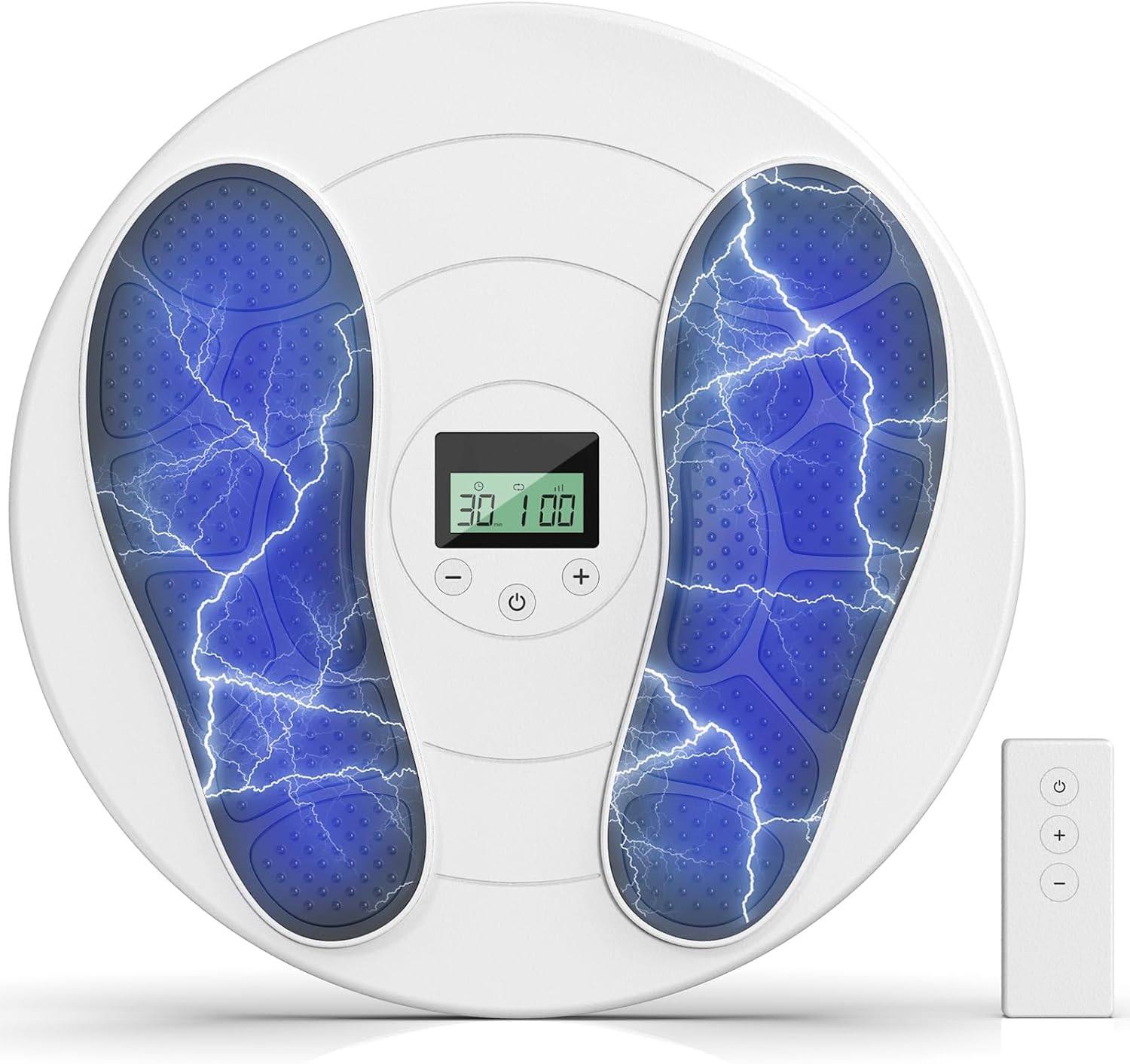
Image: The Artmory KTR-4015 Electronic Stimulator, shown with its main unit, remote control, and clear LCD display.
5. Setup
- Insert Batteries: Open the battery compartment on the main unit and the remote control. Insert the provided batteries, ensuring correct polarity (+/-). Close the compartments securely.
- Prepare Skin: Ensure the skin where electrode pads will be placed is clean, dry, and free of lotions or oils.
- Attach Electrode Pads: Connect the electrode pads to the lead wires (if applicable, not explicitly mentioned but standard for TENS). Then, firmly press the electrode pads onto the desired treatment area on your skin. Ensure good contact for effective stimulation.
6. Operating Instructions
- Power On: Press the Power button on the main unit or the remote control to turn on the device. The LCD display will illuminate.
- Select Mode: Use the 'Mode' button on the main unit or remote control to cycle through the 10 available stimulation modes. Each mode offers a different pulse pattern.
- Adjust Intensity: Use the '+' and '-' buttons on the main unit or remote control to adjust the intensity level. Start at the lowest setting (0) and gradually increase until you feel a comfortable, yet effective, sensation. Do not increase to an uncomfortable level.
- Session Duration: The device may have a pre-set session timer. Monitor the display for remaining time.
- Power Off: After your session, press and hold the Power button to turn off the device. Remove the electrode pads from your skin.
7. Modes and Intensity Adjustment
The KTR-4015 offers 10 distinct modes, each providing a unique combination of electrical impulses. Experiment with different modes to find the one that best suits your comfort and pain relief needs. The intensity can be adjusted from 0 (no sensation) to 20 (maximum intensity). Always begin with the lowest intensity and gradually increase it to a level that provides a strong, comfortable sensation without causing pain or discomfort.
8. Remote Control Usage
The wireless remote control allows for convenient adjustment of settings without needing to reach the main unit. Ensure the remote control has working batteries. The remote typically mirrors the functions of the main unit's buttons, allowing you to:
- Power the device On/Off.
- Select different stimulation modes.
- Increase or decrease intensity levels.
Point the remote control towards the main unit for optimal signal transmission, though its wireless nature generally allows for flexibility.
9. Maintenance and Care
- Cleaning: Wipe the main unit and remote control with a soft, damp cloth. Do not use abrasive cleaners or immerse the device in water.
- Electrode Pads: After each use, place the electrode pads back on their protective film to preserve their adhesive quality. Replace pads when they lose their stickiness.
- Storage: Store the device and accessories in a cool, dry place, away from direct sunlight and extreme temperatures.
- Battery Replacement: Replace batteries when the display indicates low power or if the device does not power on.
10. Troubleshooting
| Problem | Possible Cause | Solution |
|---|---|---|
| Device does not power on. | Low or depleted batteries; incorrect battery insertion. | Replace batteries; ensure batteries are inserted with correct polarity. |
| No sensation or weak sensation. | Intensity too low; poor electrode pad contact; worn-out pads. | Increase intensity gradually; ensure pads are firmly attached to clean, dry skin; replace old electrode pads. |
| Skin irritation or redness. | Pads applied to sensitive skin; intensity too high; prolonged use in one spot. | Reduce intensity; reposition pads; ensure skin is clean; use for recommended durations. Consult a physician if irritation persists. |
| Remote control not responding. | Remote batteries depleted; obstruction between remote and main unit. | Replace remote batteries; ensure clear line of sight or proximity to the main unit. |
11. Specifications
- Model Number: KTR-4015
- Brand: Artmory
- Product Dimensions: 13.8 x 13.8 x 2.7 inches
- Item Dimensions L x W x H: 13.8"L x 13.8"W x 2.7"H
- Color: White
- Material Type: Plastic
- Special Features: LCD Display, Cordless Operation
- UPC: 717019811571
12. Warranty and Support
For warranty information or technical support, please refer to the documentation included with your purchase or contact Artmory customer service directly. Contact details can typically be found on the manufacturer's official website or on the product packaging.