
SANSUI 32ES5932
SANSUI 32 Inch WebOS 5.0 Smart TV User Manual
Model: 32ES5932
Introduction
This manual provides essential information for setting up, operating, and maintaining your SANSUI 32 Inch WebOS 5.0 Smart TV. Please read this manual thoroughly before using your television to ensure proper operation and to maximize your viewing experience.
What's in the Box
Upon unpacking your SANSUI 32 Inch Smart TV, please verify that all components are present:
- SANSUI 32 Inch WebOS 5.0 Smart TV
- Remote Control
- TV Stand (2 pieces)
- Power Cable
- User Manual (this document)
Setup
Physical Installation
Your SANSUI 32 Inch Smart TV can be placed on a flat surface using the included stand or mounted on a wall (wall mount not included).

Front view of the SANSUI 32 Inch Smart TV, showcasing its slim bezel design.

Side view of the SANSUI 32 Inch Smart TV, highlighting its thin profile.
Dimensions
Understanding the dimensions is crucial for proper placement and wall mounting.

The television measures approximately 28.31 inches in width, 18.58 inches in height (with stand), and 8.07 inches in depth (with stand).
Connecting Peripherals
The SANSUI Smart TV offers multiple connection options for various devices.

Rear panel connections include USB, Cable/Antenna, HDMI 1, HDMI 2/ARC, HDMI 3, Earphone, AV, Optical, and Ethernet ports.
- HDMI Ports (3): Connect gaming consoles (PS5, PS4, PS3, X-Box), Blu-ray players, or other HDMI-enabled devices. HDMI 2 supports ARC for audio return channel functionality.
- USB Port: For connecting USB storage devices to play media files.
- Cable/Antenna Input: Connect an antenna or cable TV feed.
- Ethernet Port: For a wired internet connection.
- Earphone Output: For connecting headphones.
- AV Input: For connecting older devices using composite video and stereo audio cables.
- Optical Output: For connecting to a soundbar or audio receiver for digital audio.
Initial Power-On and Network Setup
After connecting the power cable, press the power button on the remote control. Follow the on-screen instructions to select your language, region, and connect to your Wi-Fi network or use the Ethernet connection.
Operating the TV
Remote Control Functions
The included remote control provides full functionality for navigating your TV's features.

The remote control allows access to all TV functions, including power, volume, channel, input selection, and smart TV navigation.
WebOS 5.0 Smart Features
Your SANSUI TV runs on WebOS 5.0, offering a user-friendly interface for accessing streaming services and applications.
The WebOS 5.0 home screen provides quick access to recent inputs, features, and a wide array of streaming applications like YouTube, Netflix, Disney+, and Prime Video.
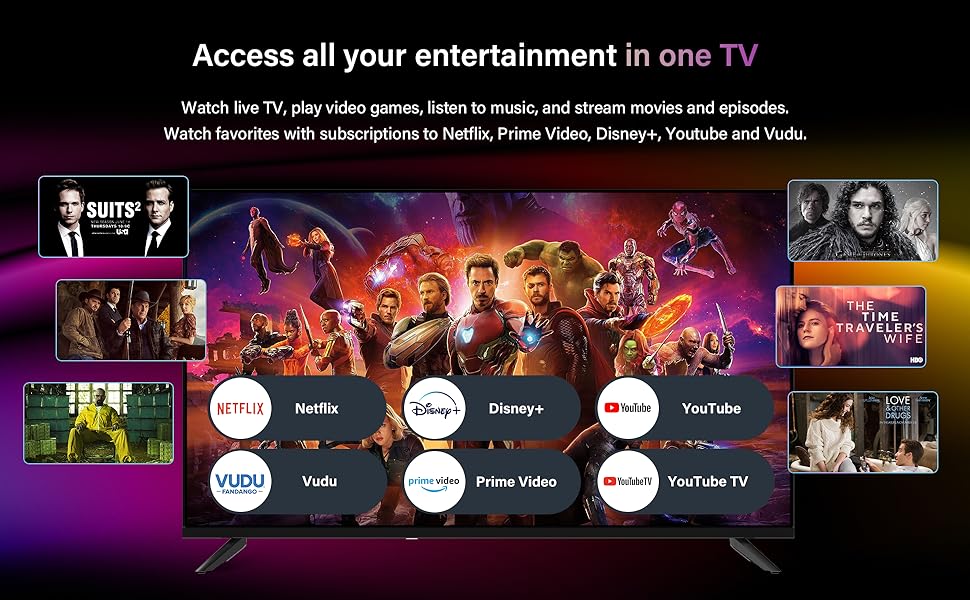
- Streaming Apps: Directly access popular services such as YouTube, YouTube TV, Netflix, Disney+, Prime Video, and Vudu.
- Home Entertainment: The intuitive interface allows for easy navigation between live TV, connected devices, and smart applications.
- AIPlay Screen Casting: Supports intelligent recognition for screen casting from compatible devices.
Music Card App
The integrated Music Card App centralizes various music services for a seamless audio experience.
The Music Card App integrates services like Spotify and YouTube Music, allowing users to access their favorite audio content and even play music from mobile or USB files.
- Access various music services including Spotify and YouTube Music.
- Play music directly from mobile devices or USB storage.
- Option to turn off the screen while listening to music.
Game Optimizer
Enhance your gaming experience with the built-in Game Optimizer feature.

The Game Optimizer reduces blue light emissions, minimizes input latency, and alleviates screen tearing and video lag for a smoother gaming experience.
- Reduces blue light emissions for eye comfort during extended gaming sessions.
- Minimizes input latency for more responsive gameplay.
- Alleviates screen tearing and video lag for a smoother visual experience.
Maintenance
Proper maintenance ensures the longevity and optimal performance of your SANSUI Smart TV.
- Screen Cleaning: Gently wipe the screen with a soft, dry microfiber cloth. For stubborn marks, slightly dampen the cloth with water or a screen-specific cleaning solution (do not spray directly on the screen).
- Cabinet Cleaning: Use a soft, dry cloth to clean the TV's cabinet. Avoid using abrasive cleaners or solvents.
- Ventilation: Ensure adequate airflow around the TV. Do not block ventilation openings.
- Power Cord: Regularly check the power cord for any damage. Unplug the TV during electrical storms or when not in use for extended periods.
Troubleshooting
This section addresses common issues you might encounter with your SANSUI Smart TV.
| Problem | Possible Cause | Solution |
|---|---|---|
| No Power | Power cord disconnected; Power outlet issue; Remote control batteries low. | Ensure power cord is securely plugged into TV and outlet. Test outlet with another device. Replace remote control batteries. |
| No Picture, But Has Sound | Incorrect input source selected; External device issue. | Press the 'Input' or 'Source' button on the remote to select the correct input. Check connections of external devices. |
| No Sound, But Has Picture | Volume muted or too low; External audio system issue; Audio settings. | Unmute volume or increase level. Check connections to external audio systems. Verify audio output settings in TV menu. |
| Remote Control Not Working | Batteries depleted or incorrectly inserted; Obstruction between remote and TV; Remote sensor blocked. | Replace batteries, ensuring correct polarity. Remove any obstructions. Ensure TV's remote sensor is not blocked. |
| Smart Features Not Working | No internet connection; Network settings issue. | Check Wi-Fi or Ethernet connection. Restart router/modem. Reconfigure network settings in TV menu. |
Specifications
Detailed technical specifications for the SANSUI 32 Inch WebOS 5.0 Smart TV.
| Feature | Specification |
|---|---|
| Brand | SANSUI |
| Model Number | 32ES5932 |
| Screen Size | 32 Inches (82 cm visible diagonal) |
| Display Technology | LED HD Backlight |
| Resolution | 720p (Max 1366x768) |
| Refresh Rate | 60 Hz |
| Operating System | WebOS 5.0 |
| Aspect Ratio | 16:9 |
| Connectivity Technology | Ethernet, HDMI (x3), RF, USB (x1), Wi-Fi |
| Special Features | WebOS 5.0, Music Card App, Game Optimizer Advantage, AIPlay Screen Casting |
| Color | Black |
| Product Dimensions (DxWxH) | 8.07" x 28.31" x 18.58" |
| Item Weight | 7.3 Pounds |
| Voltage | 100-240V |
| Standby Power | <0.5W |
Warranty and Support
For warranty information and technical support, please refer to the warranty card included with your product or visit the official SANSUI website. You may also contact SANSUI customer service directly for assistance with product registration, troubleshooting, or service requests.
SANSUI Official Website: Visit SANSUI Store on Amazon
Related documents32ES5932


Ask a question about this manual
Ask about setup, troubleshooting, compatibility, parts, safety, or missing instructions. Manuals+ will review the question and use this page’s manual context to help answer it.