
Introduction
This instruction manual provides comprehensive guidance for the BITAMOM M7 Pro Coffee Scale. This digital scale is designed for precise coffee brewing, featuring a built-in timer, ratio calculation, and flow rate display. It is suitable for various brewing methods including pour-over, espresso, and French press. Please read this manual thoroughly before using the device to ensure proper operation and longevity.
Product Features
- High Precision Weighing: Measures in 0.1 gram increments, with a maximum capacity of 2kg (4.4 lbs).
- Integrated Timer: Features a built-in timer with automatic timing functionality for consistent brewing.
- Ratio Calculation: Assists in maintaining precise coffee-to-water ratios.
- Flow Rate Display: Provides real-time flow rate information for controlled pouring.
- User-Friendly Interface: Simple four-button operation for timing, weighing, proportioning, and flow rate.
- Durable Construction: Platform made of premium ABS material, heat-resistant and easy to clean.
- Protective Silicone Pad: Includes a removable, waterproof, non-slip, scratch-resistant, and heat-insulating silicone pad.
- Compact Design: Slim profile for easy placement and storage. Dimensions: 5.9 x 5.1 x 0.9 inches.
- Rechargeable Battery: Built-in 1000mAh lithium battery, rechargeable via USB Type-C. Provides up to 90 days of daily use on a 3-hour charge.
- Updated Functionality: Decreased start-up times, improved reaction rate, anti-slip rubber feet, and enhanced water resistance.
Setup
Initial Charging
- Locate the USB Type-C charging port on the side of the scale.
- Connect the provided Type-C charging cable to the scale and a suitable USB power adapter (not included).
- Allow the scale to charge fully. A full charge typically takes approximately 3 hours. The battery indicator on the display will show charging status.
- Once fully charged, disconnect the cable. The scale is ready for use.
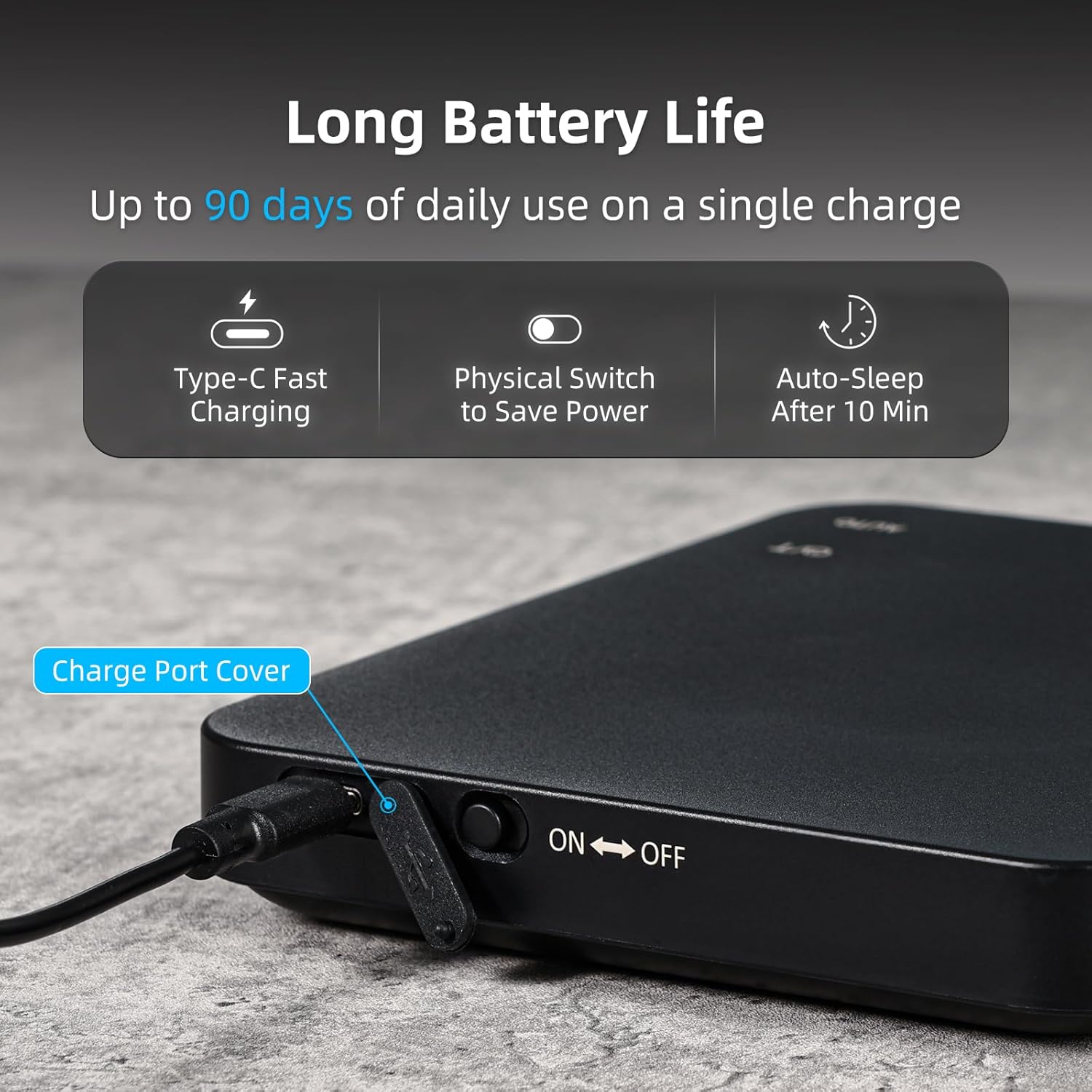
Image: Side view of the BITAMOM M7 Pro Coffee Scale, highlighting the USB Type-C charging port and the physical ON/OFF switch. The scale features a sleek black design.
Placement and Preparation
- Place the scale on a flat, stable, and level surface to ensure accurate readings.
- Ensure the removable silicone pad is correctly positioned on the weighing platform. This pad protects the scale and provides a non-slip surface for your brewing equipment.

Image: A hand demonstrating the removable anti-slip silicone pad on the BITAMOM M7 Pro Coffee Scale. The pad is textured for grip and protection.
Operating Instructions
The BITAMOM M7 Pro Coffee Scale features four primary touch-sensitive buttons for various functions: Power/Tare (ⓒ/T), Auto, Ratio, and Play/Pause (⏸/⏸).

Image: An overhead view of the BITAMOM M7 Pro Coffee Scale, clearly labeling the display areas for timing, weighing, ratio, and flow rate, along with the touch-sensitive buttons.
Power On/Off and Tare Function
- Power On: Press the ⓒ/T button once to turn on the scale.
- Power Off: Press and hold the ⓒ/T button for 3 seconds to turn off the scale. The scale also features an auto-sleep function after 10 minutes of inactivity to conserve battery.
- Tare (Zero) Function: With the scale on, place an empty container on the platform. Press the ⓒ/T button once to reset the display to zero, effectively taring the weight of the container.
Weighing Mode
- Turn on the scale.
- Place the item to be weighed directly on the silicone pad or in a tared container.
- The weight will be displayed in grams (g) with 0.1g precision.
Timer Function
- Start/Stop Timer: In weighing mode, press the ⏸/⏸ button to start or pause the timer.
- Reset Timer: Press and hold the ⏸/⏸ button for 3 seconds to reset the timer to 0:00.
Automatic Timing Mode (for Pour-Over)
This mode is ideal for pour-over brewing, automatically starting the timer when water is detected.
- Place your pour-over setup (server, dripper, filter) on the scale.
- Press the ⓒ/T button to tare the weight to zero.
- Add your ground coffee to the filter. The scale will display the coffee weight.
- Press the AUTO button. The display will show a countdown (e.g., 3-2-1).
- Begin pouring water. The timer will automatically start when water is detected, and the flow rate will be displayed.
- To stop the timer, press the ⏸/⏸ button. To reset, press and hold ⏸/⏸.

Image: The BITAMOM M7 Pro Coffee Scale actively measuring a pour-over coffee brew. The display shows the timer, current weight, coffee-to-water ratio, and flow rate.

Image: A pour-over coffee setup on the BITAMOM M7 Pro Coffee Scale, emphasizing its luminous LED display and touch control buttons. A silicone pad is visible under the brewing equipment.
Ratio Function
The ratio function helps you achieve consistent coffee-to-water ratios.
- Place your empty brewing vessel on the scale and tare it to zero using the ⓒ/T button.
- Add your ground coffee. The scale will display the weight of the coffee.
- Press the RATIO button. The display will show the current coffee-to-water ratio (e.g., 1:X).
- As you pour water, the ratio will update in real-time, allowing you to adjust your pour to reach your desired ratio.
- To exit ratio mode, press the RATIO button again.
Mute Function
To silence button presses or alerts for a quieter brewing experience:
- Press and hold the AUTO button for 2 seconds to toggle the mute function on or off. A speaker icon on the display will indicate the status.

Image: The BITAMOM M7 Pro Coffee Scale positioned under an espresso machine's portafilter, with a metal cup on top. The display shows brewing metrics, and text indicates how to activate the mute function by pressing and holding for 2 seconds.
Maintenance and Care
- Cleaning: Wipe the scale surface with a soft, damp cloth. Do not immerse the scale in water or use abrasive cleaners. The silicone pad is removable and can be washed with mild soap and water.
- Storage: Store the scale in a dry place away from extreme temperatures. Its slim design allows for easy storage in drawers or cabinets.
- Battery Care: Recharge the scale when the battery indicator is low. Avoid fully depleting the battery frequently to prolong its lifespan.
- Protection: Always use the silicone pad to protect the weighing platform from scratches, spills, and heat.
Troubleshooting
| Problem | Possible Cause | Solution |
|---|---|---|
| Scale does not turn on. | Low battery or no power. | Charge the scale using the provided USB Type-C cable. Ensure the physical power switch on the side is in the ON position. |
| Inaccurate readings. | Uneven surface, scale overloaded, or external interference. | Place the scale on a flat, stable surface. Ensure weight does not exceed 2kg. Avoid strong air currents or vibrations. Recalibrate if necessary (refer to advanced settings if available, or contact support). |
| Automatic timer not starting. | Not in AUTO mode or insufficient liquid detection. | Ensure the AUTO button has been pressed and the countdown completed. Begin pouring water steadily. Ensure the scale is clean and free of debris. |
| Display shows "Err". | Overload or internal error. | Remove items from the scale immediately. If the error persists after removing the load and restarting, contact customer support. |
| Buttons are unresponsive or too sensitive. | Moisture or debris on touch surface, or a temporary software glitch. | Ensure the touch surface is clean and dry. Restart the scale by powering it off and on. If the issue persists, contact customer support. |
Specifications
| Feature | Detail |
|---|---|
| Brand | BITAMOM |
| Model Number | M7 Pro |
| Display Type | Digital LED |
| Weight Limit | 2 kg (4.4 Pounds) |
| Readout Accuracy | 0.1 g |
| Product Dimensions | 5.9 x 5.1 x 0.9 inches (W128×D148×H23mm) |
| Item Weight | 0.45 Kilograms (15.8 ounces) |
| Battery | 1000mAh Rechargeable Lithium Battery |
| Charging Port | USB Type-C |
| Battery Life | Up to 90 days (based on 10 minutes/day use) |
| Auto-Off | After 10 minutes of inactivity |
| UPC | 793127485224 |
Warranty and Support
BITAMOM provides 5 years of support for every customer who purchases this scale. If you encounter any product issues or require assistance, please contact our customer service team. Our friendly 24/7 customer service is available to help you.
For support, please visit the BITAMOM Store on Amazon or refer to the contact information provided with your purchase.