
Introduction
Welcome to the user manual for your new Redmi Xiaomi 13 4G LTE smartphone. This guide provides essential information on setting up, operating, maintaining, and troubleshooting your device to ensure optimal performance and user experience. Please read this manual thoroughly before using your phone.
What's in the Box
Upon unboxing your Redmi Xiaomi 13, verify that all the following items are included:
- Redmi Xiaomi 13 Smartphone
- 33W Wall Charger
- Adapter
- Fast Car Charger
- SIM Tray Ejector
Setup
1. SIM Card and MicroSD Card Installation
Your Redmi 13 supports Dual Nano SIM cards or one Nano SIM and one MicroSD card in a hybrid slot. Ensure your SIM card is activated by your carrier before installation.
- Locate the SIM tray on the side of your phone.
- Insert the SIM tray ejector tool into the small hole next to the tray and press firmly until the tray pops out.
- Carefully place your Nano SIM card(s) and/or MicroSD card into the designated slots on the tray. Ensure the gold contacts face downwards.
- Gently push the tray back into the phone until it is flush with the device.
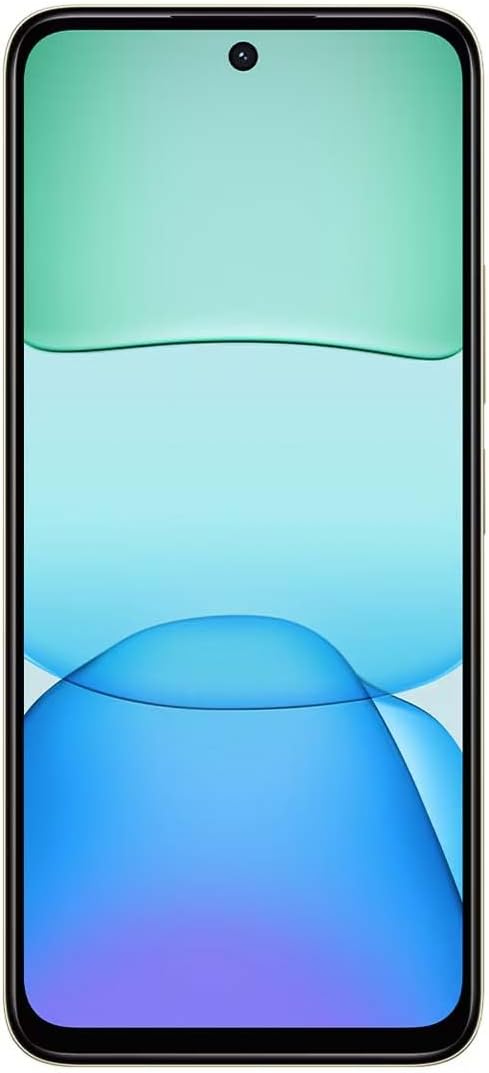
Image: Side view of the Redmi Xiaomi 13, illustrating the location of the SIM tray and camera module.
2. Initial Power On and Setup
To power on your device for the first time:
- Press and hold the Power button (located on the right side of the phone) until the Redmi logo appears on the screen.
- Follow the on-screen instructions to select your language, region, connect to a Wi-Fi network, and set up your Google account.
- You will be prompted to set up security features such as a PIN, pattern, password, fingerprint, or face unlock.

Image: Front view of the Redmi Xiaomi 13, showing the display and front camera.
3. Network Configuration
Your device is designed for 4G LTE connectivity. For USA users, it is compatible with Tello and Mint Mobile. For global users, it supports various GSM carriers. Ensure your APN settings are correctly configured if you experience network issues. These settings are usually automatically detected upon SIM insertion.
Operating Your Device
1. Display Features
The Redmi 13 features a 6.79-inch Dot Drop HD+ display with a resolution of 1650 x 720. It supports Sunlight display for better visibility in bright conditions and Reading mode to reduce eye strain. You can adjust color temperature in the display settings.
2. Camera Usage
Your phone is equipped with a powerful camera system:
- Rear Camera: 108MP main camera (f/1.8 with 4-in-1 pixel binning) and a 2MP depth camera (f/2.4).
- Front Camera: 13MP for selfies and video calls.
To take a photo:
- Open the Camera application.
- Select your desired mode (Photo, Portrait, Video, etc.).
- Tap the shutter button to capture an image.
The camera features HDR mode for improved dynamic range and quick snap functionality for capturing moving moments efficiently.

Image: Back view of the Redmi Xiaomi 13, highlighting the 108MP dual camera system.
3. Connectivity
The device supports Wi-Fi for internet access, GPS for navigation (including AGPS, GLONASS, Beidou, Galileo), and Bluetooth for connecting wireless accessories. It also includes a 3.5mm headphone jack for wired audio.
4. Security Features
Protect your device and data using the following security options:
- Rear Fingerprint Sensor: Register your fingerprints for quick and secure unlocking.
- AI Face Unlock: Use your face to unlock the device.
- PIN/Pattern/Password: Standard lock screen security methods.
Maintenance
1. Battery Care
The Redmi 13 is equipped with a 5030mAh (typ) battery. To prolong battery life:
- Avoid extreme temperatures.
- Use the provided 33W charger for optimal charging speed and safety.
- Do not let the battery drain completely frequently.
2. Software Updates
Regularly check for and install software updates to ensure your device has the latest features, security patches, and performance improvements. Navigate to Settings > About phone > System update to check for updates.
3. Cleaning Your Device
Use a soft, lint-free cloth to clean your phone. Avoid using harsh chemicals or abrasive materials that could damage the screen or finish.
Troubleshooting
If you encounter issues with your Redmi 13, try the following common troubleshooting steps:
- Device not responding: Press and hold the Power button for about 10-15 seconds to force a restart.
- Network issues: Check if your SIM card is properly inserted. Toggle Airplane Mode on and off. Reset network settings via Settings > Connection & sharing > Reset Wi-Fi, mobile networks, and Bluetooth.
- App crashing: Clear the app's cache and data via Settings > Apps > Manage apps > [App Name] > Clear data. If the issue persists, uninstall and reinstall the app.
- Battery draining quickly: Review battery usage in Settings > Battery to identify power-hungry apps. Reduce screen brightness and disable unnecessary features like GPS or Bluetooth when not in use.
- Storage full: Delete unnecessary files, photos, and videos. Uninstall unused apps. Consider moving media to a MicroSD card if installed.
- Factory Reset: As a last resort for persistent software issues, you can perform a factory reset. Warning: This will erase all data on your phone. Back up important data before proceeding. Go to Settings > About phone > Factory reset.
Specifications
Below are the key technical specifications for the Redmi Xiaomi 13 4G LTE:
| Model Name | Redmi 13 |
| Operating System | Android 14 HyperOS |
| Processor | MediaTek Helio G91 Ultra Octa-core (2x2.0 GHz Cortex-A75 & 6x1.8 GHz Cortex-A55) |
| GPU | Mali-G52 MC2 |
| Display | 6.79 Inches Dot Drop HD+ (1650 x 720) |
| RAM | 6 GB |
| Internal Storage | 128 GB |
| Rear Camera | 108MP (main) + 2MP (depth) |
| Front Camera | 13MP |
| Battery Capacity | 5030 mAh (typical) |
| Charging | 33W Fast Charging (USB Type-C) |
| Connectivity | 4G LTE, Wi-Fi, Bluetooth, GPS (AGPS, GLONASS, Beidou, Galileo) |
| Audio Jack | 3.5 mm |
| Security | Rear Fingerprint Sensor, AI Face Unlock |
| Package Dimensions | 7 x 4 x 2 inches |
| Weight | 6 ounces |
Note: Specifications are subject to change without prior notice. Please refer to the official Redmi website for the most up-to-date information.
Warranty and Support
For warranty information, please refer to the warranty card included with your product or visit the official Redmi/Xiaomi website. For technical support, software updates, or service inquiries, please contact Xiaomi customer service or visit their official support channels. Keep your proof of purchase for warranty claims.
Official Redmi/Xiaomi Support: https://www.mi.com/global/support


