
Romicta AK45
Romicta AK45 Pro Mini Bluetooth Stereo Audio Amplifier User Manual
Model: AK45 | Brand: Romicta
Introduction
The Romicta AK45 Pro is a compact and versatile 2-channel stereo audio amplifier designed for both home and car audio systems. It delivers powerful sound with 300W+300W peak output and features multiple connectivity options including Bluetooth 5.0, USB, SD card, and FM radio. With precise tone controls and microphone inputs, it is ideal for enhancing your music listening, home theater, and karaoke experiences.

Image: The Romicta AK45 Pro amplifier shown with its included remote control, highlighting its compact design and front panel controls.
Key Features
- Powerful Output: 300W+300W peak power (40W+40W nominal) suitable for 4-16 inch passive speakers, perfect for various indoor and outdoor settings.
- Bluetooth 5.0 Connectivity: Ensures a stable, noise-free, and high-fidelity audio connection up to 10 meters (32 feet) for wireless streaming from compatible devices.
- SD/USB 2.0 Card Reader: Allows direct playback of audio files from flash drives or SD cards, providing convenient access to your digital music library.
- Precise Tone Controls: Independent volume, treble, and bass controls enable fine-tuning of audio output to match your preferences.
- Integrated Microphone Functions: Features two microphone inputs with echo and reverb effects, making it ideal for karaoke and public address applications.
- FM Radio: Built-in FM tuner for listening to your favorite radio stations.
- Versatile Application: Compatible with a wide range of devices including smartphones, computers, tablets, laptops, TVs, and projectors, suitable for home audio, gaming, and car amplification.
Package Contents
Please check the box for the following items:
- 1 x Romicta AK45 Audio Amplifier
- 1 x Remote Control
- 1 x Power Cable (European plug)
- 1 x FM Antenna
- 1 x Product Instruction Manual

Image: A visual representation of the items included in the Romicta AK45 Pro package: the amplifier unit, remote control, power cable, FM antenna, and the instruction manual.
Setup Guide
1. Connecting Speakers
- Ensure the amplifier is turned off and unplugged from the power source.
- Locate the "SPEAKERS OUTPUT" terminals on the rear panel. These are typically red (+) and black (-) terminals for Left and Right channels.
- Connect your passive speakers (4-16 Ω impedance recommended) to the corresponding terminals. Ensure correct polarity: connect the positive (+) terminal of the speaker to the positive (+) terminal of the amplifier, and the negative (-) to the negative (-).
2. Connecting Audio Sources
- RCA Audio Input: For devices like CD/DVD players, TVs, or other audio sources, connect an RCA cable from the audio output of your source device to the "AUDIO INPUT" (R/L) jacks on the rear panel of the amplifier.
- USB/SD Card: Insert a USB flash drive or SD card into the respective slots on the front panel. The amplifier will automatically detect and play compatible audio files.
- Bluetooth: For wireless connection, ensure Bluetooth is enabled on your device (e.g., smartphone, tablet). The amplifier will enter Bluetooth pairing mode automatically when selected. Search for "AK45" or similar on your device and pair.
3. Connecting FM Antenna
Connect the provided FM antenna to the "FM ANT" terminal on the rear panel for optimal radio reception.
4. Power Connection
Connect the power cable to the "AC POWER INPUT" on the rear panel and then plug it into a standard wall outlet (AC 90V-240V). Alternatively, for car use, connect a DC 12V/5A power source to the "DC 12V/5A Power" input.

Image: The rear panel of the AK45 Pro amplifier, illustrating the connections for passive speakers, RCA audio input, FM antenna, and both AC and DC power inputs.

Image: The front panel of the AK45 Pro amplifier, demonstrating its compatibility with multiple external audio sources including FM radio, Bluetooth, USB drives, and traditional CD/DVD players.
Operating Instructions
1. Power On/Off
Press the "POWER" switch on the front panel to turn the amplifier on or off.
2. Input Selection
Use the "MODE" button on the front panel or the remote control to cycle through input sources: Bluetooth (BT), USB, SD, FM, and AUX (RCA input).
3. Volume Control
Rotate the large "VOLUME" knob on the front panel clockwise to increase volume and counter-clockwise to decrease. You can also adjust volume using the remote control.
4. Tone Controls
- TREBLE: Adjusts the high-frequency response of the audio.
- BASS: Adjusts the low-frequency response of the audio.

Image: A close-up of the AK45 Pro amplifier's front panel, emphasizing the independent knobs for adjusting bass, middle, and treble frequencies for customized sound.
5. Microphone Usage
Connect up to two microphones to the "MIC1" and "MIC2" inputs on the front panel. Use the "MIC.VOL" knob to adjust microphone volume. The amplifier also features echo and reverb effects for enhanced vocal performance.

Image: The Romicta AK45 Pro amplifier in a home setting, illustrating its capability to connect and support two microphones simultaneously, ideal for karaoke sessions.
6. Bluetooth Connection
When in Bluetooth mode, the amplifier's display will show "BLUE". On your device, search for "AK45" and connect. The effective range is up to 10 meters (32 feet) without obstacles. For TV or PC connections, keep the distance under 5 meters for optimal performance.
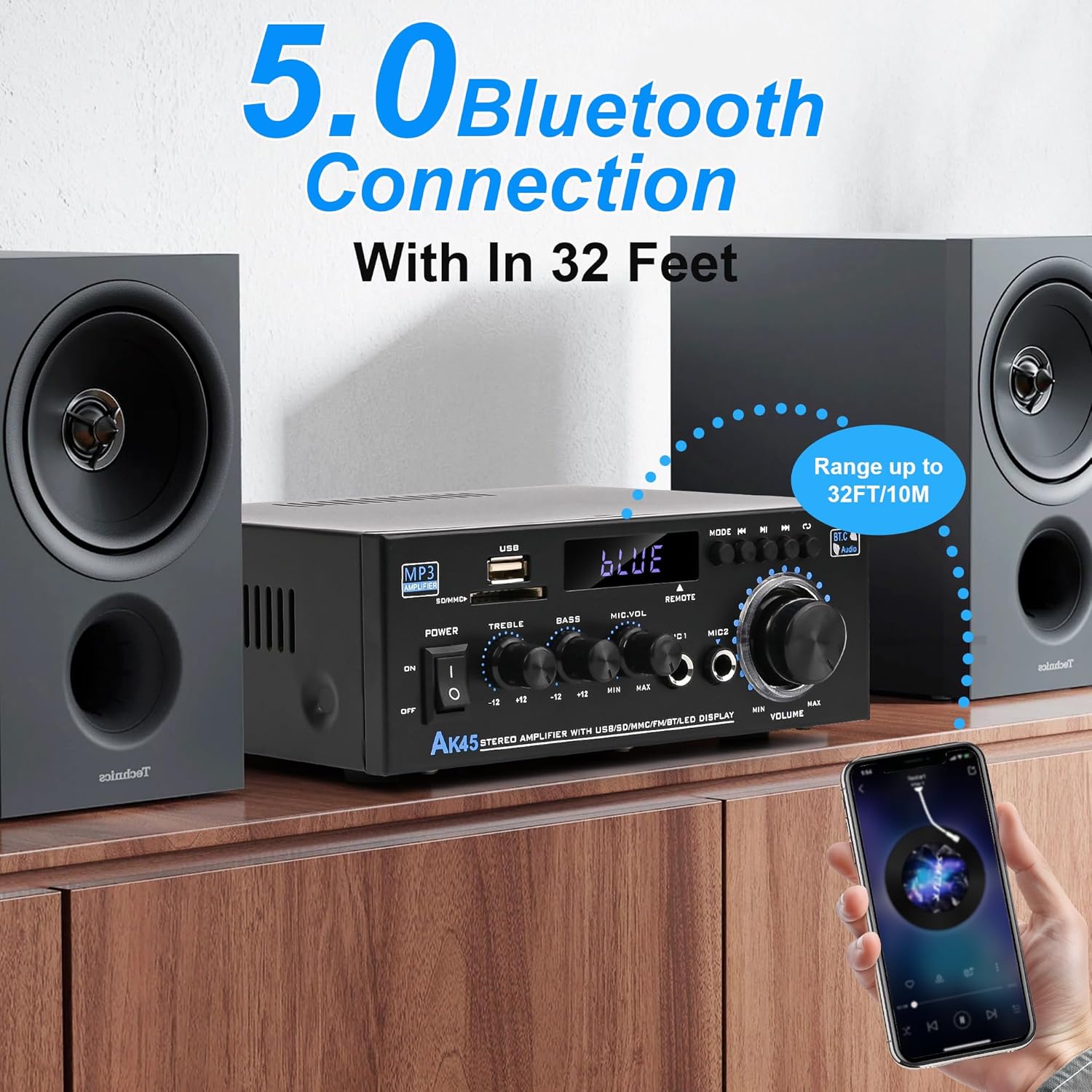
Image: The Romicta AK45 Pro amplifier wirelessly connected to a smartphone via Bluetooth 5.0, demonstrating its effective operating range of up to 32 feet.
7. Remote Control Operation
The included remote control allows convenient adjustment of input modes, volume, and playback controls (play/pause, next/previous track). Ensure the protective film is removed from the remote's battery compartment before first use.

Image: A hand holding the remote control for the Romicta AK45 Pro amplifier, illustrating the ease of adjusting settings and input modes from a distance.
Maintenance
- Cleaning: Use a soft, dry cloth to clean the exterior of the amplifier. Do not use liquid cleaners or aerosols, as they may damage the unit.
- Ventilation: Ensure the amplifier has adequate ventilation. Do not block the ventilation openings on the top or sides of the unit.
- Storage: When not in use for extended periods, store the amplifier in a cool, dry place away from direct sunlight and extreme temperatures.
- Power Off: Always turn off and unplug the amplifier before cleaning or performing any maintenance.
Troubleshooting
| Problem | Possible Cause | Solution |
|---|---|---|
| No power | Power cable not connected; Power switch off; Power outlet issue. | Ensure power cable is securely connected. Turn the power switch to ON. Test the power outlet with another device. |
| No sound output | Incorrect input selected; Volume too low; Speakers not connected properly; Audio source issue. | Select the correct input source. Increase the volume. Check speaker connections and polarity. Verify the audio source is playing correctly. |
| Bluetooth connection unstable or failing | Device too far; Obstacles between devices; Interference. | Move the Bluetooth device closer to the amplifier (within 10m/32ft). Remove any obstacles. Avoid placing near other wireless devices. |
| Poor FM radio reception | Antenna not connected; Weak signal. | Ensure the FM antenna is securely connected. Adjust the position of the antenna for better reception. |
| Remote control not working | Protective film on battery; Dead battery; Obstruction. | Remove the protective film from the battery compartment. Replace the battery if necessary. Ensure no objects are blocking the line of sight to the amplifier's IR receiver. |
Specifications
| Model Number | AK45 |
| Brand | Romicta |
| Peak Power Output | 600W (300W + 300W) |
| Nominal Power Output | 80W (40W + 40W) |
| Channels | 2.0 |
| Bluetooth Version | 5.0 |
| Bluetooth Range | Up to 10 meters (32 feet) without obstacles |
| Speaker Impedance | 4-16 Ω |
| Audio Inputs | Bluetooth, RCA (AUX), USB, SD Card, FM Radio |
| Microphone Inputs | 2 (with echo/reverb effects) |
| Power Supply | AC 90V-240V, 50-60Hz / DC 12V/5A |
| Frequency Response | 20-20 kHz |
| Signal-to-Noise Ratio | > 85 dB |
| Distortion Rate | ≤ 0.5% |
| Dimensions (approx.) | 21.6 x 20.8 x 9.7 cm (Package dimensions) |
| Weight (approx.) | 880 g (Package weight) |
| Compliance | CE, FCC |
| Country of Origin | China |
Warranty and Support
Romicta products are designed for reliability and performance. For any product-related inquiries, technical support, or warranty claims, please contact Romicta customer service directly through the retailer's platform or the official Romicta website.
Please refer to the retailer's return policy for information regarding returns and exchanges. For this product, a 30-day return policy is typically offered.