
Introduction
Thank you for purchasing the oraolo Portable Bluetooth Speaker with LED Light, Model BS02. This manual provides essential information for setting up, operating, and maintaining your speaker. Please read it carefully before use and retain it for future reference.
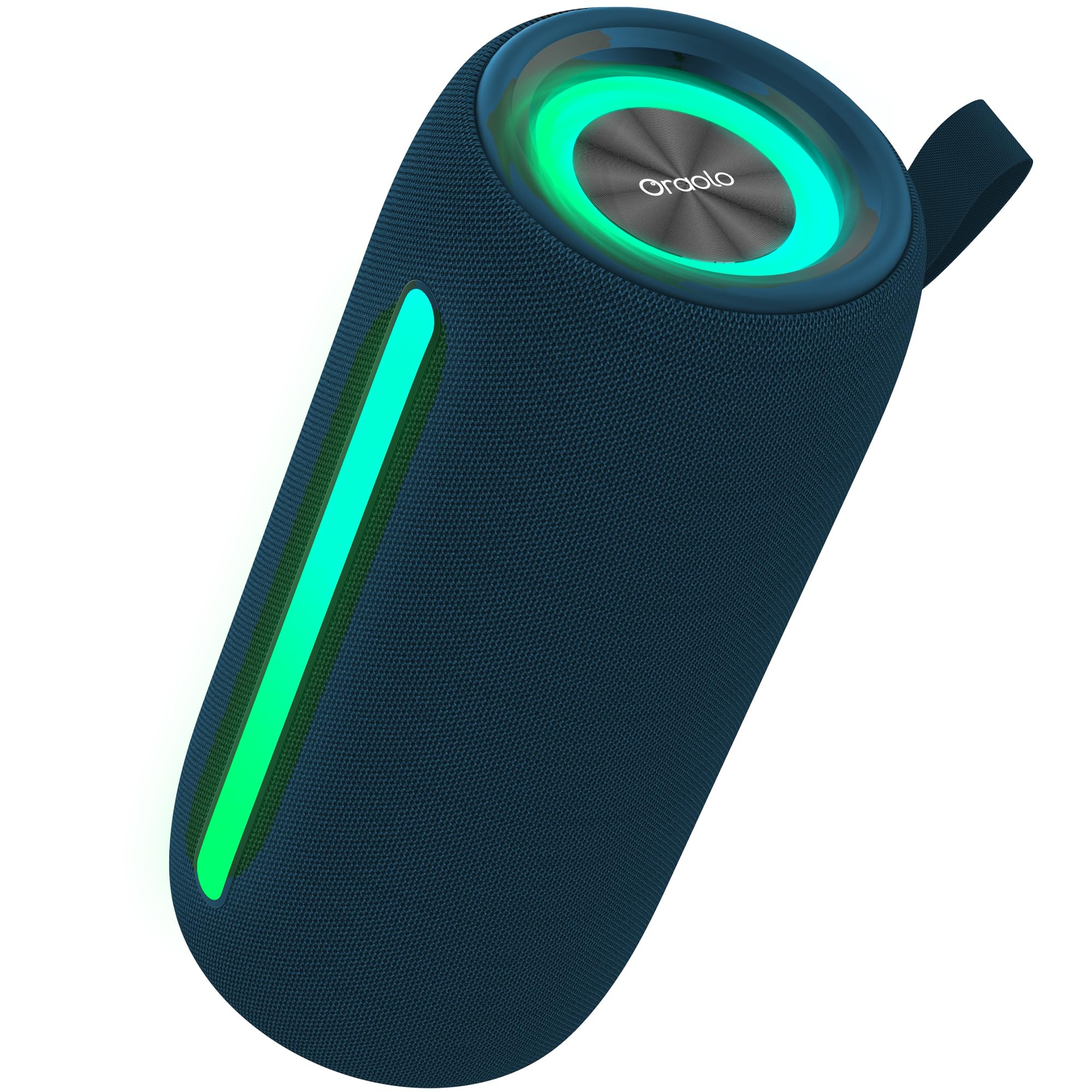
Image: The oraolo BS02 Portable Bluetooth Speaker, black with a mesh finish, featuring a circular LED light on one end and a linear LED light along its body, both displaying a gradient of red, orange, and yellow. Water splashes around the speaker, highlighting its waterproof design.
Package Contents
Ensure all items are present in the package:
- 1 x oraolo Bluetooth Speaker with Lights
- 1 x Charging Cable (Type-C)
- 1 x User Manual
Setup
1. Charging the Speaker
Before first use, fully charge the speaker. Use the provided Type-C charging cable.
- Connect the Type-C end of the charging cable to the speaker's charging port.
- Connect the USB-A end to a compatible 5V USB power adapter (not included).
- The charging indicator light will illuminate. It will turn off or change color once fully charged.
Note: The speaker contains a Lithium-ion battery. Do not expose to extreme temperatures.
2. Powering On/Off
- To Power On: Press and hold the Power button for approximately 3 seconds. You will hear an audible prompt.
- To Power Off: Press and hold the Power button for approximately 3 seconds. You will hear an audible prompt.
3. Bluetooth Pairing
The speaker uses Bluetooth 5.4 for stable connections.
- Ensure the speaker is powered on and in pairing mode (usually indicated by a flashing LED light).
- On your device (smartphone, tablet, etc.), enable Bluetooth and search for available devices.
- Select "oraolo BS02" from the list of devices.
- Once connected, you will hear a confirmation sound, and the LED light will stop flashing.
4. True Wireless Stereo (TWS) Pairing
Connect two oraolo BS02 speakers for a stereo sound experience.
- Ensure both speakers are powered on and not connected to any Bluetooth device.
- On one speaker (this will be the primary speaker), press and hold the TWS button (refer to speaker diagram for button location) for 2-3 seconds.
- The speakers will automatically search and pair with each other. You will hear a confirmation sound when TWS pairing is successful.
- Once TWS paired, connect your device to the primary speaker via Bluetooth as described in step 3.
Operating Instructions
1. Basic Controls
- Play/Pause: Press the Play/Pause button once.
- Volume Up: Press the Volume + button.
- Volume Down: Press the Volume - button.
- Next Track: Press and hold the Volume + button.
- Previous Track: Press and hold the Volume - button.
2. LED Light Modes
The speaker features elegant multi-color LED lights that synchronize with music.
- Change Light Mode: Press the Light Mode button (refer to speaker diagram) to cycle through available light effects (e.g., strong pulse, gradient effect).
- Turn Lights Off: Press and hold the Light Mode button for 2-3 seconds.
3. Multiple Input Modes
The speaker supports various audio input sources:
- Bluetooth Mode: Default mode after pairing.
- TF Card Mode: Insert a TF (MicroSD) card into the designated slot. The speaker will automatically switch to TF card playback.
- USB Mode: Insert a USB drive into the USB port. The speaker will automatically switch to USB playback.
- AUX Mode: Connect an audio device using a 3.5mm AUX cable (not included) to the AUX port. The speaker will automatically switch to AUX input.
Note: Use the Mode button (if available, refer to speaker diagram) to manually switch between input modes if automatic switching does not occur.
4. IPX5 Waterproof Rating
The speaker is rated IPX5 waterproof, meaning it can resist sustained low-pressure water jet sprays. It is suitable for use in environments like beaches, poolside, or light rain.
Caution: Do not submerge the speaker in water. Ensure the charging port cover is securely closed before exposure to water.
Maintenance
- Cleaning: Wipe the speaker with a soft, damp cloth. Do not use abrasive cleaners or solvents.
- Storage: Store the speaker in a cool, dry place away from direct sunlight and extreme temperatures.
- Battery Care: To prolong battery life, charge the speaker at least once every three months if not in regular use.
Troubleshooting
| Problem | Possible Cause | Solution |
|---|---|---|
| Speaker does not power on. | Low battery. | Charge the speaker fully. |
| Cannot pair via Bluetooth. | Speaker not in pairing mode; device Bluetooth off; too far apart. | Ensure speaker is in pairing mode. Turn device Bluetooth off/on. Move speaker closer to device (within 10 meters). |
| No sound. | Volume too low; incorrect input mode; device not playing. | Increase speaker and device volume. Check input mode (Bluetooth, TF, USB, AUX). Ensure music is playing on the connected device. |
| TWS pairing failed. | Speakers already connected to other devices; too far apart. | Disconnect both speakers from any Bluetooth devices. Ensure they are close to each other. Try TWS pairing again. |
Specifications
| Feature | Detail |
|---|---|
| Model Name | BS02 |
| Brand | oraolo |
| Dimensions (L x W x H) | 10 x 20 x 10 cm |
| Item Weight | 630 Grams |
| Waterproof Rating | IPX5 |
| Wireless Communication Technology | Bluetooth 5.4 |
| Speaker Size | 21.6 Centimeters |
| Special Features | Wireless, LED Lights, TWS Pairing, Multiple Inputs (TF/USB/AUX) |
| Power Output | 20 Watts |
| Input Voltage | 5 Volts |
| Battery | 1 Lithium-ion (included) |
| Material | Plastic, Metal |
| Color | Black |
| Components Included | Bluetooth Speaker, Charging Cable, User Manual |
Warranty and Support
oraolo products are designed for reliability and performance. For warranty information or technical support, please refer to the contact details provided on the product packaging or the official oraolo website.
Please retain your proof of purchase for warranty claims.


