
1. Introduction
This manual provides essential instructions for the safe and effective use of your RENPHO Active+ Thermacool Deluxe Massage Gun. Please read this manual thoroughly before operating the device and retain it for future reference. This percussion massager is designed to provide deep tissue massage with integrated heat and cold therapy functions, aiding in muscle relaxation and recovery.
2. Safety Information
Important Safety Precautions:
- Use with caution on sensitive areas.
- Avoid applying excessive pressure.
- Do not use on injured or inflamed areas.
- Keep the device clean and dry.
- Follow general electrical safety guidelines.
- A 10-minute auto-off function is integrated to prevent overuse.
Legal Disclaimer: Statements regarding dietary supplements have not been evaluated by the FDA and are not intended to diagnose, treat, cure, or prevent any disease or health condition. This device is intended for personal use to aid in muscle relaxation and recovery.
3. Package Contents
Verify that all items are present in the package:
- RENPHO Active+ Thermacool Deluxe Massage Gun
- Charging Stand
- 5 Personalized Massage Heads (Ball head, U-shaped head, Bullet head, Crescent head, Thermacool head)
- USB-C Charging Cable
- Travel Case
- User Manual (this document)

Image: The RENPHO Active+ Thermacool Deluxe Massage Gun, its charging stand, five interchangeable massage heads, and a compact travel case.
4. Product Overview
The RENPHO Active+ Thermacool Deluxe Massage Gun features a high-torque brushless motor for powerful percussion massage. It includes a unique heat and cold therapy head and an intuitive LED display.
4.1. Device Components
- Massage Head Attachment Port: Located at the front, for attaching various massage heads.
- Control Panel/LED Display: Shows Bluetooth connection status, massage speed (L1-L5), and battery percentage. Features a one-button control for power and speed adjustment.
- Heat/Cold Therapy Head: An interchangeable head with 4 adjustable temperature settings for targeted thermal therapy.
- Handle: Ergonomically designed for comfortable grip.
- Charging Port (USB-C): Located on the device for direct charging, or use with the charging stand.

Image: Detailed view of the massage gun's LED display, indicating Bluetooth connection, current massage speed (L1-L5), battery level, and the power button.
4.2. Massage Heads and Their Uses
- Ball Head: Suitable for large muscle groups like quadriceps and glutes.
- U-shaped Head: Designed for the spine, neck, and Achilles tendon.
- Bullet Head: Ideal for small muscle areas such as feet and wrists.
- Crescent Head: Best for superficial muscles like the brachioradialis.
- Thermacool Head: Provides both heating and cooling therapy for all parts of the body.
5. Setup
5.1. Charging the Device
Before first use, fully charge the massage gun. The device can be charged using the included charging stand or directly via the USB-C port.
- Connect the USB-C charging cable to the charging stand and a suitable power adapter (not included).
- Place the massage gun onto the charging stand. Ensure it is securely seated.
- The LED display will show the battery percentage, indicating charging status. A full charge is indicated by 100%.

Image: The massage gun securely placed on its charging stand, displaying the current battery level.
5.2. Attaching Massage Heads
To attach a massage head, gently push the desired head into the attachment port until it is firmly seated. To remove, pull the head straight out.
5.3. Connecting to the RENPHO Health App (Bluetooth)
Enhance your massage experience by connecting the device to the RENPHO Health app.
- Download the "RENPHO Health" app from the App Store or Google Play.
- Ensure Bluetooth is enabled on your smartphone.
- Turn on the massage gun by pressing and holding the power button.
- Open the RENPHO Health app and follow the on-screen instructions to pair your device. The Bluetooth icon on the massage gun's display will illuminate when connected.

Image: The RENPHO Health app interface, demonstrating access to professional video courses and massage tracking features.
6. Operating Instructions
6.1. Power On/Off and Speed Adjustment
- Power On: Press and hold the power button for 2 seconds. The device will start at the lowest speed setting (L1).
- Adjust Speed: Short press the power button to cycle through the 5 speed levels (L1-L5). The current speed level is shown on the LED display.
- Power Off: Press and hold the power button for 2 seconds. The device will also automatically turn off after 10 minutes of continuous use.
6.2. Using Heat and Cold Therapy
The Thermacool head offers adjustable temperature settings for targeted therapy.
- Heat Function: Attach the Thermacool head. Long press the heating button on the head to activate. Cycle through heat settings (e.g., Yellow LED: 100°F/38°C, Red LED: 117°F/47°C). Use for warming up muscles or fatigue relief.
- Cool Function: Attach the Thermacool head. Long press the cooling button on the head to activate. Cycle through cool settings (e.g., Green LED: 59°F/15°C, Blue LED: 53°F/12°C). Use for calming muscles, reducing tension, or easing swelling after exercise.

Image: Illustration of the heat and cold therapy functions, showing LED indicators for different temperature levels (Yellow/Red for heat, Green/Blue for cold).
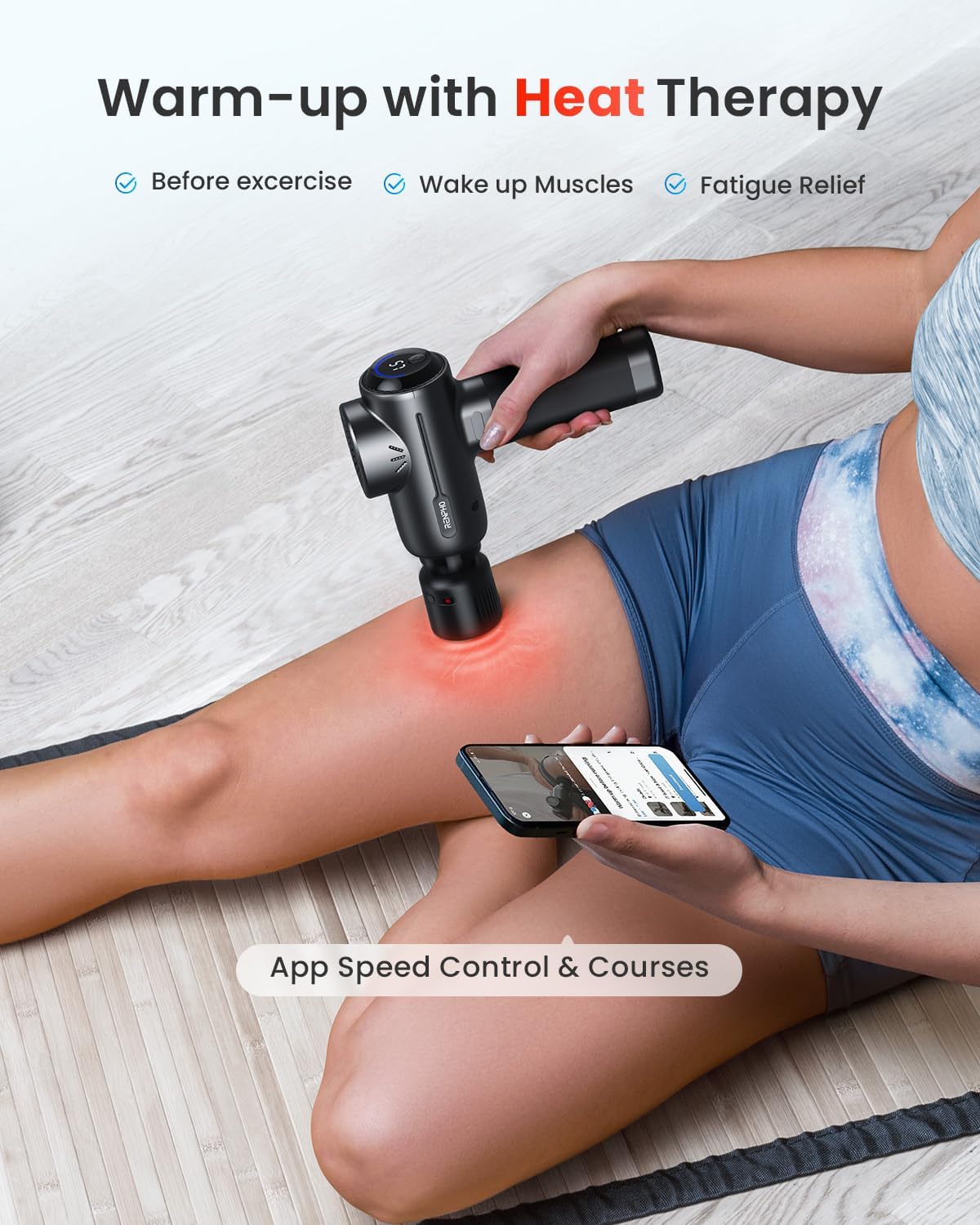
Image: Demonstrates the heat therapy function in use on a thigh, with the RENPHO Health app open on a smartphone for speed control and course selection.
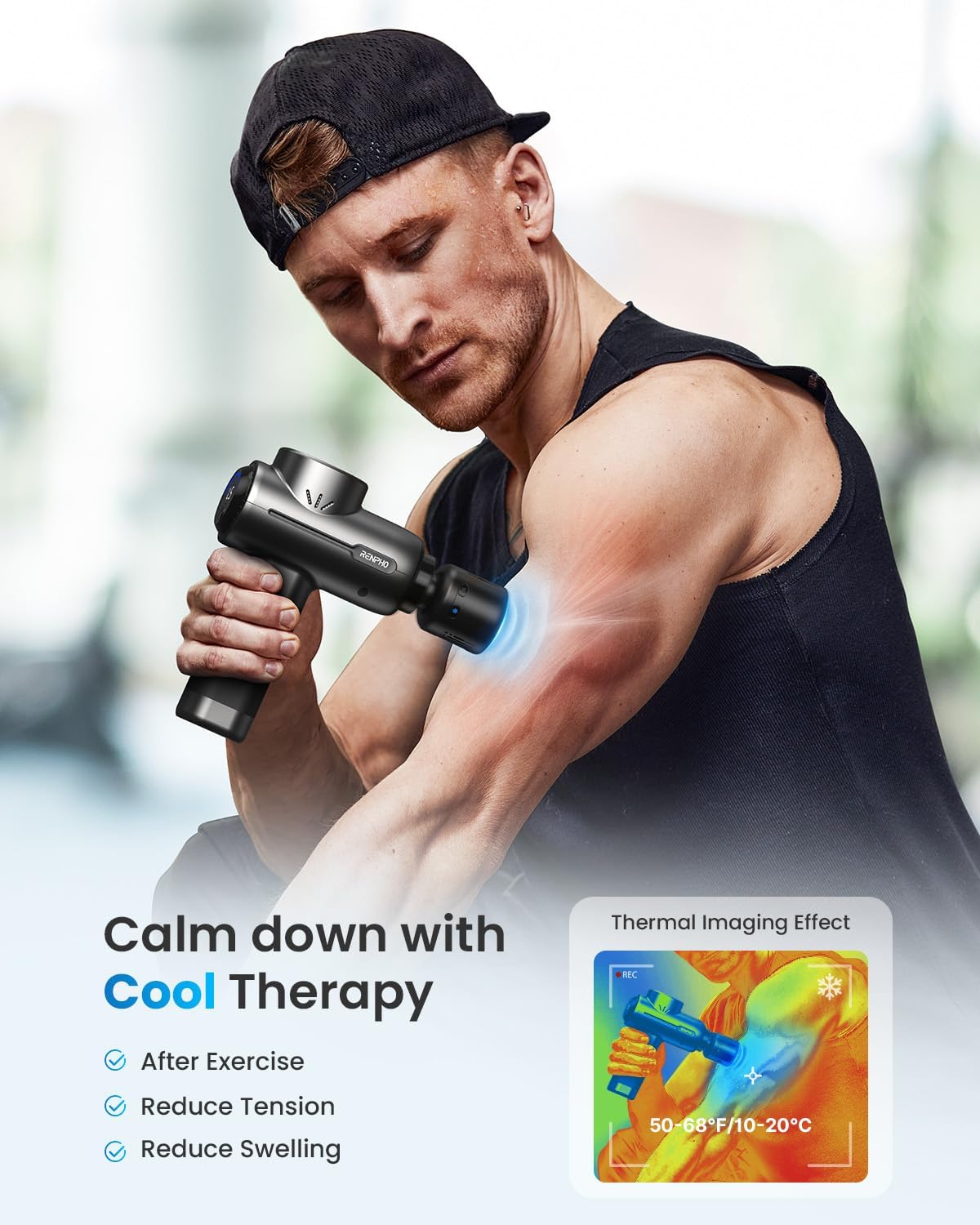
Image: A man applying cool therapy to his bicep, with an overlay showing the thermal imaging effect of cooling.
6.3. Using the RENPHO Health App
The app provides personalized guidance and control:
- Professional Video Courses: Access tailored courses for specific muscle groups.
- Synchronized Massage: Control speed levels directly from the app.
- Track History: Monitor your massage sessions and progress.
7. Maintenance
7.1. Cleaning
To clean the device, wipe it with a slightly damp cloth. Do not immerse the device in water or use abrasive cleaners. Ensure the device is powered off and unplugged before cleaning.
7.2. Storage
Store the massage gun and its accessories in the provided travel case in a cool, dry place, away from direct sunlight and extreme temperatures. Keep out of reach of children.
8. Troubleshooting
If you encounter issues with your RENPHO Active+ Thermacool Deluxe Massage Gun, refer to the following common solutions:
- Device not turning on: Ensure the device is fully charged. Press and hold the power button for 2 seconds.
- Device not charging: Verify that the USB-C cable is securely connected to both the charging stand/device and the power adapter. Ensure the power adapter is functional.
- App connectivity issues: Make sure Bluetooth is enabled on your phone and the massage gun is powered on. Try restarting both the app and the massage gun.
- Weak percussion: Check the battery level. If low, charge the device. Ensure the massage head is properly attached.
- Heat/Cool function not working: Ensure the Thermacool head is correctly attached and fully charged (if it has a separate power source, though typically integrated). Long press the respective heat/cool button.
For further assistance, please contact RENPHO customer support.
9. Specifications
| Feature | Detail |
|---|---|
| Brand | RENPHO |
| Model Number | R-WMG82 |
| Product Dimensions | 5.71 x 2.36 x 7.44 inches |
| Item Weight | 2.69 Pounds (1.22 Kilograms) |
| Power Source | Battery Powered (1 AA battery included) |
| Material | Plastic |
| Massage Intensity | Up to 45 lbs |
| Speed Levels | 5 (L1-L5) |
| Heat/Cold Settings | 4 adjustable temperature settings |
| Auto-off Function | 10 minutes |
| Connectivity | Bluetooth (for RENPHO Health App) |
10. Warranty & Support
10.1. Warranty Information
RENPHO products typically come with a standard manufacturer's warranty. Please refer to the warranty card included with your product or visit the official RENPHO website for detailed warranty terms and conditions. Keep your proof of purchase for warranty claims.
10.2. Customer Support
For technical support, troubleshooting, or any questions regarding your RENPHO Active+ Thermacool Deluxe Massage Gun, please contact RENPHO customer service through their official website or the contact information provided in your product packaging.
You can visit the official RENPHO Store for more information: RENPHO Store on Amazon


