
1. Introduction
Thank you for choosing the Renimer I50 Wireless Earbuds. This manual provides detailed instructions on how to set up, operate, maintain, and troubleshoot your new earbuds. Please read this manual carefully before use to ensure optimal performance and longevity of your device.
2. Package Contents
- Renimer I50 Wireless Earbuds (Left and Right)
- Charging Case
- Charging Cable
- User Manual
3. Product Overview
The Renimer I50 Wireless Earbuds are designed for high-quality audio experience with features like stereo bass, noise-cancelling microphone, and IPX7 waterproofing. The charging case includes an LED power display for convenient battery monitoring.
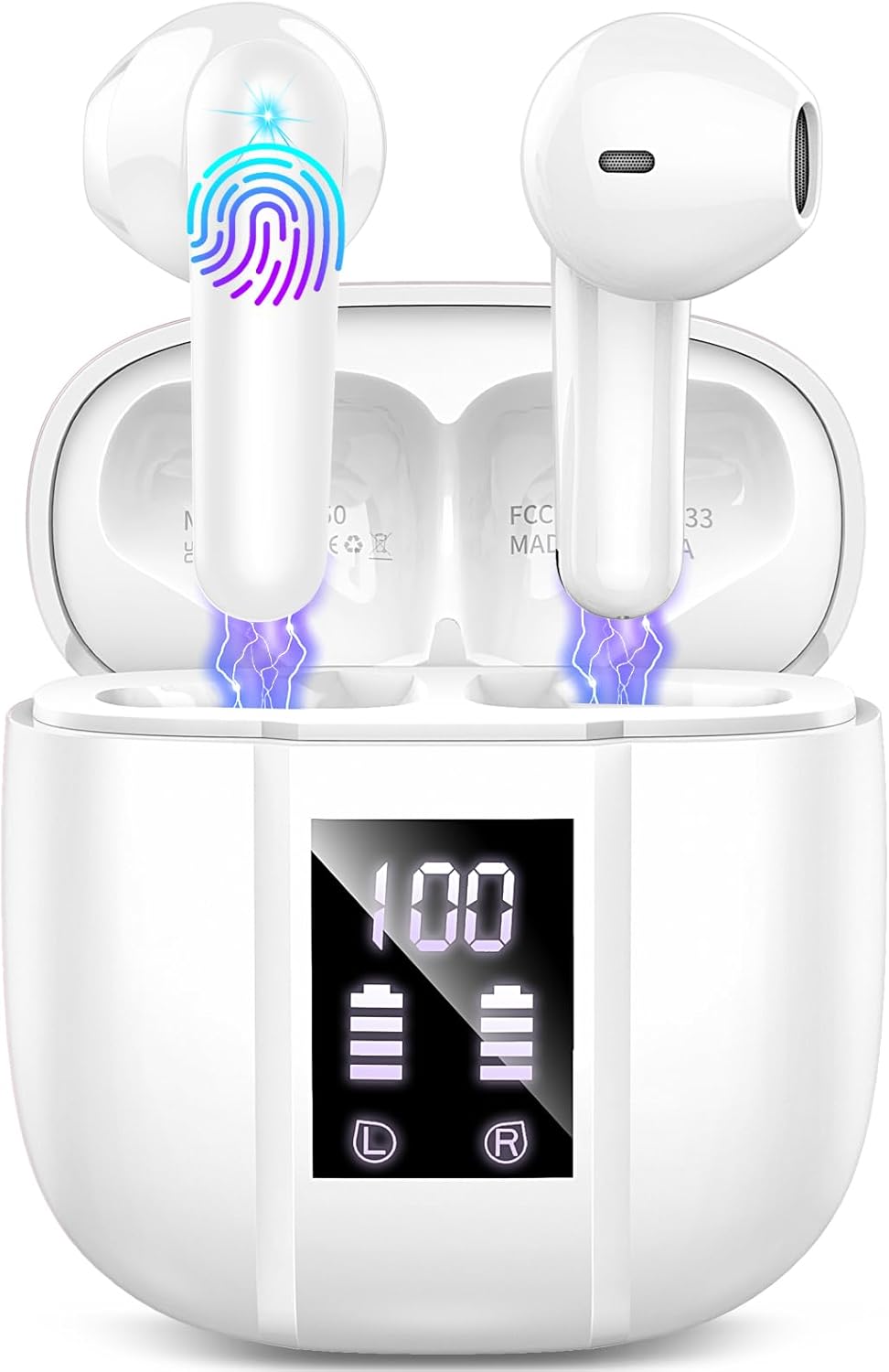
Image: Renimer I50 Wireless Earbuds shown inside their charging case. The case features a digital LED display indicating battery percentage (100%) and individual battery levels for the left (L) and right (R) earbuds. The earbuds are white, with a sleek design, and appear to be charging within the case, indicated by blue light effects.
4. Setup
4.1 Initial Charging
- Place both earbuds into the charging case.
- Connect the charging cable to the charging port on the case and a USB power source.
- The LED display on the charging case will show the battery percentage. Ensure the case and earbuds are fully charged before first use.
4.2 Pairing with Your Device
- Open the charging case. The earbuds will automatically enter pairing mode.
- On your Bluetooth-enabled device (e.g., smartphone, tablet, laptop), go to the Bluetooth settings.
- Search for available devices and select "Renimer I50" from the list.
- Once connected, a voice prompt will confirm successful pairing.
- The earbuds are compatible with a wide range of Bluetooth-enabled devices including Laptops, Desktops, Gaming Consoles, Tablets, Telephones, Smart Speakers, Televisions, and Cellphones.
5. Operating Instructions
5.1 Touch Controls
The Renimer I50 earbuds feature intuitive touch controls for various functions:
- Play/Pause: Single tap on either earbud.
- Next Track: Double tap on the right earbud.
- Previous Track: Double tap on the left earbud.
- Answer/End Call: Single tap on either earbud during an incoming call.
- Reject Call: Press and hold either earbud for 2 seconds during an incoming call.
- Activate Voice Assistant: Triple tap on either earbud (supports voice control).
5.2 Usage Scenarios
These earbuds are recommended for various uses, including:
- Listening to Music
- Making and Receiving Calls
- Exercising and Running
- Cycling
6. Maintenance and Care
To ensure the longevity and optimal performance of your Renimer I50 Wireless Earbuds, follow these care instructions:
- Cleaning: Gently wipe the earbuds and charging case with a soft, dry, lint-free cloth. Do not use harsh chemicals or abrasive materials.
- Water Resistance: The earbuds are IPX7 waterproof, meaning they can withstand submersion in up to 1 meter of water for 30 minutes. However, the charging case is not waterproof. Avoid exposing the charging case to water. Always ensure earbuds are dry before placing them back in the charging case.
- Storage: Store the earbuds in their charging case when not in use to protect them from dust and damage. Store in a cool, dry place away from extreme temperatures.
- Charging: Use the provided charging cable. Avoid overcharging the device.
7. Troubleshooting
If you encounter any issues with your Renimer I50 Wireless Earbuds, please refer to the following common solutions:
- Earbuds not pairing: Ensure both earbuds are in the charging case, then take them out to re-enter pairing mode. Turn off and on your device's Bluetooth, then try searching again.
- Only one earbud working: Place both earbuds back into the charging case, close the lid, wait a few seconds, then open the lid again. This often re-syncs them.
- No sound: Check the volume level on both your earbuds and your connected device. Ensure the earbuds are properly paired.
- Charging issues: Ensure the charging cable is securely connected to both the case and the power source. Check if the charging port is clean and free of debris.
- Poor sound quality: Ensure the earbuds are clean and properly seated in your ears. Move closer to your connected device to avoid interference.
If the issue persists, try resetting the earbuds (refer to manufacturer's website for specific reset instructions if not detailed here).
8. Specifications
| Feature | Specification |
|---|---|
| Model Name | I50 |
| Brand | Renimer |
| Connectivity Technology | Wireless |
| Wireless Communication | Bluetooth |
| Ear Placement | In Ear |
| Form Factor | In Ear |
| Control Method | Touch |
| Control Type | Voice Control |
| Water Resistance Level | IPX7 Waterproof |
| Material | Plastic |
| Color | White |
| Item Weight | 3.52 ounces |
| Batteries | 1 Lithium Polymer batteries (included) |
| Special Feature | Fast Charging |
| Recommended Uses | Music, Calling, Exercising, Running, Cycling |
9. Warranty and Support
For warranty information and detailed support, please refer to the documentation included with your purchase or visit the official Renimer website. If you require further assistance, please contact Renimer customer service through the contact details provided on their website.
