
1. Introduction
This manual provides detailed instructions for the assembly, operation, maintenance, and troubleshooting of your NB ERGONOMIC A80 Motorized Mobile TV Cart. Please read this manual thoroughly before installation and use to ensure safe and correct operation. Keep this manual for future reference.
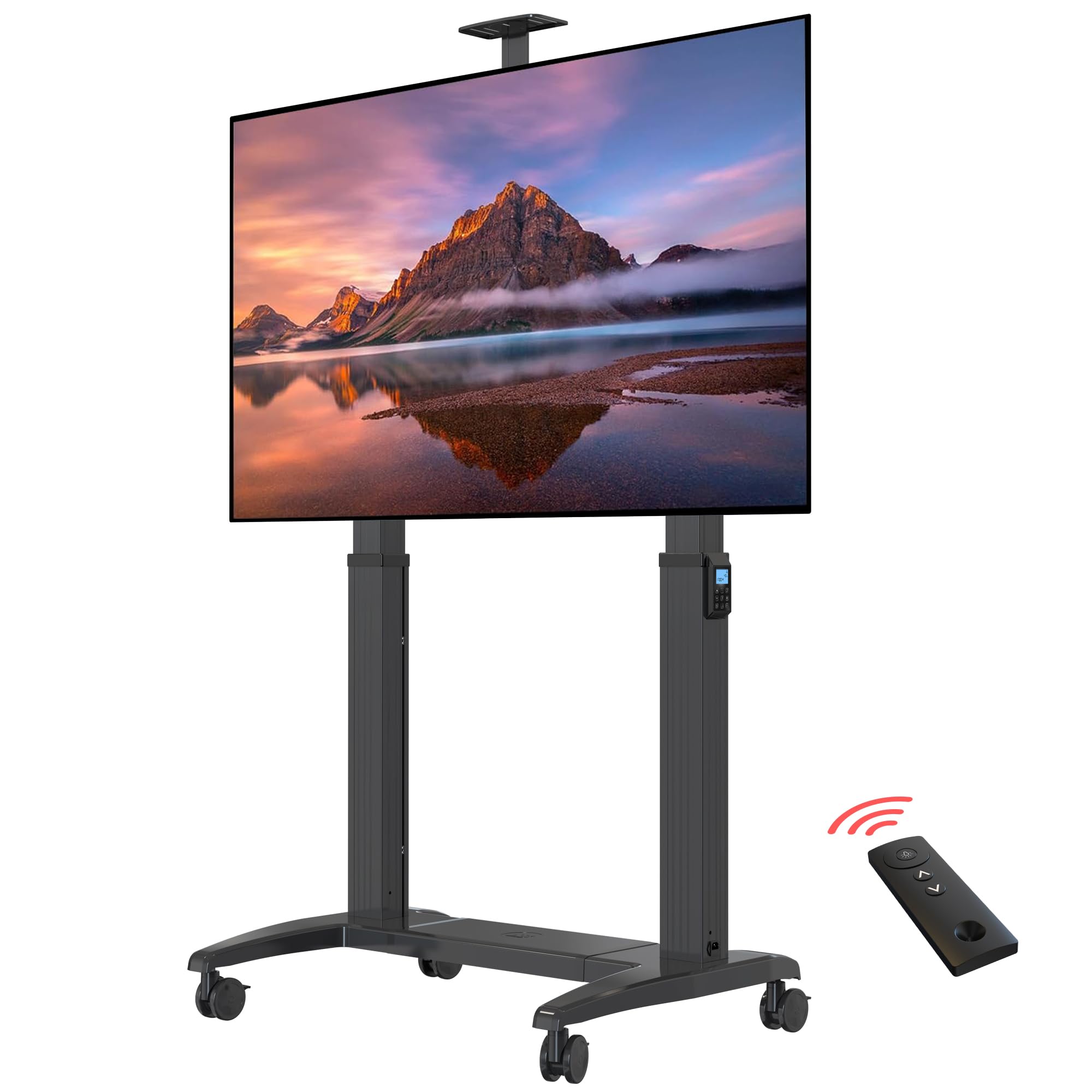
Image 1.1: NB ERGONOMIC A80 Motorized Mobile TV Cart with a large TV screen, showcasing its wide TV compatibility, load capacity, and VESA mounting options.
2. Safety Information
- Ensure all components are present and undamaged before assembly.
- Do not exceed the maximum load capacity of 300 lbs (136.4 kg).
- Ensure the TV size is within the supported range of 75" to 120" and VESA compatibility from 200x200mm to 1000x600mm.
- Always lock the casters when the cart is stationary to prevent accidental movement.
- Keep hands and fingers clear of moving parts during height adjustment.
- Use only the provided power adapter and ensure it is connected to a suitable power outlet (100V-240V).
- Children should not operate the motorized functions without adult supervision.
3. Package Contents
Verify that all parts listed below are included in your package. If any parts are missing or damaged, please contact customer support.
Video 3.1: A detailed installation video for the NB ERGONOMIC A80 Motorized Mobile TV Cart, showing all components laid out after unboxing.
The package includes various parts for the base, columns, TV mounting brackets, casters, and necessary hardware. Refer to the included parts list in your physical manual for a complete inventory.
4. Assembly Instructions
Follow these steps carefully to assemble your motorized TV cart. It is recommended to have two people for assembly, especially when mounting the TV.
4.1 Base Assembly
- Connect the base plates (Part 1 & 2) with two metal rails (Part 11) using 12 screws (Part M-M8*15mm). Tighten securely with the provided Allen key.

Image 4.1: Diagram illustrating the dimensions of the TV cart, including the base, columns, and TV mounting area, along with the remote control.
- For caster installation, lock the brake on each caster, remove the rubber cover, and insert a spacer (Part J-Φ16.2xΦ12x2mm). Twist casters by hand into the base, then use the outer hexagon spanner (Part P) to tighten them securely.

Image 4.2: Close-up view of a caster wheel, highlighting its locking mechanism for stability.
- Place the plastic cover plate (Part 3) onto the rails of the base.
4.2 Column Installation
- Insert the two columns (Part 4 & 5) vertically into the base plate. Carefully lay the unit down slowly.
- Twist and tighten 8 screws (Part N-M8*40mm) by Allen key to secure the columns to the base.
- Connect the motor cables from the columns to the control box located in the base. Ensure proper cable management using the provided ties.

Image 4.3: Illustration of the cable management system within the TV cart's base, ensuring a tidy setup.
4.3 TV Mounting
- Attach the TV mounting brackets to the back of your TV using appropriate screws and spacers for your TV's VESA pattern.
- Carefully lift the TV and hook the mounting brackets onto the main crossbar of the TV cart. Ensure the TV is centered and level.
- Secure the TV to the crossbar using the safety screws or locking mechanisms on the brackets.
- Install the decorative side covers and handles (if included) to the columns.

Image 4.4: Close-up of the TV mounting bracket, showing how it attaches to the main crossbar of the motorized TV cart.
5. Operating Instructions
Your NB ERGONOMIC A80 TV Cart features electric lifting with both touch control and remote control options.
5.1 Power Connection
Connect the power cable to the power input on the base of the TV cart, then plug it into a standard electrical outlet.
5.2 Height Adjustment
- Touch Control: Use the up (▲) and down (▼) arrows on the integrated control panel to adjust the TV height. The display shows the current height.
- Remote Control: Use the up (▲) and down (▼) arrows on the remote control to adjust the TV height. Ensure the remote has batteries installed (CR2032, not included).
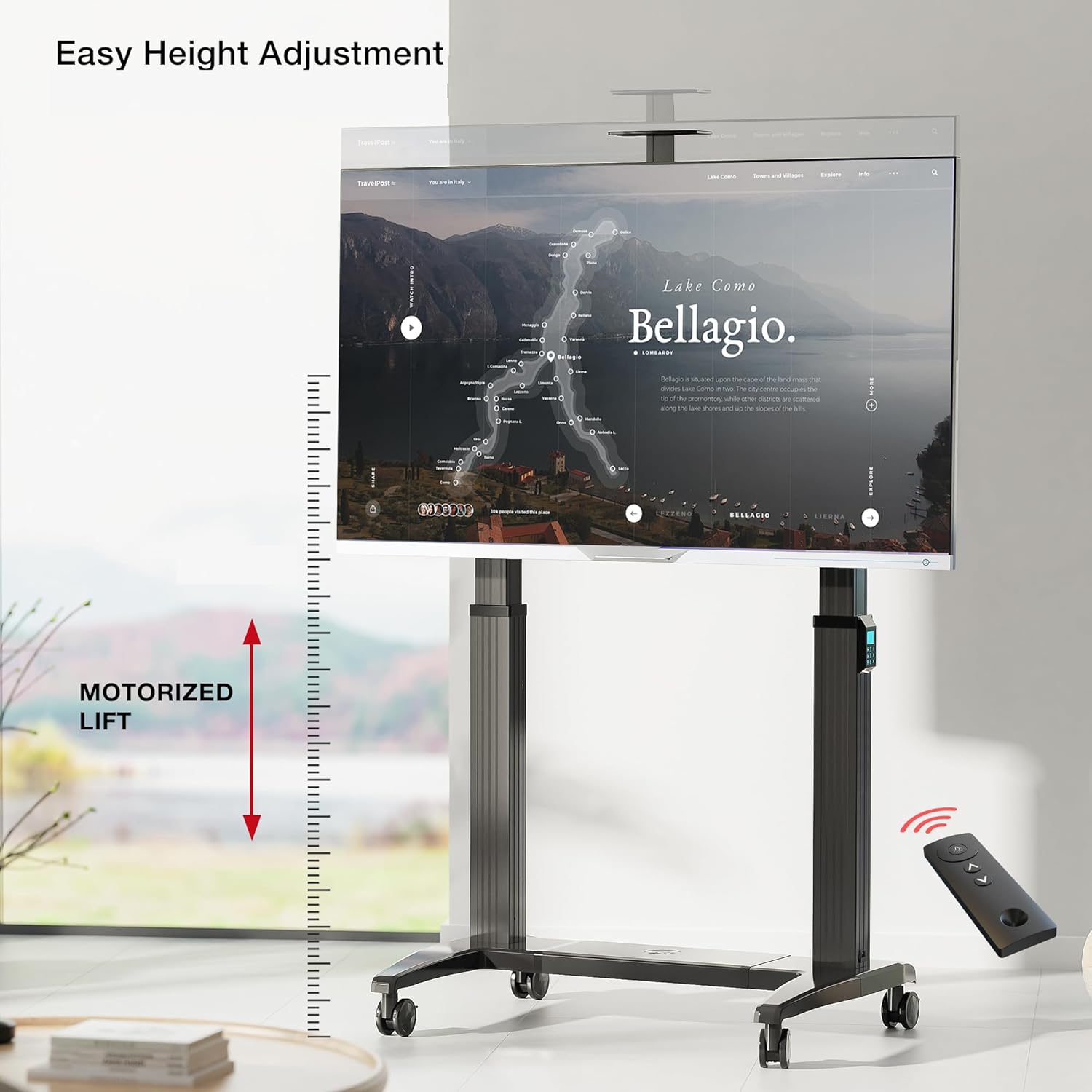
Image 5.1: The motorized TV cart demonstrating its height adjustment feature, controlled by a remote, allowing for easy positioning of the screen.

Image 5.2: Detailed view of the remote control and the integrated control panel, showing buttons for height adjustment and memory presets.
5.3 Memory Presets
The control panel allows you to save up to three preferred height settings.
- Adjust the TV to your desired height.
- Press the 'M' button, then press '1', '2', or '3' to save the current height to that preset number.
- To recall a saved height, simply press the corresponding number button ('1', '2', or '3').
Video 5.3: A demonstration video showcasing the features and operation of the NB ERGONOMIC A80 Motorized Mobile TV Cart, including height adjustment and mobility.
6. Product Features
- Wide TV Compatibility: Fits most screens from 75" to 120" with VESA from 200x200mm to 1000x600mm.
- High Load Capacity: Supports up to 300 lbs (136.4 kg), suitable for large screen TVs or smart boards.
- Electric Lifting: Features 20" (500mm) upright adjustment for customizable viewing height via touch or remote control.
- Heavy-Duty Construction: Made with thick, strong brackets and aluminum material to ensure stability and prevent falling.
- Movable & Lockable: Equipped with four high-quality PU caster wheels for easy movement between rooms. Wheels can be locked for safety and stability.
- Intelligent Control: Integrated intelligent control chip and durable DC motor for smooth and reliable operation.
- Memory Mode: Three programmable height levels for quick adjustments.
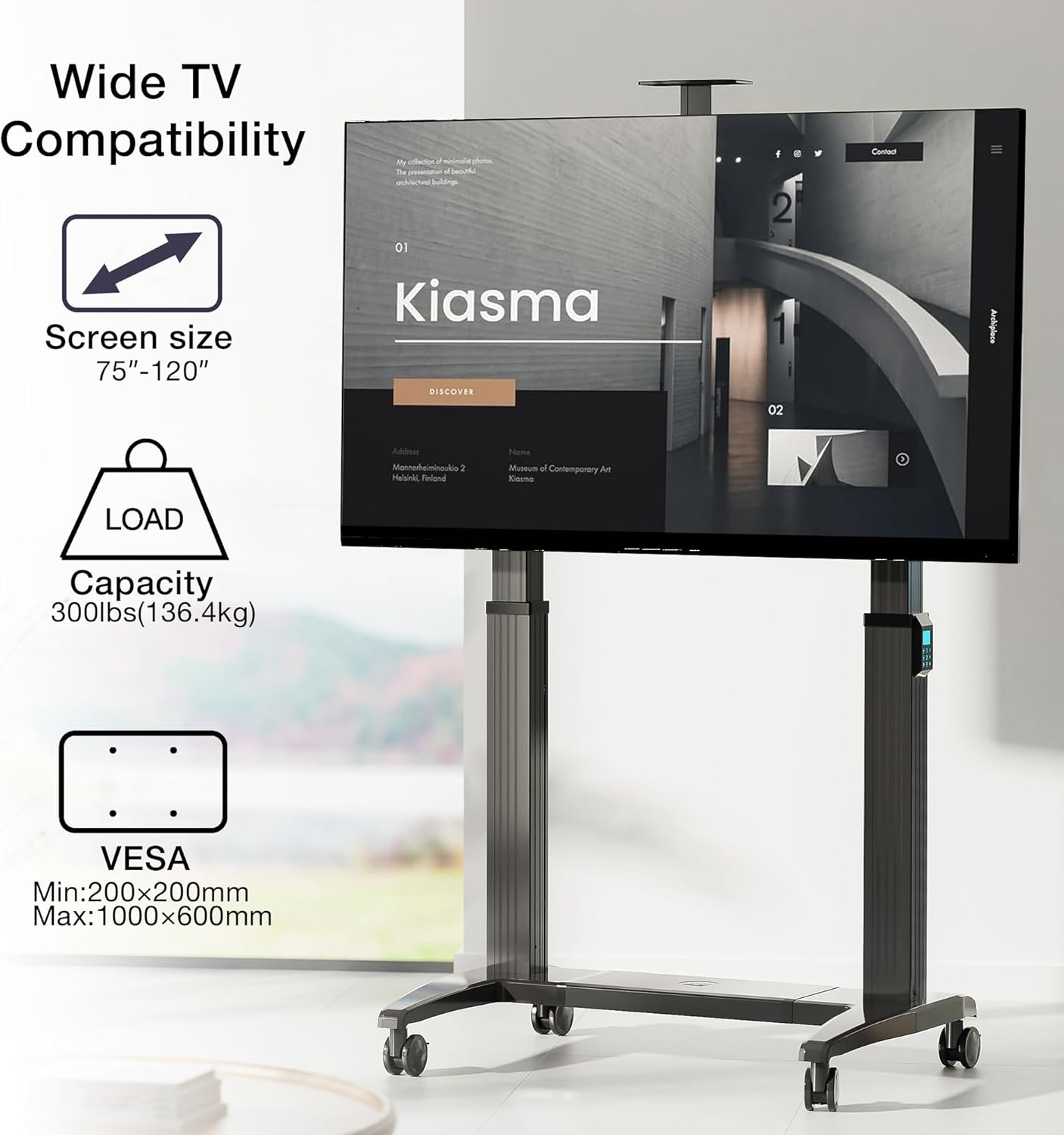
Image 6.1: Visual representation of the TV cart's compatibility, showing supported screen sizes (75"-120"), load capacity (300 lbs), and VESA mounting range (Min: 200x200mm, Max: 1000x600mm).

Image 6.2: Close-up of internal components, highlighting the intelligent control chip, the strong and durable DC motor, and the feature of 3 height level memory mode.
7. Specifications
| Mounting Type | Floor Mount |
| Movement Type | Electric Lifting (Motorized) |
| Brand | NB ERGONOMIC |
| Material | Aluminum |
| Color | Grey Black |
| Compatible Devices | Television, Smart Board |
| Maximum Supported Screen Size | 120 Inches |
| Minimum Supported Screen Size | 75 Inches |
| Max Load Capacity | 300 lbs (136.4 kg) |
| VESA Compatibility | 200x200mm to 1000x600mm |
| Upright Adjustment Range | 20 inches (500mm) |
| Power Input | 100V-240V |
8. Maintenance
- Regularly check all screws and connections to ensure they are tight. Retighten if necessary.
- Clean the surfaces of the TV cart with a soft, damp cloth. Avoid abrasive cleaners or solvents.
- Inspect the power cable for any signs of damage. Replace immediately if damaged.
- Ensure the caster wheels are free of debris to maintain smooth movement.
- Do not attempt to lubricate internal motorized components unless specifically instructed by customer support.
9. Troubleshooting
| Problem | Possible Cause | Solution |
|---|---|---|
| TV cart does not move up or down. | No power; remote control battery low; motor cable disconnected. | Check power connection; replace remote battery; ensure motor cables are securely connected. |
| Uneven height adjustment. | Obstruction; uneven load distribution. | Remove any obstructions; redistribute TV weight evenly; check for bent components. |
| Casters do not roll smoothly. | Debris in wheels; casters locked. | Clean debris from wheels; unlock casters. |
| Remote control not responding. | Battery low or dead; remote out of range. | Replace remote battery; ensure remote is pointed towards the cart and within range. |
10. Warranty and Support
This NB ERGONOMIC A80 Motorized Mobile TV Cart comes with a 2-year warranty from the date of purchase. This warranty covers manufacturing defects and malfunctions under normal use. It does not cover damage caused by misuse, accidents, unauthorized modifications, or improper installation.
For warranty claims, technical support, or any questions regarding your product, please contact NB ERGONOMIC customer service through the retailer where you purchased the product or visit the official NB ERGONOMIC website for contact information.
