
1. Introduction
This manual provides essential instructions for the safe and efficient operation of your MaxTalker MT-8S Walkie Talkie. Please read it thoroughly before use and retain it for future reference. The MaxTalker MT-8S is a compact and reliable two-way radio system designed for clear communication in various environments.
2. Package Contents
Each MaxTalker MT-8S package includes the following items:
- Walkie Talkie Unit
- 1500mAh Li-ion Battery Pack
- Charging Base (US plug)
- Belt Clip
- Hand Strap
- Upgraded Acoustic Tube Earpiece with Microphone
- User Manual (this document)

Figure 2.1: MaxTalker MT-8S 10-pack contents, including radios, charging bases, and earpieces.
3. Product Overview
Familiarize yourself with the components of your MaxTalker MT-8S Walkie Talkie:

Figure 3.1: Key components of the MaxTalker MT-8S Walkie Talkie.
- Antenna: For transmitting and receiving signals.
- Power Switch/Volume Control: Rotate to turn the radio on/off and adjust volume.
- Channel Switch: Rotate to select desired communication channel.
- PTT Button (Push-To-Talk): Press and hold to transmit your voice.
- Moni Button: Used for monitoring channels.
- Flashlight Button: Activates the built-in flashlight.
- LED Indicator: Displays status (e.g., transmitting, receiving, charging).
- SP/MIC Jacks: Ports for connecting the earpiece/microphone accessory.
4. Setup
4.1. Battery Installation and Charging
- Ensure the radio is powered off.
- Align the 1500mAh Li-ion battery pack with the back of the walkie talkie and slide it into place until it clicks securely.
- To charge, place the walkie talkie (with battery installed) into the charging base. Ensure the metal contacts align.
- Plug the charging base into a standard wall outlet. The indicator light on the base will show charging status (typically red for charging, green for fully charged).
- A full charge typically takes 3-5 hours, providing 8-12 hours of sustainable use depending on frequency.

Figure 4.1: Battery charging and usage duration.
4.2. Attaching Accessories
- Belt Clip: Attach the belt clip to the designated screws on the back of the walkie talkie for easy carrying.
- Hand Strap: Loop the hand strap through the attachment point on the top side of the radio to prevent accidental drops.
- Acoustic Tube Earpiece: Plug the earpiece's two-pin connector into the SP/MIC jacks on the side of the radio. Ensure a secure connection.

Figure 4.2: Upgraded Acoustic Tube Earpiece components.
5. Operating Instructions
5.1. Power On/Off and Volume Adjustment
- To power on, rotate the Power Switch/Volume Control knob clockwise until you hear a click and a voice prompt.
- To power off, rotate the knob counter-clockwise until you hear a click.
- Adjust the volume by rotating the same knob clockwise (increase) or counter-clockwise (decrease).
5.2. Channel Selection
- Rotate the Channel Switch knob to select one of the 16 available channels.
- Ensure all radios intended for communication are set to the same channel.
5.3. Transmitting and Receiving
- To transmit, press and hold the PTT (Push-To-Talk) button on the side of the radio. Speak clearly into the microphone (either built-in or on the earpiece). The LED indicator will light red.
- Release the PTT button to stop transmitting and return to receive mode. The LED indicator will light green when receiving a signal.
5.4. VOX Function (Voice-Activated Transmission)
The VOX function allows for hands-free transmission. When activated, the radio will automatically transmit when it detects your voice.
- Refer to the detailed programming instructions (if applicable) or consult the full user manual for activating and adjusting VOX sensitivity.

Figure 5.1: Hands-free communication with VOX function.
5.5. Flashlight Function
- Press the Flashlight button to turn the built-in LED flashlight on.
- Press again to turn it off.
6. Maintenance
- Cleaning: Use a soft, damp cloth to clean the radio's exterior. Do not use harsh chemicals or solvents.
- Battery Care: To prolong battery life, avoid overcharging or completely draining the battery. Store the radio and batteries in a cool, dry place when not in use for extended periods.
- Storage: Store the walkie talkie in a dry, dust-free environment away from extreme temperatures.
7. Troubleshooting
| Problem | Possible Cause | Solution |
|---|---|---|
| No power | Battery drained or not installed correctly. | Charge battery fully. Reinstall battery ensuring proper contact. |
| Cannot transmit or receive | Incorrect channel selected. Out of range. Battery low. | Verify all radios are on the same channel. Move closer to other radios. Recharge battery. |
| Static or unclear audio | Weak signal. Interference. Earpiece connection loose. | Move to an area with fewer obstructions. Check earpiece connection. |
| Low battery alert | Battery charge is low. | Recharge the battery immediately. |
8. Specifications
| Feature | Detail |
|---|---|
| Model Number | MT-8S |
| Battery Capacity | 1500mAh Li-ion |
| Number of Channels | 16 |
| Frequency Range | 400 - 470 MHz |
| Talking Range (Maximum) | 4 Miles (in open areas) |
| Voltage | 4.2 Volts |
| Water Resistance Level | Water Resistant |
| Item Weight | 7.76 pounds (for 10-pack) |
| Package Dimensions | 12.17 x 9.84 x 7.17 inches |
9. Warranty and Support
Your MaxTalker MT-8S Walkie Talkie comes with a 1-Year Warranty from the date of purchase.
For any questions, technical assistance, or warranty claims, please contact MaxTalker customer service through the Amazon platform. We are committed to helping you resolve any issues promptly.
10. Additional Resources
10.1. Official Product Video
Video 10.1: An overview of the MaxTalker MT-8S Radios Walkie Talkies, demonstrating key features and components.
10.2. Product Durability
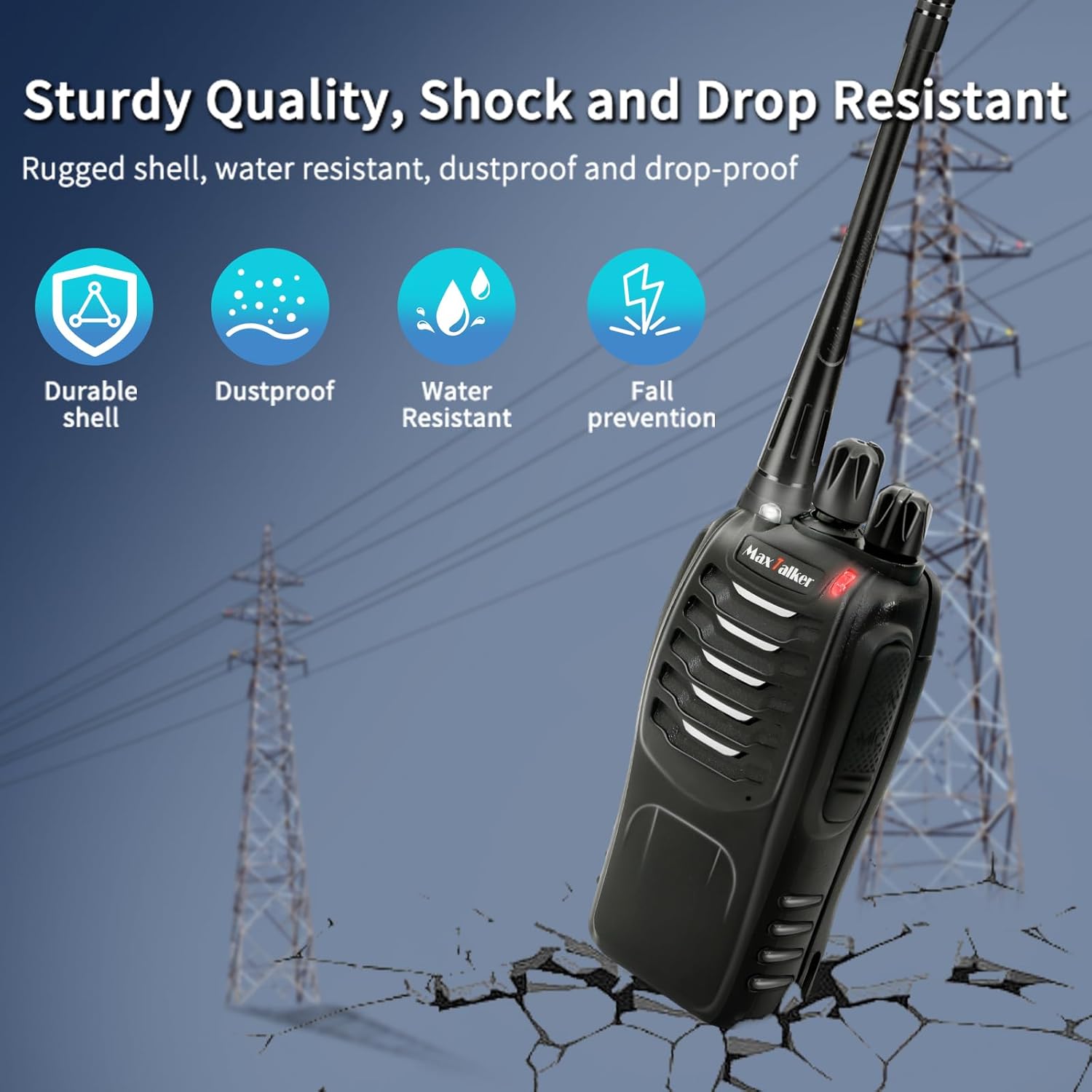
Figure 10.1: The MaxTalker MT-8S features a rugged shell designed for durability, including dustproof, water-resistant, and fall prevention capabilities.
10.3. Communication Range

Figure 10.2: The communication range varies based on terrain and obstructions, reaching up to 4 miles in open areas.
