
SALA LM-002
SALA LM-002 DJ Laser Light User Manual
Model: LM-002
Introduction
This manual provides comprehensive instructions for the safe and effective operation of your SALA LM-002 DJ Laser Light. Please read this manual thoroughly before use and retain it for future reference. The SALA LM-002 is designed to create dynamic visual effects with its RGB laser system, offering features such as 3D animation looping, sound activation, and DMX512 control.
Important Safety Information
WARNING: This product contains a laser. Improper use can result in serious eye injury. Always follow safety guidelines.
- Never look directly into the laser aperture.
- Do not point the laser at people, animals, or reflective surfaces.
- Ensure the device is securely mounted to prevent accidental movement.
- Operate in a well-ventilated area.
- Keep out of reach of children.
- Disconnect power before cleaning or servicing.
- Use only the provided power cord and accessories.
- Avoid operating in smoky environments without proper ventilation, as smoke can intensify laser beam visibility and potential hazards.
What's in the Box
- 1 x SALA LM-002 DJ Laser Light
- 1 x Remote Control
- 1 x Power Cord
- 1 x User Manual (this document)
Product Overview
The SALA LM-002 is a versatile laser light designed for various entertainment settings. It features full RGB color output, 3D animation looping (ILD), sound activation, and DMX512 control for professional integration.
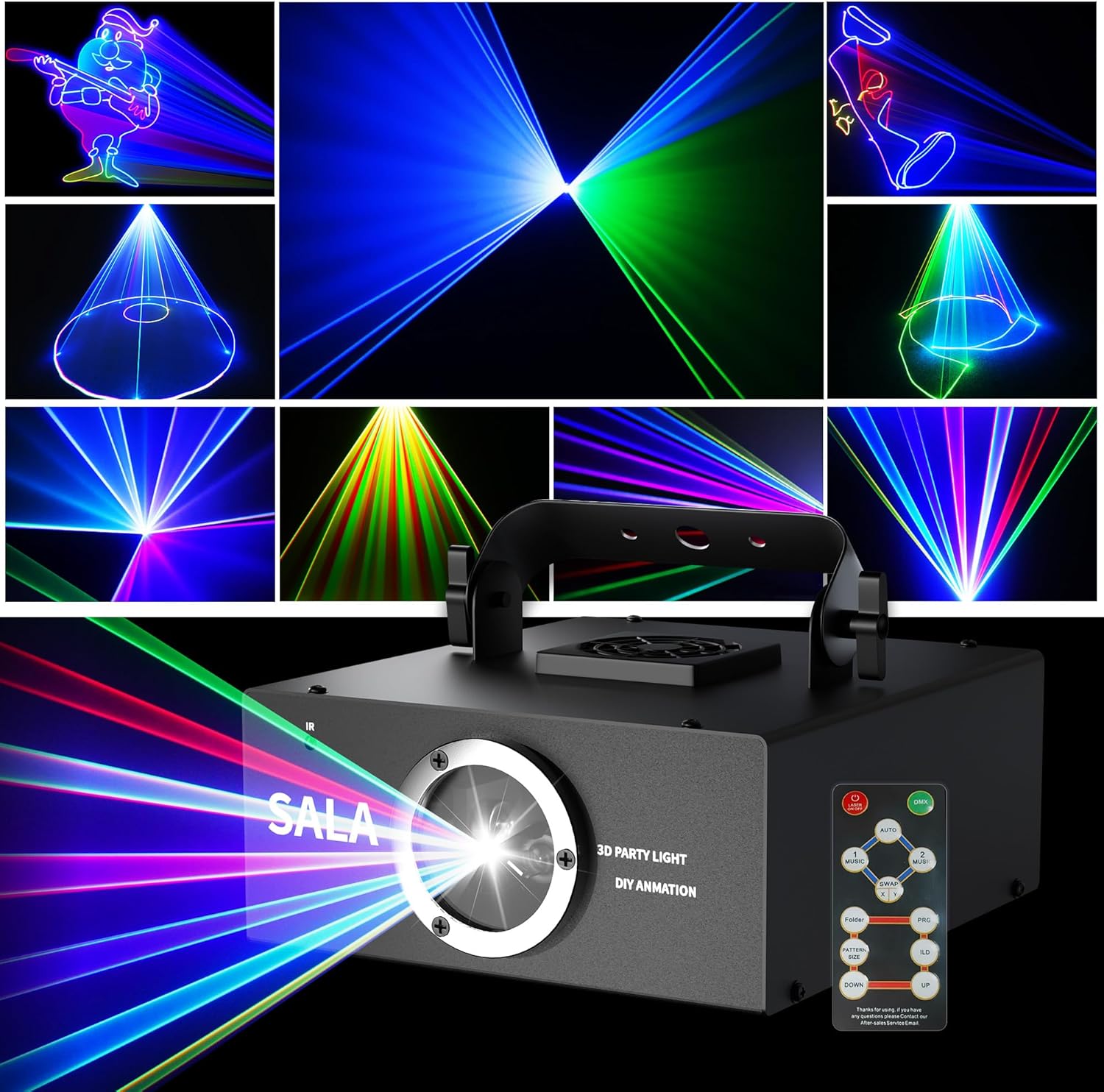
Image: Front view of the SALA LM-002 DJ Laser Light, showcasing its compact design, laser aperture, and included remote control. Various laser patterns are displayed in the background.
Key Features:
- Animation Loop (ILD): Seamless looping of individual animations.
- DMX and Remote Control: 12 channels for DMX control; remote for simple operation.
- Vibrant RGB Color: Dynamic blend of red, green, blue, and yellow lasers.
- Sound Activated: Syncs with music for enhanced visual effects.
- Custom Graphics: Supports custom pattern creation via software (SD card).
Setup Instructions
- Unpacking: Carefully remove the laser light and all accessories from the packaging. Inspect for any damage.
- Placement: Position the laser light on a stable surface or mount it securely using the integrated bracket. Ensure the laser aperture is clear and not obstructed. Avoid pointing the laser directly at eye level.
- Power Connection: Connect the provided power cord to the device's power input and then to a suitable power outlet (AC100-240V, 50/60Hz).
- Remote Receiver: The remote receiver is located on the front of the laser light. Ensure a clear line of sight between the remote control and the device for optimal operation.
- SD Card Insertion (Optional): If using custom patterns, power off the device before inserting the TF (micro SD) card into the designated slot.
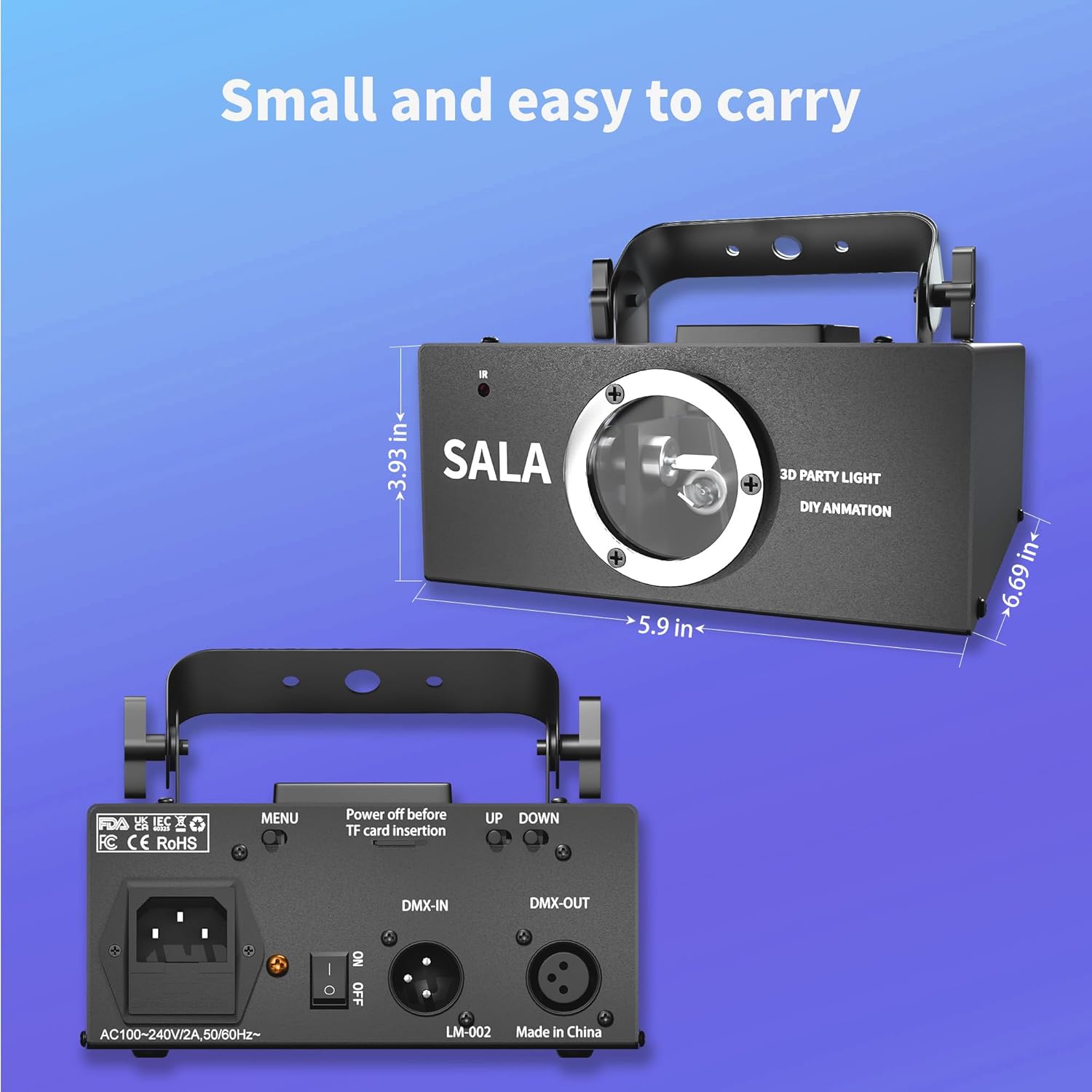
Image: Rear panel of the SALA LM-002, illustrating the power input, ON/OFF switch, DMX-IN/OUT ports, and UP/DOWN control buttons.
Operating Instructions
Powering On/Off:
- Flip the ON/OFF switch on the rear panel to the 'ON' position to power on the device.
- Flip the ON/OFF switch to the 'OFF' position to power off the device.
Remote Control Operation:
The included remote control allows for easy adjustment of various settings.

Image: Detailed view of the remote control for the SALA LM-002, showing buttons for power, mode selection (Auto, Music 1, Music 2), pattern direction, TF card file access, pattern size, ILD mode, and color selection (R, G, B).
- ON/OFF: Powers the laser on or off.
- AUTO: Activates automatic pattern cycling.
- MUSIC 1 / MUSIC 2: Engages sound-activated modes, where patterns react to music.
- SWAP: Changes pattern display direction.
- FOLDER: Accesses patterns stored on the TF card.
- PATTERN SIZE +/-: Adjusts the size of the projected patterns.
- ILD: Activates the Animation Loop mode for continuous playback of a single animation. Use UP/DOWN to select the animation.
- R / G / B: Selects individual red, green, or blue laser colors.
- UP / DOWN: Navigates through patterns or adjusts settings in ILD mode.
DMX512 Control:
For professional control, connect a DMX512 controller to the DMX-IN port. The SALA LM-002 utilizes 12 DMX channels to control various parameters such as movement, rotation, zoom, and speed. Refer to the DMX channel chart (not provided in source, but implied by "12 channels for professional DMX control") for detailed channel assignments and values.
Custom Pattern Creation:
The device supports custom graphics via an SD card. A 512MB memory card is included, capable of holding approximately 300 pictures. Larger capacity cards can be used if needed. Software for creating custom patterns is required. Please contact SALA support for information on compatible software and tutorials.
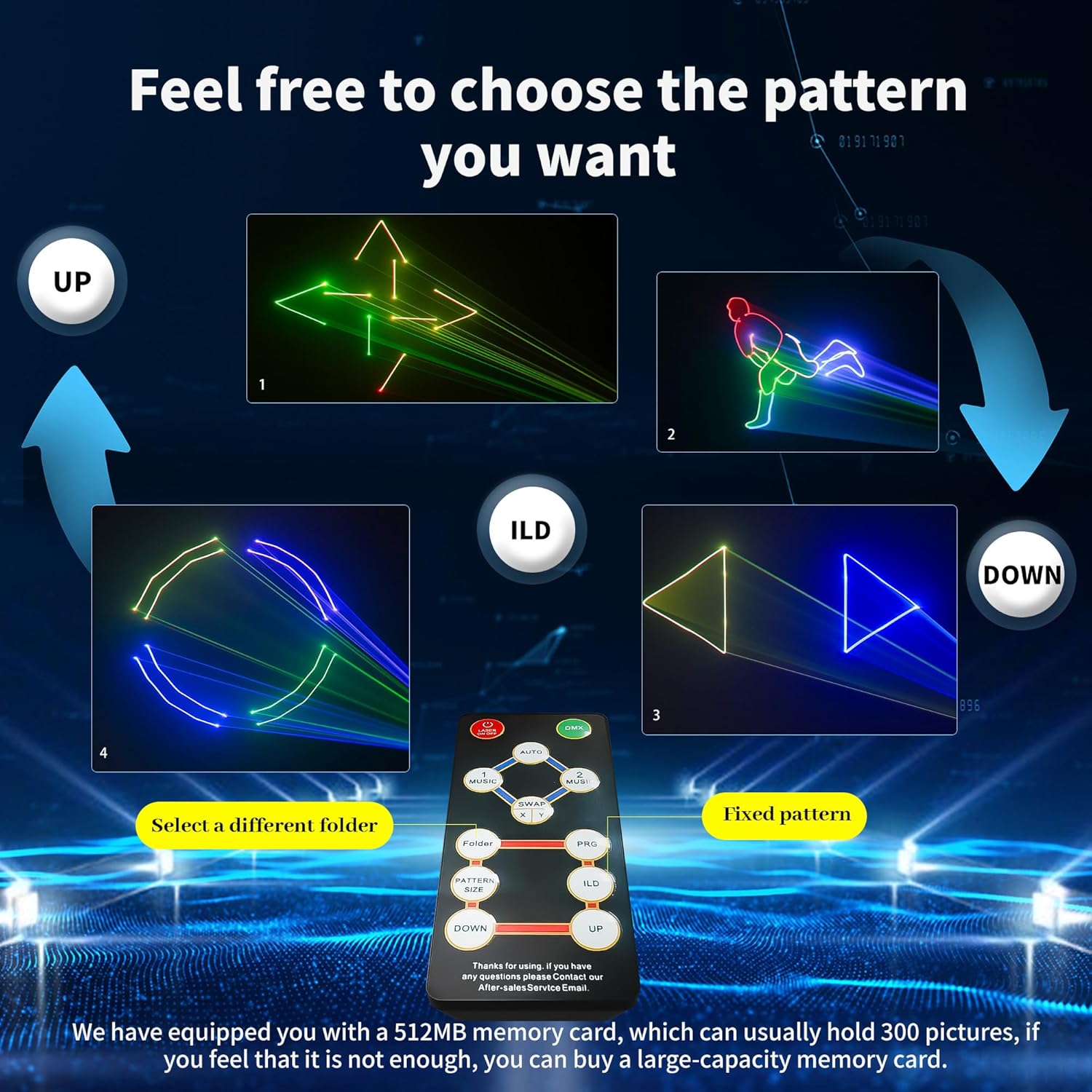
Image: The SALA LM-002 projecting a grid of various 3D laser animations, demonstrating its capability to display complex patterns.
Maintenance
- Cleaning: Regularly clean the exterior of the device with a soft, dry cloth. For the laser aperture, use a lens cleaning cloth and solution specifically designed for optical components. Ensure the device is powered off and unplugged before cleaning.
- Storage: When not in use, store the laser light in a cool, dry place, away from direct sunlight and extreme temperatures.
- Protective Film: A protective film may be present inside the lens upon initial unboxing. Remove this film carefully before first use to ensure optimal laser effect.
Troubleshooting
| Problem | Possible Cause | Solution |
|---|---|---|
| Device does not power on. | Power cord not connected; power switch off; no power from outlet. | Check power cord connection; ensure power switch is ON; test outlet with another device. |
| Remote control not responding. | Remote batteries low/dead; no clear line of sight to receiver; remote receiver obstructed. | Replace remote batteries; ensure remote is pointed at the front of the device; clear any obstructions. |
| Laser patterns are dim or unclear. | Protective film still on lens; lens dirty; ambient light too bright. | Remove protective film from lens; clean the lens carefully; operate in a darker environment. |
| Custom patterns from SD card not displaying. | SD card not inserted correctly; incorrect file format; device not powered off before insertion. | Ensure SD card is fully inserted; verify custom pattern files are in the correct format; power off device before inserting/removing SD card. |
| Laser patterns are distorted or incomplete (e.g., circles appear as open loops). | Software compatibility issues; specific .ild file limitations. | Ensure custom .ild files are compatible with the device's software. Some complex designs from third-party software may not render perfectly. Contact SALA support for software guidance. |
Specifications
| Model Number | LM-002 |
| Brand | SALA |
| Color | Black |
| Material | Aluminum |
| Light Source Type | Light Emitting Diode (Laser) |
| Power Source | Corded Electric |
| Voltage | AC100-240V |
| Frequency | 50/60Hz |
| Item Weight | 2.5 Pounds |
| Product Dimensions | 6.69"L x 5.9"W x 3.93"H |
| Mounting Type | Table Mount |
| Bulb Features | RGB, sound activation, custom graphics |
| DMX Channels | 12 |
Support and Warranty
For technical support, software inquiries, or warranty information, please contact SALA customer service. Refer to the product packaging or the official SALA website for contact details.
Note: Some users have found information regarding custom pattern software by searching for "www aokelm lm".
Related documentsLM-002

Ask a question about this manual
Ask about setup, troubleshooting, compatibility, parts, safety, or missing instructions. Manuals+ will review the question and use this page’s manual context to help answer it.