
1. Product Overview
The Makayuron B302 Smart Lock is a versatile and secure door locking system designed to provide multiple unlocking options for enhanced convenience and safety. It integrates advanced technology, including fingerprint recognition, NFC, password entry, remote access via the Tuya app, and traditional mechanical key unlocking. This manual provides detailed instructions for installation, operation, maintenance, and troubleshooting.
The lock features a robust design with aluminum alloy and tempered glass construction, ensuring durability and adaptability to various environments. It is powered by standard AA batteries and includes an energy-saving module for extended standby time.

Figure 1.1: Makayuron B302 Smart Lock and included accessories.
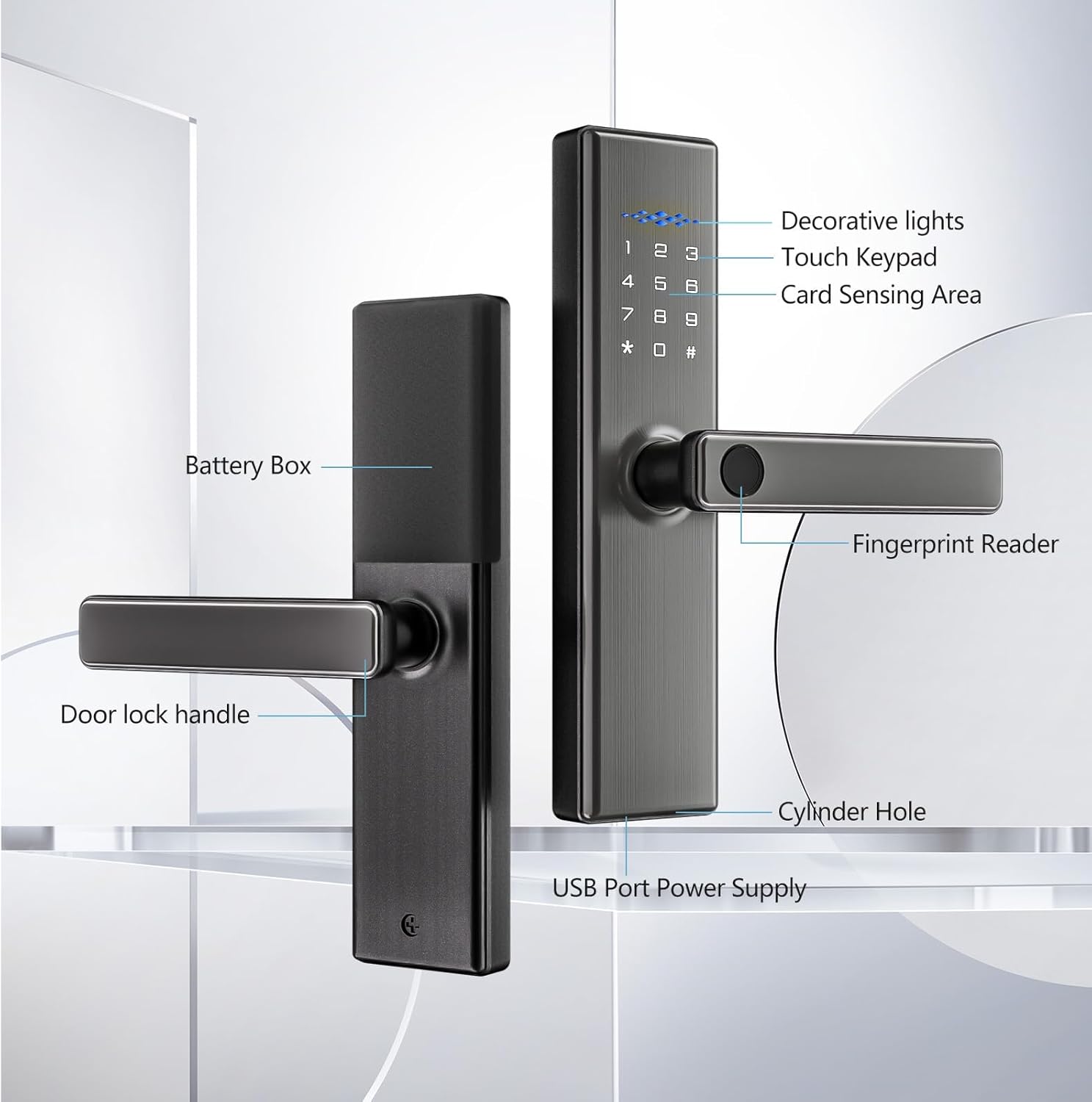
Figure 1.2: Key components of the Makayuron B302 Smart Lock.
2. Setup and Installation
2.1 Pre-Installation Check
Before proceeding with the physical installation of the smart door lock onto your door, it is highly recommended to connect it to your mobile phone. This step ensures that all functions are working properly and allows for initial pairing and testing of the lock's features. Completing this process before permanent installation can prevent potential issues.
2.2 Door Compatibility
The Makayuron B302 Smart Lock is designed for doors with a thickness ranging from 45mm to 100mm. It is compatible with the 4585 mortise. The product package includes the 4585 mortise and a matching buckle box for installation on the door frame.
2.3 Included Components
The standard package includes the smart lock unit, batteries, NFC cards, a user manual, and various accessories required for installation.
2.4 Installation Steps
Detailed installation instructions are provided in the separate installation guide included with your product. Please refer to that guide for step-by-step procedures for mounting the mortise, installing the lock handles, and connecting the internal components.
3. Operating Instructions
3.1 Unlocking Methods
The Makayuron B302 Smart Lock offers multiple convenient ways to unlock your door:
- Fingerprint: Use your registered fingerprint for quick and secure access.
- Password: Enter your numerical password on the touch keypad.
- NFC: Utilize NFC-enabled devices or cards for proximity unlocking.
- Remote: Unlock the door remotely via the Tuya application on your smartphone.
- Mechanical Key: For emergency or traditional access, use the provided mechanical keys.

Figure 3.1: Six in one smart door lock unlocking methods.
3.2 Tuya App Control
The Tuya application provides comprehensive control over your smart lock. With the app, you can:
- Control your smart lock from anywhere at any time.
- Remotely unlock the door for family or friends.
- Review door lock opening and closing records.
- Access real-time image data from the front of the door (if applicable).
- Communicate with individuals at your doorstep in real-time.

Figure 3.2: Smart APP Unlock functionality.
3.3 Anti-Peep Password Function
To enhance security, the smart lock supports an anti-peep password feature. When entering your correct password, you can input any random numbers before or after the actual password. As long as the correct consecutive password is contained within the sequence, the door will unlock. This prevents others from easily discerning your password by observing your input.

Figure 3.3: Anti-peep password entry example.
3.4 Auto-Lock and One-Touch Locking
The lock can be configured for automatic locking with a delay of 10 to 99 seconds after closing. Additionally, it supports a 2-second one-touch locking feature for immediate security.
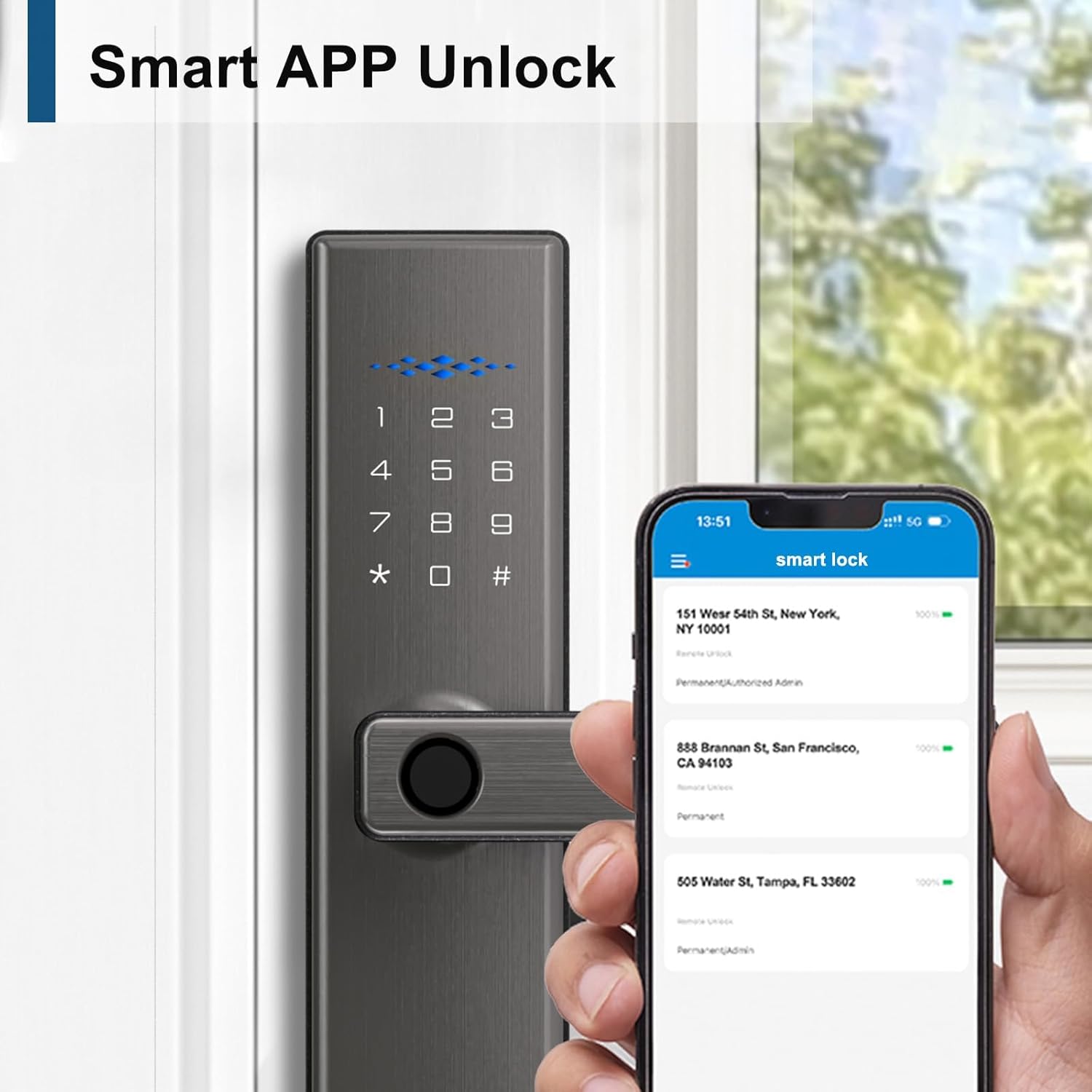
Figure 3.4: Auto-lock and One-touch locking features.
3.5 One-Time Password
Generate temporary, one-time passwords for guests or service providers, allowing them limited access without compromising your primary security codes.

Figure 3.5: One-Time Password usage scenarios.
3.6 Language Support
The smart lock supports 9 languages. To switch the language, enter the corresponding command in the initialization state. The supported languages include Chinese, Arabic, Russian, English, Spanish, Thai, Portuguese, Vietnamese, and Indonesian. Ensure the lock is in its initialized state before attempting to change the language.

Figure 3.6: Supported languages and commands.
4. Maintenance
4.1 Battery Management
The Makayuron B302 Smart Lock operates on 4 AA alkaline batteries. The energy-saving module and large-capacity battery box are designed to provide a longer standby time. Replace batteries when the low battery indicator appears or when performance degrades.
4.2 Emergency Power Supply
In case of complete battery depletion, the lock features a USB port for temporary power supply, allowing you to unlock the door and replace the batteries.
4.3 Cleaning
Clean the lock's exterior with a soft, dry cloth. Avoid using abrasive cleaners or solvents that could damage the finish or electronic components.
5. Troubleshooting
If you encounter any issues with your Makayuron B302 Smart Lock, please consider the following general troubleshooting steps:
- Lock not responding: Check battery levels and replace if necessary. Use the USB emergency power supply if batteries are completely drained.
- Fingerprint not recognized: Ensure your finger is clean and dry. Re-register your fingerprint if the issue persists.
- Password not working: Verify the correct password. Try using the anti-peep password feature.
- App connectivity issues: Ensure your Wi-Fi network is stable and the lock is within range. Restart the Tuya app and your smartphone.
- Mechanical key not working: Ensure the key is fully inserted and turned correctly. Do not force the key.
For persistent problems or issues not covered here, please refer to the warranty and support section for contact information.
6. Specifications
| Feature | Detail |
|---|---|
| Manufacturer | Makayuron |
| Model Number | B302 |
| Part Number | B302G |
| Item Weight | 2.14 Kilograms |
| Product Dimensions | 6 x 5 x 25 cm |
| Size | 4585 Mortise |
| Color | Grey |
| Style | B302 |
| Finish | Painted |
| Material | Aluminum |
| Shape | Rectangular |
| Item Package Quantity | 1 |
| Number Of Pieces | 1 |
| Special Features | Anti-Peeping Password, Auto-Lock, Fingerprint, Rechargeable, Support 9 Languages (Include Arabic) |
| Included Components | LOCK, battery, cards, manual, accessory |
| Batteries Required? | Yes |
| Battery Cell Type | Alkaline |
| Lock Type | Combination Lock, Deadbolt, Keypad, Semi-Automatic Smart Lock |
| Recommended Uses | Door locking and unlocking |
7. Warranty and Support
Your Makayuron B302 Smart Lock comes with a one-year warranty from the date of purchase. This warranty covers manufacturing defects and ensures the proper functioning of the product under normal use.
If you encounter any problems during the use of your smart lock, or if you have questions regarding its operation, installation, or maintenance, please do not hesitate to contact our customer support team. We are committed to providing comprehensive assistance and will serve you wholeheartedly to resolve any issues you may experience.
Please refer to the contact information provided on the product packaging or the official Makayuron website for support channels.