
1. Introduction
Thank you for choosing the CoasTeering Cordless Robotic Pool Cleaner. This device is designed to provide efficient and effortless cleaning for above-ground and flat-bottom swimming pools. Featuring dual motors, dual suction ports, and a self-parking function, it simplifies pool maintenance by automatically collecting dirt, debris, and leaves from the pool floor. Please read this manual thoroughly before first use to ensure proper operation and longevity of your product.
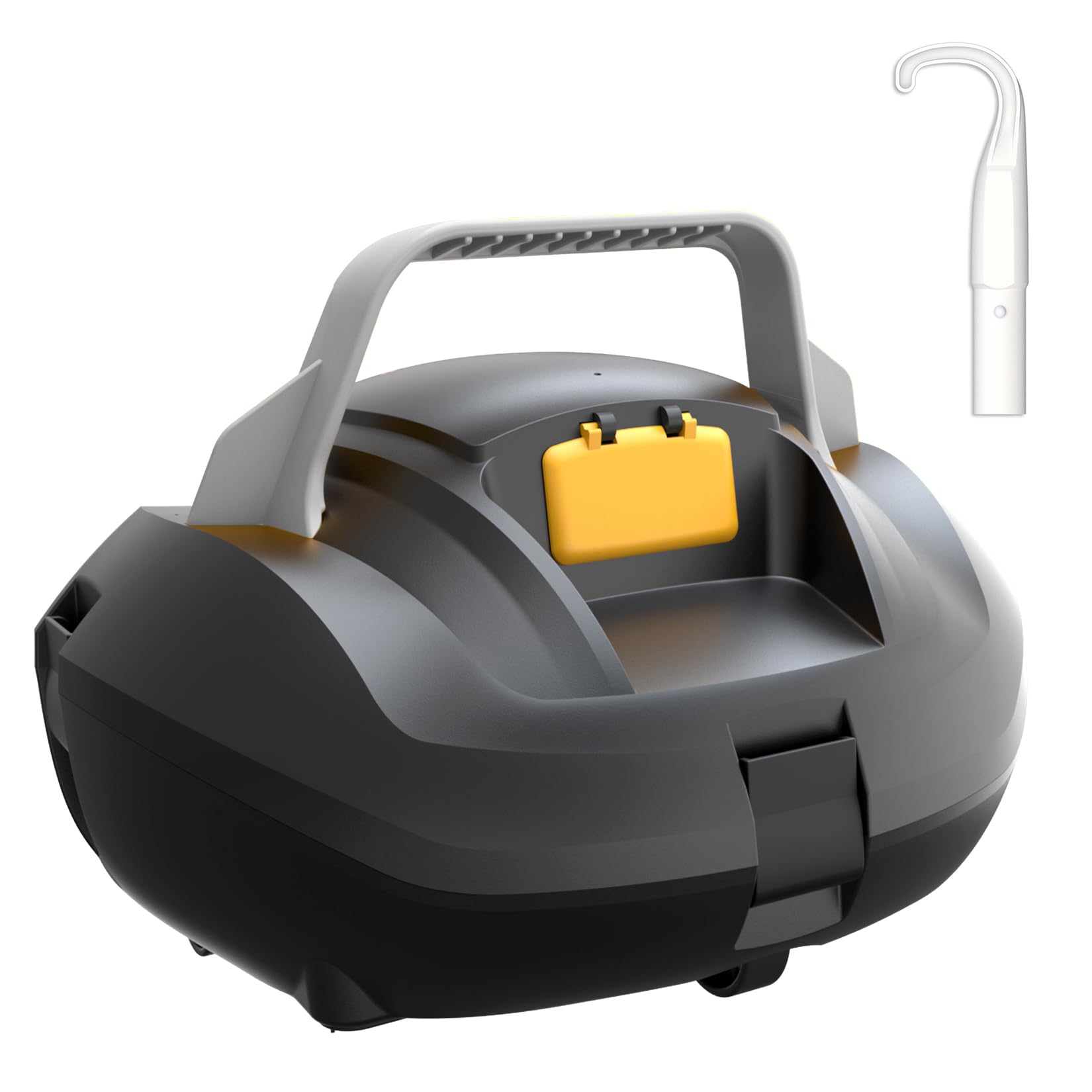
Figure 1: CoasTeering Cordless Robotic Pool Cleaner.
2. Safety Information
Always observe the following safety precautions to reduce the risk of injury or damage:
- Read and understand all instructions before operating the pool cleaner.
- This appliance is for swimming pool use only. Do not use it for other purposes.
- Ensure the charging port is dry before connecting the charger.
- Keep children and pets away from the pool cleaner during operation and charging.
- Do not operate the cleaner if it or its power cord is damaged.
- Only use the provided original adapter for charging.
- Do not attempt to disassemble or repair the unit yourself. Contact qualified service personnel.
- Remove the cleaner from the pool before adding chemicals or performing maintenance.
3. Package Contents
Verify that all components are present and in good condition:
- CoasTeering Cordless Robotic Pool Cleaner Unit
- Charging Adapter
- Retrieval Hook
- User Manual
4. Setup
4.1 Charging the Pool Cleaner
- Ensure the pool cleaner is completely dry before charging.
- Locate the charging port on the unit.
- Connect the charging adapter to the unit and then plug it into a power outlet.
- The indicator light will illuminate to show charging status. A full charge typically takes 2.5 hours.
- Disconnect the charger once fully charged.
Note: The unit will not operate if the charging cable is connected. The blinking light indicates it is plugged in and charging.
4.2 Attaching the Handle
The handle is designed for easy retrieval and transport. It attaches to the top of the unit using screws. Locate the two screws on each side of the handle's base and secure them into the corresponding brass inserts on the cleaner's body using a screwdriver. Ensure the handle is firmly attached before use.
5. Operation
5.1 Placing the Cleaner in the Pool
- Ensure the cleaner is fully charged and the charging cable is disconnected.
- Gently lower the cleaner into the pool. It will sink to the bottom.
5.2 Starting the Cleaning Cycle
Press the power button on the top of the unit. The cleaner will begin its automatic cleaning cycle, moving across the pool floor to collect debris. It uses water currents for propulsion and navigation.
5.3 Self-Parking Function
When the battery is low or the cleaning cycle is complete, the CoasTeering Robotic Pool Cleaner will automatically move to the nearest pool wall for easy retrieval.
5.4 Retrieving the Cleaner
Use the included retrieval hook to gently pull the cleaner out of the water by its handle. Allow excess water to drain before removing it completely from the pool.
6. Maintenance
Regular maintenance ensures optimal performance and extends the lifespan of your pool cleaner.
6.1 Cleaning the Filter
- After each cleaning cycle, remove the cleaner from the pool.
- Unlatch the four clips located around the perimeter of the cleaner's top cover.
- Lift the top cover to access the filter element.
- Carefully remove the filter element.
- Rinse the filter thoroughly with a hose to remove all collected debris, including fine material like pollen, sand, dirt, bugs, and grass.
- Ensure the filter is clean before reinserting.
- Align the filter element with the internal posts and place it back into the cleaner.
- Replace the top cover, ensuring all four latches click securely into place.
Description: The filter element is a white plastic frame with a fine mesh screen, designed to capture small particles. It sits inside the main body of the cleaner under the top cover.
6.2 General Care and Storage
- Always store the cleaner in a cool, dry place away from direct sunlight when not in use.
- Do not expose the cleaner to extreme temperatures.
- Periodically inspect the wheels and suction ports for any obstructions or damage.
- Keep the charging port clean and dry.
7. Troubleshooting
If you encounter issues with your CoasTeering Robotic Pool Cleaner, refer to the following common solutions:
| Problem | Possible Cause | Solution |
|---|---|---|
| Cleaner does not start. | Low battery; Charging cable still connected; Power button not pressed. | Charge the unit fully; Disconnect charging cable; Press the power button firmly. |
| Poor cleaning performance. | Clogged filter; Obstruction in suction ports; Low battery. | Clean the filter thoroughly; Remove any obstructions; Charge the unit fully. |
| Cleaner gets stuck. | Obstruction on pool floor; Uneven pool surface (for non-flat bottom pools). | Remove large debris from the pool; Ensure the pool is suitable for this cleaner (flat-bottom). |
| Cleaner does not self-park. | Battery completely depleted before parking sequence initiated. | Monitor cleaning cycles and retrieve manually if necessary; Ensure full charge before use. |
8. Specifications
- Brand: CoasTeering
- Model Number: SP1 D US
- Power Source: Battery Powered (Lithium-Ion)
- Battery Energy Content: 44.4 Watt Hours
- Charging Time: Approximately 2.5 Hours
- Operating Time: Up to 100-120 Minutes (depending on conditions)
- Control Method: Touch (Single Button Operation)
- Suction Power: Up to 32 GPM
- Ideal Pool Size: Up to 850 Sq.Ft.
- Pool Type: Above Ground and Flat-Bottom Swimming Pools
- Assembly Required: No (Handle attachment required)
- Warranty Type: Limited
9. Warranty & Support
The CoasTeering Cordless Robotic Pool Cleaner comes with a limited warranty. For detailed warranty information, please refer to the warranty card included in your product packaging or contact CoasTeering customer support. If you require assistance with troubleshooting, parts, or general inquiries, please visit the official CoasTeering website or contact their customer service department.
For further assistance, you may visit the CoasTeering Store on Amazon.
