Introduction
Thank you for choosing the Anker Soundcore R50i NC True Wireless Earbuds. These earbuds are designed to provide a superior audio experience with features like 10mm drivers for big bass, Bluetooth 5.3 for stable connectivity, up to 45 hours of playtime with the charging case, IP54-Sweatguard M waterproof rating, AI Clear Calls with 4 microphones, and 22 preset EQs via the Soundcore app. This manual will guide you through the setup, operation, and maintenance of your new earbuds.
Setup
1. What's in the Box
- Soundcore R50i NC True Wireless Earbuds
- Charging Case
- Ear Tips (various sizes)
- USB-C Charging Cable
- Quick Start Guide
2. Charging Your Earbuds and Case
Before first use, fully charge the earbuds and the charging case. Place the earbuds into the charging case and close the lid. Connect the USB-C charging cable to the charging port on the case and to a power source. The LED indicator on the case will show the charging status.
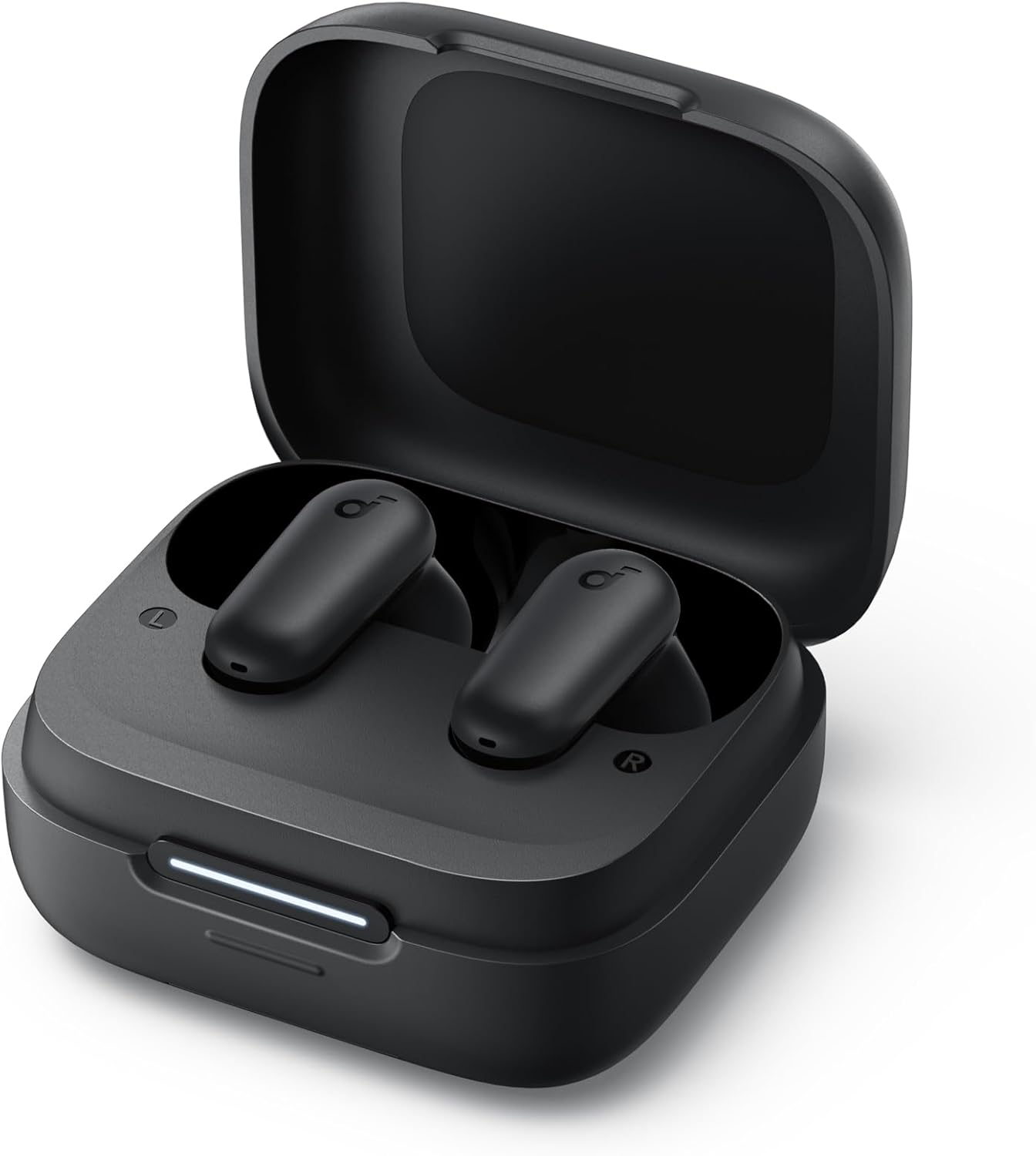
Image: The Anker Soundcore R50i NC True Wireless Earbuds resting inside their open black charging case. A white LED indicator bar is visible on the front of the case, indicating charging status.
- A full charge provides up to 10 hours of playtime for the earbuds and up to 45 hours with the charging case.
- Ensure the charging contacts on the earbuds and inside the case are clean and dry.
3. Powering On and Pairing
The earbuds will automatically power on when removed from the charging case. To pair with a new device:
- Open the charging case. The earbuds will enter pairing mode, and the LED indicator on the case will flash white.
- On your device, enable Bluetooth and search for "Soundcore R50i NC" in the list of available devices.
- Select "Soundcore R50i NC" to connect. Once connected, the LED indicator on the case will turn solid white for 3 seconds before turning off.
If already paired, the earbuds will automatically connect to the last paired device when removed from the case.
4. Soundcore App Installation
Download the Soundcore app from the App Store (iOS) or Google Play Store (Android) to unlock additional features, customize EQ settings, and update firmware.
Operating Your Earbuds
1. Wearing the Earbuds
Choose the ear tips that provide the best fit and seal for optimal sound quality and noise cancellation. Insert the earbuds into your ear canals and twist gently until they fit securely and comfortably.

Image: A young man wearing the black Anker Soundcore R50i NC earbuds in his ears, looking to the side with a slight smile, indicating comfortable and secure fit.
2. Controls
The Soundcore R50i NC earbuds feature touch controls on each earbud. The default controls are:
| Action | Left Earbud | Right Earbud |
|---|---|---|
| Play/Pause | Double-tap | Double-tap |
| Next Track | N/A | Triple-tap |
| Previous Track | Triple-tap | N/A |
| Answer/End Call | Double-tap | Double-tap |
| Reject Call | Press and hold 2s | Press and hold 2s |
| Switch Noise Cancellation Mode | Press and hold 2s | Press and hold 2s |
| Activate Voice Assistant | N/A | Press and hold 2s (customizable) |
Note: Controls can be customized via the Soundcore app.
3. Noise Cancellation (NC) and Transparency Modes
The Soundcore R50i NC earbuds feature Adaptive ANC (Active Noise Cancellation) with up to 42dB noise reduction depth. You can switch between ANC, Normal, and Transparency modes by pressing and holding the touch control area on either earbud for 2 seconds (default setting).
- ANC Mode: Reduces ambient noise for an immersive listening experience.
- Transparency Mode: Allows you to hear your surroundings while still enjoying your audio, useful for awareness.
- Normal Mode: Standard audio playback without noise cancellation or transparency.
4. Hidden Cell Phone Holder
The charging case features a hidden mobile phone holder, allowing you to prop up your smartphone for convenient hands-free viewing of videos or browsing.

Image: The black Anker Soundcore R50i NC charging case is shown with a smartphone propped up on its integrated stand, demonstrating its dual functionality as a charging case and phone holder.
Maintenance
1. Cleaning Your Earbuds
Regular cleaning helps maintain sound quality and hygiene.
- Gently wipe the earbuds and charging case with a soft, dry, lint-free cloth.
- For ear tips, remove them from the earbuds and clean with a damp cloth and mild soap if necessary. Rinse thoroughly and ensure they are completely dry before reattaching.
- Use a dry cotton swab to clean the charging contacts on both the earbuds and inside the case.
- Avoid using abrasive cleaners or solvents.
2. Storage
When not in use, always store the earbuds in their charging case to protect them and keep them charged.
3. Battery Care
- Charge the earbuds and case regularly, even if not used frequently, to prolong battery life.
- Avoid exposing the earbuds to extreme temperatures (hot or cold).
- Do not fully drain the battery for extended periods.
Troubleshooting
1. Earbuds Not Pairing or Connecting
- Ensure Bluetooth is enabled on your device and the earbuds are in pairing mode.
- Place the earbuds back into the charging case, close the lid, wait 5 seconds, then open the lid again to re-enter pairing mode.
- Forget "Soundcore R50i NC" from your device's Bluetooth list and try pairing again.
- Ensure the earbuds and case are sufficiently charged.
2. No Sound or Low Volume
- Adjust the volume on both your device and the earbuds.
- Ensure the earbuds are properly seated in your ears and the ear tips provide a good seal.
- Clean any debris from the earbud nozzles.
- Try playing audio from a different application or device.
3. Poor Call Quality
- Ensure the microphones are not obstructed.
- Move closer to your connected device to avoid signal interference.
- Try making a call in a quieter environment.
4. Resetting the Earbuds
If you experience persistent issues, you can reset the earbuds:
- Place the earbuds into the charging case and leave the lid open.
- Press and hold the button on the charging case for 10 seconds until the LED indicators on both earbuds flash red 3 times.
- The earbuds have been reset and are ready for pairing.
Specifications
| Feature | Detail |
|---|---|
| Model Name | Anker Soundcore R50i NC |
| Item Model Number | A3959H11 |
| Connectivity Technology | Wireless (Bluetooth 5.3) |
| Drivers | 10mm |
| Noise Control | Active Noise Cancellation (42dB depth) |
| Microphones | 4 (AI Clear Calls) |
| Playtime (Earbuds) | Up to 10 hours (single charge) |
| Total Playtime (with Case) | Up to 45 hours |
| Waterproof Rating | IP54 (Sweatguard M) |
| Impedance | 120 Ohm |
| Batteries | 3 Lithium Ion batteries (included) |
| Package Dimensions | 11.5 x 10.9 x 3.6 cm |
| Weight | 25 g |
| Manufacturer | Anker |
| Country of Origin | China |
Warranty and Support
Anker provides a warranty for its products. Please refer to the warranty card included in your product packaging for specific terms and conditions. For technical support, FAQs, or to register your product, please visit the official Soundcore website or contact Soundcore customer service.
You can also find more information and support through the Soundcore app.