
Severin PG 8575
SEVERIN SERICO PG 8575 Digital Pizza Oven User Manual
Model: PG 8575 | Brand: Severin
Product Overview
The SEVERIN SERICO PG 8575 is a versatile digital pizza oven designed for both indoor and outdoor use. It features an electronic display, a wide temperature range from 40 to 400 °C, and 20 automatic programs, making it suitable for various cooking tasks beyond just pizza. Its compact design and efficient insulation ensure energy-saving operation.
Key Features:
- Rapid Pizza Baking: Achieves perfect pizza in under 5 minutes, reaching temperatures up to 400 °C, significantly hotter than conventional ovens.
- Multi-functional Cooking: Equipped with hot air technology, allowing it to function as a hot air fryer in addition to a pizza oven.
- Included Accessories: Comes with a refractory clay pizza stone for crispy crusts, a cast iron baking plate for grilling steaks, a frying basket for air fryer dishes, and a baking/grill plate for pastries or bread.
- Energy Efficient Design: Features a triple-glazed door for excellent heat retention and compact dimensions for easy placement in any kitchen.
- Digital Control: Electronic display with 20 automatic programs for precise cooking control.
Safety Instructions
Please read all safety instructions carefully before using the appliance. Failure to follow these instructions may result in electric shock, fire, or serious injury.
- Always place the appliance on a stable, heat-resistant surface, away from walls and flammable materials.
- Do not touch hot surfaces. Use oven mitts or gloves when handling hot components such as the pizza stone, baking plates, or the interior of the oven.
- Ensure the power cord is not damaged and is kept away from hot surfaces.
- Do not immerse the appliance, cord, or plug in water or other liquids.
- Unplug the appliance from the outlet when not in use and before cleaning. Allow it to cool completely before handling or storing.
- This appliance is not intended for use by persons (including children) with reduced physical, sensory or mental capabilities, or lack of experience and knowledge, unless they have been given supervision or instruction concerning use of the appliance by a person responsible for their safety.
- Do not operate the appliance if it has been damaged in any way. Contact authorized service personnel for repair.
- Only use accessories recommended by the manufacturer.
Setup
- Unpacking: Carefully remove the pizza oven and all accessories from the packaging. Retain packaging for future storage or transport.
- Initial Cleaning: Before first use, wipe down the exterior of the oven with a damp cloth. Wash all removable accessories (pizza stone, baking plates, frying basket) with warm, soapy water, rinse thoroughly, and dry completely. The pizza stone should not be washed with soap; simply wipe it clean or scrape off residue.
- Placement: Place the oven on a flat, stable, heat-resistant surface. Ensure there is adequate clearance (at least 10 cm) on all sides and above the oven for proper ventilation. Do not place it near curtains, walls, or other flammable materials.
- Power Connection: Plug the power cord into a grounded electrical outlet. Ensure the voltage matches the appliance's requirements (2000W).
- First Use Burn-off: Before cooking food, operate the oven empty for approximately 15-20 minutes at its highest temperature setting (400°C) to burn off any manufacturing residues. A slight odor or smoke may be present during this process; ensure the area is well-ventilated.
Operating Instructions
The SEVERIN SERICO PG 8575 offers various cooking modes and automatic programs. Familiarize yourself with the control panel for optimal use.

Image: Digital control panel showing various cooking modes like Air Fry, Bake, Roast, Broil, Toast, Bagel, Crust Pizza, Fresh Pizza, Woodfired Pizza, and temperature/time controls.
General Operation:
- Power On: Plug in the appliance. The digital display will illuminate.
- Select Program: Use the "SELECT" knob to navigate through the available cooking programs (e.g., Crust Pizza, Fresh Pizza, Woodfired Pizza, Air Fry, Bake, Roast, Broil, etc.). Press the knob to confirm your selection.
- Adjust Temperature/Time: Depending on the selected program, you may need to adjust temperature ("TEMP/DARKNESS") and time ("TIME") using the respective buttons and the "SELECT" knob.
- Preheating: For best results, especially for pizza, allow the oven to preheat to the desired temperature. The display will indicate when preheating is complete.
- Start Cooking: Press the "START/STOP" button to begin the cooking process.
- Monitoring: The triple-glazed door allows you to monitor cooking progress. Avoid opening the door frequently to maintain internal temperature.
- End of Cooking: The oven will signal when the cooking cycle is complete. Press "START/STOP" to pause or stop the operation at any time.
- Reset: Press the "RESET" button to clear current settings and return to the main menu.
Specific Cooking Modes:
Pizza Baking (Crust, Fresh, Woodfired):
For optimal pizza results, use the included pizza stone. Ensure the stone is placed inside the oven during preheating.
- Place the pizza stone on the lower rack.
- Select your desired pizza program (e.g., "Crust Pizza" for Neapolitan, "Fresh Pizza" for American, or "Woodfired Pizza" for classic).
- Allow the oven to preheat fully (up to 400°C). This is crucial for a crispy crust.
- Carefully slide your pizza onto the hot pizza stone using a pizza peel.
- Close the door and allow the pizza to cook for approximately 3-5 minutes, or until desired crispness and doneness are achieved.
- Use the pizza peel to remove the cooked pizza.

Image: Inserting a pizza into the oven using a pizza peel.

Image: Two pizzas baking inside the oven.
Air Frying:
Use the integrated hot air fryer basket for air frying functions.
- Place food in the air fryer basket. Do not overcrowd.
- Insert the basket into the oven.
- Select the "AIR FRY" program.
- Adjust temperature and time as needed for your specific food item.
- Press "START/STOP" to begin. Shake the basket halfway through cooking for even results.

Image: French fries being air-fried in the oven's basket.
Grilling/Roasting:
Utilize the cast iron baking plate or the grill plate for grilling and roasting.
- Place the cast iron plate or grill plate on the rack.
- Place food directly on the plate.
- Select the appropriate program (e.g., "Beef Grill", "Roast").
- Adjust temperature and time.
- Press "START/STOP".
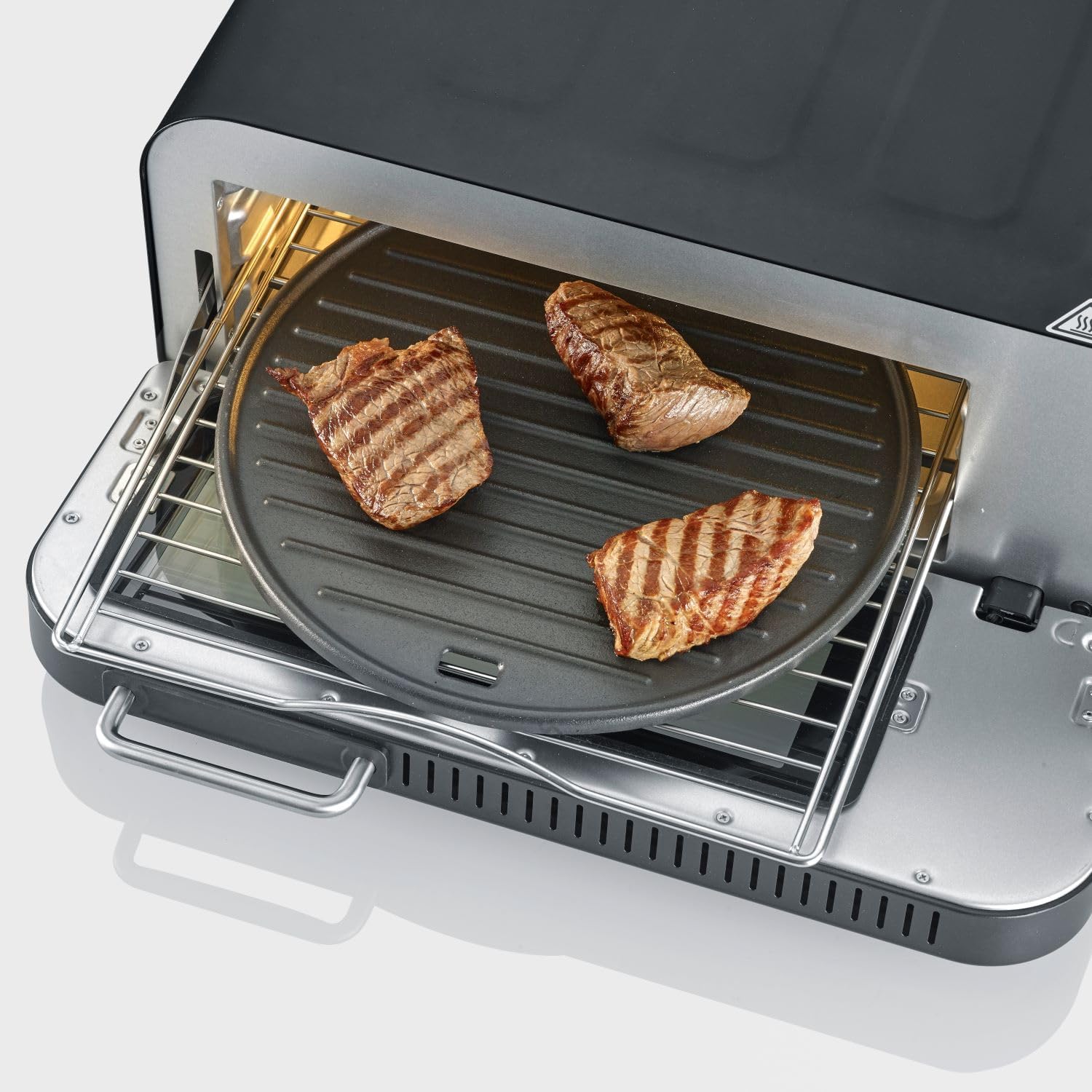
Image: Steaks grilling on the cast iron plate inside the oven.
Maintenance and Cleaning
Regular cleaning and maintenance will ensure the longevity and optimal performance of your SEVERIN SERICO PG 8575 oven.
- Always Unplug: Before cleaning, always unplug the oven from the power outlet and allow it to cool completely.
- Exterior Cleaning: Wipe the exterior surfaces with a soft, damp cloth. Do not use abrasive cleaners or scouring pads, as they may damage the finish.
- Interior Cleaning: For the interior, wipe down with a damp cloth and mild detergent if necessary. For stubborn food residues, a non-abrasive oven cleaner designed for small appliances can be used, following the product's instructions. Ensure all cleaner residue is wiped away.
- Pizza Stone: The pizza stone should not be washed with soap or immersed in water. Scrape off any baked-on food residue with a spatula or stiff brush. For stubborn stains, you can bake the stone empty at high heat to burn off residue.
- Accessories: The cast iron baking plate, frying basket, and grill plate can be washed with warm, soapy water. Ensure they are thoroughly dried before storage to prevent rust on cast iron.
- Removable Bottom Plate: The oven features a removable bottom plate for easier cleaning of crumbs and spills. Carefully slide it out, clean, and reinsert.

Image: Removing the bottom plate for cleaning.
Troubleshooting
If you encounter issues with your SEVERIN SERICO PG 8575, refer to the following common problems and solutions.
| Problem | Possible Cause | Solution |
|---|---|---|
| Oven does not turn on. | Not plugged in; power outlet issue; appliance fault. | Ensure the power cord is securely plugged into a working outlet. Check circuit breaker. If problem persists, contact customer support. |
| Food not cooking evenly. | Overcrowding; incorrect temperature/time; improper accessory use. | Do not overcrowd the oven or basket. Adjust temperature and time settings. Ensure correct accessory is used for the cooking mode. |
| Pizza crust not crispy. | Insufficient preheating; pizza stone not hot enough; too much moisture in dough/toppings. | Always preheat the oven with the pizza stone inside until it reaches maximum temperature. Reduce moisture in toppings. |
| Smoke or unusual odor during operation. | Food spills; initial burn-off; residue from previous cooking. | This is normal during first use. For subsequent uses, clean any food spills immediately. Ensure oven is clean before use. If excessive, unplug and contact support. |
Specifications
| Specification | Detail |
|---|---|
| Brand | Severin |
| Model Number | PG 8575 |
| Color | Black |
| Product Dimensions (L x W x H) | 48 x 42 x 24.5 cm |
| Item Weight | 9 Kilograms |
| Capacity | 18 Litres |
| Power | 2000 Watts |
| Material | Aluminum |
| Automatic Shut-off Function | Yes |
| Features | Adjustable Thermostat, BoostZone, Safe-Touch, Outdoor Suitability |
| Control Type | Button Control |
| Door Style | Triple Glazed Door |
| Included Components | 30 cm Pizza Stone, 30 cm Cast Iron Plate, Grill Plate, Air Fryer Basket |
Warranty and Support
Severin products are manufactured to high-quality standards. For information regarding warranty coverage, please refer to the warranty card included with your purchase or visit the official Severin website. For technical support, spare parts, or service inquiries, please contact Severin customer service.
Official Website: www.severin.com
Related documentsPG 8575


Ask a question about this manual
Ask about setup, troubleshooting, compatibility, parts, safety, or missing instructions. Manuals+ will review the question and use this page’s manual context to help answer it.