1. Introduction
This manual provides essential instructions for the safe and effective operation, maintenance, and troubleshooting of your Makita UC025GZ 40V Max Li-ion XGT 350mm Brushless Chainsaw. Please read this manual thoroughly before using the chainsaw to ensure proper handling and to prevent injury or damage. Keep this manual in a safe place for future reference.

Figure 1: Front view of the Makita UC025GZ Chainsaw. This image displays the overall design, including the guide bar, chain, and front handle.

Figure 2: Side view of the Makita UC025GZ Chainsaw. This image highlights the motor housing, rear handle, and chain brake lever.
2. Safety Instructions
Always prioritize safety when operating power tools. Failure to follow these instructions may result in serious injury or death.
2.1 General Safety
- Read the entire manual: Understand all warnings and instructions before use.
- Wear appropriate Personal Protective Equipment (PPE): Always wear a safety helmet, eye protection, hearing protection, heavy-duty gloves, safety boots, and leg protection (chainsaw chaps).
- Maintain a firm grip: Always hold the chainsaw with both hands, with your thumbs and fingers encircling the handles.
- Clear the work area: Ensure no bystanders, children, or pets are in the cutting zone. Remove any obstacles that could cause you to trip or lose balance.
- Avoid kickback: Be aware of the kickback danger zone. Never cut with the tip of the guide bar.
- Do not operate under influence: Never operate the chainsaw while fatigued, ill, or under the influence of drugs, alcohol, or medication.
- Battery safety: Use only Makita XGT 40V Max Li-ion batteries and chargers. Do not expose batteries to water, heat, or direct sunlight.
2.2 Chainsaw Specific Safety Features
- Electric Brake: Stops the chain rapidly when the trigger is released.
- Mechanical Brake: Engages to stop the chain in case of kickback or manual activation.
- Anti-Restart Function: Prevents accidental startup after a power interruption.
- Main Power Switch with Auto Shut-off: The main power switch automatically turns off the tool after approximately 5 minutes of inactivity to conserve battery life and enhance safety.
- Warning Lamp: Indicates battery capacity, high temperatures, overload, and mechanical brake status.
3. Package Contents
The Makita UC025GZ Chainsaw package typically includes the following components. Please check that all items are present and undamaged upon unpacking.
- Makita UC025GZ Chainsaw Unit
- Guide Bar (350mm)
- Saw Chain (80 TXL, 1.1 gauge, 0.325 pitch, 59 drive links)
- Wrench
- Oil Container Set
Note: Batteries and charger are not included with the UC025GZ model and must be purchased separately. This tool requires a 40V Max Li-ion XGT battery.

Figure 3: Example of the Makita UC025GZ Chainsaw packaging. The box indicates the model, battery system, and key features.
4. Setup
Before operating the chainsaw, proper assembly and preparation are crucial for safety and performance.
4.1 Battery Installation and Removal
- Ensure the chainsaw's main power switch is OFF.
- To install, align the battery with the battery housing on the chainsaw and slide it in until it clicks into place.
- To remove, press the release button on the battery and slide it out of the housing.
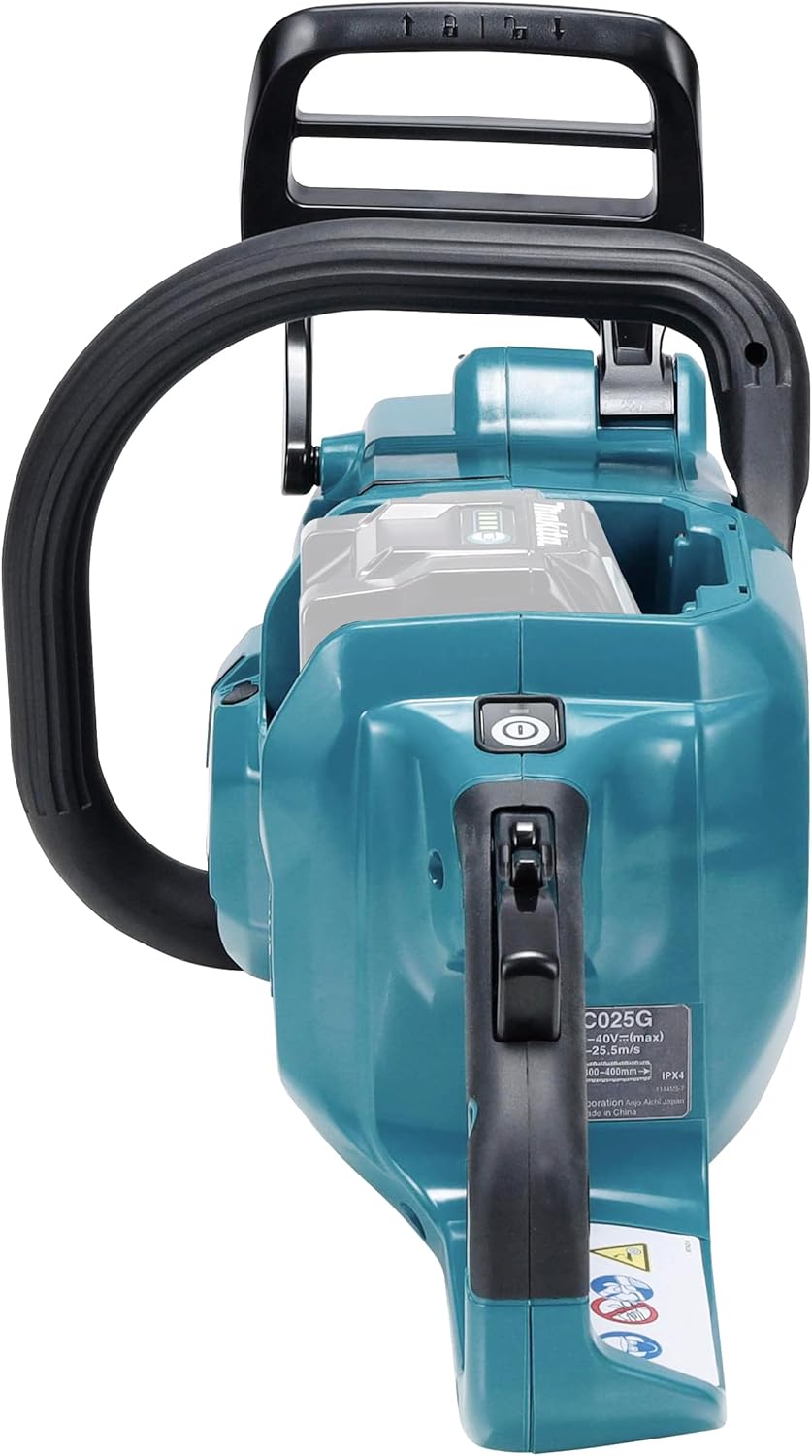
Figure 4: Rear view of the chainsaw, illustrating the battery compartment. The battery slides into the slot located at the back of the tool.
4.2 Guide Bar and Saw Chain Assembly
Refer to the detailed diagrams in your printed manual for precise assembly steps.
- Remove the chain cover by loosening the captive anti-drop nuts.
- Place the saw chain around the sprocket and guide bar. Ensure the cutting edges of the chain are facing the correct direction.
- Mount the guide bar onto the chainsaw studs, ensuring the chain fits into the guide bar groove.
- Replace the chain cover and hand-tighten the captive nuts.
- Adjust the chain tension using the chain tension screw. The chain should be snug against the guide bar but still able to be pulled freely by hand. A properly tensioned chain will have a small gap between the chain and the bottom of the guide bar when lifted.
- Fully tighten the captive nuts to secure the chain cover and guide bar.
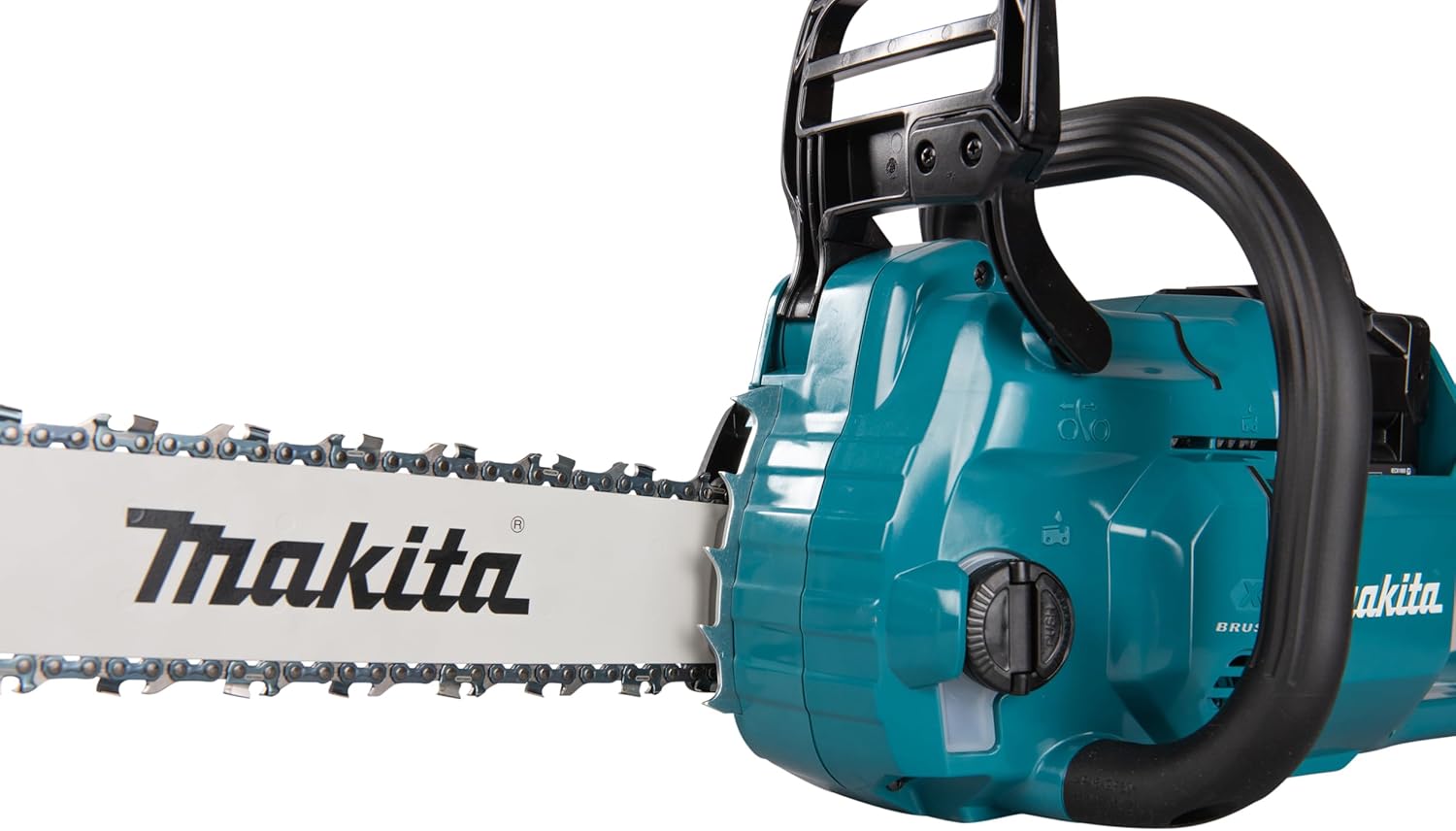
Figure 5: Close-up view of the guide bar and saw chain. This image shows the chain properly seated in the guide bar groove.
4.3 Oil Filling
The chainsaw features an automatic chain lubrication system. Always ensure the oil reservoir is adequately filled before operation.
- Locate the oil tank cap.
- Unscrew the cap and fill the reservoir with high-quality chain lubricant. The oil tank has a capacity of 200 ml.
- Monitor the oil level through the oil view window during operation.
- Securely replace the oil tank cap.
5. Operating Instructions
Follow these steps for safe and efficient operation of your Makita UC025GZ Chainsaw.
5.1 Starting the Chainsaw
- Ensure the battery is fully charged and correctly installed.
- Press the main power switch to turn on the chainsaw. The power indicator lamp will illuminate.
- Disengage the chain brake by pulling the front hand guard towards the front handle.
- Grip the chainsaw firmly with both hands.
- Press the lock-off button and then pull the trigger to start the chain. The chainsaw features improved trigger response, reaching full speed in approximately 0.4 seconds.
5.2 Stopping the Chainsaw
- Release the trigger to stop the chain. The electric brake will engage immediately.
- To completely power off the tool, press the main power switch. The tool will also automatically shut off after approximately 5 minutes of inactivity.
- Engage the chain brake by pushing the front hand guard forward before setting the chainsaw down.
5.3 Cutting Techniques
Always maintain a stable stance and clear footing. Plan your cuts to avoid kickback and ensure the tree or log falls in the intended direction.
- Metal Bumper and Nose Bar: Utilize the metal bumper to firmly grip the workpiece, facilitating easier and more controlled cutting. The sprocket nose bar enhances cutting speed.
- Directional Guidance: The tool features black lines to assist the user in determining the felling direction of a tree.
- Overload Protection: If the tool locks due to load, immediately remove the load. The motor will restart without needing to cycle the power switch.

Figure 6: A user demonstrating the Makita UC025GZ Chainsaw in action, cutting a log. Proper safety gear is visible.

Figure 7: The Makita UC025GZ Chainsaw positioned on a tree stump, ready for use. This illustrates the tool's compact design.
6. Maintenance
Regular maintenance ensures the longevity and safe operation of your chainsaw.
6.1 Chain Sharpening
A sharp chain is essential for efficient and safe cutting. Sharpen the chain regularly or have it professionally sharpened when it becomes dull. Refer to the chain specifications (80 TXL, 1.1 gauge, 0.325 pitch) for correct sharpening angles and file sizes.
6.2 Guide Bar Maintenance
- Regularly clean the guide bar groove to remove sawdust and debris.
- Flip the guide bar periodically to ensure even wear.
6.3 General Cleaning
- Always remove the battery before cleaning.
- Clean the chainsaw housing with a damp cloth. Do not use harsh chemicals or solvents.
- Ensure ventilation openings are clear of debris.
6.4 Oil Reservoir Check
Before each use, check the oil level through the oil view window. Refill as necessary with appropriate chain lubricant.
7. Troubleshooting
This section addresses common issues you might encounter with your Makita UC025GZ Chainsaw.
| Problem | Possible Cause | Solution |
|---|---|---|
| Chainsaw does not start. | Battery not installed correctly or discharged. Main power switch off. Chain brake engaged. | Ensure battery is fully charged and properly inserted. Turn on main power switch. Disengage chain brake. |
| Chain does not move. | Chain brake engaged. Chain jammed. Overload protection activated. | Disengage chain brake. Clear any debris jamming the chain. If overloaded, remove load and the motor will restart. |
| Warning lamp illuminated. | Low battery capacity, high tool temperature, overload, or mechanical brake engaged. | Check battery charge. Allow tool to cool down. Reduce load. Check chain brake status. |
| Poor cutting performance. | Dull chain. Incorrect chain tension. Insufficient chain lubrication. | Sharpen or replace chain. Adjust chain tension. Refill oil reservoir. |
8. Specifications
Technical specifications for the Makita UC025GZ Chainsaw.
| Feature | Specification |
|---|---|
| Model Number | UC025GZ |
| Power Source | Battery Powered (40V Max Li-ion XGT) |
| Voltage | 40 Volts (DC) |
| Guide Bar Length | 350 mm (14 inches) |
| Saw Chain Type | 80 TXL, 1.1 gauge, 0.325 pitch, 59 drive links |
| Oil Tank Capacity | 200 ml |
| Max Power Output | 1600 W (with BL4050F battery) |
| Weight (without battery) | 5.45 Kilograms |
| Dimensions (L x W x H) | 43 x 21.9 x 27.1 cm |
| UPC | 197050004314 |

Figure 8: The '40V Max Li-ion XGT' logo, indicating the battery platform compatible with this chainsaw.
9. Warranty and Support
Makita provides a manufacturer's warranty for this product.
9.1 Warranty Information
The Makita UC025GZ comes with a 1-year manufacturer's warranty. An additional 2 years of warranty can be obtained by registering the product within 30 days of purchase. Please refer to the official Makita website for warranty registration details and terms.
Important: This warranty does not apply if non-genuine or non-recommended parts or accessories are fitted to the tool. The use of non-genuine or incompatible batteries and chargers with Makita tools will invalidate the Makita warranty for our tools.
9.2 Customer Support
For technical assistance, spare parts, or warranty claims, please contact your authorized Makita dealer or visit the official Makita website for support contact information in your region.


