
Introduction
Thank you for choosing the ELYKEN White Dresser. This versatile 9-drawer fabric chest is designed to provide ample storage and enhance your living space with integrated LED lighting and a convenient charging station. This manual provides detailed instructions for assembly, operation, maintenance, and troubleshooting to ensure optimal use of your new dresser.
Safety Information
- Always attach the dresser to the wall using the provided anti-tip device to prevent tipping and potential injury, especially in households with children.
- Do not place heavy objects on top of the dresser that exceed its weight capacity (66 lbs for the top surface).
- Do not allow children to climb on drawers or the dresser itself.
- Ensure all screws and fasteners are securely tightened during assembly and periodically check for tightness.
- Keep liquids away from the charging station to prevent electrical hazards.
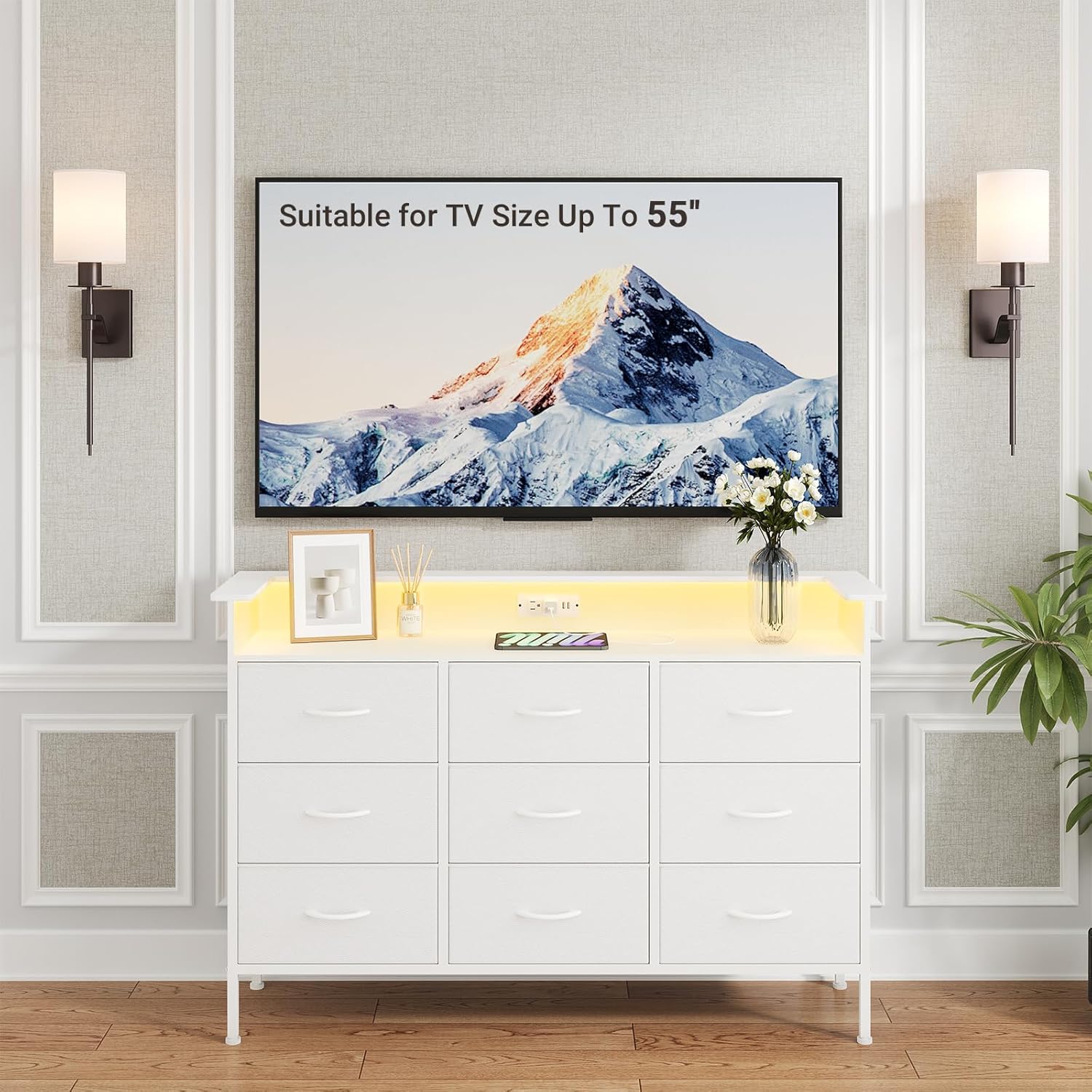
Image Description: A close-up view of the dresser's side, highlighting the anti-tip device attached to the wall and the adjustable feet at the bottom. Text labels indicate 'Anti-Tip Device' and 'Adjustable Feet'. A comparison image shows a dresser with and without an anti-tip device, illustrating the danger of tipping without it.
Package Contents
Before assembly, ensure all parts listed in the instruction manual are present. All tools and accessories required for assembly are included.
- Metal Frame components
- MDF Wood Top
- 9 Faux Leather Fabric Drawers with handles
- LED Light Strip with remote control
- Charging Station (2 AC outlets, 2 USB ports, 6.5 ft power cord)
- Adjustable Feet
- Anti-Tip Device
- Assembly Hardware (screws, wrench, etc.)
Setup & Assembly
Follow the step-by-step instructions provided in the included manual. Ensure all parts are correctly oriented before tightening screws. Do not fully tighten screws until all components are in place.
Assembly Overview Video
Video Description: A short video demonstrating the assembly process of the ELYKEN dresser. It shows the frame being constructed, the top panel with the charging station being installed, and the fabric drawers being inserted. The video highlights the ease of assembly and the final appearance of the dresser.
Key Assembly Steps:
- Frame Construction: Assemble the metal frame using the provided hardware. Pay attention to the orientation of the side rails to ensure proper alignment for drawer slides and anti-tip device attachment.
- Top Panel Installation: Secure the MDF wood top panel to the assembled frame.
- Charging Station Integration: Insert and secure the charging station into the designated cutout on the top panel.
- LED Light Strip Attachment: Adhere the LED light strip to the underside of the top panel's back edge and connect it to one of the USB ports on the charging station.
- Drawer Assembly: Unfold each fabric drawer and insert the bottom panel to create a sturdy box. Attach the plastic handles using the provided screws.
- Drawer Insertion: Slide the assembled drawers into their respective compartments in the frame.
- Anti-Tip Device: Securely attach the anti-tip device to the back of the dresser and to a wall stud.
Operating Instructions
LED Light Operation
The integrated LED light strip offers customizable ambiance for your room.
- Power On/Off: Use the remote control to turn the LED lights on or off.
- Color Selection: Choose from 15 dimmable color options using the remote control.
- Dynamic Modes: Select from 4 dynamic modes (Flash, Strobe, Fade, Smooth) to create different lighting effects.
- Brightness Adjustment: Adjust the brightness of the lights using the designated buttons on the remote.

Image Description: The ELYKEN dresser is shown with its LED light strip glowing in various colors, demonstrating the multi-color options. A remote control is visible in a hand, indicating user control over the lighting. Graphics illustrate numerous color choices, adjustable brightness, and four flashing modes.
Charging Station Usage
The built-in charging station provides convenient power access.
- AC Outlets: Utilize the 2 standard 120 VAC outlets for powering lamps, laptops, or other devices.
- USB Ports: Use the 2 USB ports (5V/2A) to charge mobile phones, headphones, smartwatches, and other USB-powered devices.
- The charging station is connected via a 6.5-foot long power cord.

Image Description: A close-up of the dresser's top surface, focusing on the integrated charging station. A smartphone is shown connected and charging via one of the USB ports. Labels highlight the two 120V/12A AC outlets, two 5V/2A USB ports, and the 6.5-foot power cord.
Drawer Usage
The 9 faux leather fabric drawers offer generous storage capacity.
- Each drawer measures L-14.6" x W-11.8" x H-7.1" and can support up to 18 lbs.
- Easy pull handles allow for smooth opening and closing.
- Ideal for organizing clothes, blankets, scarves, socks, and more.
- The dresser can also function as a TV stand for small-sized TVs (up to 55 inches).

Image Description: The dresser is displayed with several of its nine fabric drawers pulled open, showcasing various folded clothing items like socks, t-shirts, and jeans. Icons next to the dresser indicate typical storage capacities: 50-70 socks, 12-15 t-shirts, and 6-9 jeans per drawer.
Maintenance
- Cleaning: Wipe the dresser surfaces with a dry cloth. Avoid harsh chemicals or abrasive cleaners.
- Drawer Care: The faux leather fabric drawers are easy to clean. For spills, gently wipe with a damp cloth and mild soap, then dry thoroughly.
- Regular Checks: Periodically inspect all fasteners and connections to ensure they remain tight.
Troubleshooting
- LED Lights Not Working:
- Ensure the LED light strip is securely plugged into a USB port on the charging station.
- Check if the main power cord for the charging station is plugged into a working wall outlet.
- Verify the remote control batteries are functional.
- Charging Station Not Supplying Power:
- Confirm the main power cord is firmly plugged into a live wall outlet.
- Test the wall outlet with another device to ensure it is working.
- Drawers Not Sliding Smoothly:
- Check for any obstructions in the drawer compartments.
- Ensure the drawer's bottom panel is fully inserted and flat.
- Verify the dresser is on a level surface; adjust the feet if necessary.
Specifications
| Feature | Detail |
|---|---|
| Brand | ELYKEN |
| Model Name | Dresser with LED Light (HCD) |
| Product Dimensions | 13.1"D x 50"W x 33"H |
| Number of Drawers | 9 |
| Drawer Dimensions (Each) | L-14.6" x W-11.8" x H-7.1" |
| Drawer Material | Faux Leather Fabric (Non-Woven) |
| Frame Material | Thickened Metal |
| Top Material | MDF Wood |
| Color | White |
| Item Weight | 35.5 Pounds |
| Charging Station | 2 x 120 VAC Outlets, 2 x USB Ports (5V/2A), 6.5 ft Power Cord |
| LED Lights | 15 Dimmable Color Options, 4 Dynamic Modes, Remote Control |
| Assembly Required | Yes |

Image Description: A diagram illustrating the detailed dimensions of the ELYKEN dresser. Key measurements such as overall height (33"), width (50"), and depth (13.1") are shown, along with individual drawer dimensions (14.6" L x 11.8" W x 7.1" H). Weight capacities for the top (66 lbs) and individual drawers (11 lbs) are also indicated.
Warranty and Support
For any questions, concerns, or assistance with your ELYKEN dresser, please refer to the contact information provided at the point of purchase or visit the official ELYKEN website for customer support. Please retain your proof of purchase for warranty claims.