
Introduction
Thank you for choosing the Pursonic Mario Lopez Wireless Beard Trimmer MLTCA40. This device is designed for precise and comfortable grooming of facial and body hair. Featuring ceramic blades, an integrated LED light, and a waterproof design, it offers a versatile and efficient trimming experience. Please read this manual thoroughly before first use to ensure safe and optimal performance.
Important Safety Information
- Keep the appliance dry. Do not immerse the charging base in water.
- This appliance is not intended for use by persons (including children) with reduced physical, sensory or mental capabilities, or lack of experience and knowledge, unless they have been given supervision or instruction concerning use of the appliance by a person responsible for their safety.
- Children should be supervised to ensure that they do not play with the appliance.
- Do not use the trimmer if the blades are damaged, as this may cause injury.
- Only use the charging cable and base provided with the device.
- Unplug the charging base from the power outlet before cleaning.
- Avoid using on infants or individuals with sensitive skin without proper care.
Package Contents
Verify that all items are present in the package:
- Pursonic Mario Lopez Wireless Beard Trimmer MLTCA40
- Cordless Charging Base
- Attachment Comb (Guide)
- USB Charging Cable
- Cleaning Brush
- Small Bottle of Lubricating Oil
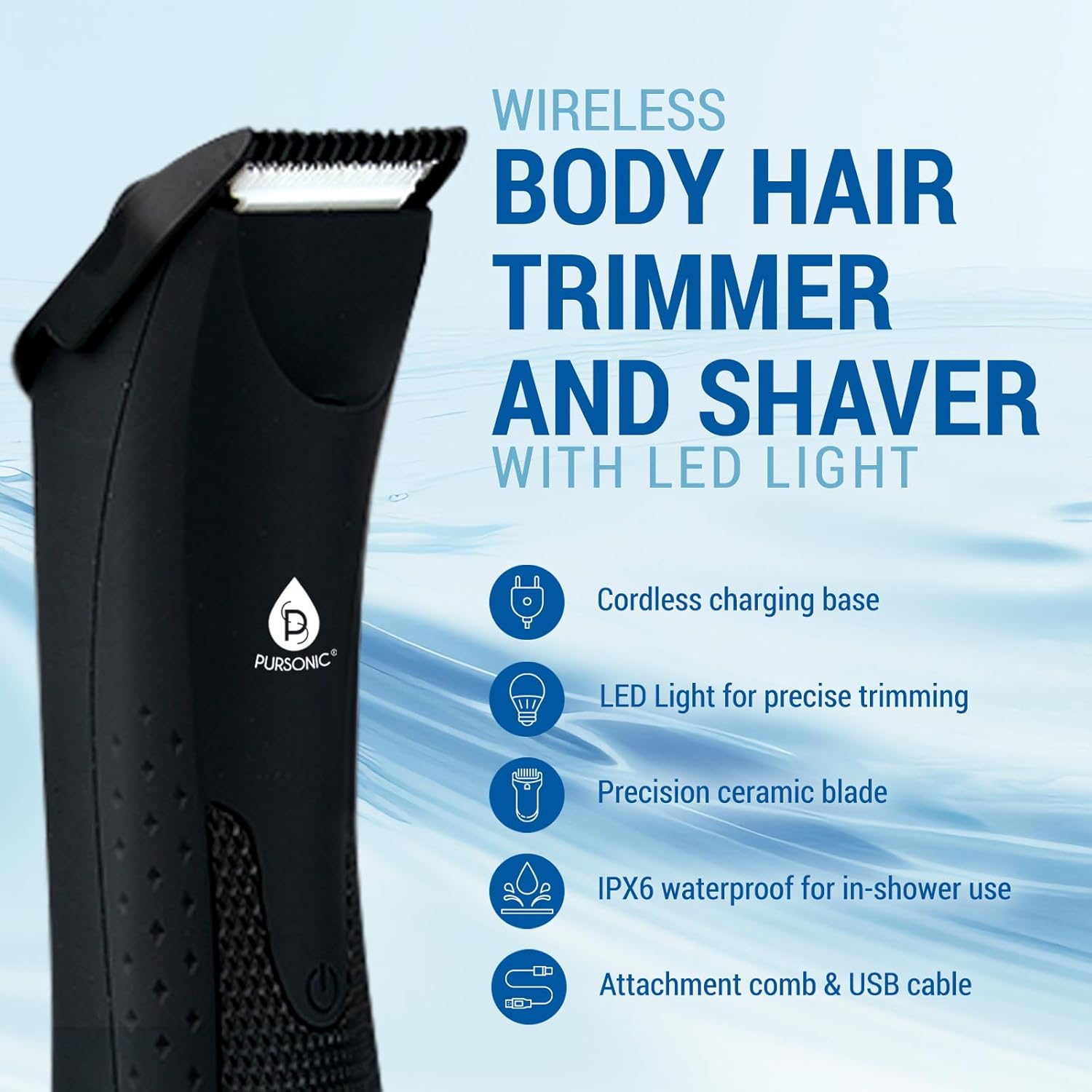
Image: The Pursonic MLTCA40 trimmer highlighting its key features and included accessories.
Product Overview
The Pursonic MLTCA40 trimmer is designed for ergonomic handling and efficient grooming. It features durable ceramic blades for a smooth cut and an integrated LED light for enhanced visibility during use. The device is IPX6 waterproof, allowing for safe wet or dry operation.
- Ceramic Blades: Designed for precision and to minimize skin irritation.
- LED Light: Provides illumination for hard-to-see areas, ensuring a precise trim.
- Waterproof Design (IPX6): Suitable for use in the shower and easy cleaning under running water.
- Cordless Operation: Offers flexibility and convenience for grooming anywhere.
- Rechargeable Battery: Provides up to 90 minutes of cordless use on a single charge.

Image: Detail of the durable ceramic blades, designed for sensitive skin.

Image: The trimmer head with the built-in LED light illuminated for precision.
Setup
1. Charging the Trimmer
- Insert the USB charging cable into the charging base.
- Connect the other end of the USB cable to a compatible USB power adapter (not included) or a USB port.
- Place the trimmer onto the charging base. Ensure the trimmer is correctly seated.
- The indicator light on the trimmer or base will illuminate to show it is charging. A full charge takes approximately 90 minutes and provides up to 90 minutes of cordless use.

Image: The trimmer on its charging base, illustrating the charging and usage times.
2. Attaching the Guide Comb
- Ensure the trimmer is turned off.
- Align the guide comb with the trimmer head.
- Gently push the comb onto the trimmer head until it clicks into place.
- To remove, gently pull the comb away from the trimmer head.
Operating Instructions
1. Turning On/Off
- Press the power button located on the trimmer handle to turn the device on.
- Press the power button again to turn the device off.
2. Trimming Techniques
- For Beard and Facial Hair: Use the trimmer without the guide comb for precise edging and shaping. For a uniform length, attach the guide comb and move the trimmer against the direction of hair growth.
- For Body Hair: The trimmer is suitable for various body areas. For sensitive areas, use the guide comb to prevent direct contact with the skin. Move the trimmer slowly and steadily.

Image: A man precisely grooming his beard with the trimmer.
3. Using the LED Light
- The LED light automatically activates when the trimmer is turned on.
- Utilize the light to illuminate areas that are difficult to see, ensuring no hair is missed and achieving a clean, precise trim.
4. Wet and Dry Use
- The trimmer is designed for both wet and dry use. You can use it with shaving cream or gel for a smoother shave, or dry for quick touch-ups.
- The IPX6 waterproof rating allows for safe use in the shower.

Image: The trimmer demonstrating its waterproof capability with water splashes.

Image: A man utilizing the trimmer for grooming during a shower.
Maintenance
1. Cleaning the Blades
- Turn off the trimmer and detach the guide comb.
- Use the provided cleaning brush to remove loose hairs from the blades and trimmer head.
- For a more thorough cleaning, rinse the trimmer head and blades under running water. Ensure the trimmer is off and unplugged from the charging base before rinsing.
- Allow the trimmer head and blades to air dry completely before reattaching the comb or storing.
2. Lubrication
- After every few uses, or after cleaning with water, apply a small drop of the provided lubricating oil to the blades.
- Turn the trimmer on for a few seconds to distribute the oil evenly. This helps maintain blade sharpness and smooth operation.
3. Storage
- Store the trimmer in a cool, dry place, away from direct sunlight and moisture.
- Keep the trimmer and its accessories out of reach of children.
Troubleshooting
| Problem | Possible Cause | Solution |
|---|---|---|
| Trimmer does not turn on. | Battery is depleted. | Charge the trimmer for at least 90 minutes. |
| Trimmer pulls hair or cuts poorly. | Blades are dirty or not lubricated. | Clean the blades and apply lubricating oil. |
| Trimmer makes unusual noise. | Blades are obstructed or require lubrication. | Clean and lubricate the blades. If the issue persists, contact customer support. |
| LED light is dim or not working. | Battery is low. | Charge the trimmer fully. |
Specifications
- Model Number: MLTCA40
- Power Source: Battery Powered (Rechargeable)
- Blade Material: Ceramic
- Waterproof Rating: IPX6
- Cordless Use Time: Up to 90 minutes
- Charging Time: Approximately 90 minutes
- Item Weight: 1 Pound
- Color: Black
- Dimensions: 8 x 6 x 3 inches (Package Dimensions)
Warranty and Support
For warranty information or technical support, please refer to the warranty card included with your product or visit the official Pursonic website. Keep your purchase receipt as proof of purchase for any warranty claims.