
1. Introduction
This manual provides instructions for the proper setup, operation, and maintenance of your Beetel M71N Corded Landline Phone. Please read this manual thoroughly before using the device to ensure optimal performance and longevity.

Figure 1: Beetel M71N Corded Landline Phone. This image shows the phone's main unit with the handset resting on the cradle, displaying the keypad and LCD screen.
2. Safety Information
- Do not expose the phone to water or moisture.
- Avoid placing the phone in direct sunlight or near heat sources.
- Use only the provided accessories and power cords.
- Do not attempt to open or repair the phone yourself. Refer to qualified service personnel.
- Keep the phone away from strong magnetic fields.
3. Package Contents
Verify that all items are present in the package:
- Beetel M71N Landline Phone Unit
- Handset
- Coiled Handset Cord
- Telephone Line Cord
- User Manual
4. Product Overview
Familiarize yourself with the main components of your Beetel M71N phone.

Figure 2: 16-Digit LCD Display. The phone features a clear 16-digit LCD display with green backlighting for easy readability of caller ID and other information.
- 16-Digit LCD Display: Shows caller ID, time, date, and other call information.
- Keypad: Standard numeric keys (0-9), *, #, and function keys.
- Speakerphone: Enables hands-free communication.
- Volume Control: Adjusts speakerphone and ringer volume.
- One-Touch Memory Buttons (M1-M8): For quick dialing of stored numbers.
- LED Indicators: For 'In Use' and 'Ring' status.

Figure 3: Two-Way Speakerphone. This image highlights the speakerphone function, indicating its two-way capability and volume control.
5. Setup
5.1 Connecting the Phone
- Connect Handset: Plug one end of the coiled handset cord into the handset and the other end into the jack labeled "HANDSET" on the side of the phone base.
- Connect Phone Line: Plug one end of the telephone line cord into the jack labeled "LINE" on the back of the phone base, and the other end into your wall telephone jack.
- Install Batteries (Optional for Display/Memory): While the phone is corded electric, some features like the LCD display and memory retention may require batteries (e.g., AAA batteries, not included) for full functionality or during power outages. Refer to the battery compartment for specific requirements. (Note: A user review indicated that batteries might be necessary for display functionality despite initial impressions.)
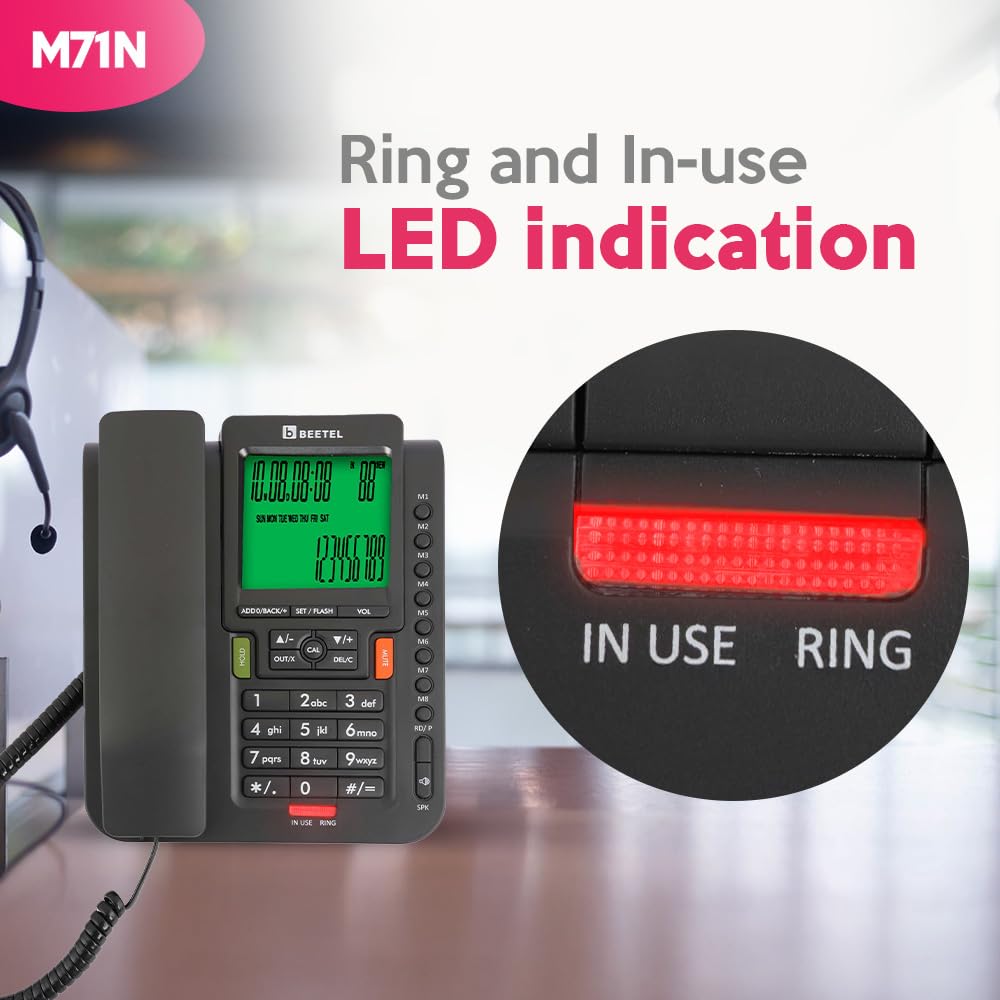
Figure 4: Rear Connections. This image displays the back of the phone, showing the ports for the handset and the telephone line.
6. Operating Instructions
6.1 Making a Call
- Lift the handset or press the SPEAKER button to activate the speakerphone.
- Dial the desired phone number using the keypad.
- Wait for the call to connect.
- To end the call, replace the handset or press the SPEAKER button again.
6.2 Receiving a Call
- When the phone rings, lift the handset or press the SPEAKER button to answer.
- The Caller ID display will show the incoming number (if available and subscribed to service).
- To end the call, replace the handset or press the SPEAKER button.

Figure 5: In Use LED Indicator. This image shows the red 'IN USE' LED, which illuminates when the phone line is active.
6.3 Using the Speakerphone
The 2-way speakerphone allows for hands-free conversations.
- To activate: Press the SPEAKER button during a call or before dialing.
- To adjust volume: Use the VOL +/- buttons during a speakerphone call.
- To deactivate: Lift the handset or press the SPEAKER button again.
6.4 One-Touch Memory Dialing
The phone features 8 one-touch memory buttons (M1-M8) for frequently called numbers.
To Store a Number:
- Lift the handset or press SPEAKER.
- Press STORE (or similar button, refer to phone's specific button labels).
- Dial the phone number you wish to store.
- Press STORE again.
- Press the desired memory button (M1-M8) to save the number.
To Dial a Stored Number:
- Lift the handset or press SPEAKER.
- Press the desired memory button (M1-M8). The phone will automatically dial the stored number.

Figure 6: One-Touch Memory Buttons. This image illustrates the eight dedicated buttons (M1-M8) for quick dialing of stored contacts.
6.5 Call Memory
The phone stores a record of incoming and outgoing calls.
- Incoming Calls: Stores up to 30 incoming call records.
- Outgoing Calls: Stores up to 50 outgoing call records.
- Use the UP/DOWN navigation buttons (often labeled ADD/BACK or DEL/C) to scroll through call records on the LCD display.
- To redial a number from the call memory, select the number and lift the handset or press SPEAKER.

Figure 7: Call Memory Feature. This image represents the phone's capability to store a history of incoming and outgoing calls.
6.6 DTMF/FSK Compatibility
The Beetel M71N supports both DTMF (Dual-Tone Multi-Frequency) and FSK (Frequency Shift Keying) caller line identification systems, ensuring compatibility with various telephone networks for accurate caller ID display.

Figure 8: DTMF/FSK Compatibility. This image highlights the phone's compatibility with DTMF and FSK caller ID systems.
7. Maintenance
- Cleaning: Wipe the phone's surface with a soft, damp cloth. Do not use abrasive cleaners or solvents.
- Storage: If storing the phone for an extended period, disconnect it from the phone line and remove any batteries. Store in a cool, dry place.
- Cord Care: Avoid tangling or stretching the handset and line cords excessively to prevent damage.
8. Troubleshooting
| Problem | Possible Cause | Solution |
|---|---|---|
| No dial tone | Phone line disconnected; faulty line cord. | Ensure the telephone line cord is securely connected to both the phone and the wall jack. Test with another phone if possible. |
| LCD display is blank or dim | No batteries; low batteries; power issue. | Install fresh batteries (if applicable for your model's display functionality) or replace existing ones. Ensure the phone line is active as it provides power for basic functions. |
| Caller ID not displayed | Service not subscribed; incorrect phone line connection; FSK/DTMF incompatibility. | Contact your telephone service provider to confirm Caller ID subscription. Ensure the phone line is correctly connected. The M71N is compatible with both FSK and DTMF systems. |
| Speakerphone volume too low/high | Volume setting incorrect. | Use the VOL +/- buttons to adjust the speakerphone volume during a call. |
| Cannot store or retrieve memory numbers | Incorrect procedure; power interruption. | Review section 6.4 for correct storage and dialing procedures. Ensure batteries are installed to retain memory during power fluctuations. |
9. Specifications
- Model: Beetel M71N
- Display: 16-Digit LCD with Green Backlit
- Speakerphone: 2-Way with Adjustable Volume
- Memory Buttons: 8 One-Touch Memory (M1-M8)
- Call Memory: 30 Incoming Calls, 50 Outgoing Calls
- Caller ID System: DTMF/FSK Compatible
- Power Source: Corded Electric (Batteries may be required for display/memory retention)
- Material: Plastic
- Color: Anthracite
- Product Dimensions: 12 x 21 x 7 cm
- Item Weight: 450 g
- Certifications: TEC Certified
10. Warranty Information
Beetel products are manufactured to high-quality standards. For specific warranty terms and conditions, please refer to the warranty card included with your product or visit the official Beetel website. Keep your purchase receipt as proof of purchase for warranty claims.
11. Customer Support
If you encounter any issues not covered in this manual or require further assistance, please contact Beetel customer support. Contact details can typically be found on the product packaging, the official Beetel website, or your purchase documentation.
For online resources, you may visit the Beetel Store on Amazon.

