
GALAYOU G2, G7
GALAYOU 2K Home Security Camera Instruction Manual
Models: G2, G7
1. Introduction
This manual provides detailed instructions for the installation, operation, and maintenance of your GALAYOU 2K Home Security Camera. Designed for pet, dog, nanny, and baby monitoring, these cameras offer 2K resolution, 2-way audio, 24/7 SD card storage, night vision, and smart siren features. They are compatible with 2.4GHz WiFi networks and integrate with Alexa and Google Home for enhanced smart home functionality.
2. Product Overview and Features
The GALAYOU 2K Home Security Camera system includes two primary models, G2 and G7, offering comprehensive surveillance solutions for indoor environments. Key features include:
- 2K Resolution & 360° Coverage: Provides clear 2K Super HD live streams. The G2 model offers 355° horizontal pan and 52° vertical tilt for full room coverage.
- Intelligent Motion Sensor & Siren Alarm: Detects human motion and triggers a siren to deter intruders. Instant notifications and 10-second video clips are sent to your phone.
- Enhanced Night Vision: Equipped with 4pcs 940nm infrared lights for clear visibility up to 32ft in low-light conditions.
- Two-Way Audio: Built-in microphone and speaker allow for real-time communication with individuals near the camera.
- Flexible Storage Options: Supports local storage via SD card (up to 128GB, not included) for 24/7 continuous recording, and offers a 30-day trial for cloud storage.
- Multi-device Viewing & Sharing: View up to 4 live camera feeds simultaneously on the app and share access with up to 3 family members.
- Smart Home Integration: Works seamlessly with Amazon Alexa and Google Assistant for voice control and integration into smart home routines.

Figure 2.1: The GALAYOU G2 (left) and G7 (right) home security cameras. The G2 features a pan-tilt design, while the G7 is a fixed-angle camera.

Figure 2.2: Visual representation of key features including 2K Resolution, Night Vision, Smart Siren, Optional Storage, Two-Way Audio, 24/7 Recording, Push Notification, and Works with Alexa.
3. Package Contents
Please check the package contents upon unboxing. If any items are missing or damaged, contact customer support.
- GALAYOU 2K Home Security Camera (G2 or G7 model)
- Power Adapter
- USB Power Cable
- Mounting Bracket (for G2 model, if applicable)
- Mounting Screws and Wall Plugs
- User Manual (this document)
4. Setup Guide
4.1 Before You Begin
- Ensure your Wi-Fi network is 2.4GHz. 5GHz Wi-Fi is not supported.
- Have your Wi-Fi network name (SSID) and password ready.
- Download the official GALAYOU app from your smartphone's app store (iOS or Android).
- Choose a suitable location for your camera, ensuring it is within Wi-Fi range and has access to a power outlet.
4.2 Initial Camera Setup
- Power On: Connect the camera to a power source using the provided USB cable and power adapter. The camera will power on and its indicator light will begin to flash, indicating it's ready for setup.
- App Registration: Open the GALAYOU app, create a new account, or log in if you already have one.
- Add Device: Tap the "+" icon in the app to add a new device. Select your camera model from the list.
- Network Configuration: Follow the in-app instructions to connect the camera to your 2.4GHz Wi-Fi network. This typically involves scanning a QR code displayed on your phone screen with the camera's lens.
- Completion: Once connected, the camera's indicator light will turn solid. You can then name your camera and begin live viewing.
4.3 Mounting the Camera (Optional)
The camera can be placed on a flat surface or mounted to a wall or ceiling. For wall/ceiling mounting:
- Attach the mounting bracket to the desired location using the provided screws and wall plugs.
- Secure the camera onto the mounting bracket by twisting it until it locks into place.
- Adjust the camera angle as needed (for G7) or use the app to control pan/tilt (for G2).
5. Operating Instructions
5.1 Live View and Control
From the GALAYOU app, select your camera to access the live view. You can:
- Pan/Tilt (G2 only): Use the directional controls on the app interface to remotely adjust the camera's viewing angle (355° horizontal, 52° vertical).
- Two-Way Audio: Tap the microphone icon to speak through the camera's speaker. Tap the speaker icon to listen to audio from the camera's microphone.
- Snapshot/Record: Capture still images or record video clips directly to your phone.
- Night Vision: The camera automatically switches to night vision mode in low light.
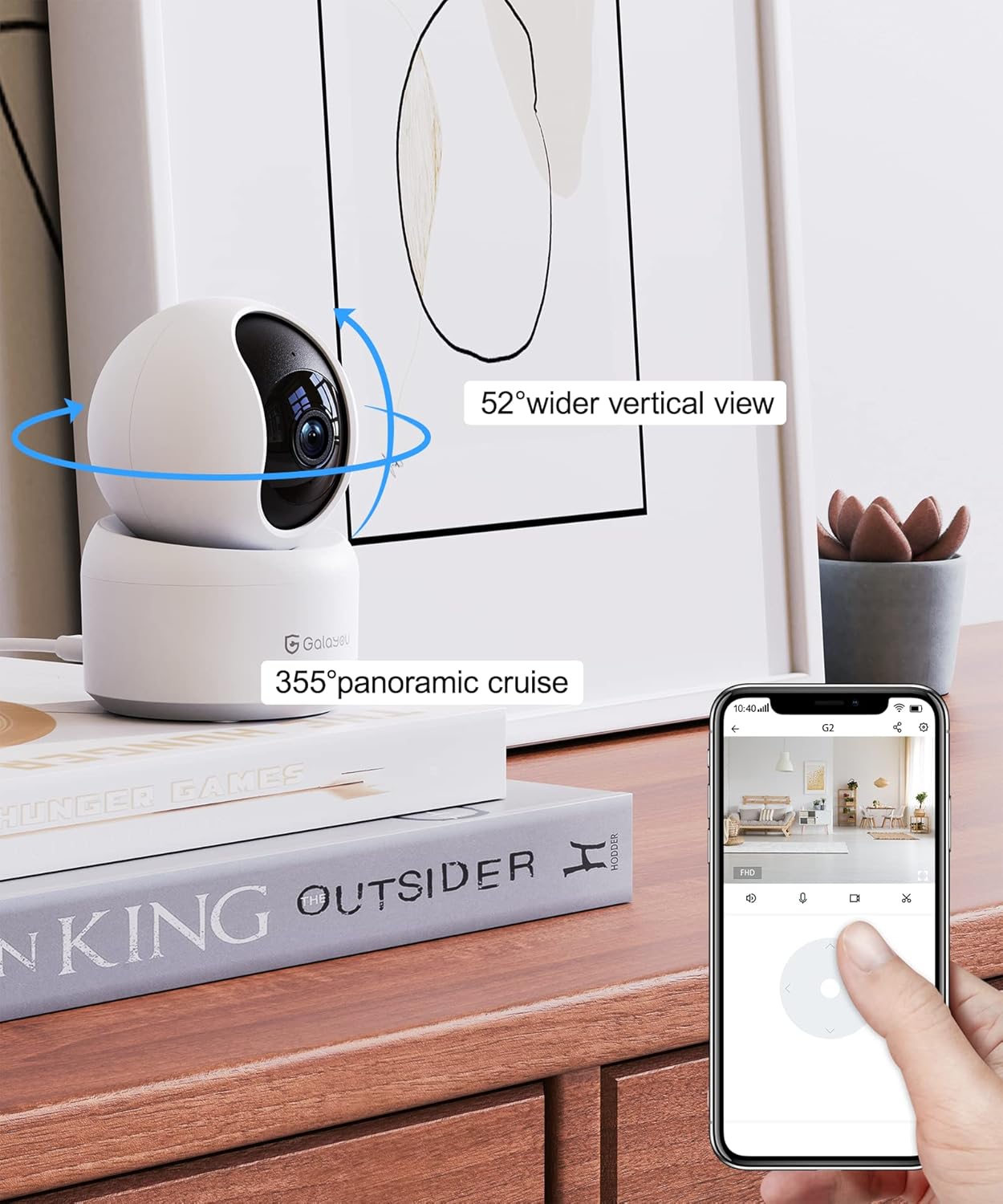
Figure 5.1: The GALAYOU G2 camera demonstrating its 355° panoramic cruise and 52° wider vertical view, controlled via the mobile application.

Figure 5.2: Illustration of the two-way audio feature, allowing users to listen and speak through the camera.
5.2 Motion Detection and Alerts
- Enable Alerts: In the app settings for your camera, enable motion detection and push notifications.
- Siren Activation: Configure the smart siren to activate upon motion detection if desired.
- Event Playback: Access recorded motion events from the app's playback section.

Figure 5.3: Screenshot of a smartphone displaying real-time motion detection alerts and recorded event clips from the GALAYOU camera.
5.3 Storage Management
- SD Card Storage: Insert a microSD card (up to 128GB, Class 10 or higher recommended) into the camera's designated slot for 24/7 continuous recording. Format the SD card via the app.
- Cloud Storage: Subscribe to the optional cloud storage service for secure, off-site storage of event recordings. A 30-day free trial is typically available.

Figure 5.4: Depiction of encrypted cloud storage and the physical SD card slot on the GALAYOU camera, highlighting storage options.
5.4 Smart Home Integration
- Alexa/Google Home: Link your GALAYOU account with your Amazon Alexa or Google Home app. You can then use voice commands to view live feeds on compatible smart displays (e.g., "Alexa, show me the living room camera").

Figure 5.5: An example of the GALAYOU camera integrating with a smart display via Alexa, allowing voice-controlled live viewing.
6. Maintenance
- Cleaning: Use a soft, dry cloth to clean the camera lens and body. Avoid abrasive cleaners or solvents.
- Firmware Updates: Regularly check the GALAYOU app for firmware updates to ensure optimal performance and security.
- SD Card Health: If using an SD card, consider reformatting it periodically (this will erase data) or replacing it after extended use to prevent data corruption.
- Environmental Conditions: Ensure the camera is used within its specified operating temperature and humidity ranges. Avoid direct exposure to water or extreme temperatures.
7. Troubleshooting
| Problem | Possible Cause | Solution |
|---|---|---|
| Camera won't connect to Wi-Fi. | Incorrect Wi-Fi password; 5GHz Wi-Fi network; camera too far from router. | Double-check password. Ensure you are connecting to a 2.4GHz network. Move camera closer to the router or use a Wi-Fi extender. |
| No live view or offline status. | Internet connection issue; camera power off; app glitch. | Check your internet connection. Verify camera is powered on. Restart the app or camera. |
| Motion alerts not received. | Notifications disabled; motion detection sensitivity too low. | Enable push notifications in app settings and phone settings. Adjust motion detection sensitivity. |
| SD card not recording. | SD card full or corrupted; not formatted; incorrect type. | Format the SD card via the app. Ensure it's a Class 10 or higher, up to 128GB. Replace if corrupted. |
| Two-way audio not working. | Microphone/speaker muted in app; volume too low. | Check audio settings in the app. Ensure phone volume is up. |
8. Specifications
| Feature | Detail |
|---|---|
| Video Capture Resolution | 2K (2304x1296 pixels) |
| Wireless Communication Technology | Wi-Fi (2.4GHz only) |
| Night Vision Range | Up to 32 Feet (10 meters) |
| Zoom Type | Digital Zoom |
| Alert Type | Motion Only (with Smart Siren) |
| Room Type | Nursery, Living Room, etc. |
| Video Capture Format | MPEG-4 |
| Compatible Devices | Smartphone (iOS/Android) |
| Controller Type | Google Assistant, Amazon Alexa |
| Mounting Type | Wall Mount, Ceiling Mount, Tabletop |
| SD Card Support | Max 128GB (not included) |
9. Warranty and Support
GALAYOU products typically come with a limited warranty. Please refer to the warranty card included in your product packaging or visit the official GALAYOU website for detailed warranty terms and conditions.
For technical support, troubleshooting assistance, or warranty claims, please contact GALAYOU customer service through the following channels:
- Official Website: www.galayou.com (Note: This is a placeholder URL, please refer to actual product documentation for correct contact info.)
- Email Support: Check the app or product packaging for the support email address.
- In-App Support: Many common issues can be resolved through the help section within the GALAYOU mobile application.
Please have your product model number (G2 or G7) and purchase information ready when contacting support.
Related documentsG2, G7


Ask a question about this manual
Ask about setup, troubleshooting, compatibility, parts, safety, or missing instructions. Manuals+ will review the question and use this page’s manual context to help answer it.