
1. Introduction
This manual provides detailed instructions for the safe and effective use of your Andoer 1080P 50MP Digital Camera. Please read this manual thoroughly before operating the device and retain it for future reference.
2. Safety Information
- Do not expose the camera to water or moisture.
- Avoid dropping the camera or subjecting it to strong impacts.
- Keep the camera away from extreme temperatures and direct sunlight.
- Do not attempt to disassemble or modify the camera. Repairs should only be performed by authorized service personnel.
- Use only the specified charging cable and battery.
- Keep out of reach of small children to prevent accidental ingestion of small parts.
3. Package Contents
Verify that all items are present in your package:
- Andoer 1080P 50MP Digital Camera
- USB Type-C Charging Cable
- 32GB TF (MicroSD) Card
- Wrist Strap
- Storage Pouch
- User Manual (this document)
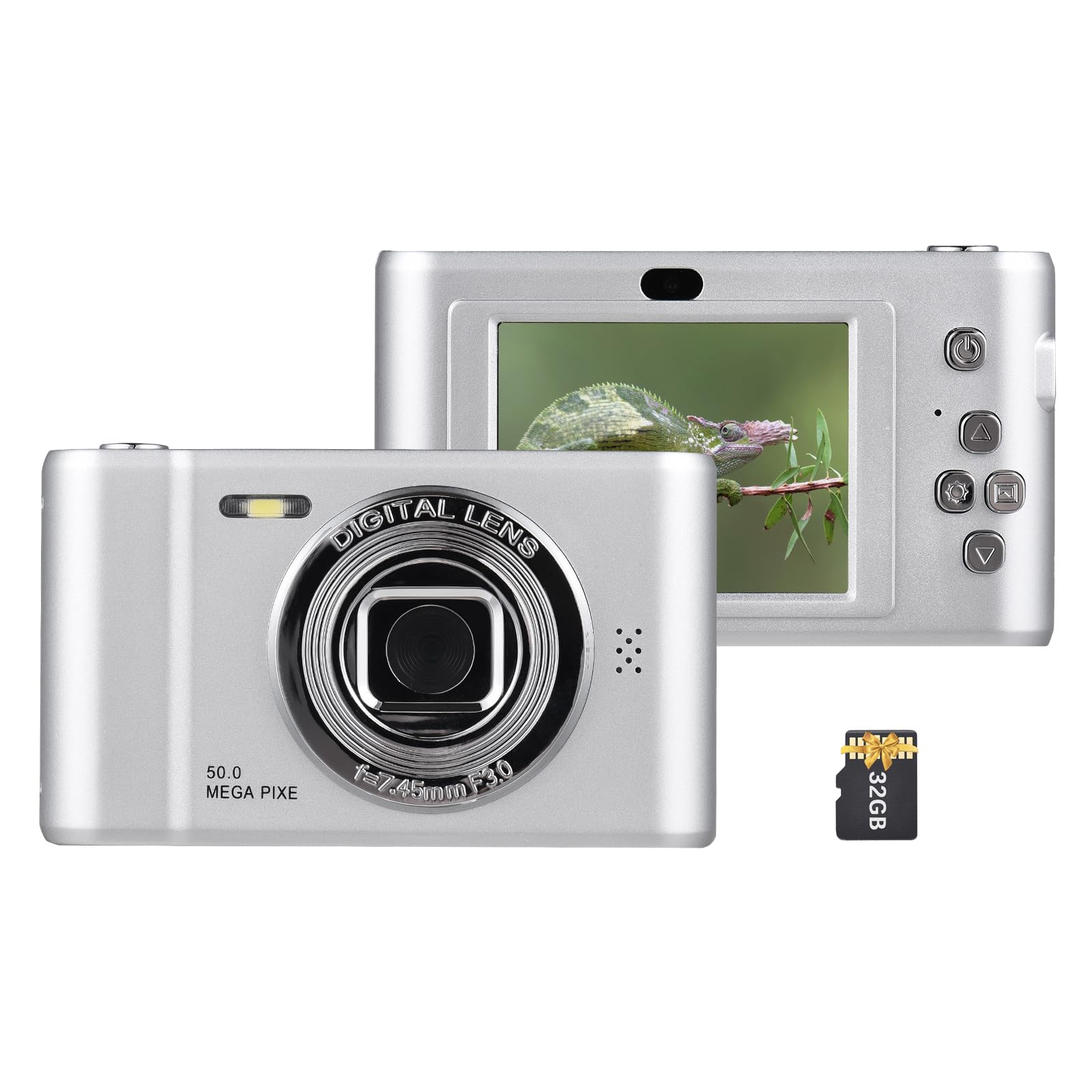
Image: The Andoer 1080P 50MP Digital Camera in silver, accompanied by its accessories: a grey storage pouch, a white USB Type-C cable, a 32GB TF card, and a black wrist strap.
4. Product Overview
Familiarize yourself with the camera's components and controls.
Front View
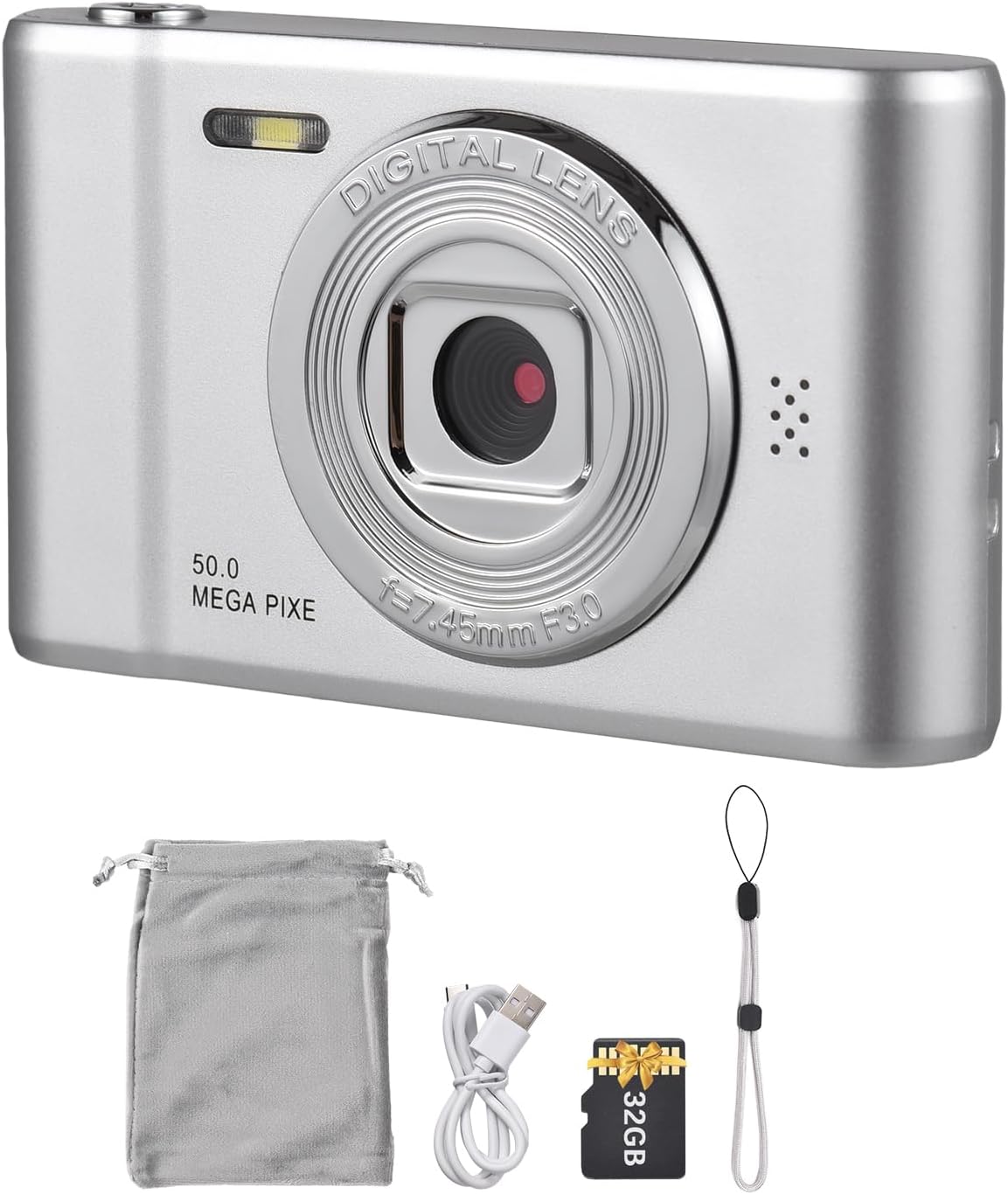
Image: Front view of the silver Andoer digital camera, showing the lens, built-in flash, and '50.0 MEGA PIXE' marking.
Rear View and Controls

Image: Rear view of the silver Andoer digital camera, displaying the 2.4-inch IPS screen and control buttons on the right side, including power, menu, and navigation buttons.
Compact Design and Tripod Mount
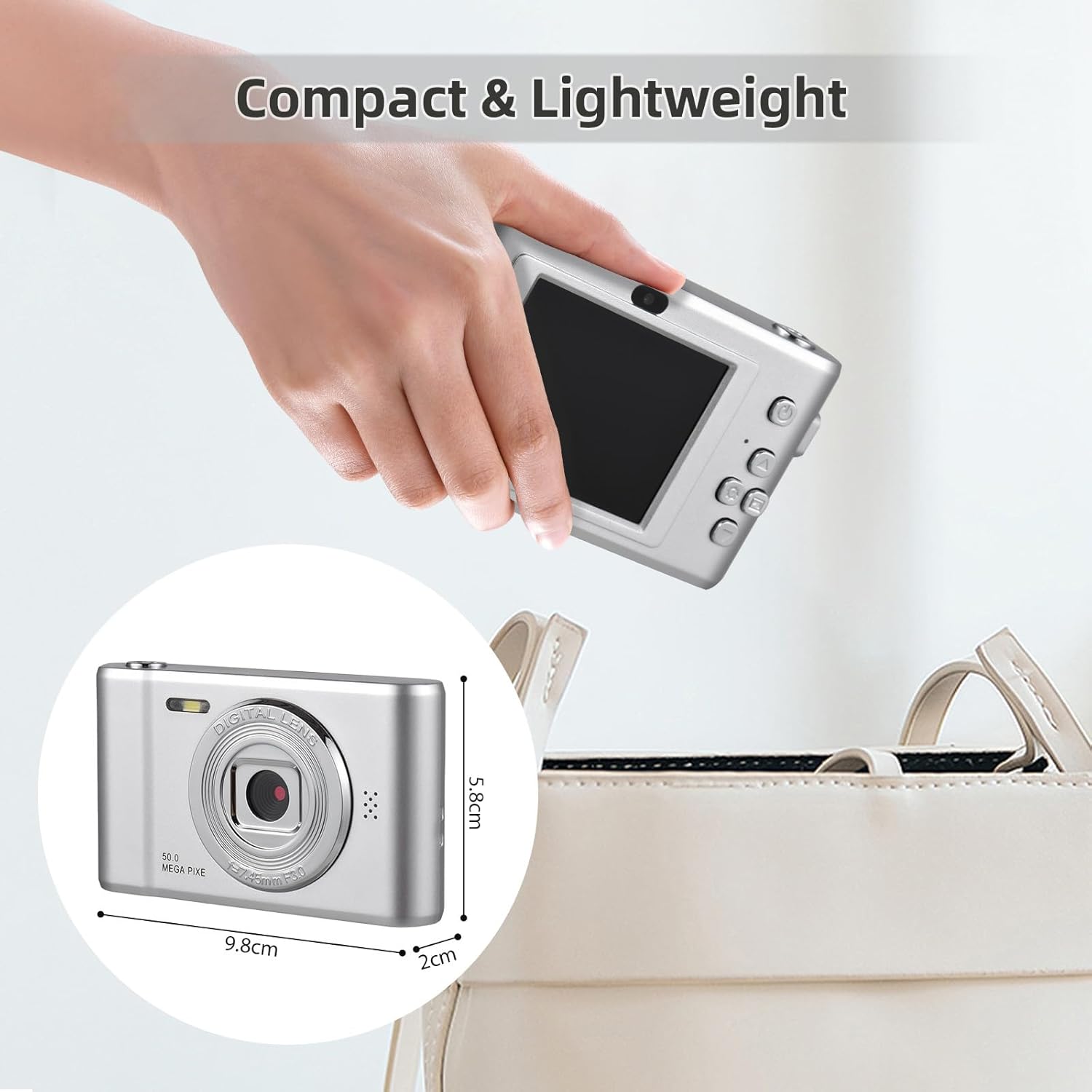
Image: A hand holding the compact Andoer digital camera, with an inset showing its dimensions (9.8cm W x 5.8cm H x 2cm D).

Image: The bottom of the Andoer digital camera showing a 1/4 inch threaded screw hole for tripod compatibility, with the camera mounted on a tripod in a scenic outdoor setting.
5. Setup
5.1 Charging the Battery
- Locate the Type-C port on the camera.
- Connect the included Type-C USB cable to the camera and the other end to a USB power adapter (not included) or a computer's USB port.
- The charging indicator light will illuminate. Once fully charged, the light will change or turn off.
The camera features a built-in 650mAh rechargeable battery.
5.2 Inserting the Memory Card
- Ensure the camera is powered off.
- Locate the memory card slot, typically on the side or bottom of the camera.
- Insert the included 32GB TF (MicroSD) card into the slot with the gold contacts facing the correct direction (refer to the diagram near the slot if available) until it clicks into place.
- To remove, gently push the card in until it clicks, then release, and it will spring out.
A 32GB memory card is included to store your photos and videos.
5.3 Initial Power On
- Press and hold the Power button (usually marked with a power symbol) for a few seconds until the screen illuminates.
- Follow any on-screen prompts for initial setup, such as setting the date and time.
6. Operating Instructions
6.1 Taking Photos
- Turn on the camera.
- Frame your shot using the 2.4-inch IPS screen.
- Press the Shutter button (usually on top of the camera) halfway down to focus, then press fully to capture the 50MP image.
6.2 Recording Videos
- Switch the camera to video mode (refer to your camera's menu or a dedicated button).
- Press the Record button (often marked with a red dot) to start recording 1080P video.
- Press the Record button again to stop recording.

Image: Split image showing a person cycling (representing 1080P video) and a couple with a dog (representing 50MP photo), highlighting the camera's dual capabilities.
6.3 Using Digital Zoom
The camera features an 8X digital zoom function.
- While in photo or video mode, use the zoom buttons (often marked 'W' for wide and 'T' for telephoto) to adjust the zoom level.
- Digital zoom magnifies the image electronically, which may reduce image quality at higher zoom levels.

Image: Demonstration of 8X digital zoom, showing a chameleon on a branch. The left panel shows the camera's screen with the subject, and the right panel shows a magnified view of the chameleon's head, illustrating the zoom capability.
6.4 Built-in Flash
The built-in flash helps illuminate subjects in low-light conditions.
- Access the flash settings through the camera's menu or a dedicated flash button.
- Select from modes such as Auto Flash, Fill Flash (always on), or Flash Off.

Image: The Andoer digital camera with its built-in flash. Two inset images show a woman's face, one with the flash effect turned on (brighter) and one with it turned off (darker), demonstrating the flash's function.
6.5 Playback Mode
- Press the Playback button (often marked with a triangle icon) to enter playback mode.
- Use the navigation buttons to scroll through your photos and videos.
- Press the OK/Enter button to view a video or a larger image.
6.6 Special Features
The camera includes various functions for enhanced user experience:
- Built-in Games: Access through the menu for entertainment.
- Cartoon Photo Frames: Apply fun frames to your photos during or after capture.
- Music Playing: Play audio files stored on the memory card.
- Time-lapse: Capture a series of photos over time to create a time-lapse video.
7. Maintenance
7.1 Cleaning the Camera
- Use a soft, dry cloth to clean the camera body.
- For the lens and screen, use a specialized lens cleaning cloth and solution. Do not use abrasive materials.
- Avoid spraying cleaning solutions directly onto the camera.
7.2 Storage
- When not in use, store the camera in the provided pouch to protect it from dust and scratches.
- Store in a cool, dry place, away from direct sunlight and high humidity.
- If storing for an extended period, ensure the battery is partially charged (around 50%) and recharge it every few months to maintain battery health.
8. Troubleshooting
| Problem | Possible Cause | Solution |
|---|---|---|
| Camera does not power on. | Battery is depleted or not inserted correctly. | Charge the battery fully. Ensure the battery is correctly inserted. |
| Cannot take photos/record videos. | Memory card is full, not inserted, or corrupted. | Check memory card insertion. Delete unnecessary files or format the card (this will erase all data). Replace the card if corrupted. |
| Images are blurry. | Camera shake, subject too close, or lens is dirty. | Hold the camera steady. Ensure adequate lighting. Clean the lens. Maintain proper distance from the subject. |
| Flash is not working. | Flash mode is set to 'Off' or battery is low. | Check flash settings in the menu. Recharge the battery. |
| Camera freezes or becomes unresponsive. | Software glitch. | Remove and reinsert the battery to reset the camera. |
9. Specifications
| Feature | Detail |
|---|---|
| Photo Sensor Resolution | 50 MP |
| Video Resolution | 1080p |
| Digital Zoom | 8x |
| Screen Size | 2.4 inches (6.1 Centimeters) |
| Display Type | LCD |
| Image Stabilization | Digital |
| Flash | Built-In (Auto, On/Fill, Off modes) |
| Memory Storage Capacity | 32 GB (TF Card included) |
| Battery Type | Lithium Ion (650mAh rechargeable) |
| Connectivity Technology | USB (Type-C) |
| Supported File Format | JPEG (Image), AVI (Video) |
| Maximum Aperture | 2.8 Millimeters (F2.8) |
| Shutter Speed | Manual/Semi-manual (0.033s - 1/30s) |
| Exposure Control Type | Automatic |
| Focus Type | Auto Focus (Contrast Detection) |
| Continuous Shooting | 30 FPS |
| Item Dimensions (D x W x H) | 0.8"D x 3.9"W x 2.3"H |
10. Warranty and Support
For warranty information or technical support, please refer to the contact details provided with your purchase documentation or visit the official Andoer website. Keep your proof of purchase for warranty claims.

