
1. Introduction
The ONEED Haute42 Leverless Controller Arcade Stick R16 is a compact and lightweight gaming controller designed for precise input. It features a leverless design with rimmed buttons, hot-swappable switches, and customizable RGB lighting. The controller is compatible with various platforms including Windows, Steam Deck, PS3, PS4, and Nintendo Switch.

Image: The ONEED Haute42 Leverless Controller Arcade Stick R16 in white.
2. Key Features
- New Design: Thinner and lighter with rimmed buttons for a distinct feel. The M2 button is positioned for the pinky finger, allowing for customizable functions.
- System Compatibility: Compatible with Windows 10+, Steam Deck, PS3, PS4 (requires adapter), and Nintendo Switch.
- Premium Acrylic Panels: Features a high-quality, removable acrylic panel that enhances appearance and light transmittance, suitable for custom art panels.
- Hot-Swappable & Custom RGB: Utilizes hot-swappable technology for easy mechanical key replacement and offers customizable RGB lighting.
- Ultra-Low Latency: Equipped with a Raspberry Pi RP2024 controller chip and GP2040-CE firmware, providing less than 1ms latency and supporting firmware updates.

Image: The Haute42 R16 controller highlighting its upgraded crystal switches and key features.
3. Setup Guide
3.1 System Compatibility
The Haute42 R16 controller supports a wide range of systems:
- Windows 10 or above
- Steam Deck
- PS3
- PS4 (requires an adapter, not included)
- Nintendo Switch
- Windows (Keyboard mode only)
For PS4/PS5 connection details, please refer to the official website.

Image: Visual representation of the controller's compatibility with PC, Android, Switch, PS3, PS4, Steam, and Arcade systems. Note: PS5/Xbox Series require an adapter.
3.2 Web Configuration Access
To access the web configuration interface for advanced settings:
- Connect the controller to your computer via USB.
- Hold down the Start + X + Y buttons for more than 5 seconds. The controller's screen will indicate entry into web configuration mode.
- Alternatively, connect the product to your computer normally, then hold Back + X + Y for more than 5 seconds.
Video: Demonstrates how to enter the web configuration mode by holding Start + X + Y buttons for 5 seconds. The controller's lights change to indicate successful entry.
3.3 Input Mode Settings (PS5 Authentication)
For PS5 compatibility, you must select 'Host USB' as the authentication setting in the web configuration and insert a dongle into the extension port on the product for authentication.
Video: Illustrates how to navigate to Input Mode Settings in the web configurator, select PS5 mode, and enable Host USB for authentication with a dongle.
4. Operating Instructions
4.1 Button Layout and Functions
The R16 features a leverless button layout for precise directional inputs. The M2 button is strategically placed for the pinky finger, allowing for custom assignments.

Image: Diagram showing the leverless button layout, indicating Up, Down, Left, and Right directional buttons.
4.2 Key Value Table
Refer to the following table for default key mappings and controller modes:

Image: A key value table illustrating the mapping of buttons (A, B, X, Y, LB, RB, LT, RT, Back, Start, LS, RS, Home, M1, M2) to their corresponding inputs across XInput, Switch, PS4/PS3, DInput, Arcade, and RP2040 pin assignments. Also shows controller modes: X-input, Switch, PS3/D-input, PS4, and Keyboard mode.
4.3 Multiple Functions
The controller integrates several functions for an enhanced gaming experience, including ultra-low delay, turbo function, an OLED screen, SOCD modes, hot-swappable switches, custom RGB, and web configuration capabilities.

Image: Icons depicting various features: <1ms Delay, Turbo Function, OLED Screen, SOCD Modes, Hot-Swappable, Custom RGB, Crystal Switch, and Web Configuration.
Video: Shows the ONEED Haute42 R16 controller in use during gameplay, demonstrating its responsiveness and RGB lighting.
4.4 Custom RGB Lighting
Customize the lighting effects to match your preference and enhance your gaming environment. The controller supports various RGB lighting patterns and colors.

Image: Four different color schemes of RGB lighting displayed on the controller.
Video: A guide on how to customize the RGB lighting effects on the controller.
4.5 DIY Splash Screen
The controller allows for customization of the splash screen displayed on the OLED panel. You can insert different artwork to personalize your device.

Image: Examples of custom splash screen images that can be displayed on the controller's OLED screen.
5. Maintenance
5.1 Hot-Swappable Switches
The Haute42 R16 features hot-swappable technology, allowing you to replace mechanical key switches without soldering. This facilitates easy customization and maintenance of the buttons.
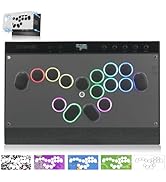
Image: Detailed view of the Kailh Crystal Low-Profile Switch, highlighting its components and mechanical specifications.
5.2 Cleaning and General Care
To maintain the controller's appearance and functionality, regularly wipe the acrylic panels with a soft, dry cloth. Avoid using abrasive cleaners or solvents. Ensure the device is disconnected from power before cleaning.
6. Troubleshooting
6.1 Firmware Updates
To ensure optimal performance and compatibility, it is recommended to keep the controller's firmware updated. The Haute42 R16 supports firmware updates.
Video: Provides guidance on how to update the firmware of the Haute42 R16 controller.
6.2 Connection Issues (PS4/PS5)
If you experience difficulties connecting to PS4 or PS5, ensure you are using the correct adapter and have configured the input mode settings as described in Section 3.3. Further assistance can be found on the official ONEED website.
6.3 Physical Integrity
Some users have noted minor creaking. Ensure all screws are tightened to minimize this. If issues persist, contact support.
7. Specifications
| Feature | Detail |
|---|---|
| Compatible Devices | Nintendo Switch, PC, PlayStation 4, PlayStation 5, Xbox One |
| Controller Type | Gaming Controller |
| Connectivity Technology | USB C |
| Additional Features | Leverless Design, Rimmed Buttons, Hot-Swappable Technology, Custom RGB Lighting |
| Button Quantity | 16 |
| Hardware Platform | Nintendo Switch, PC, PC/Mac, PlayStation 4, Xbox One |
| Power Source | Battery Powered |
| Item Weight | 2 Pounds |
| Model Name | Haute42 |
| Color | White |
7.1 Dimensions

Image: Diagram showing the dimensions of the controller: 29.6cm (11.65 inches) in length and 19.6cm (7.71 inches) in width. Also shows button rim detail: 2.58cm (1.01 inches) diameter and 1.0cm (0.39 inches) height.
8. Warranty Information
The ONEED Haute42 Leverless Controller Arcade Stick R16 comes with a 1-year warranty from the date of purchase. Please retain your proof of purchase for warranty claims.
9. Support
For technical assistance, troubleshooting, or further inquiries, please visit the official ONEED website. A strong technical support team is available to assist you with any product-related concerns.
Official Website: ONEED Store on Amazon