
GOBOULT Airbass Earbuds
GOBOULT x Mustang Derby Truly Wireless Earbuds User Manual
Model: Airbass Earbuds
1. Introduction
Welcome to the GOBOULT x Mustang Derby Truly Wireless Earbuds user manual. This guide provides essential information for setting up, operating, maintaining, and troubleshooting your new earbuds. Please read this manual thoroughly to ensure optimal performance and longevity of your device.
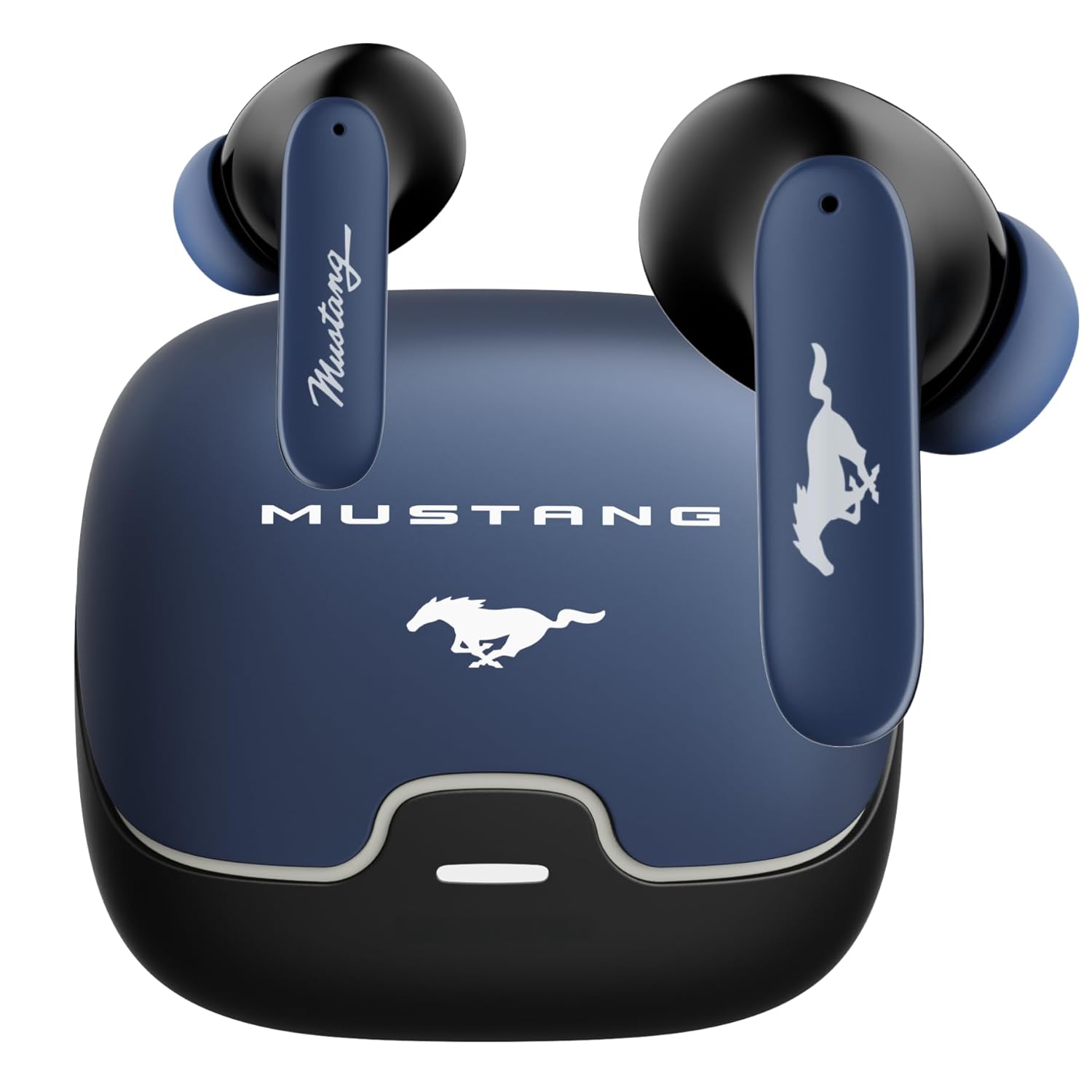
Image: The GOBOULT x Mustang Derby Truly Wireless Earbuds in their charging case.
2. What's in the Box
Verify that all the following items are included in your product packaging:
- GOBOULT x Mustang Derby Truly Wireless Earbuds
- Mustang Derby Charging Case
- Type-C Fast Charging Cable
- Extra Pair of Eartips (various sizes)
- User Manual (this document)
- Warranty Card

Image: All components included in the GOBOULT x Mustang Derby Earbuds package.
3. Product Overview
The GOBOULT x Mustang Derby Earbuds are designed for a premium audio experience, featuring 13mm bass drivers for rich sound and Bluetooth 5.4 for stable connectivity. The earbuds are IPX5 water-resistant, making them suitable for various activities. The charging case and earbuds feature a distinctive Mustang Derby design.

Image: Detailed view of the earbud's 13mm massive drivers for enhanced audio.
4. Setup
4.1 Charging the Earbuds and Case
Before first use, fully charge the earbuds and the charging case. Connect the provided Type-C charging cable to the charging port on the case and a compatible USB power source. The charging time for a full charge is approximately 90 minutes. A fully charged case provides up to 100 hours of total playtime with the earbuds.
4.2 Initial Pairing
- Open the charging case. The earbuds will automatically enter pairing mode.
- On your device (smartphone, tablet, laptop), enable Bluetooth.
- Search for available Bluetooth devices and select "GOBOULT Mustang Derby" from the list.
- Once connected, you will hear a confirmation tone.

Image: The earbuds and charging case, illustrating Bluetooth 5.4 connectivity for fast pairing.
4.3 Dual Device Pairing
The earbuds support simultaneous connection to two devices. This allows for seamless switching between audio sources without manual re-pairing.
- Pair the earbuds with your first device as described in section 4.2.
- Disconnect the earbuds from the first device's Bluetooth settings.
- Pair the earbuds with your second device.
- Reconnect the earbuds to the first device. The earbuds will now be connected to both devices.
- Audio will automatically switch to the device currently playing sound.

Image: The earbuds and charging case, illustrating the dual-device pairing feature.
4.4 App Support
Enhance your experience by downloading the dedicated GOBOULT app. The app allows you to:
- Custom-tune your audio with multi-EQ modes.
- Assign custom gestures to your earbuds.
- Utilize the Quick Cleanup feature for optimal performance.
- Rename your earbuds and personalize audio settings.

Image: A smartphone displaying the GOBOULT app, highlighting features like EQ modes and custom gestures.
5. Operating the Earbuds
5.1 Touch Controls
The earbuds feature intuitive touch controls for managing various functions. Specific gestures can be customized via the GOBOULT app.
| Action | Function |
|---|---|
| Single Tap | Play/Pause Music, Answer/End Call |
| Double Tap (Left Earbud) | Previous Track |
| Double Tap (Right Earbud) | Next Track |
| Triple Tap (Left Earbud) | Volume Down |
| Triple Tap (Right Earbud) | Volume Up |
| Long Press (2 seconds) | Activate Voice Assistant / Reject Call |
5.2 Call Management
The earbuds are equipped with 4 Environmental Noise Cancellation (ENC) microphones to ensure clear calls even in noisy environments.
- Answering/Ending Calls: Single tap either earbud.
- Rejecting Calls: Long press either earbud for 2 seconds.

Image: Close-up of an earbud showing the Zen™ Quad Mic ENC technology for crystal clear calling.
5.3 Gaming Mode
Activate the 45ms Low Latency Gaming Mode for a synchronized audio-visual experience during gaming. This mode minimizes audio delay, providing a competitive edge.
- Activation: Refer to the GOBOULT app for specific gesture customization or check the user manual for default activation.

Image: The earbuds and charging case, illustrating the Combat™ Gaming Mode with 45ms low latency.
5.4 Voice Assistant
Access your device's voice assistant (Amazon Alexa, Google Assistant, Siri) by long-pressing either earbud for 2 seconds.
6. Maintenance
6.1 Cleaning
Regular cleaning helps maintain optimal sound quality and hygiene.
- Gently wipe the earbuds and charging case with a soft, dry, lint-free cloth.
- For stubborn dirt, slightly dampen the cloth with water. Avoid using harsh chemicals or abrasive materials.
- Clean the ear tips regularly. They can be removed and rinsed with water, then dried completely before reattaching.
- Ensure charging contacts on both earbuds and case are clean and dry.
The earbuds have an IPX5 water resistance rating, meaning they are protected against low-pressure water jets from any direction. However, the charging case is not water-resistant. Do not submerge the earbuds or expose them to strong water streams.

Image: The earbuds and charging case, illustrating IPX5 water resistance.
6.2 Storage
When not in use, store the earbuds in their charging case to protect them from dust, damage, and to keep them charged. Store the case in a cool, dry place away from direct sunlight and extreme temperatures.
7. Troubleshooting
If you encounter any issues with your GOBOULT x Mustang Derby Earbuds, refer to the following common solutions:
| Problem | Solution |
|---|---|
| Earbuds not pairing | Ensure earbuds are charged. Turn off and on your device's Bluetooth. Place earbuds back in case, close, then reopen to re-enter pairing mode. |
| Only one earbud working | Place both earbuds back in the charging case, close the lid, wait a few seconds, then open again. Ensure both earbuds are charged. |
| Low volume or poor sound quality | Clean the ear tips and speaker mesh. Adjust volume on both your device and the earbuds. Ensure ear tips provide a good seal in your ear canal. |
| Earbuds not charging | Ensure the charging cable is securely connected. Check if the charging case has power. Clean the charging contacts on both earbuds and case. |
| Bluetooth connection unstable | Ensure you are within the 10-meter Bluetooth range. Avoid obstacles between your device and earbuds. Disconnect and reconnect the earbuds. |
If the issue persists, please refer to the Warranty and Support section for further assistance.
8. Specifications
| Feature | Detail |
|---|---|
| Model Name | Airbass Earbuds |
| Connectivity Technology | Bluetooth 5.4, Wireless |
| Bluetooth Range | 10 Metres |
| Audio Driver Size | 13 Millimetres |
| Audio Driver Type | Dynamic Driver |
| Impedance | 32 Ohm |
| Frequency Response | 20 Hz |
| Sensitivity | 115 dB |
| Audio Latency | 45 Milliseconds (Gaming Mode) |
| Noise Control | Passive Noise Cancellation, Environmental Noise Cancellation (ENC) Mics |
| Microphone Format | Built-In (4 Mics) |
| Battery Life (Total) | Up to 100 Hours (with charging case) |
| Charging Time | Approx. 90 Minutes |
| Charging Port | Type-C Fast Charging Jack |
| Water Resistance Level | IPX5 (Earbuds only) |
| Control Type | Touch Control, Voice Control |
| Compatible Devices | Android, Cellphones, Desktops, Gaming Consoles, Laptops, Tablets, iPhone |
| Item Weight | 50 Grams |
| Product Dimensions | 4.7 x 8.9 x 9.6 cm |
| Material | Rubber |
| Country of Origin | India |
9. Warranty and Support
9.1 Manufacturer's Warranty
Your GOBOULT x Mustang Derby Truly Wireless Earbuds come with a 1 Year Manufacturer's Warranty from the date of purchase. This warranty covers manufacturing defects and ensures your product is free from material and workmanship flaws under normal use.
Please retain your proof of purchase for warranty claims. The warranty does not cover damage caused by misuse, accidents, unauthorized modifications, or normal wear and tear.
9.2 Customer Support
For technical assistance, warranty claims, or any other inquiries, please contact GOBOULT customer support through their official website or the contact information provided on your warranty card.
You may also visit the GOBOULT Store on Amazon for additional product information and support resources.
Related documentsAirbass Earbuds


Ask a question about this manual
Ask about setup, troubleshooting, compatibility, parts, safety, or missing instructions. Manuals+ will review the question and use this page’s manual context to help answer it.