
1. Introduction
Thank you for choosing the NOBIS Portable Charger. This 10000mAh 35W power bank is designed to provide fast and efficient charging for a wide range of electronic devices, including smartphones, tablets, and more. Its compact design and advanced safety features make it an ideal companion for daily use and travel.

The NOBIS 10000mAh 35W Portable Charger, showcasing its sleek design, digital battery display, and included USB-C to USB-C charging cables.
2. Safety Information
- Do not expose the power bank to extreme temperatures (heat or cold), direct sunlight, or fire.
- Do not disassemble, open, crush, bend, deform, puncture, or shred the device.
- Keep the power bank away from water and other liquids.
- Do not use the power bank if it has been damaged in any way.
- Keep out of reach of children.
- Dispose of the power bank according to local regulations.

This image highlights the built-in safety features like over-heat, over-current, over-discharge, over-voltage, short-circuit, and over-charge protection. It also explains the trickle charging mode for low-power devices.
3. Setup
3.1 Charging the Power Bank
Before first use, fully charge your NOBIS Portable Charger. Use the included USB-C to USB-C cable and a compatible wall adapter (not included) to connect the power bank to a power source. The digital display will show the charging progress.

The power bank itself can be quickly recharged using a compatible wall adapter, as shown in this image. A full recharge can take approximately 1.4 hours.
4. Operating Instructions
4.1 Checking Battery Level
Press the power button once to activate the digital LED display, which shows the remaining battery percentage (0-100%).
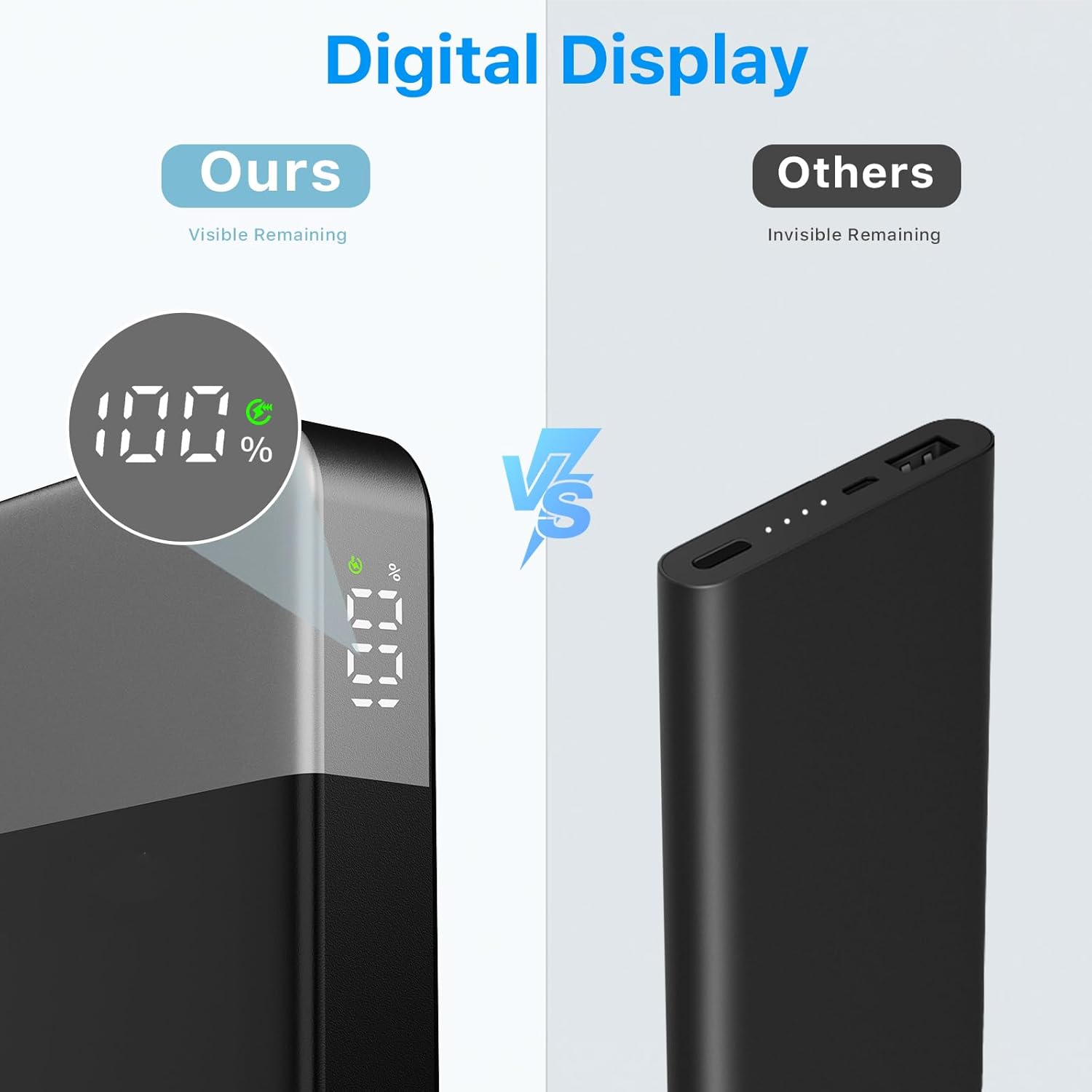
The integrated digital display provides a precise percentage of the remaining battery life, ensuring you know when to recharge.
4.2 Charging Devices
Connect your device to one of the power bank's output ports (2x USB-C, 1x USB-A) using a compatible charging cable. The power bank will automatically begin charging. For optimal fast charging, use a single USB-C port.
- Fast Charging: Supports PD 3.0 and QC 4.0 protocols for rapid charging.
- Simultaneous Charging: The power bank can charge up to three devices at once. Note that charging multiple devices simultaneously may distribute the total 35W output, affecting individual charging speeds.
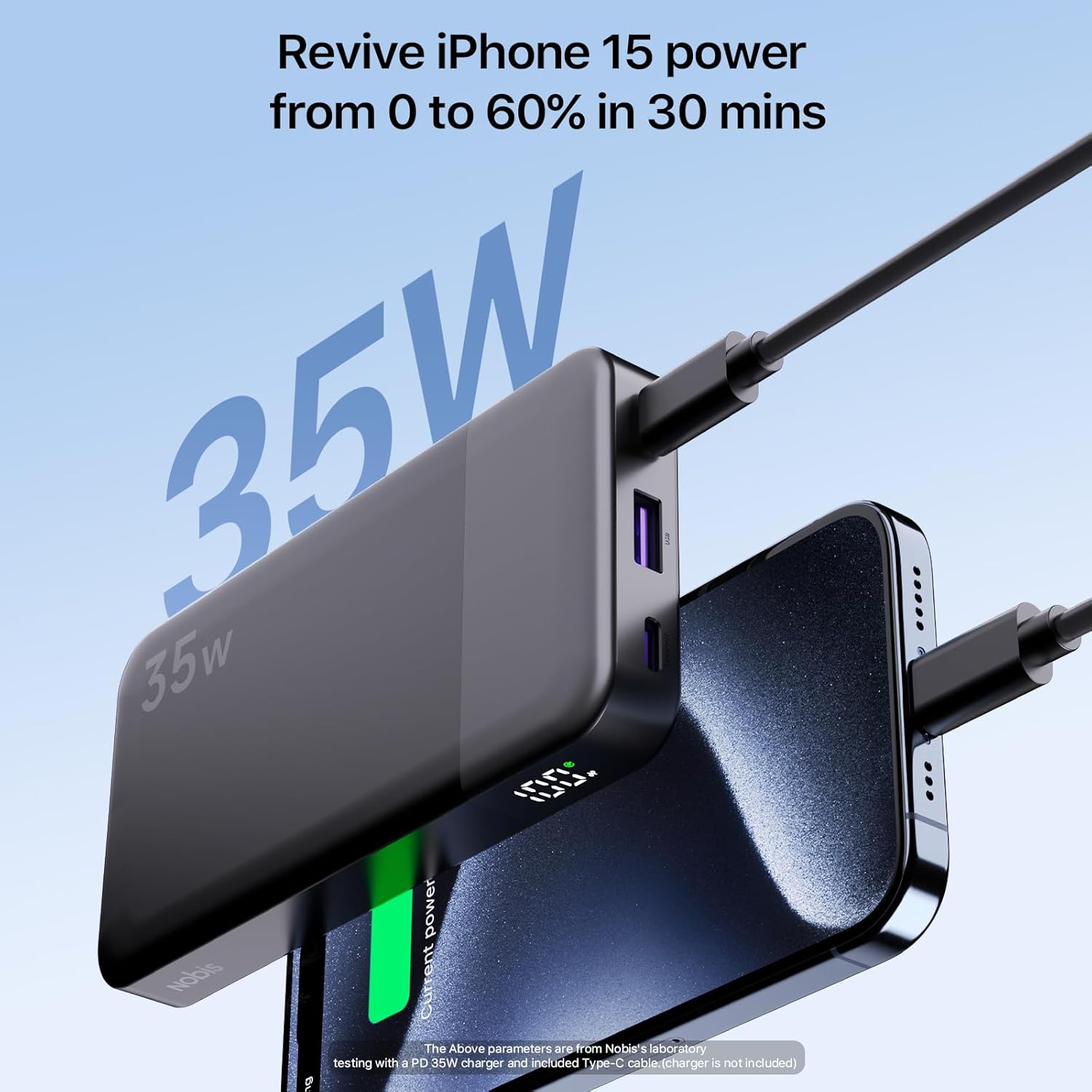
This image demonstrates the fast charging capability of the NOBIS portable charger, showing an iPhone 15 being charged rapidly.

Illustrates the power bank's ability to charge three devices concurrently, adapting to various power needs.

A table showing charging performance for different devices over 10 and 40 minutes.

A detailed diagram illustrating the two USB-C (input/output) and one USB-A (output) ports, along with their maximum wattage outputs for single, dual, and triple device charging scenarios.
4.3 Trickle Charging Mode
For low-power devices like Bluetooth headphones or smartwatches, double-tap the power button to activate trickle charging mode. A looping LED light indicates this mode is active, providing a safe and optimized charge for smaller gadgets.
4.4 Portability

The ultra-portable and compact design allows the power bank to fit easily into a bag or pocket for convenient transport.

The slim profile of the power bank ensures it can be carried discreetly in a pocket.
5. Maintenance
- Clean the power bank with a soft, dry cloth. Do not use harsh chemicals or abrasive materials.
- Store the power bank in a cool, dry place when not in use.
- Avoid dropping or subjecting the power bank to strong impacts.
6. Troubleshooting
6.1 Power Bank Not Charging
- Ensure the charging cable is securely connected to both the power bank and the power source.
- Verify that the wall adapter is functioning correctly and providing sufficient power.
- Try a different charging cable or wall adapter.
6.2 Device Not Charging from Power Bank
- Press the power button on the power bank to ensure it is active.
- Check if the charging cable is securely connected to both the power bank and your device.
- Ensure your device is compatible with the power bank's output specifications.
- Try a different charging cable or port on the power bank.
7. Specifications
| Feature | Detail |
|---|---|
| Product Dimensions | 5.39 x 2.76 x 1.04 inches |
| Item Weight | 8 ounces |
| Item Model Number | ZWPBWWA-102C1A35W |
| Batteries | 1 Lithium Polymer batteries required (included) |
| Special Features | Digital Display |
| Connector Type | USB Type A, USB Type C |
| Brand | NOBIS |
| Battery Capacity | 10000 Milliamp Hours |
8. Official Product Videos
8.1 35W 10000mAh Portable Charger Overview
An official product video from the seller, showcasing the design, ports, and general functionality of the NOBIS 35W 10000mAh portable charger.
8.2 35W 10000mAh Fast Charging Demonstration
This official seller video focuses on the fast charging performance of the NOBIS 35W 10000mAh portable charger, demonstrating its speed and efficiency.
9. Warranty and Support
For warranty information or technical support, please contact NOBIS customer service through the retailer where the product was purchased or visit the official NOBIS website. Please have your model number (ZWPBWWA-102C1A35W) and proof of purchase available.
