
1. Introduction
Thank you for choosing the Wanneton RT22pro Wireless Frequency Copy Rechargeable Walkie Talkies. This manual provides detailed instructions on how to set up, operate, and maintain your new two-way radios. The RT22pro is designed for reliable communication with features such as wireless frequency replication, VOX, scrambling, decoding, and long-range capabilities, making it ideal for various applications from outdoor activities to professional use.

Figure 1.1: Wanneton RT22pro Walkie Talkies and Charging Accessories
2. Package Contents
Please check the package carefully to ensure all items are present:
- 2 x RT22pro Walkie Talkies
- 2 x Batteries
- 2 x Belt Clips
- 1 x Charging Head (Power Adapter)
- 1 x Charging Cable (Dual USB Type-C)
- 1 x Instruction Manual

Figure 2.1: RT22pro Package Contents
3. Product Overview
Familiarize yourself with the components and controls of your RT22pro walkie talkie:

Figure 3.1: RT22pro Walkie Talkie Components
- Antenna: For transmitting and receiving signals.
- Battery Bar Display: Indicates current battery level.
- Headphone Jack: For connecting external audio accessories (Kenwood standard 2-pin).
- PTT (Push-to-Talk) Button: Press and hold to transmit, release to receive.
- VOL+ / VOL- Keys: Adjust volume up or down.
- CH+ / CH- Keys: Change channels up or down.
- Channel Lock Button (CH+ long press): Locks the current channel.
- Power Switch Button (CH- long press): Turns the radio on or off.
- USB Type-C Charging Socket: For charging the device.
- MIC (Microphone): For voice input.
- Speaker: For audio output.

Figure 3.2: Compact Size of RT22pro
The RT22pro features a unique clip design for easy attachment and detachment without tools, allowing for hands-free operation when clipped to a belt or chest.

Figure 3.3: Unique Clip Design
4. Setup
4.1. Battery Installation
Before first use, ensure the battery is properly installed.
- Locate the battery compartment on the back of the walkie talkie.
- Align the battery with the contacts and gently push it into the compartment until it clicks into place.
- Close the battery compartment cover securely.

Figure 4.1: Battery Installation and Connectors
4.2. Charging the Battery
The RT22pro uses fast USB charging. Charge the battery fully before initial use.
- Connect the USB Type-C charging cable to the charging socket on the walkie talkie.
- Connect the other end of the USB cable to the provided charging head, a computer USB port, a power bank, or a car charger.
- The battery indicator lights will show charging status. A full charge is indicated by four green LEDs.

Figure 4.2: USB Charging Options
5. Operating Instructions
The RT22pro offers a variety of functions for versatile communication.
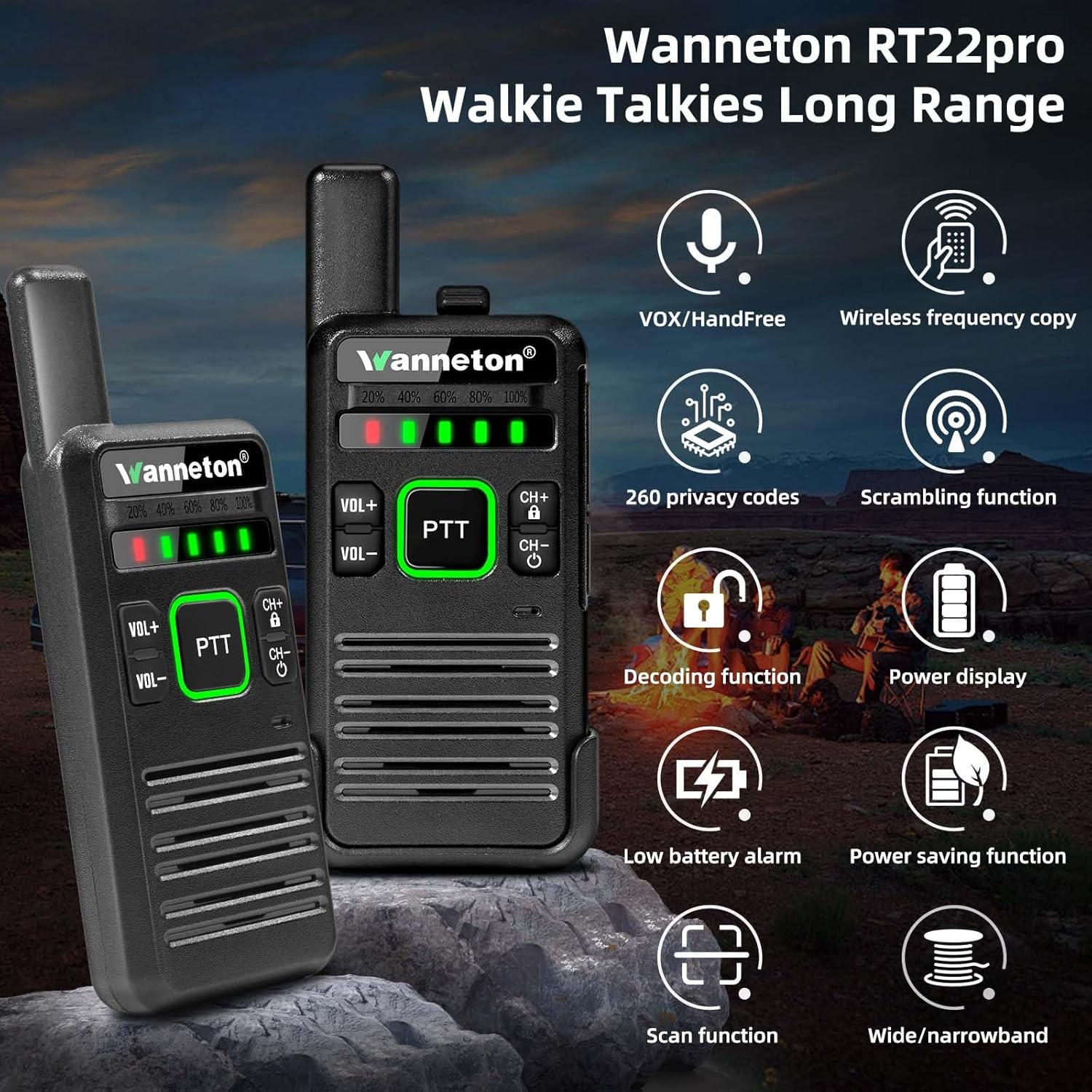
Figure 5.1: Key Features of RT22pro
5.1. Power On/Off
To power on the radio, long press the CH- button. To power off, long press the CH- button again.
5.2. Volume Adjustment
Press the VOL+ button to increase the volume and the VOL- button to decrease it.
5.3. Channel Selection
Press the CH+ button to move to the next channel or the CH- button to move to the previous channel. The RT22pro supports 16 channels.
5.4. Push-to-Talk (PTT)
To transmit your voice, press and hold the large PTT button on the side of the radio. Speak clearly into the microphone. Release the PTT button to receive messages.
5.5. VOX (Voice Operated Exchange)
The RT22pro supports hands-free VOX operation. This feature allows you to transmit by speaking into the microphone without pressing the PTT button. VOX functionality may require programming via PC software for activation or adjustment of sensitivity levels.
5.6. Wireless Frequency Copy
This unique feature allows you to quickly copy frequencies from other walkie-talkie models, even from different brands, without needing to know their exact frequency or requiring PC programming.
- Power on the RT22pro radio that will receive the frequency.
- Tune the receiving radio to channel 1, then power it off.
- Press and hold the VOL+ button, then power on the receiving radio.
- When the green light starts flashing after power on, it indicates the radio has entered decoding mode.
- Pick up another walkie-talkie (the source radio) that needs to be linked and transmit a signal.
- After the decoding RT22pro receives the signal, there will be an audible "di" prompt sound, indicating that the decoding and frequency copy are successful.
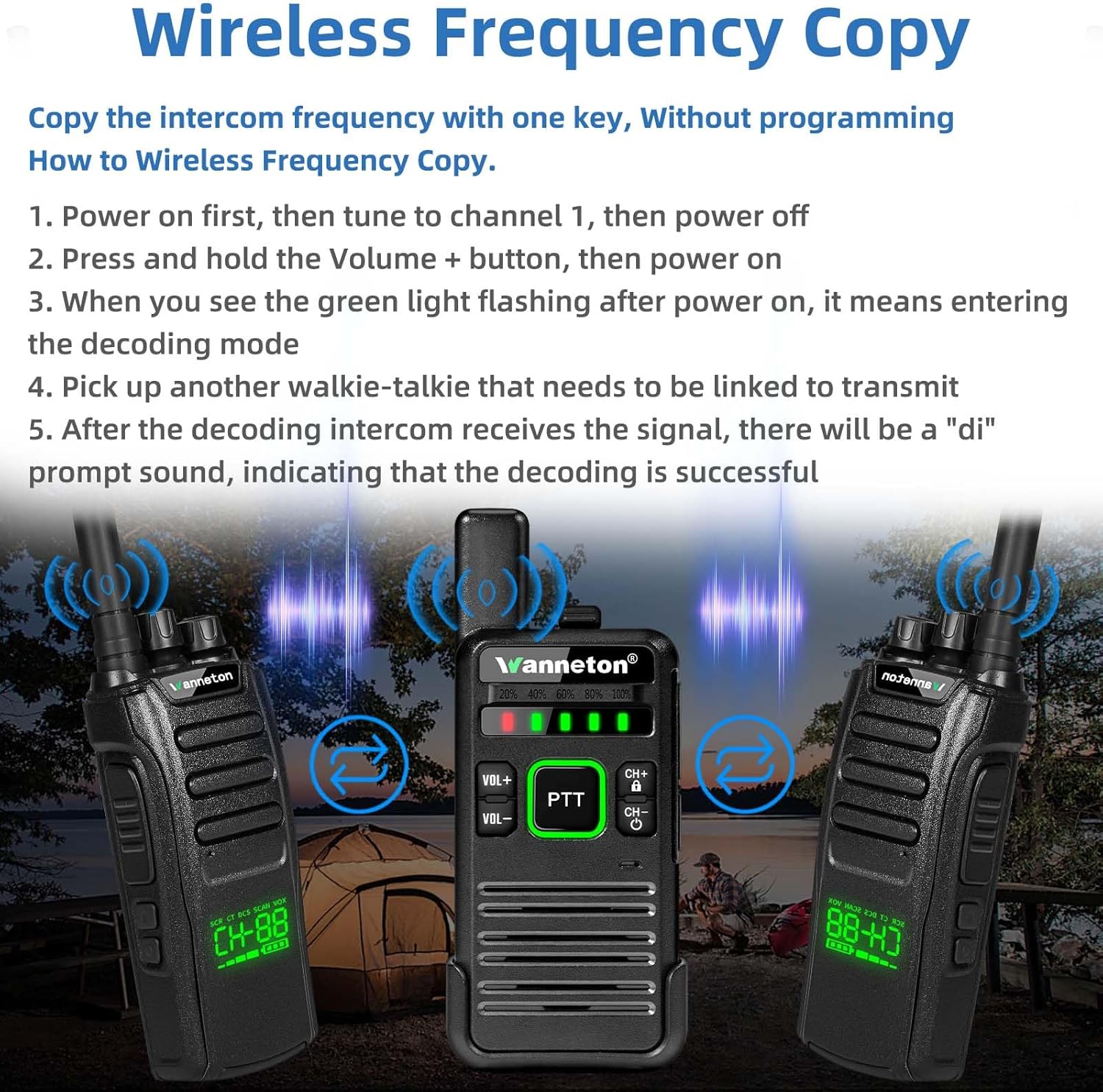
Figure 5.2: Wireless Frequency Copy Process
5.7. Scrambling and Decoding
The RT22pro supports scrambling for enhanced privacy and decoding to receive scrambled transmissions. These functions are typically managed through the device's menu or PC programming software.
5.8. Scanning
The scanning function allows the radio to automatically scan through channels to find active conversations. Refer to the device's menu or PC software for activation and settings.
5.9. Low Battery Alert & Power Saving
The radio will provide an alert when the battery is low. It also features a power-saving mode to extend battery life.
6. Maintenance
6.1. Cleaning
Clean the radio's surface with a soft, damp cloth. Do not use harsh chemicals or abrasive cleaners. Ensure the charging port is free of dust and debris.
6.2. Battery Care
To prolong battery life, avoid fully discharging the battery frequently. Charge the battery regularly, even if the radio is not in use for extended periods. Store the radio and battery in a cool, dry place.
6.3. Storage
When storing the radio for a long time, remove the battery. Store the radio in a dry, dust-free environment away from direct sunlight and extreme temperatures.
7. Troubleshooting
| Problem | Possible Cause | Solution |
|---|---|---|
| Radio does not power on. | Battery is not installed correctly or is depleted. | Ensure battery is properly installed. Charge the battery fully. |
| Cannot transmit or receive. | Radios are on different channels or privacy codes. Out of range. | Ensure both radios are on the same channel and privacy code. Move closer to the other radio. |
| Poor audio quality or static. | Weak signal, interference, or low battery. | Move to an open area. Check for sources of interference. Charge the battery. |
| Wireless frequency copy fails. | Source radio not transmitting or receiving radio not in decoding mode. | Ensure the source radio is transmitting. Re-enter decoding mode on the receiving radio (VOL+ and power on). |
| Voice prompt is too loud. | Voice prompt volume is fixed or not adjustable via buttons. | Some voice prompts may have fixed volume. Consider using PC programming software if available to adjust settings. |
8. Specifications
| Feature | Detail |
|---|---|
| Model Number | Wanneton-RT22PRO |
| Frequency Range | UHF (400-480MHz) |
| Number of Channels | 16 |
| Talking Range Maximum | 3 Miles (approximate, varies by terrain) |
| Battery Type | 1 Lithium Ion battery (included) |
| Voltage | 3.7 Volts |
| Charging Port | USB Type-C |
| Dimensions (Product) | 1.77"D x 6.53"W x 7.8"H (approx. 5" tall, 2" wide, 0.8" thick for radio body) |
| Item Weight | 10.8 ounces |
| Special Features | One-key decoding copy frequency, Battery Saver Mode, Lightweight, Keypad Lock, Emergency Alarm, VOX, Scrambling, Decoding, Scanning |
| FCC ID | 2AUMTRT22PRO |
| Manufacturer | Quanzhou Wanneton Electronic Technology Co., Ltd. |
9. Warranty and Support
9.1. Warranty Information
Wanneton provides an unconditional return service within 60 days of purchase.
9.2. After-sales Service
Wanneton offers lifetime after-sales service for the RT22pro walkie talkies. If you have any questions, require assistance, or encounter any issues, please feel free to contact the Wanneton support team. They are committed to providing high-quality support and assistance.
For support, please refer to the contact information provided with your purchase or visit the official Wanneton website.


