
Introduction
Thank you for choosing the WORKPRO 3.6V Electric Cordless Screwdriver. This manual provides essential information for the safe and efficient operation, maintenance, and care of your new tool. Please read this manual thoroughly before use and retain it for future reference.
Safety Information
Always observe basic safety precautions when using electric tools to reduce the risk of fire, electric shock, and personal injury.
- Keep the work area clean and well-lit. Cluttered or dark areas invite accidents.
- Do not operate power tools in explosive atmospheres, such as in the presence of flammable liquids, gases, or dust. Power tools create sparks which may ignite the dust or fumes.
- Keep children and bystanders away while operating a power tool. Distractions can cause you to lose control.
- Avoid accidental starting. Ensure the switch is in the off-position before connecting to battery pack, picking up or carrying the tool.
- Do not overreach. Keep proper footing and balance at all times. This enables better control of the power tool in unexpected situations.
- Dress properly. Do not wear loose clothing or jewelry. Keep your hair and clothing away from moving parts. Loose clothes, jewelry or long hair can be caught in moving parts.
- Use safety equipment. Always wear eye protection. Dust mask, non-skid safety shoes, hard hat, or hearing protection must be used for appropriate conditions.
Package Contents
Verify that all items listed below are included in your package:
- 1 PC Electric Cordless Screwdriver
- 1 PC USB Cable (Type-A to Type-C)
- 1 PC Carrying Case
- 1 PC 50mm Extension Rod
- 2 PCS 50mm Bits (PH2/PZ2)
- 19 PCS 25mm Bits (PH0/1/2/3, PZ1/2/3, H1/8, 5/32, 3/16, 1/4, T10/15/20/25, SL1/8, 5/32, 3/16, 1/4)
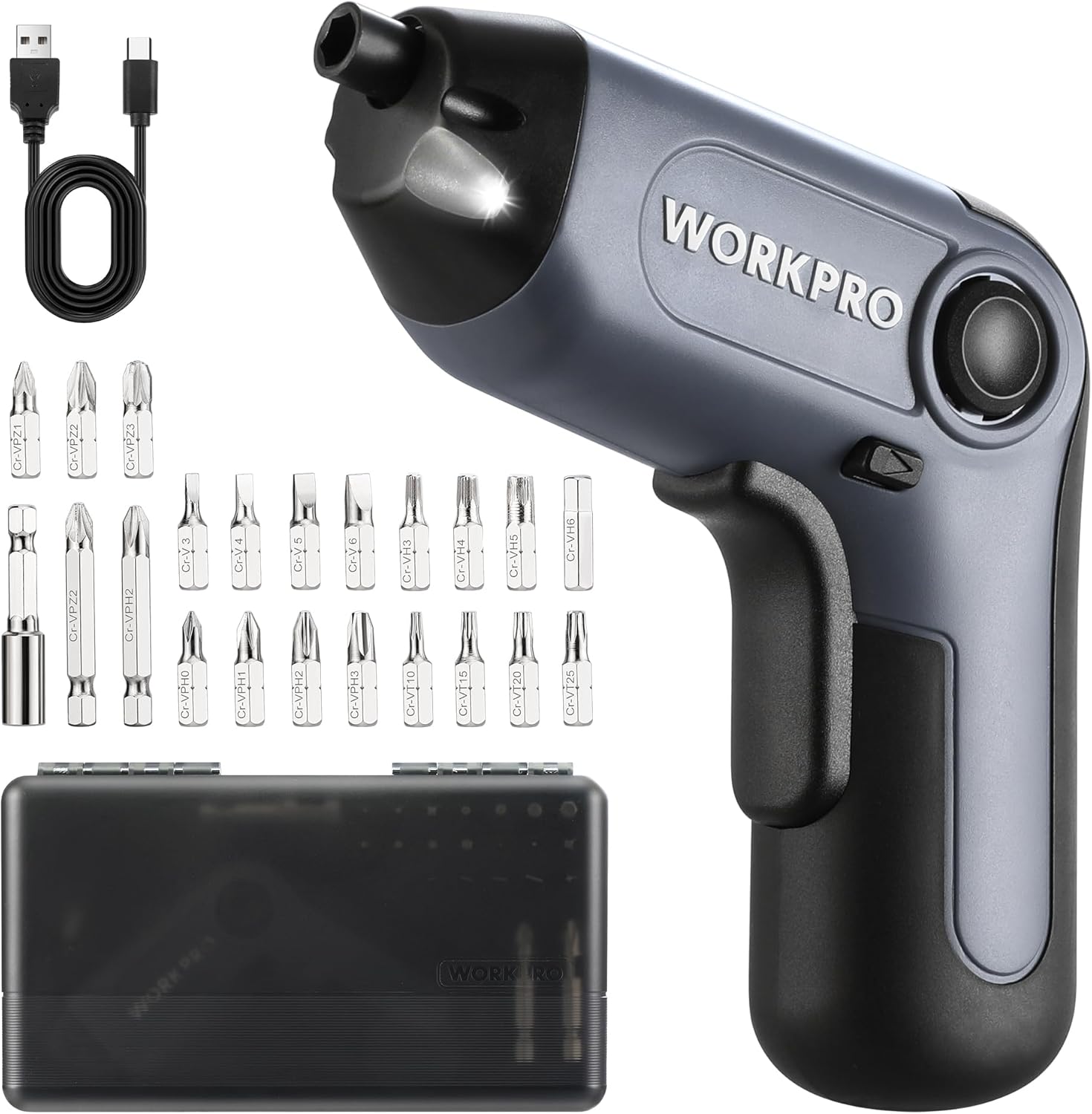
Image: The WORKPRO Electric Cordless Screwdriver, USB cable, carrying case, extension rod, and various screwdriver bits.
Product Overview
Familiarize yourself with the components and features of your WORKPRO Electric Cordless Screwdriver.

Image: A diagram highlighting key parts of the screwdriver, including the 1/4" Collet Sleeve, LED Light, ON/OFF Switch, USB-C Cable port, Forward/Reverse/Lock Control, and Charge Port & Charge Indicator.
- Offset Driving Shaft: Designed for improved access in tight spaces and corners, offering greater flexibility compared to traditional center-driving tools.
- LED Light: An integrated front LED light automatically illuminates the work area, enhancing visibility in dimly lit environments.
- Magnetic Chuck: The 1/4" magnetic chuck securely holds screwdriver bits in place during operation.
- Forward/Reverse/Lock Control: A convenient switch allows for easy selection of driving direction or locking the tool for manual use.
Setup
Charging the Battery
The screwdriver is equipped with a built-in rechargeable battery. Before first use, or when the battery is low, charge the tool using the provided USB cable.
- Connect the USB cable (Type-A to Type-C) to the charging port on the screwdriver.
- Connect the other end of the USB cable to a power source such as a power bank, USB charger (5V), car charger, or laptop/PC.
- The charge indicator light will show red while charging.
- Once fully charged, the indicator light will turn green. A full charge typically takes 1.5-2 hours.

Image: The screwdriver being charged via USB-C, illustrating the built-in 2000mAh battery and compatible charging methods.
Installing/Changing Bits
The screwdriver features a 1/4" magnetic chuck for quick and secure bit changes.
- Ensure the screwdriver is in the 'Lock' position (center position of the Forward/Reverse switch) to prevent accidental activation.
- Insert the desired 1/4" hex bit directly into the magnetic chuck until it is firmly seated.
- To remove a bit, simply pull it straight out from the chuck.
- For extended reach, insert the 50mm extension rod into the chuck first, then insert the desired bit into the extension rod.
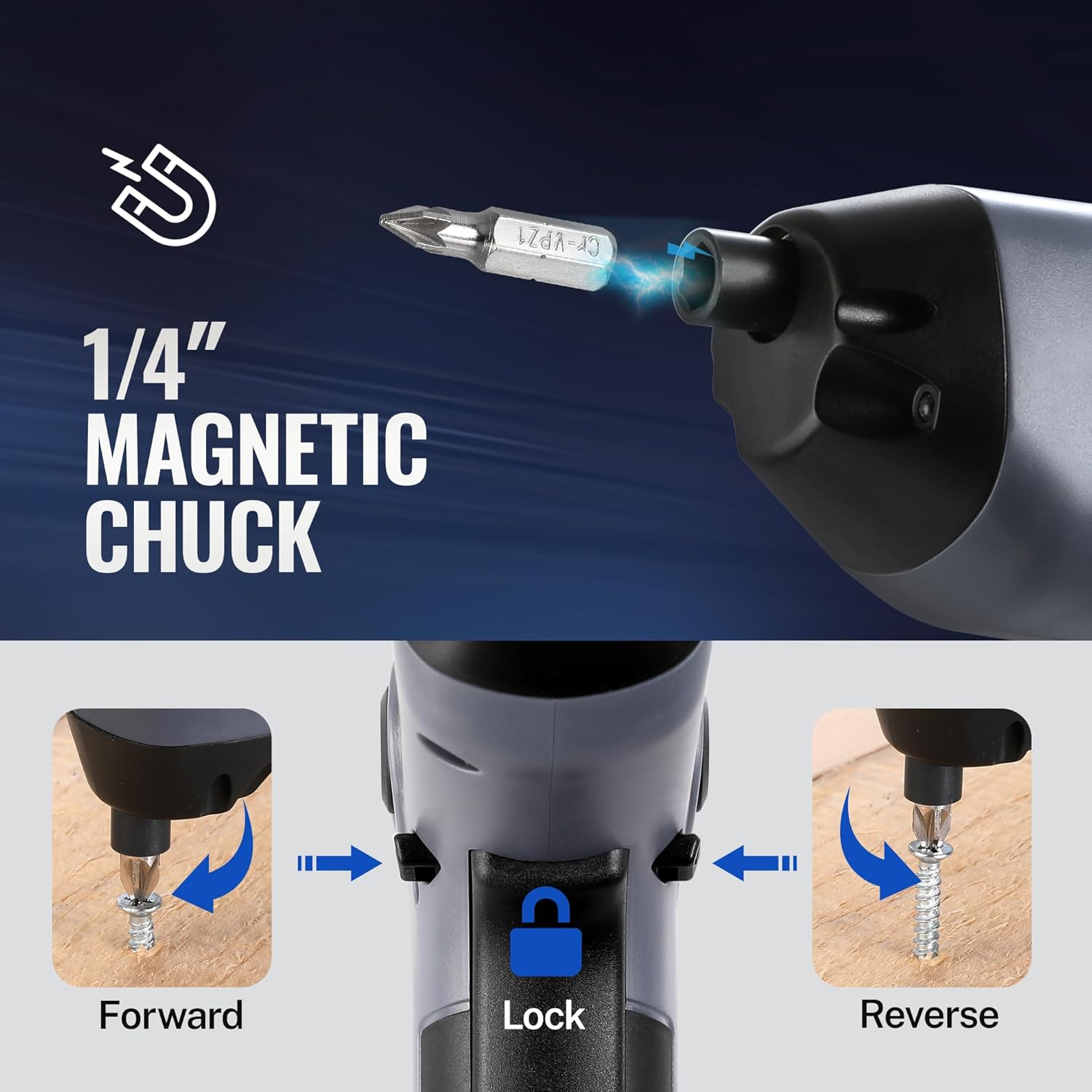
Image: A visual representation of inserting a bit into the magnetic chuck and the Forward, Lock, and Reverse positions of the control switch.
Operating Instructions
Powering On/Off
To operate the screwdriver, press the ON/OFF switch (trigger) located on the handle. Release the switch to stop the tool.
Forward/Reverse Operation
The Forward/Reverse/Lock control switch is located near the top of the handle.
- Push the switch forward (towards the bit) for forward rotation (to drive screws).
- Push the switch backward (towards the base) for reverse rotation (to remove screws).
- Set the switch to the center position to lock the tool, preventing accidental activation and allowing for manual tightening/loosening if needed.
Using the LED Light
The integrated LED light automatically activates when the ON/OFF switch is pressed, illuminating your work area. It will turn off automatically when the switch is released.

Image: The screwdriver in use, demonstrating how the LED light illuminates the screw and surrounding area for better visibility.
Utilizing the Offset Driving Shaft
The offset design of this screwdriver allows it to reach screws in confined spaces and close to edges where traditional screwdrivers or drills might not fit.
- When working in corners or near obstacles, position the offset shaft to align the bit with the screw head.
- This design provides increased flexibility for precise work in challenging areas.

Image: A comparison showing a standard drill with a center driving shaft unable to reach a screw in a corner, contrasted with the WORKPRO screwdriver's offset driving shaft successfully accessing the screw in a narrow space.
Maintenance
Proper maintenance ensures the longevity and optimal performance of your screwdriver.
- Cleaning: Regularly wipe the tool with a soft, damp cloth. Do not use harsh chemicals or abrasive cleaners. Keep ventilation openings clear of dust and debris.
- Storage: Store the screwdriver and its accessories in the provided carrying case in a dry, cool place, away from direct sunlight and moisture.
- Battery Care: For long-term storage, charge the battery to approximately 50% every 3-6 months to maintain battery health.
- Bit Inspection: Periodically inspect screwdriver bits for wear or damage. Replace worn bits to ensure effective screw driving and prevent damage to screw heads.
Troubleshooting
If you encounter issues with your WORKPRO Electric Cordless Screwdriver, refer to the following common problems and solutions:
- Screwdriver does not turn on:
- Ensure the battery is charged. Connect the tool to a power source and check the charging indicator.
- Verify the Forward/Reverse/Lock switch is not in the 'Lock' (center) position.
- Screwdriver lacks power/torque:
- The battery may be low. Recharge the tool.
- Ensure the correct bit size is used for the screw to prevent stripping and maximize torque transfer.
- Bit falls out of chuck:
- Ensure the bit is fully inserted into the magnetic chuck.
- Check if the bit is a standard 1/4" hex shank.
- Charging indicator light does not turn green:
- Ensure the USB cable is securely connected to both the screwdriver and the power source.
- Try a different USB cable or power adapter to rule out a faulty accessory.
Specifications
| Feature | Specification |
|---|---|
| Brand | WORKPRO |
| Model | 3.6V Electric Cordless Screwdriver |
| Battery Type | Lithium Ion (Included) |
| Torque | Up to 5 Nm |
| No-load Speed | 210 RPM |
| Charging Time | 1.5-2 hours |
| Charging Port | USB-C |
| Head Style | Phillips, Pozidriv, Torx, Hex, Slotted |
| Bit Size | 1/4" Hex Shank (25mm and 50mm bits included) |
| Item Weight | 1.96 pounds |
| Package Dimensions | 9.96 x 5.71 x 2.64 inches |
Warranty and Support
WORKPRO products are manufactured to high-quality standards. For warranty information, technical support, or service inquiries, please refer to the contact information provided with your purchase documentation or visit the official WORKPRO website. Please retain your proof of purchase for warranty claims.