
1. Introduction
This manual provides detailed instructions for the installation, operation, and maintenance of your Blue Ocean SPS822A 48" Stainless Steel Shower Panel Tower. Please read this manual thoroughly before installation and use to ensure proper function and longevity of your product. Keep this manual for future reference.
2. Safety Information
Observe all local plumbing and building codes during installation. Professional installation is recommended. Always turn off the main water supply before beginning any installation or maintenance. Ensure all connections are secure to prevent leaks. Do not use abrasive cleaners on the stainless steel finish.
3. Package Contents
Verify that all components are present before beginning installation:
- Shower Panel Tower (SPS822A)
- Rainfall Shower Head
- Handheld Shower Head with Hose
- Tub Spout
- Mounting Hardware (screws, anchors, brackets)
- Hot and Cold Water Supply Hoses
- Installation Manual (PDF available online)
4. Setup & Installation
4.1 Pre-Installation Checks
- Ensure your existing plumbing provides adequate hot and cold water supply lines.
- Confirm water pressure is within the recommended range (up to 72 psi).
- Gather necessary tools: drill, screwdriver, wrench, level, measuring tape, sealant.
4.2 Installation Steps
- Turn off Water Supply: Locate and turn off the main water supply to your bathroom.
- Prepare Mounting Location: Mark the desired mounting height for the shower panel on the wall. Ensure it is level and aligns with your existing hot and cold water outlets. Refer to the dimension diagram for optimal placement.
- Install Mounting Brackets: Drill pilot holes at the marked locations and secure the mounting brackets to the wall using the provided screws and anchors.
- Connect Water Lines: Connect the hot and cold water supply hoses from the shower panel to your wall outlets. Ensure a watertight seal using plumbing tape or sealant as needed.
- Mount Shower Panel: Carefully hang the shower panel onto the installed mounting brackets. Secure it in place according to the specific bracket design.
- Test for Leaks: Slowly turn on the main water supply and check all connections for leaks. Address any leaks immediately.
- Final Adjustments: Ensure the panel is securely fastened and all components are functioning correctly.

Figure 1: Detailed installation diagram with key dimensions for the shower panel and shower head.

Figure 2: Diagram illustrating the hot and cold water inlet connections and the recommended height for installation relative to a user.
5. Operation
Your Blue Ocean SPS822A shower panel features independent controls for water temperature and function selection, allowing for a customized shower experience.
5.1 Water Temperature and Flow Control
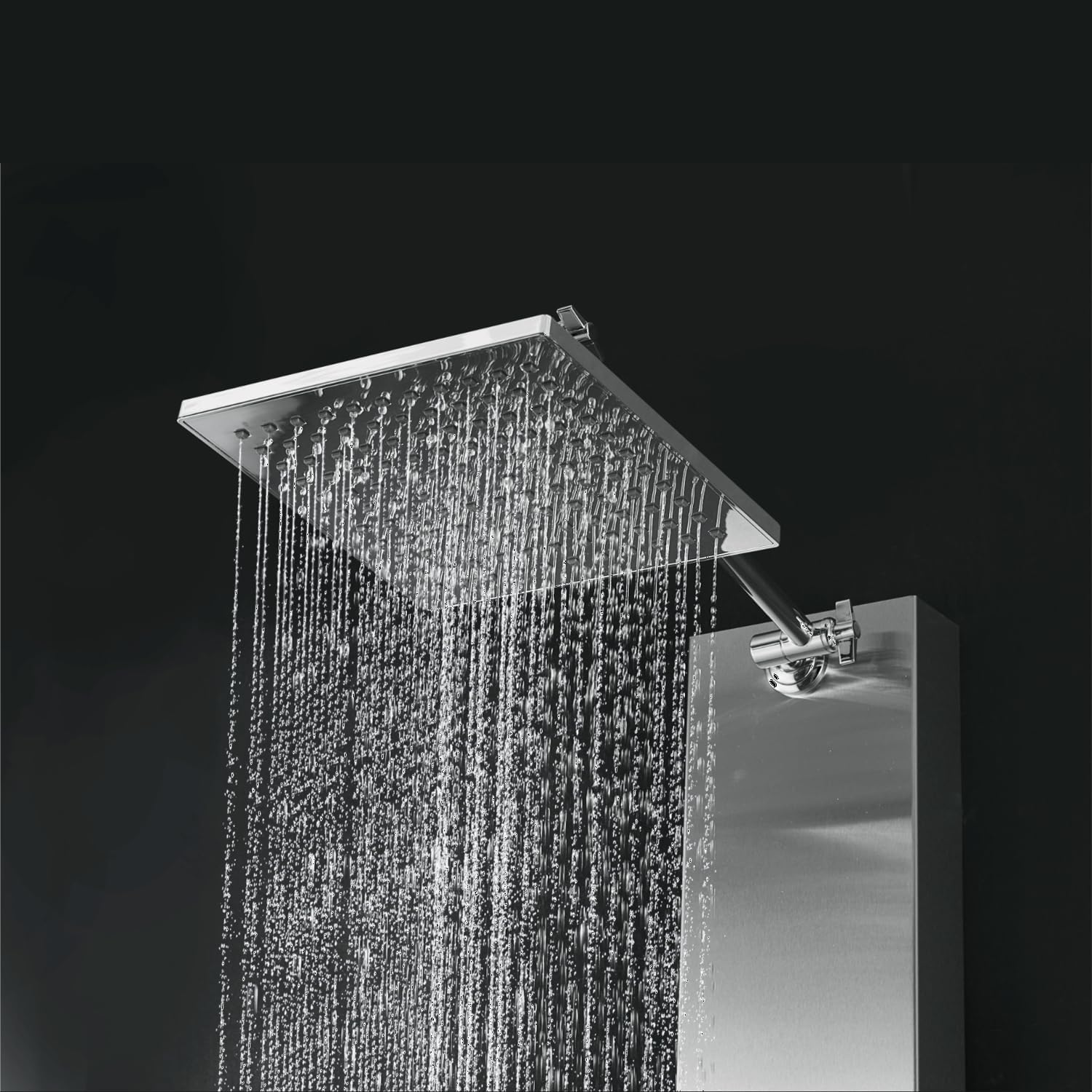
Figure 3: The dual stainless steel control knobs for precise adjustment of water temperature and pressure.
- The lower knob controls the water temperature and flow. Rotate it to adjust the desired temperature and pull it out or push it in to control the water flow intensity.
- The upper knob is the function diverter, allowing you to select between the rainfall shower head, handheld shower, or tub spout.
5.2 Rainfall Shower Head

Figure 4: The square rainfall shower head delivering a wide, gentle spray.
To activate the rainfall shower head, turn the upper diverter knob to the corresponding setting. The rainfall shower head provides a broad, even water distribution.
5.3 Handheld Shower Head

Figure 5: The handheld shower head providing a focused spray.
To use the handheld shower, rotate the upper diverter knob to its setting. The handheld shower offers flexibility for targeted rinsing.
5.4 Tub Spout

Figure 6: The integrated tub spout delivering water for filling a bath.
Select the tub spout function using the upper diverter knob. This feature is ideal for filling a bathtub.
6. Maintenance
6.1 Cleaning the Stainless Steel Finish
To maintain the satin silver finish, clean regularly with a soft cloth and mild soap or a non-abrasive stainless steel cleaner. Avoid using harsh chemicals, abrasive pads, or acidic cleaners, as these can damage the finish. Wipe dry after cleaning to prevent water spots.
6.2 Descaling Shower Nozzles
Over time, mineral deposits (limescale) may accumulate on the shower head and handheld nozzles, affecting water flow. To descale, gently rub the rubber nozzles with your finger or a soft brush to dislodge deposits. For stubborn buildup, a solution of white vinegar and water can be applied with a soft cloth, then rinsed thoroughly.
7. Troubleshooting
| Problem | Possible Cause | Solution |
|---|---|---|
| Low Water Pressure | Partially closed water supply valves; clogged nozzles; low household water pressure. | Ensure supply valves are fully open. Clean shower nozzles as described in Maintenance. Consult a plumber if household pressure is consistently low. |
| Water Leaks from Connections | Loose connections; worn seals or O-rings. | Turn off water supply. Tighten connections. Replace seals or O-rings if damaged. |
| Inconsistent Water Temperature | Improper mixer valve adjustment; issues with hot/cold water supply. | Adjust the temperature control knob. Check household hot water supply. If issues persist, professional inspection may be required. |
| Diverter Not Switching Functions | Internal mechanism obstruction or wear. | Ensure the diverter knob is fully rotated to each position. If stuck, contact customer support. |
8. Specifications
- Brand: Blue Ocean
- Model Number: SPS822A
- Material: Stainless Steel
- Finish Type: Brushed (Satin Silver)
- Dimensions: 48" H x 9.5" W x 3.5" D (approximate)
- Number of Handles: 1 (Dual Controller)
- Mounting Type: Wall Mount
- Flow Rate: 2.5 GPM (Gallons Per Minute)
- Maximum Pressure: 72 psi
- Included Components: Shower Panel, Rainfall Head, Handheld Shower with Hose, Tub Spout, Mounting Hardware
9. Warranty & Support
9.1 Warranty Information
Blue Ocean products are manufactured to high-quality standards. For specific warranty details regarding your SPS822A Shower Panel Tower, please refer to the warranty card included with your purchase or visit the official Blue Ocean website. Keep your proof of purchase for warranty claims.
9.2 Customer Support
If you have any questions, require assistance with installation, or encounter any issues not covered in this manual, please contact Blue Ocean customer support. Our knowledgeable experts are available by phone or email to ensure your complete satisfaction.
Contact Information: Please refer to the contact details provided on the product packaging or the official Blue Ocean website.


